WordPress 7.2 is the last major release of 2026, and the beta is already out. Most coverage lists the shiny editor features. This guide does that briefly, then spends its time on what matters if you run a real site: the dates, the changes that can quietly break a plugin or theme, and a test plan you can run on a staging copy this week. We used the official Beta 1 announcement and the October developer notes as sources, not second-hand summaries.
WordPress 7.2 release dates
The WordPress 7.2 schedule is short. Beta 1 is out, one release candidate date is fixed, and the final release is planned for early December.
| Milestone | Date | What it means for you |
|---|---|---|
| Beta 1 | 20 October 2026 | Features are in, bugs expected. Test on staging only. |
| Further betas | Late October to mid-November | Bug fixes. Retest if something failed for you. |
| Release Candidate 1 | 17 November 2026 | Code is close to final. Plugin authors should ship fixes by now. |
| Final release | 8 December 2026 | Safe for production once your own checks pass. |
Dates slip. WordPress 7.0 was planned for April and shipped on 20 May, so treat 8 December as the earliest date, not a promise. The source for these dates is the official WordPress 7.2 Beta 1 announcement.
What is new in WordPress 7.2
Here is what the Beta 1 announcement lists, sorted by who will notice and how much risk each change brings to a site that already works.
| Change | Who notices | Risk to an existing site |
|---|---|---|
| Per-device (viewport) controls, including gallery columns and crop | Editors, designers | Low. New options; old settings stay as they were |
Text shadow controls and theme.json presets | Designers, theme authors | None unless you use it |
| Navigation managed from the sidebar | Editors on block themes | Low. Mostly a learning cost |
| Notes: emoji reactions, margin layout, minimized mode | Teams reviewing drafts | None |
| Images resized, compressed and converted in the browser before upload | Everyone who uploads media | Medium. Test uploads and image plugins |
| “On This Day” dashboard widget, updated admin icons | Admins | Low. Custom admin CSS may look off |
| DataForm-based block inspector, faster admin through prefetching | Editors, developers | Low to medium for editor plugins |
| Secrets API, expanded Abilities, Interactivity and HTML APIs | Developers | None. New tools, nothing removed |
Most of that table is additive. You can ignore the new options and nothing changes. The row that deserves a real test is media: when resizing and format conversion move into the browser, any plugin that expects to do that work on the server after upload may now get a different file than before. That covers image optimisers, watermarking plugins and anything that reads the original upload.
Two things did not make this release. Real-time collaborative editing is not on the roadmap, and the React 19 upgrade is described in the developer notes as unlikely to land fully. AI work such as Abilities and the MCP adapter continues, but in separate plugins rather than core.
Ipsum, the new default theme
Ipsum breaks the old habit of naming default themes after the year. According to the October developer notes it is a deliberately minimal blog theme, a blank canvas whose style variations recolour the whole page, images included. The team says every style combination meets WCAG AA contrast, which is more than most commercial themes can say.
A new bundled theme does not switch your site to it. When a core update ships a new default theme, WordPress copies it into wp-content/themes and leaves your active theme alone. If you do not want the extra folder, the CORE_UPGRADE_SKIP_NEW_BUNDLED constant in wp-config.php stops that copy. Keeping one default theme installed is still sensible, because WordPress falls back to it if your own theme ever fails to load.
What could break in WordPress 7.2
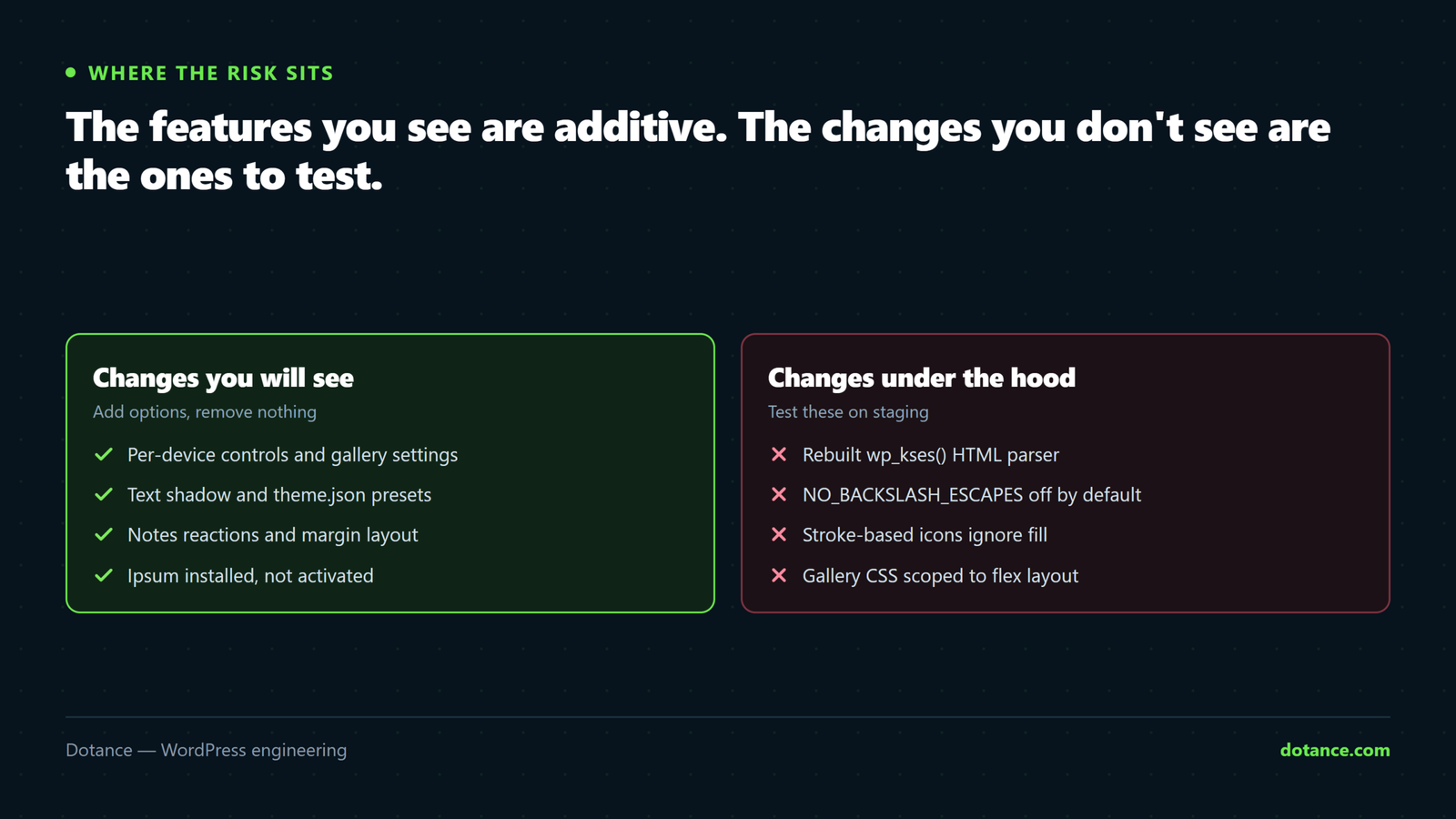
This is the section the release post does not dwell on. Each item below comes from the October developer notes for the WordPress 7.2 cycle, and each has a quick way to check whether it touches your site.
1. The rebuilt wp_kses() parser
wp_kses() is the function that cleans HTML before WordPress stores or prints it. Post content, comments, widget text and many plugin fields go through it. The new parser normalises its output, strips the contents of script and style tags, and rejects some malformed SVG, MathML and HTML comments. The developer notes say the rebuild targets 7.2 or 7.3, so it may or may not be in the final release.
What breaks: inline SVG icons pasted into content with sloppy markup, HTML comments that a plugin uses as markers, and any code that compares kses output with a stored string. If something does break, the wp_kses_force_legacy_parser filter brings back the old behaviour as a temporary fix while the plugin author catches up.
2. A different default SQL mode
In WordPress 7.2, the NO_BACKSLASH_ESCAPES SQL mode is off by default. Plugins that build queries with $wpdb->prepare() will not notice. Plugins that hand-build SQL strings and rely on the server’s own mode might. Sites that genuinely need that mode can set it through the incompatible_sql_modes filter, but only from a db.php drop-in.
3. Stroke-based icons
About 330 core icons are now drawn with strokes instead of fills. CSS that recolours icons with fill no longer works on them; color does. This mainly affects custom block plugins and admin styling. Developers should update @wordpress/icons and @wordpress/components together.
4. Gallery CSS and new classes
Gallery styles are now scoped to :where(.is-layout-flex), and Accordion, Tabs, Tab Panel and Post Template blocks now output a has-link-color class. Themes with their own gallery CSS, or with link colours written at low specificity, can render differently. Check every page that uses a gallery, especially if you plan to try the new Grid gallery variation.
5. Smaller deprecations
Footnote IDs gain an fn- prefix, so any hard-coded anchor link to a footnote needs updating. Five components in @wordpress/components (Divider, ResponsiveWrapper, Scrollable, ZStack and Elevation) are deprecated, with removal planned for 7.4. In MediaUpload, unstableFeaturedImageFlow becomes featuredImageFlow. Nothing here breaks on day one, but plugin authors now have a deadline.
Not a site change, but worth knowing. Plugin releases on WordPress.org now go through an automated security review during the release cooldown, and high-risk releases are blocked automatically. If a plugin you rely on is slow to ship its 7.2 fix, that review may be one reason.
How to test WordPress 7.2 safely, in 6 steps
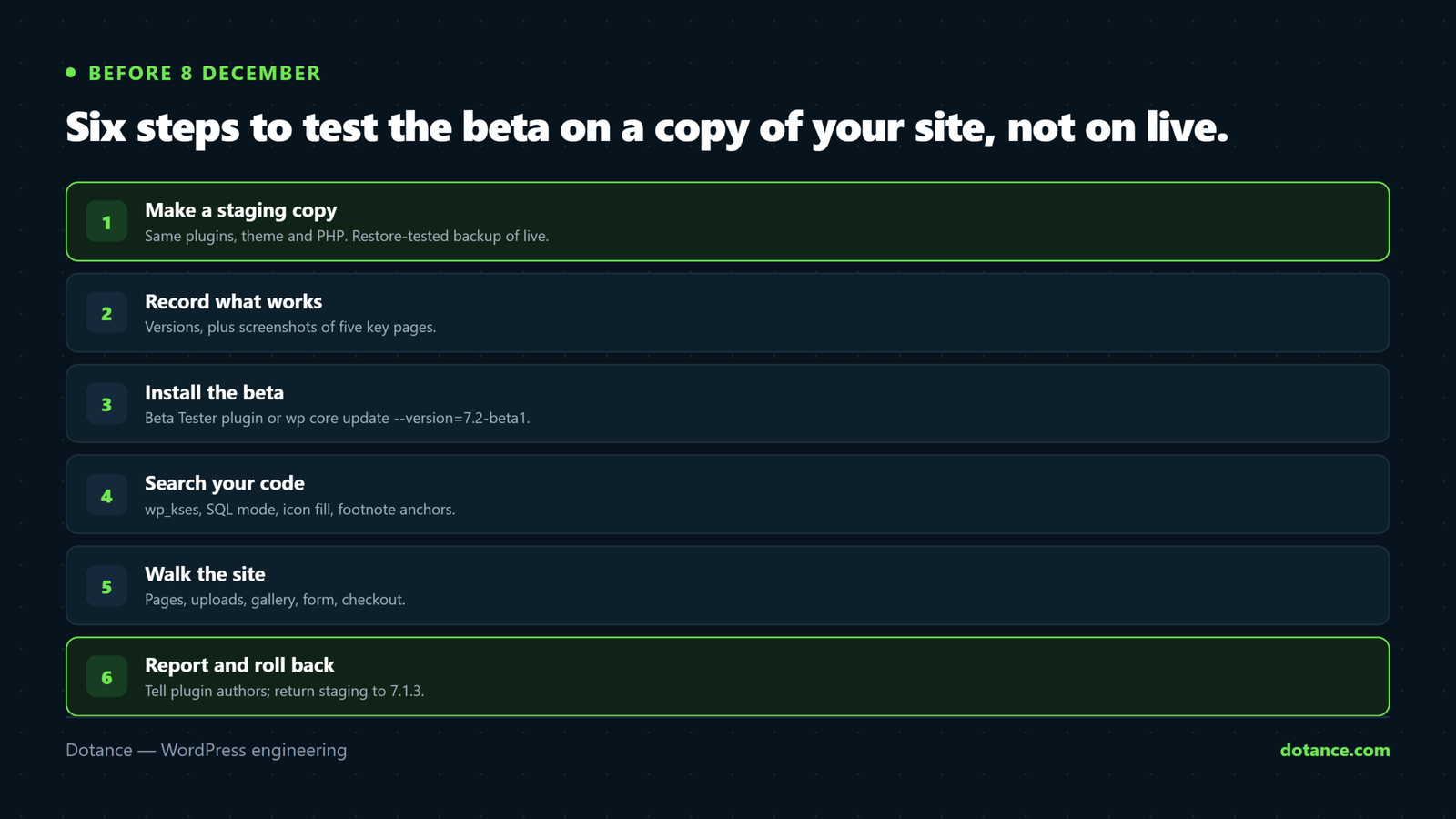
Never run a beta on a live site. The announcement says the same. Testing on a copy takes about an hour, and it is the cheapest hour you will spend on this release.
Step 1: Make a staging copy
Clone the live site to staging, with the same plugins, theme and PHP version. If your host has no one-click staging, our guide to setting up a WordPress staging site covers the manual route. Our free plugin Sitecarry can also clone a site to a subdomain. Take a backup of live too, and make sure you have tested that the backup restores.
Step 2: Record what “working” looks like
Before you change anything, write down the version numbers and screenshot five key pages: the home page, a post with images, a gallery, a form and checkout if you sell online.
On the staging copy
wp core version
wp plugin list --fields=name,status,version --format=table
wp theme list --status=active
wp eval 'echo PHP_VERSION . PHP_EOL;'
Step 3: Install the beta
There are three supported ways. In the WordPress Beta Tester plugin, choose the “Bleeding edge” channel and the “Beta/RC Only” stream, then update from the dashboard. With WP-CLI it is one command. If you only want to look at the new editor and do not need your own content, WordPress Playground runs the beta in a browser tab with no install at all.
# Staging only. Never on live.
wp core update --version=7.2-beta1
wp core update-db
wp core version
Step 4: Search your code for the risky patterns
If you have custom plugins or a custom theme, a quick search shows whether the breaking changes in WordPress 7.2 apply to you. A match is not a bug; it is a place to look.
# HTML cleaning and SQL mode assumptions
grep -rn "wp_kses\|NO_BACKSLASH_ESCAPES" wp-content/plugins/your-plugin wp-content/themes/your-theme
# Icon colours set with fill
grep -rn "fill:" wp-content/themes/your-theme --include=*.css
# Hard-coded footnote anchors
wp db search '#fn' --all-tables-with-prefix
Step 5: Walk the site
Open the five pages you screenshotted and compare. Then do the things editors do every day: upload a large JPEG and a PNG, insert a gallery, save a post with an inline SVG or embed, and submit a form. Watch the browser console and the PHP error log while you do it. In this release the media upload is the test most people skip and the one most likely to surprise them.
Step 6: Report what fails
If a plugin breaks, tell its author now, while there is time to fix it before 8 December. If WordPress itself breaks, the official route is the Alpha/Beta forum or a reproducible ticket on WordPress Trac. Then roll staging back so it stays a faithful copy of live.
# Return staging to the current stable release
wp core update --version=7.1.3 --force
WordPress 7.2 and Elementor, Divi or Bricks
Page builders render on the front end with their own editors, so most of the block editor changes in WordPress 7.2 do not reach them. Per-device controls, Notes and text shadow live in the block editor, and a builder site will barely see them.
Two changes still apply to builder sites. Client-side media processing affects every upload, whichever editor started it. And the kses rebuild touches any builder widget that saves raw HTML or SVG through WordPress’s cleaning functions. Builders usually ship a compatibility release in the weeks around a major version, so check their changelog before you update on 8 December, not after.
If you run a classic theme
Classic themes keep working. Nothing in the 7.2 notes removes classic theme support, and the new design tools are simply not visible to you. The items to check are the gallery CSS change, if your theme styles core galleries, and admin icons, if you or a plugin restyles the admin menu. If neither applies, the update is routine for you.
When to update to WordPress 7.2
The right date depends on how much the site earns and how much custom code it carries.
| Site type | Our advice |
|---|---|
| Personal blog, standard theme, few plugins | Update on or soon after 8 December, after a backup |
| Business site on a page builder | Wait one to two weeks, until the builder confirms support |
| WooCommerce store | Test on staging first; avoid updating during a sale period |
| Site with custom plugins or blocks | Test the beta now; fix before 8 December; update after the first minor release |
| Agency maintaining many sites | Test on RC1 against your common plugin set; roll out in waves |
Security releases are the exception. If a WordPress 7.2.x security release follows, apply it promptly; the delay advice above is about the major version jump, not about security fixes. Our general guide to updating WordPress safely covers the routine we use for every release.
Where this goes wrong
| Mistake | What happens | Do this instead |
|---|---|---|
| Installing the beta on the live site | Beta bugs reach real visitors; rollback is messy | Staging, a local copy or Playground only |
| Testing an empty site | No plugin conflicts show up, so you learn nothing | Clone live with its real plugins and content |
| Skipping media uploads in the test | Image plugin conflicts appear the day after release | Upload a large JPEG and a PNG on staging |
| Updating on release day with a builder | The builder’s fix is not out yet | Wait for its compatibility note |
| No restore test | The backup turns out to be broken when you need it | Restore it once to staging first |
| Changing settings to work around a bug | The setting stays changed after the fix lands | Note every change so you can undo it |
That last row catches more people than it should. Settings changed in a hurry are hard to trace a month later. Our free Settings History plugin logs every change to WordPress options and lets you undo WordPress settings changes one at a time, which is useful during any major update.
How WordPress 7.2 compares with 7.1
WordPress 7.1 was the riskier release for most sites, because it moved the block editor into an iframe and broke custom blocks that reached into the editor page. We covered that in our WordPress 7.1 update checklist and in why custom blocks broke. WordPress 7.2 builds on 7.1’s responsive styling, which we described in our guide to responsive styling in WordPress, and extends it to galleries and position.
If you skipped 7.1, updating straight to WordPress 7.2 works, and WordPress runs each database upgrade in order. You absorb both releases at once, though, so run the 7.1 checks as well.
PHP and hosting for WordPress 7.2
The Beta 1 announcement does not raise the minimum PHP version. WordPress 7.0 raised it to 7.4, and that remains the floor. The floor is not the target: PHP 7.4 and 8.0 no longer get security fixes. Run 8.3 or newer where your host allows, and see our notes on PHP 8.5 with WordPress before you move to the newest branch.
Separately, the October PHP security update fixed two critical bugs in PHP itself. That has nothing to do with WordPress 7.2, but if you are already talking to your host about the update, check that your PHP version is patched in the same conversation.
Common questions about WordPress 7.2
Is WordPress 7.2 out yet?
Not as a stable release. Beta 1 came out on 20 October 2026 for testing. The final release is scheduled for 8 December 2026, with Release Candidate 1 on 17 November.
Can I install the WordPress 7.2 beta on my live site?
No. The announcement says the beta is for testing and development only. Use a staging copy, a local install or WordPress Playground.
Does WordPress 7.2 need a newer PHP version?
The beta announcement does not mention a new minimum. The floor set in WordPress 7.0, PHP 7.4, still applies, but PHP 8.3 or newer is the sensible choice.
Will WordPress 7.2 switch my site to the Ipsum theme?
No. A new default theme is installed alongside your themes, not activated. Your active theme stays exactly as it is.
Does WordPress 7.2 add real-time collaboration or AI features?
Real-time co-editing is not on the 7.2 roadmap. Notes get reactions and a new layout. AI-related APIs such as Abilities are expanded, but the bigger AI pieces are developed as separate plugins.
How long does updating to WordPress 7.2 take?
The update itself takes a couple of minutes. Testing on staging takes about an hour for a typical business site, longer if you carry custom plugins or blocks.