
Works with everything
Every plugin and theme saves its settings to the same WordPress table. Settings Undo watches that table, so there is nothing to integrate and nothing to configure.
★ Free plugin
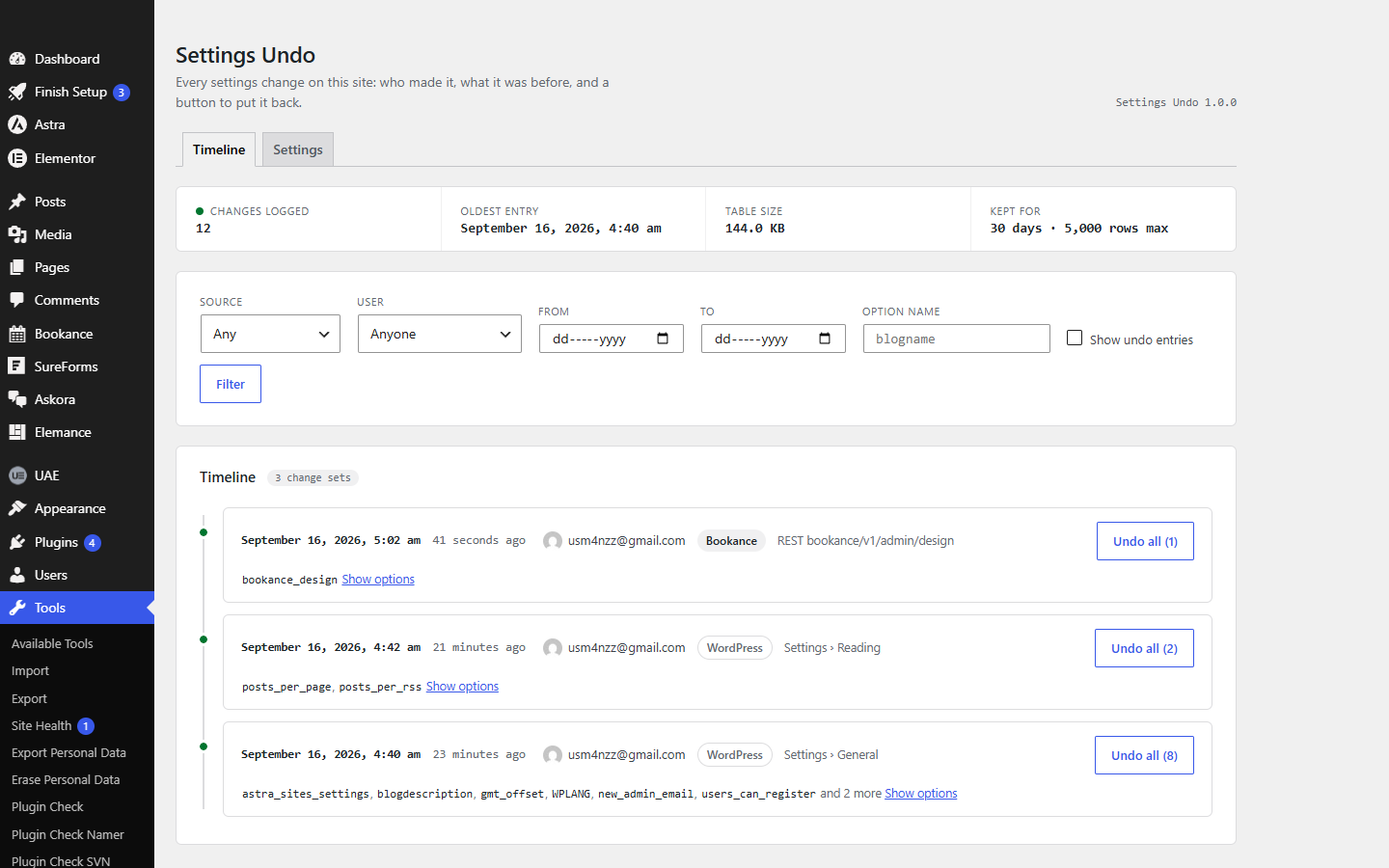
WordPress keeps revisions for posts and nothing for settings. Settings Undo records every real change to the options table made by a logged-in user — in WordPress itself, in any plugin, in any theme — and shows who changed what, from which screen, with the value before and after. One click puts it back. No configuration, nothing to integrate.
Overview
Someone saved the wrong value on a plugin's options screen. A colleague changed something on Friday evening. A plugin you tried for ten minutes rewrote twenty settings and did not put them back. Until now the only answers were a full backup restore or guesswork.
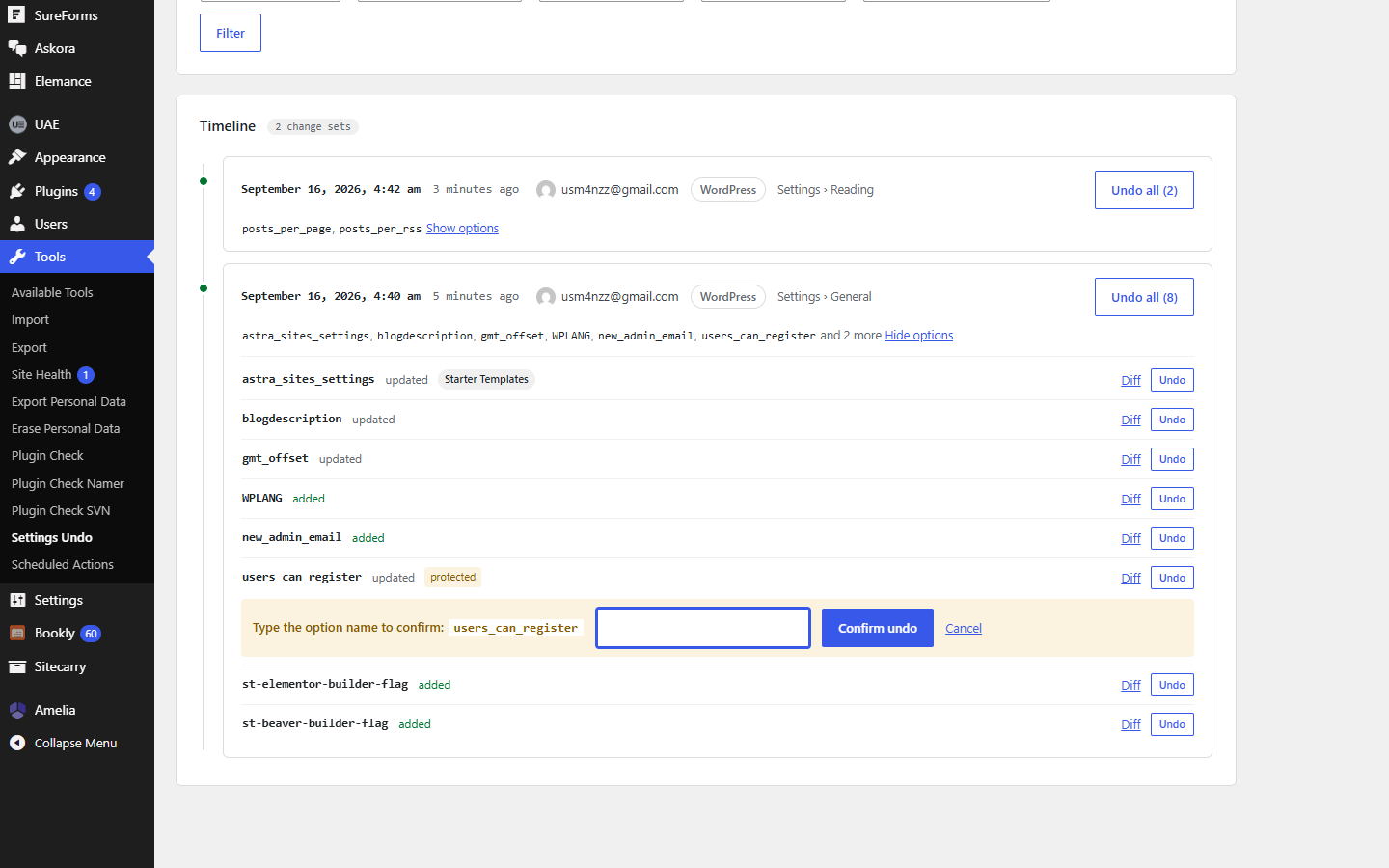
Settings Undo listens where every plugin, theme and WordPress core writes its settings and records each real change: who, when, which plugin or theme wrote it, and from which screen. Arrays are compared key by key so you see exactly what moved. Undo one option or everything a single save touched, and the undo is recorded too, so it can be undone. The dangerous options — site URL, active plugins, theme, user roles — ask you to type the option name first.
Features
Every plugin and theme saves its settings to the same WordPress table. Settings Undo watches that table, so there is nothing to integrate and nothing to configure.
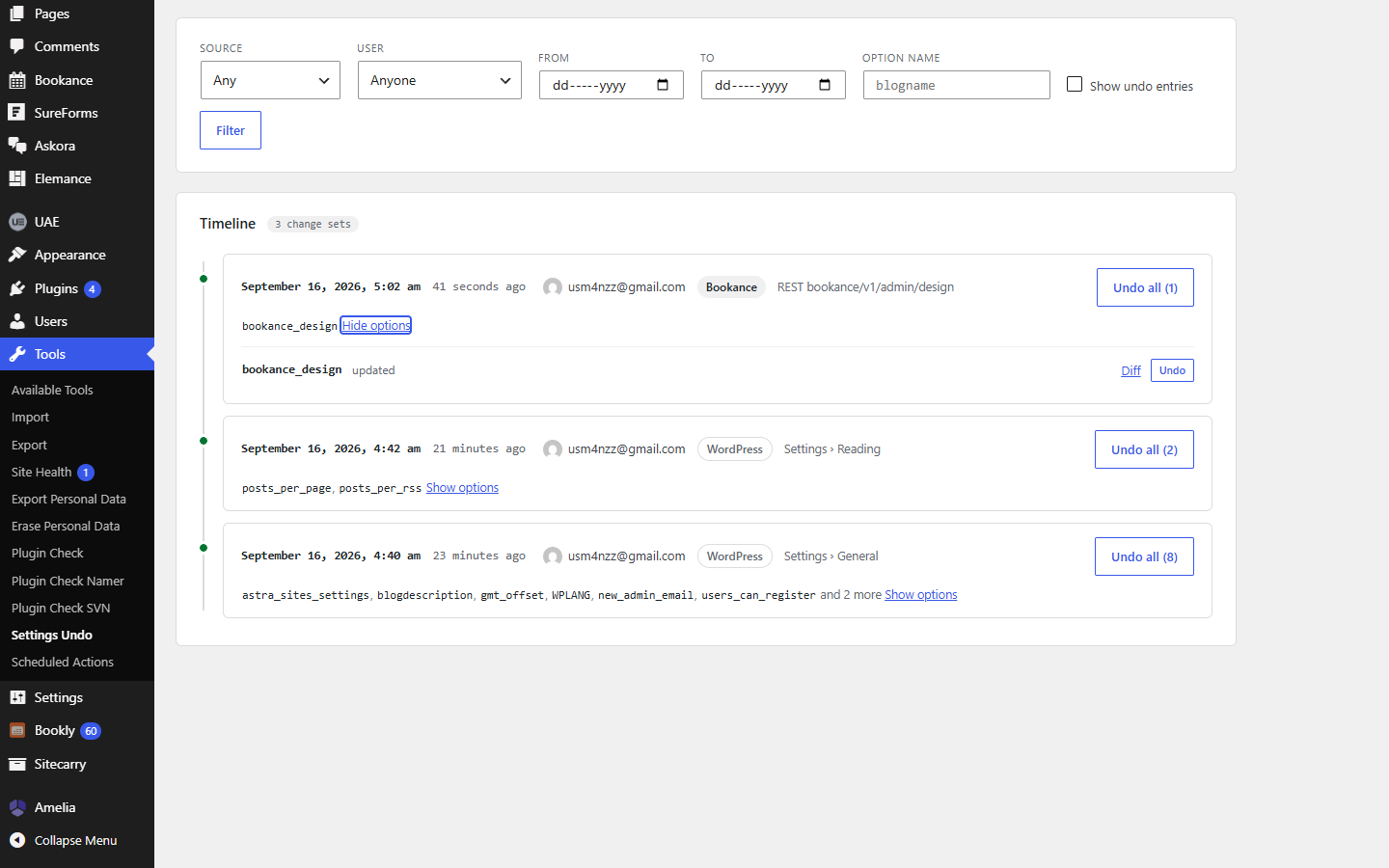
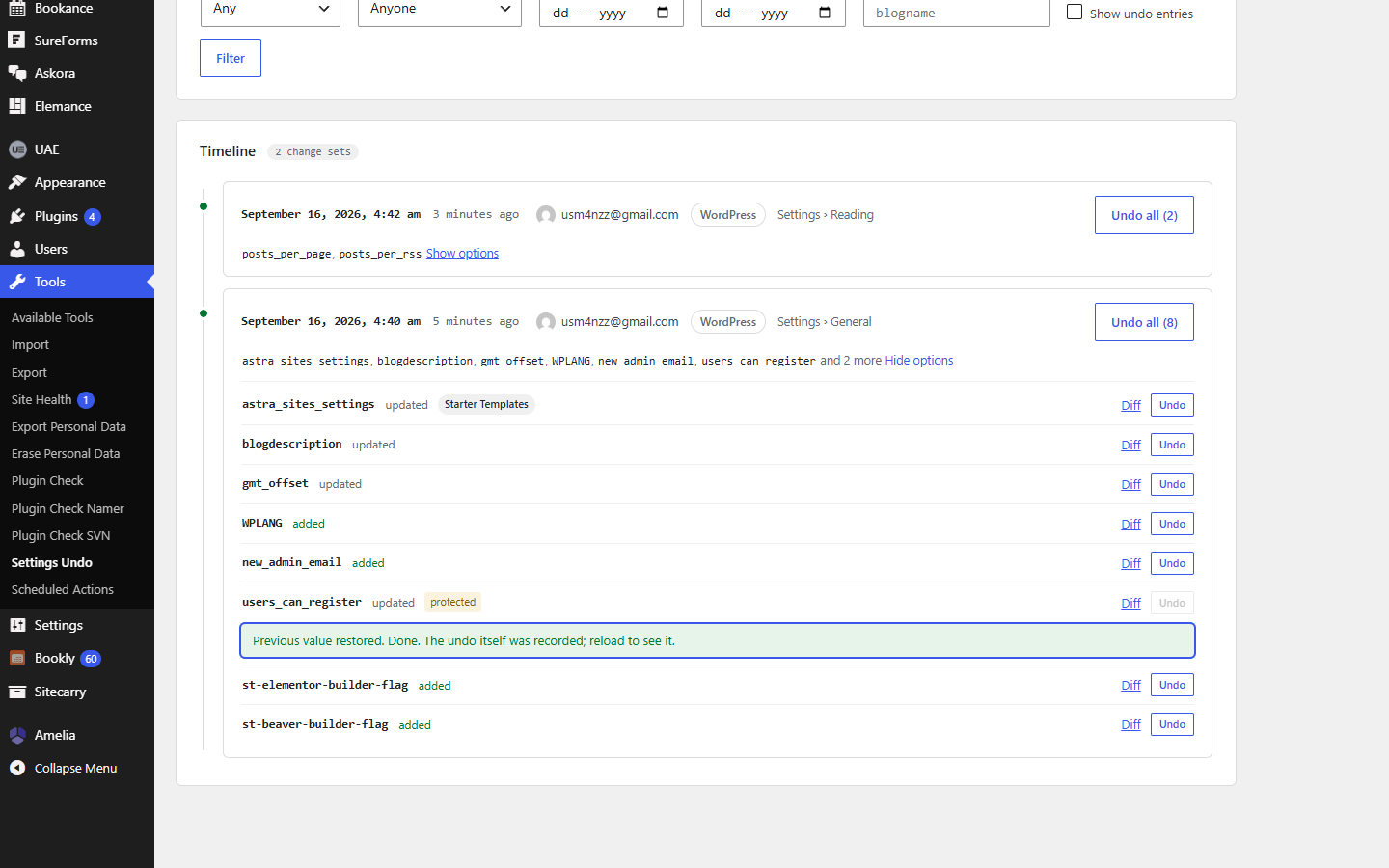
Each entry carries the user, the time, the plugin or theme that wrote it, and the screen it came from — "Settings › Reading", a plugin's admin page, the Customizer, a REST route.
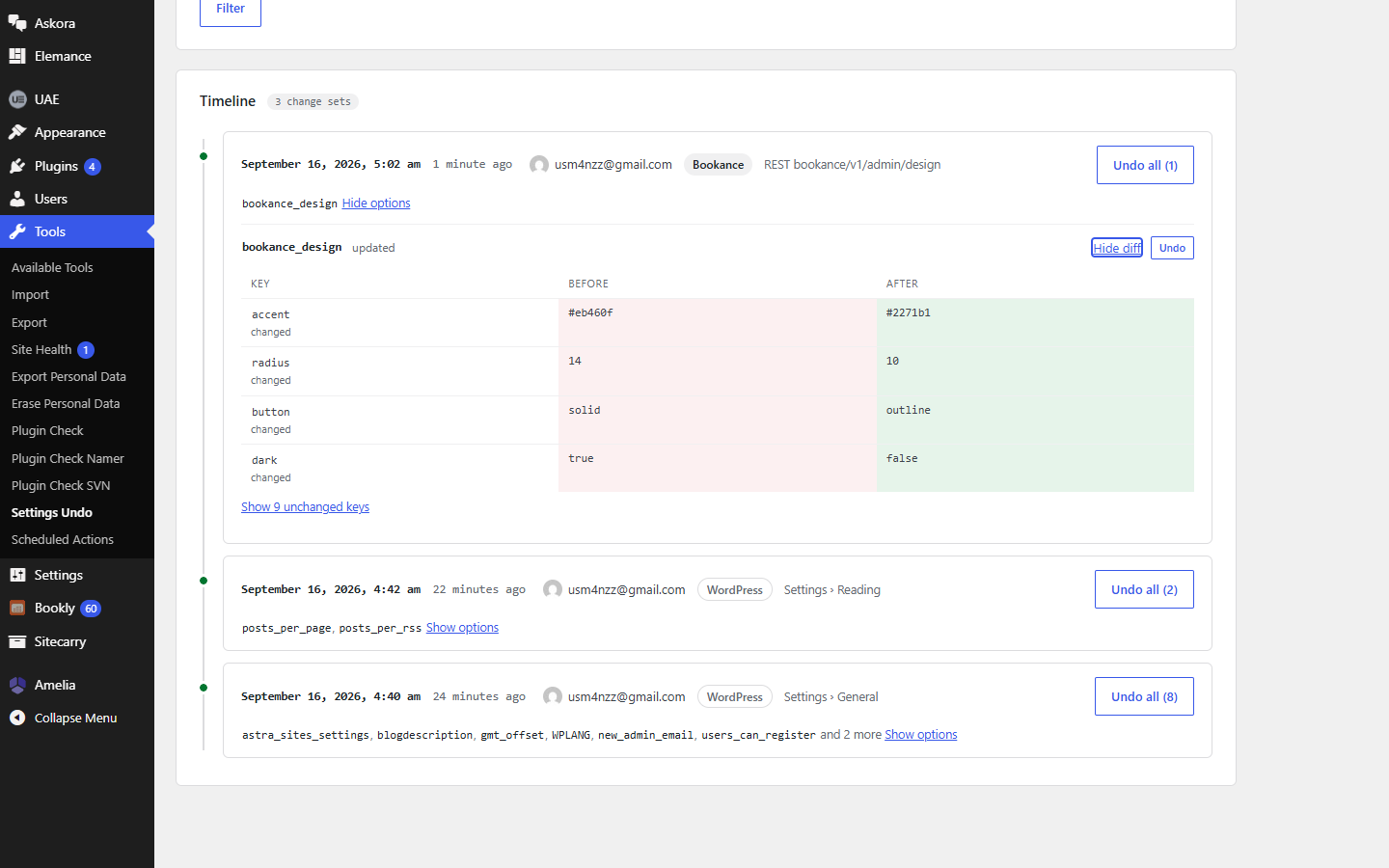
Simple values side by side. Arrays as a table of added, removed and changed keys, collapsed to what changed, with pretty-printed values. Secrets are masked in the display.
Undo a single option, or every option one form save wrote, in one click. The undo is recorded as its own entry, so a mistaken undo is one click away too.
Transients, cron state, caches, update timestamps and version bumps are ignored. A plugin that toggles a value and puts it straight back leaves no trace. One save is one card.
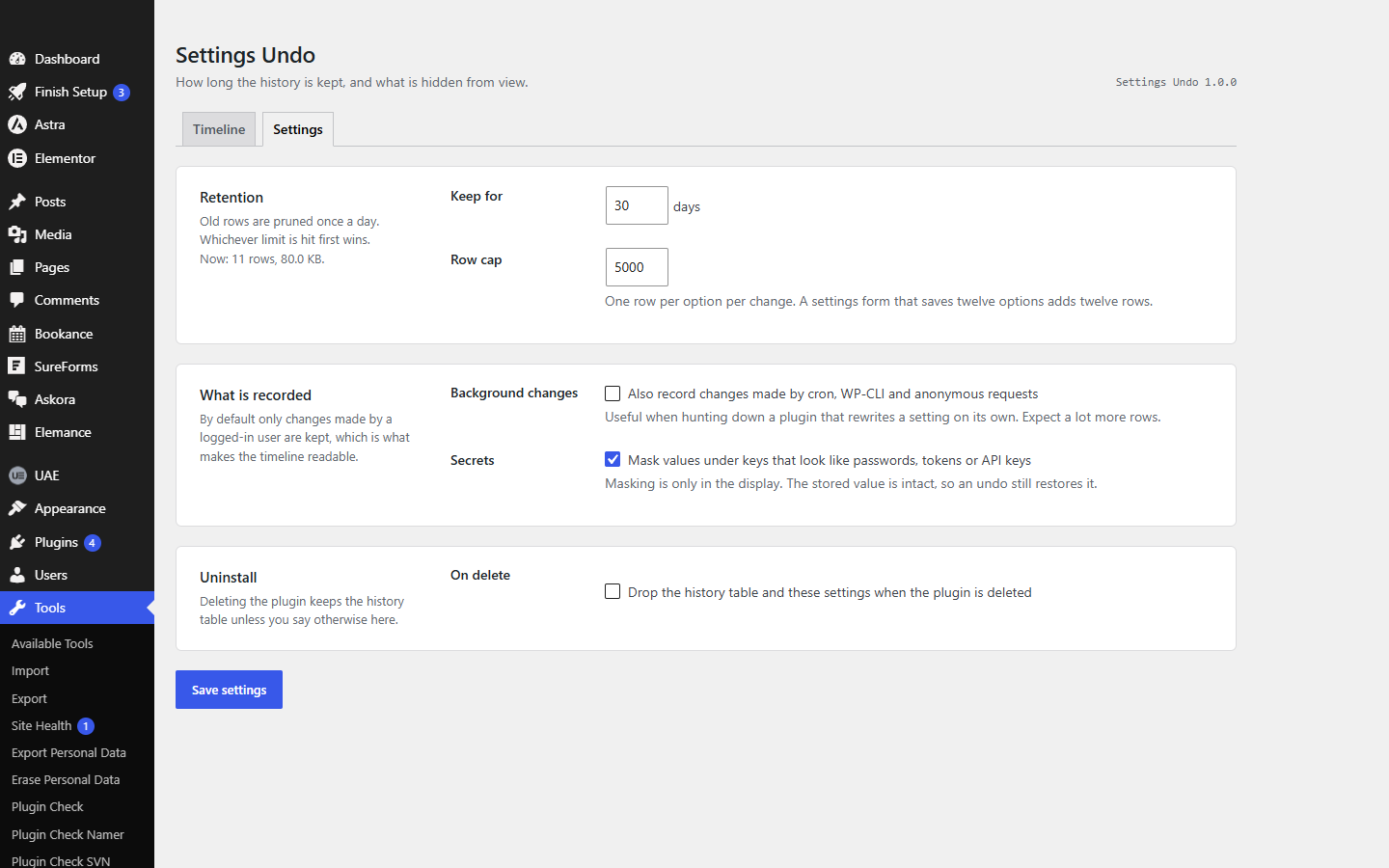
Administrators only. Protected options need a typed confirmation. History is pruned daily by age and row count, and survives uninstall unless you say otherwise.
Screenshots
Pricing
$0
The whole plugin. Unlimited history within your retention settings, every plugin and theme, undo without limits.
Quoted
Settings Undo is what we needed often enough to package. When a project needs something it does not do, we build that instead.
Settings Undo will be submitted to the WordPress.org plugin directory once our current submissions clear review. Until then the download here is the same build, straight from us. There is no Pro version and nothing in the plugin is locked.
Changelog
New animated icon beside the page title in the admin screens.
Records add, update and delete of any option by a logged-in user; groups one request's writes into a change set; timeline with source, user, date and option filters; key-level diffs; undo per entry or per change set; typed confirmation for protected options; masking of secret-looking keys; daily pruning.
Questions
Questions about a custom plugin built for your site are on the plugin development page.
WordPress keeps revisions for posts and pages but none for settings, so out of the box there is nothing to go back to. Settings Undo adds that history: once it is active, every change to a setting — in WordPress itself, in any plugin or theme — is recorded under Tools → Settings Undo with the value before and after. Click Undo on the entry, or Undo all on the save that touched several options, and the old value is written back.
Settings Undo records the logged-in user, the time, the plugin or theme that wrote the option and the screen it was saved from — "Settings › Reading", a plugin's admin page, the Customizer or a REST route. Filter the timeline by user, source, date or option name to find the change, then open the diff to see exactly which keys moved.
Yes. Every plugin, theme and WordPress core writes its settings to the same options table, and Settings Undo records changes at that level. Elementor, RankMath, WooCommerce settings, the Customizer, the built-in Settings screens — anything that saves the normal way appears in the timeline with the right name on it.
Plugins that keep data in their own tables (orders, bookings, security logs) are outside its view, and so are posts and pages, which WordPress already versions.
No. Nothing runs on the front end for visitors. Recording happens only when an option actually changes, after a cheap check that it is not on the ignore list. Reading the timeline is one query per page.
Either the option is on the ignore list — transients, cron, caches, version numbers and similar noise — or it was written by a background process: cron, WP-CLI or an anonymous request. Those are off by default and can be switched on under Settings. A value that was changed and changed straight back within the same request leaves no entry either.
The active_plugins option is recorded and can be restored, with a typed confirmation. Restoring the list does not run a plugin's own activation or deactivation routines; proper handling of that is planned for a later version.
In one table, {prefix}settings_undo_log, on your own site. Only administrators can view the timeline or undo anything. Values under keys that look like passwords, tokens or API keys are masked in the display — the stored value is intact, so an undo still works. Uninstalling keeps the history unless you tick "delete data on uninstall".
WordPress 5.9 or newer and PHP 7.4 or newer; tested up to WordPress 7.1 and PHP 8.3. No external services, no API keys.
We would like to use analytics cookies to understand how the site is used. They are not needed for the site to work, and nothing is loaded unless you agree. Privacy policy