
Restores on any server
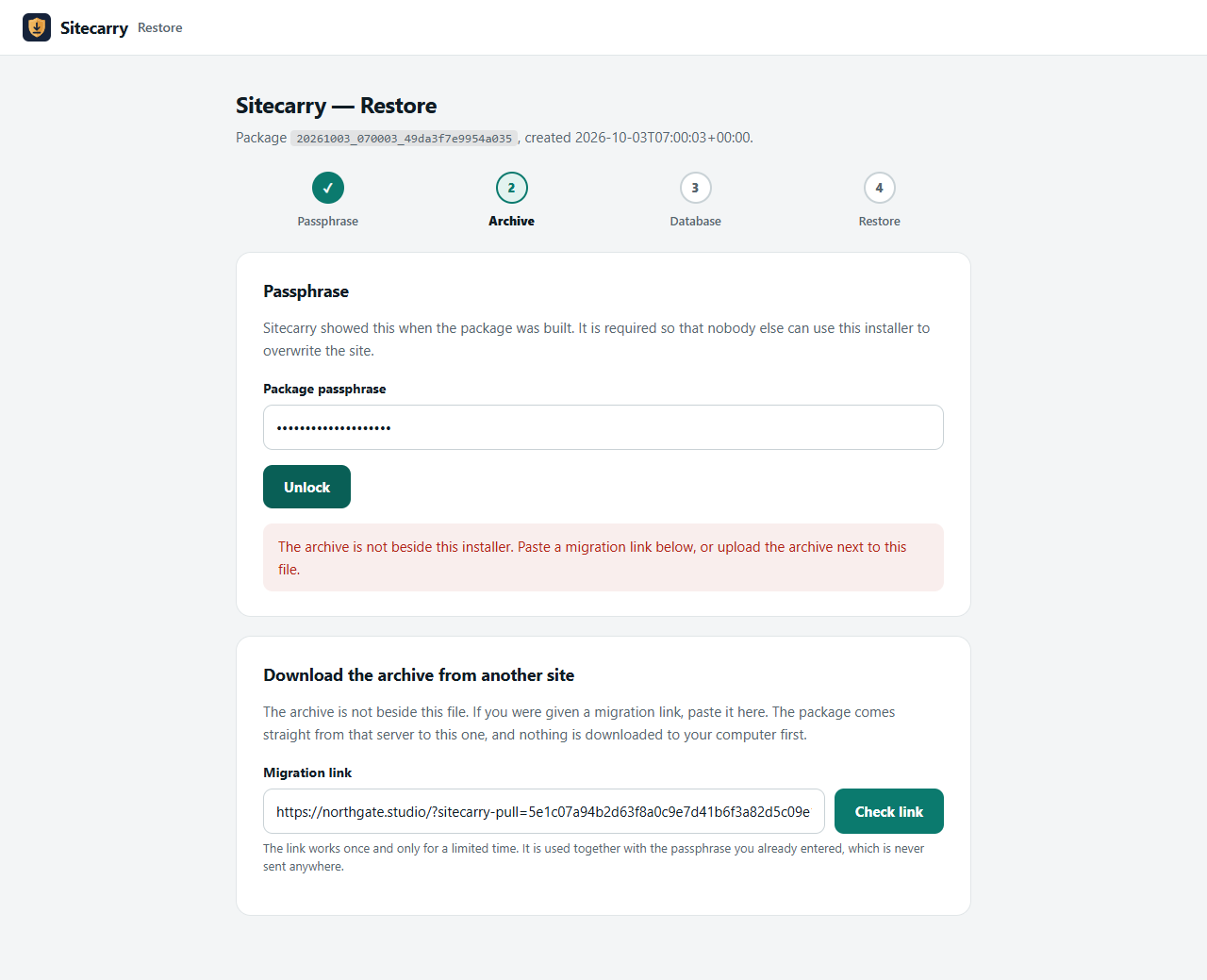
Every package ships with an installer.php that needs no WordPress on the target. Same file for moving hosts, cloning live to staging, or rolling a site back.
★ Free plugin
Packages your whole site — every file plus a full database export — into one archive, with a standalone installer that rebuilds it on any server. The build runs in short, resumable slices, so it finishes on shared hosting that kills a request after thirty seconds.
Overview
A backup is only worth what it restores. Every Sitecarry package carries the files, a complete database export and a standalone installer — one program that rebuilds the site on a server with no WordPress on it at all, rewriting URLs and paths as it goes.
The hard part of moving a WordPress site is that a lot of its settings are PHP serialized data, where every string carries its own byte length. A plain search and replace breaks those lengths, and that is how a migration quietly wipes widget settings and page builder layouts. Sitecarry rewrites the serialized form directly and repairs the lengths, including the JSON-escaped URLs Elementor stores its content in.
Tutorial
Features
Every package ships with an installer.php that needs no WordPress on the target. Same file for moving hosts, cloning live to staging, or rolling a site back.
Both the build and the restore run in short slices and resume exactly where the last request stopped, so a 30-second execution limit is not the ceiling on your site size.
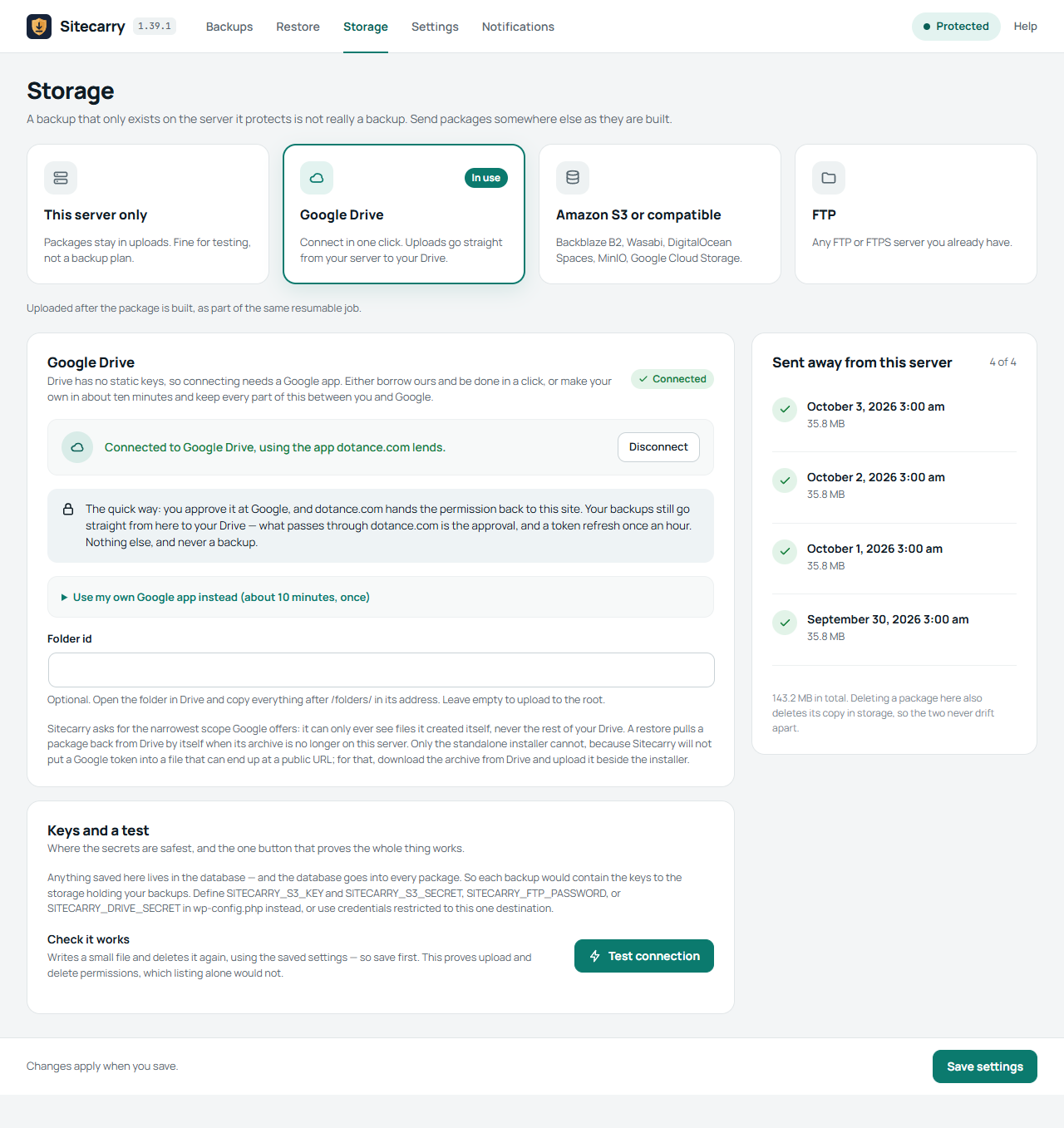
Amazon S3 or anything that speaks it — Backblaze B2, Wasabi, DigitalOcean Spaces, MinIO — plus FTP and Google Drive. A restore can pull the archive back down when the old server is gone.
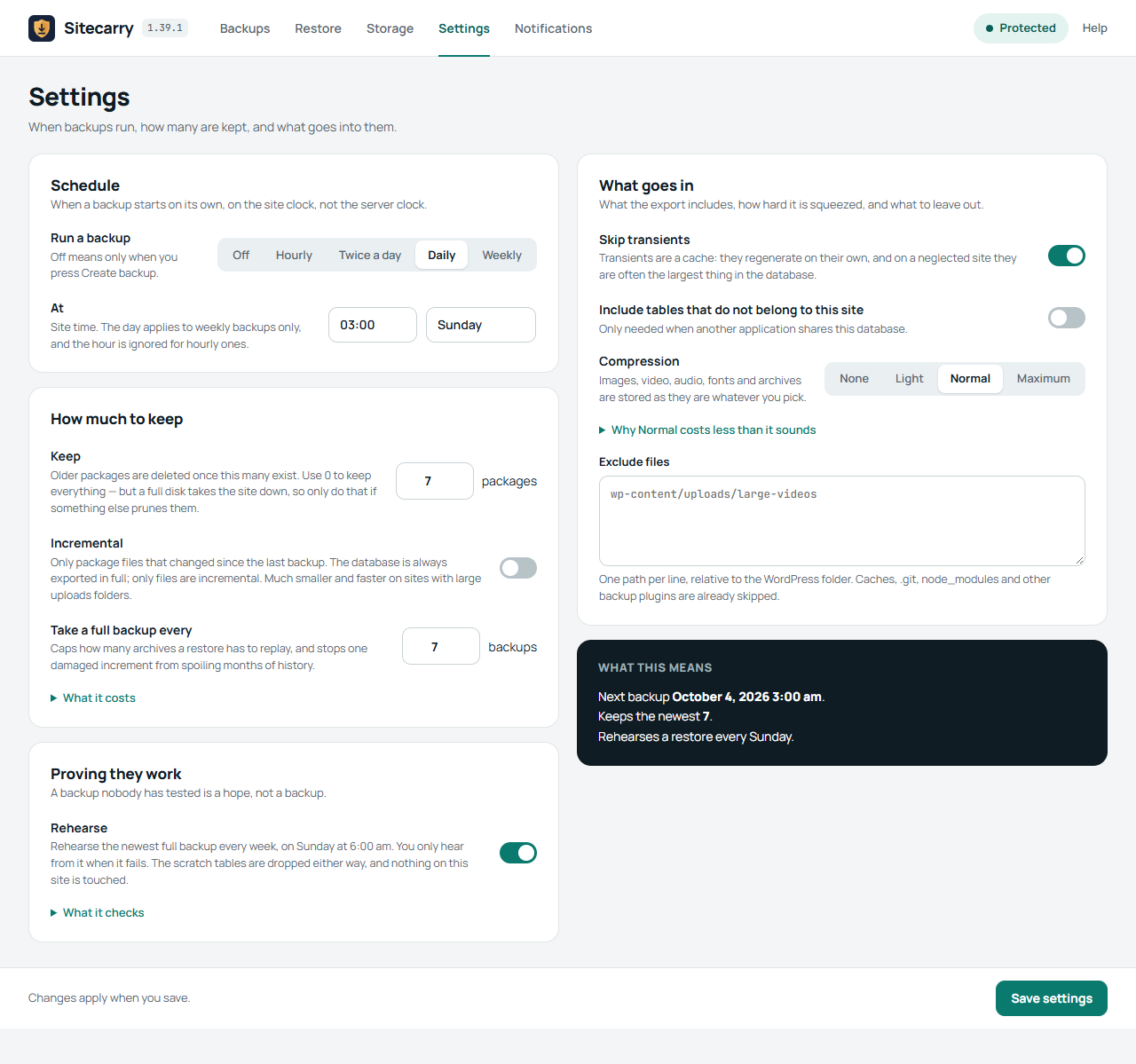
Hourly to weekly, with retention that counts complete sets. Incremental packages carry only changed files, and a full backup is taken automatically often enough to cap the replay.
Serialization-aware search and replace that repairs string lengths and handles the JSON-escaped form Elementor and other builders store. Layouts survive the move.
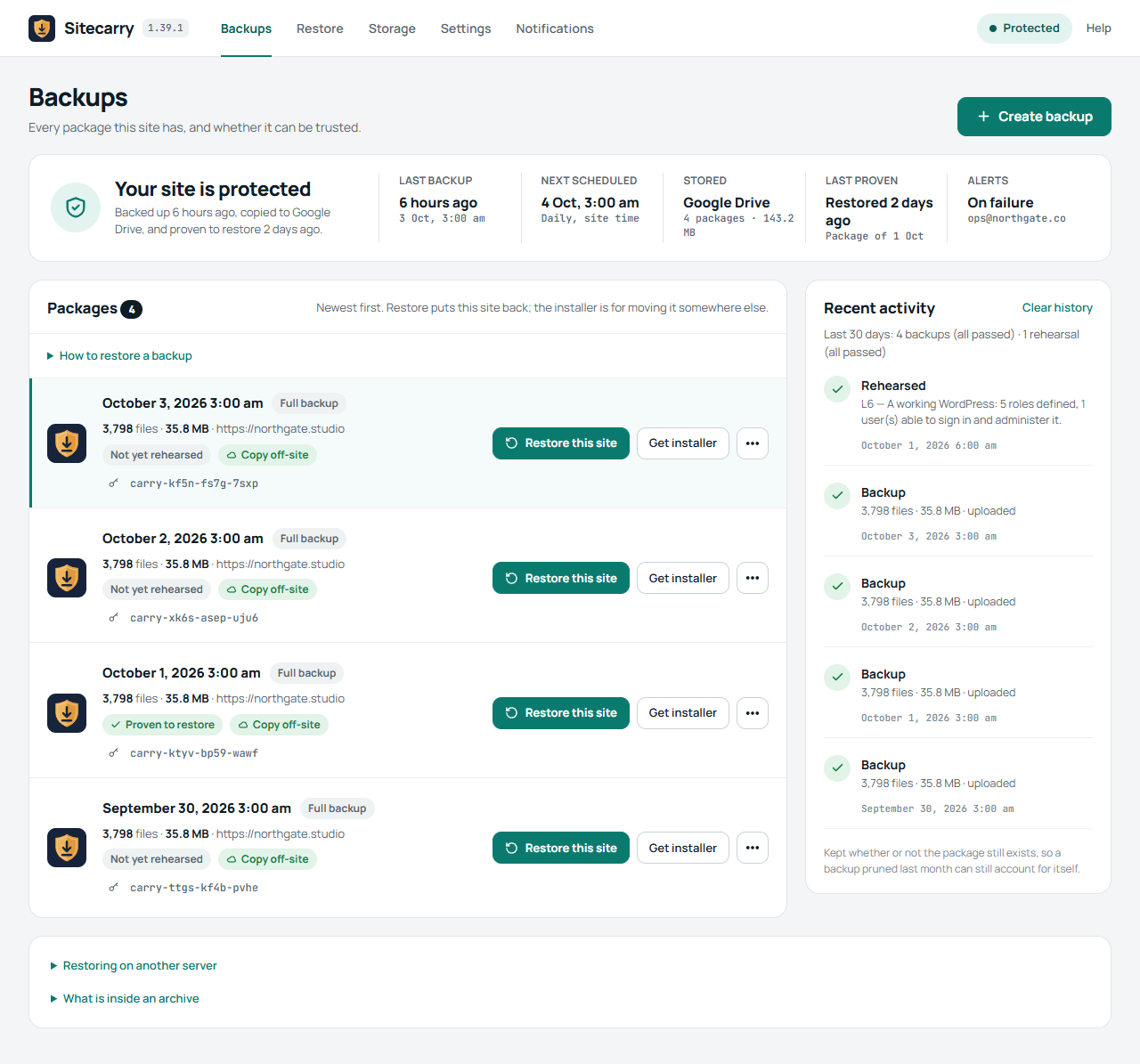
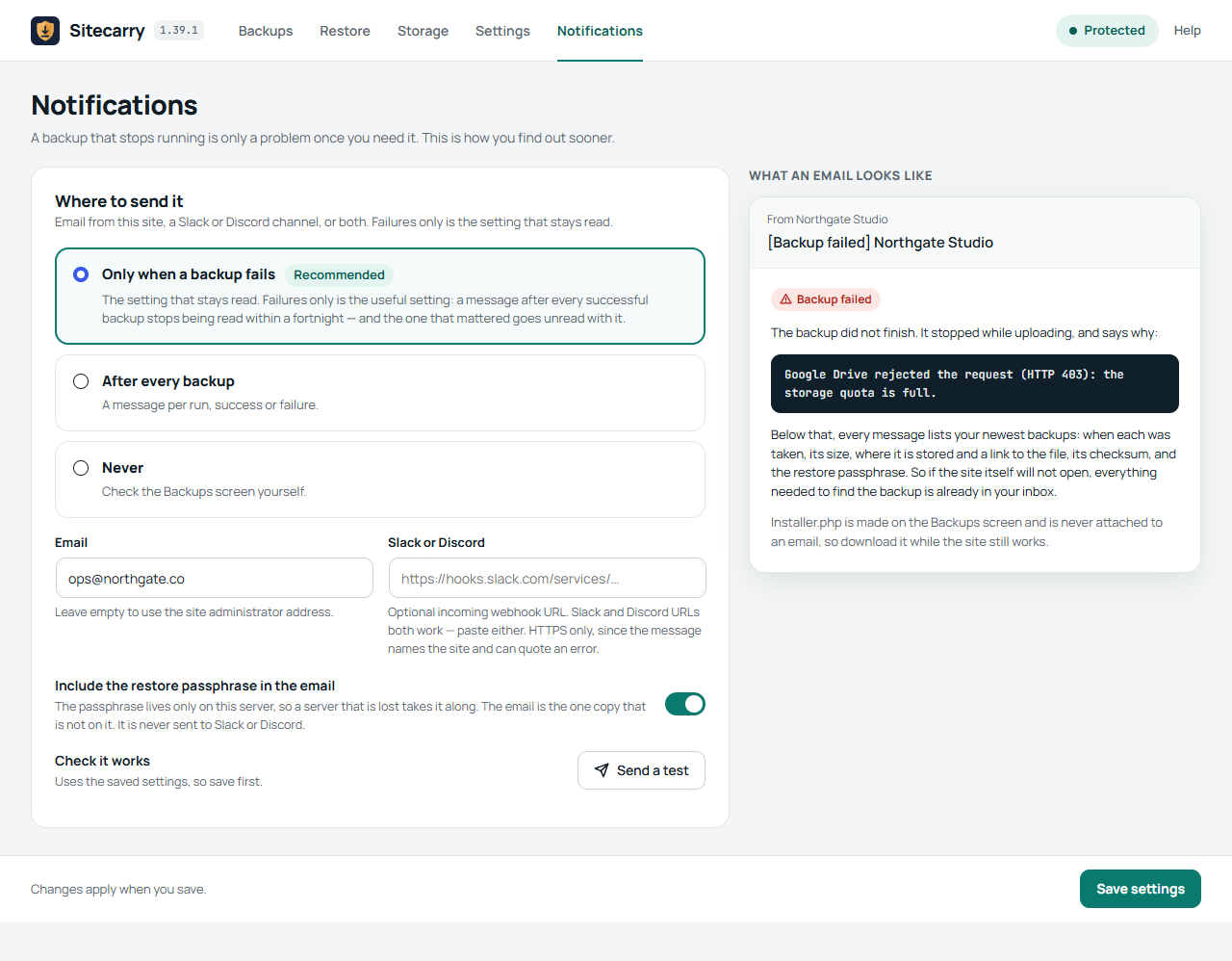
Check a package against its recorded size and checksum before you need it. wp sitecarry backup has no execution limit and no tab to keep open, and verify exits non-zero so it can run from a monitor.
Screenshots
Pricing
$0
The whole plugin. Backup, restore, schedules, incremental, every storage destination. No tier that unlocks the part you actually needed.
Quoted
Sitecarry is the tool we use to move sites. If you would rather the move simply happened, that is a service we offer.
Sitecarry is on the WordPress.org plugin directory, so you install it like any other plugin — search for it from your dashboard, or download it from the listing. Updates arrive through the normal WordPress updates screen.
Changelog
With storage set up, Create backup asks where this backup should go: this server and your storage, or this server only with nothing uploaded. Scheduled backups still follow the Storage settings. A package kept on this server can be sent to your storage later from its More menu, and the upload carries on where it stopped if the page is closed.
On LiteSpeed servers a backup running in the background stopped about a second into each step and was abandoned after five restarts. While a job runs, Sitecarry now adds LiteSpeed’s noabort rule to .htaccess and takes it out again when the job ends; other servers are not touched. A step that is killed no longer holds the job still for five minutes.
Folders that other backup plugins keep their archives in are listed under Exclude files, so you can see what is skipped and remove a line to include one. A single file above a size you set (1,024 MB by default) is left out instead of stalling the backup, and the Backups screen says which files were left out. The Google Drive folder field now accepts the folder’s address or an id with a query on the end.
On a site with a large database, the restore rehearsal and the Restore tab could start the database import again from the first table on every request, never finish, and keep the server at its CPU limit. The import now carries on from where the last request stopped. Nothing else changed.
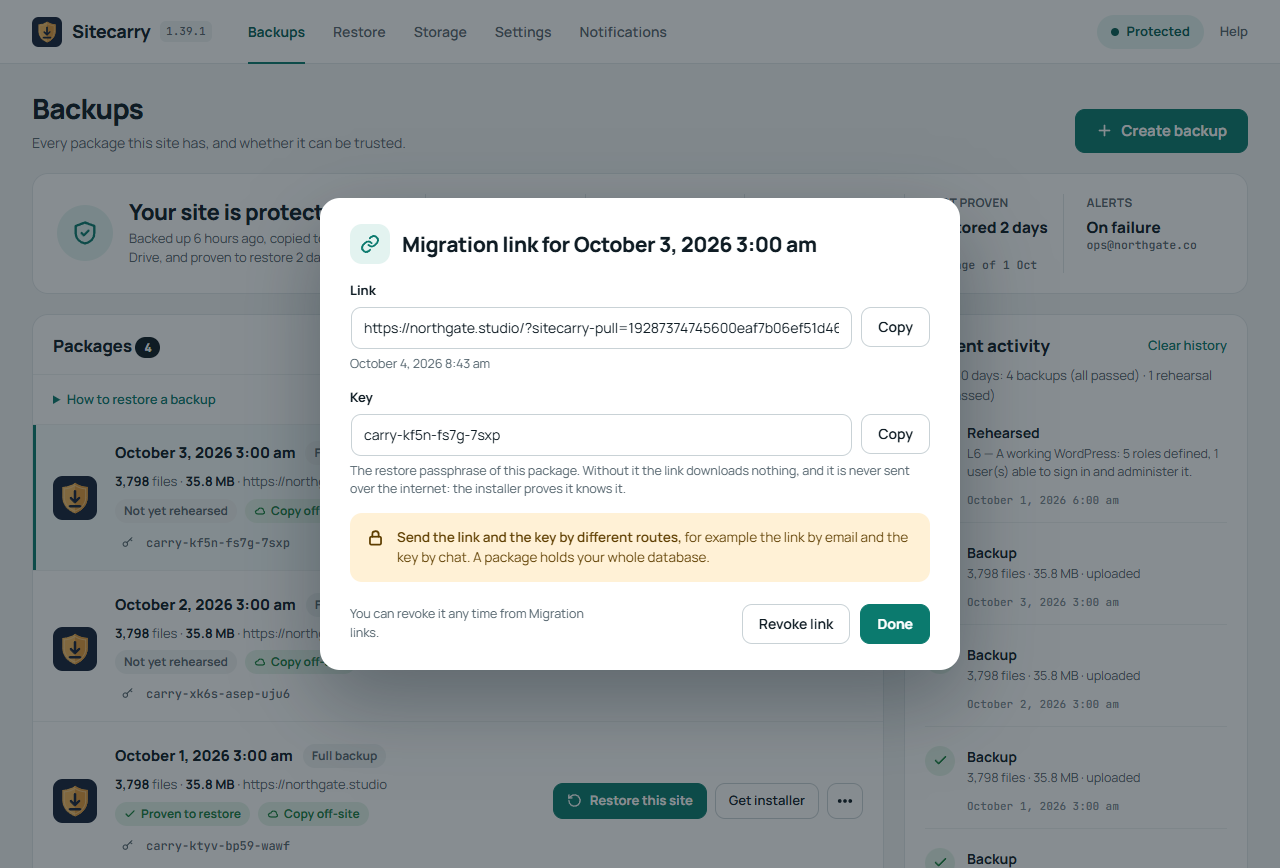
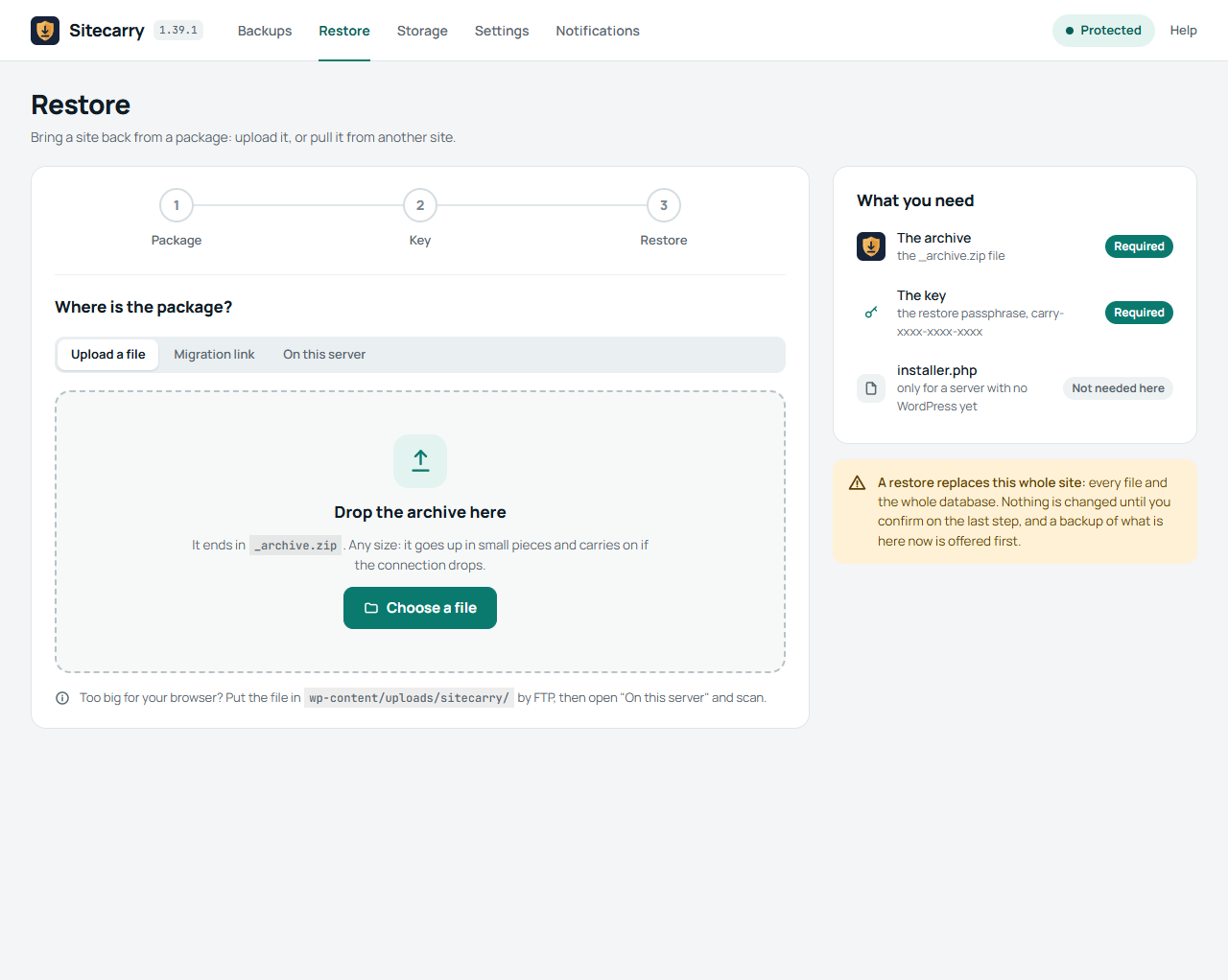
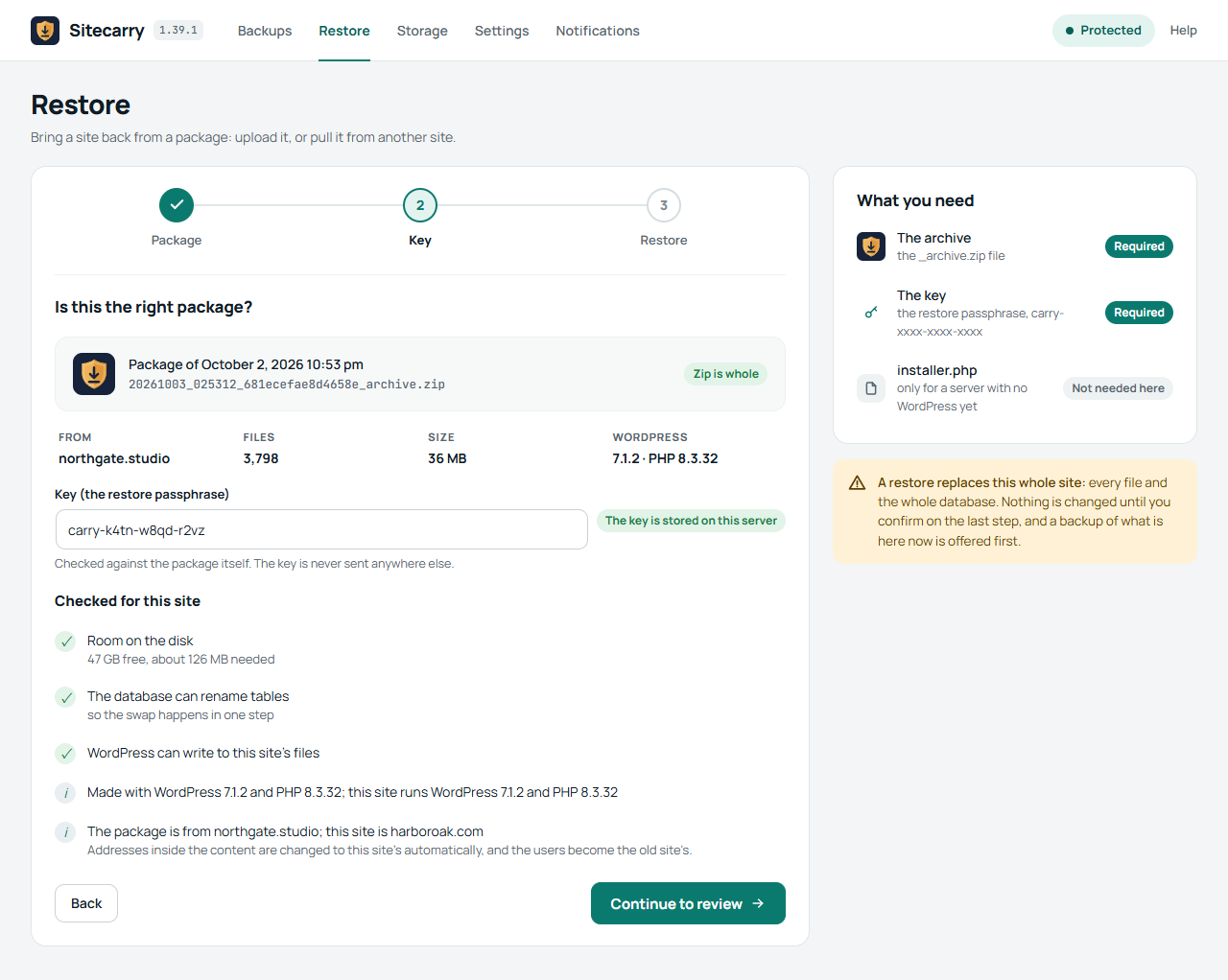
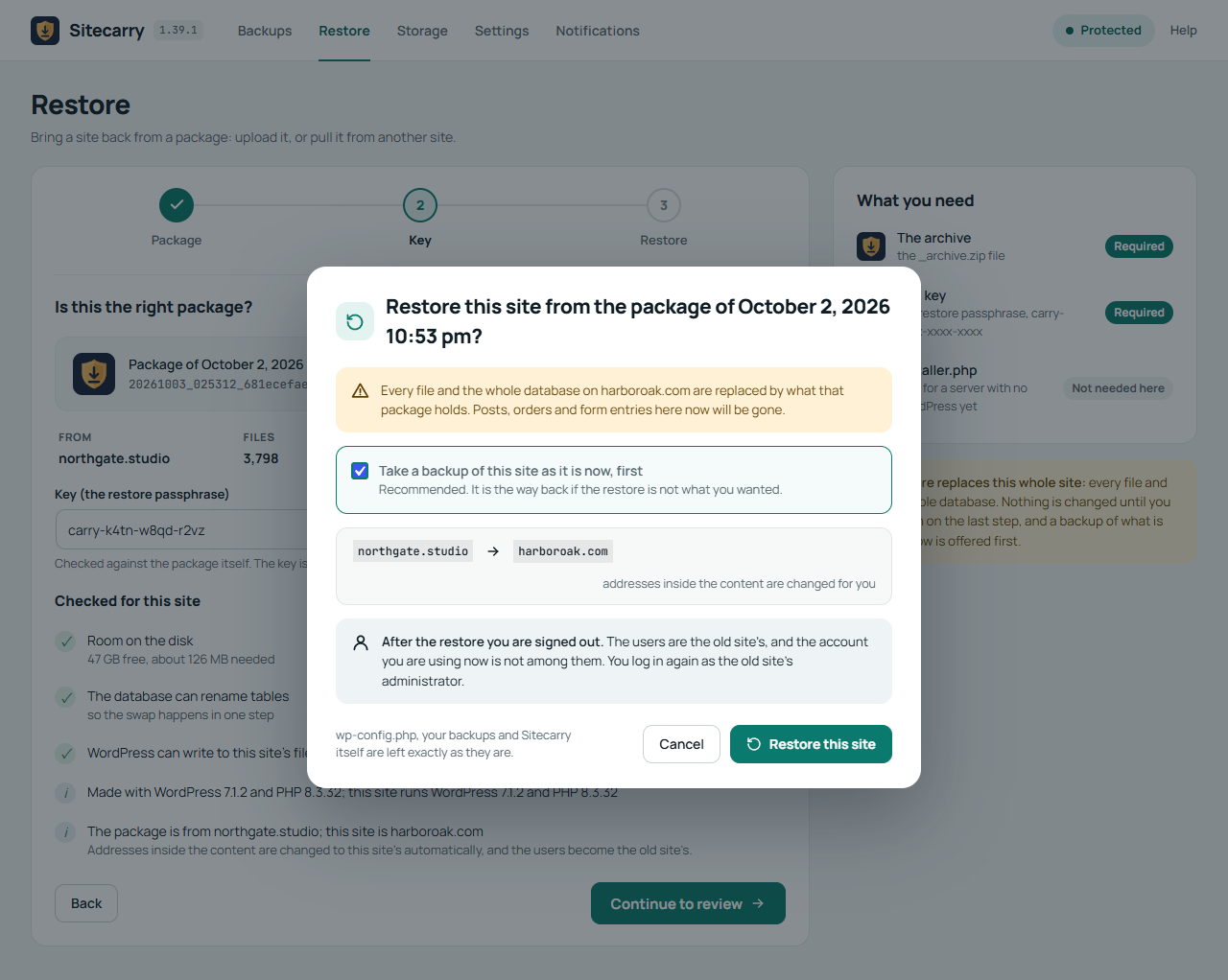
A new Restore tab. If you hold a package (the archive and its key) you no longer need the installer, as long as the new site already has WordPress and Sitecarry: upload the zip, paste a migration link, or pick a package already on the server. The upload goes up in small pieces and carries on if the connection drops, so it works on hosts with a small upload limit. A package from another address is restored with every address inside the database changed to the new site's, serialized data included, and the key is checked against the package itself before anything is touched. You are signed out afterwards, because the users are now the old site's. The installer is still there for a server with no WordPress yet.
Questions
If you would rather not do the migration yourself, the website migration page covers that.
Build a package with Sitecarry (files plus a full database export), upload the package and its installer to the new hosting, open the installer in a browser and enter the new database details and the new URL. The installer rewrites every URL in the database, including the serialized data inside Elementor and theme settings, so layouts survive the move. The plugin is free and needs no licence.
Connect Google Drive on Sitecarry's Storage screen, then set a schedule — hourly, twice daily, daily or weekly — with how many packages to keep. Each backup runs in the background in short resumable slices, so it works on shared hosting, and the finished package is uploaded to your own Drive. You can restore straight from Drive when the copy on the server is gone.
Comfortably into the tens of gigabytes. Sitecarry writes its own archive format rather than using PHP's zip extension, appending each file to the end and never rewriting what is already there — so the work grows with the size of the site instead of with the square of it. ZIP64 is used automatically, so neither the archive nor any file in it stops at 4GB.
You still need free disk space for the package, and enough for the database export while it is being written.
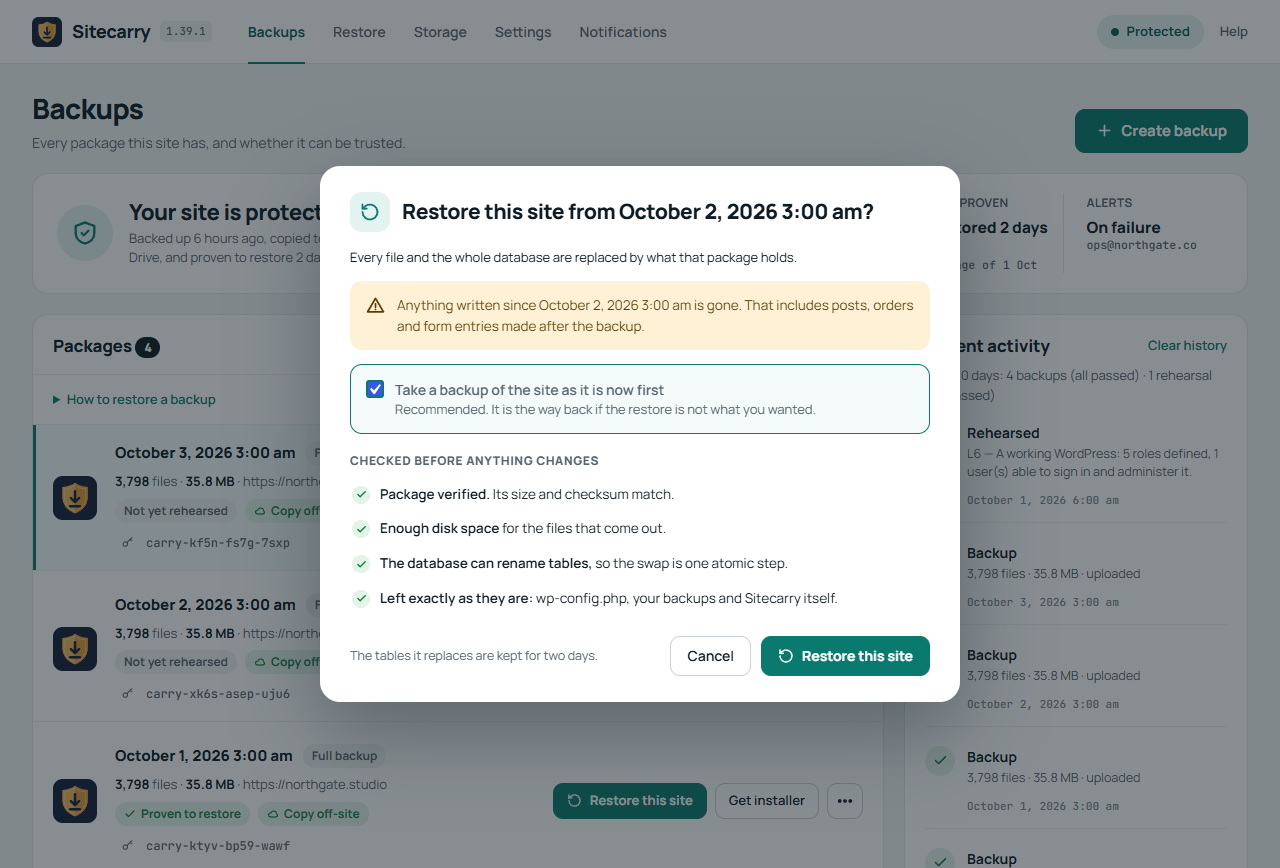
Yes. Press Restore this site beside a package and confirm: Sitecarry offers to take a backup of the site as it is now, rebuilds the package's database in tables of its own, swaps them into place with one atomic rename, and then puts the files back. Nothing live is replaced until the new database is sitting there complete, and wp-config.php, your stored packages and Sitecarry itself are left alone. The tables it replaced are kept for two days, so changing your mind is quick.
Moving a site to a different server is the other case, and that still uses the standalone installer.php — there is no WordPress on the target yet to press a button in, which is exactly why the installer never loads WordPress at all.
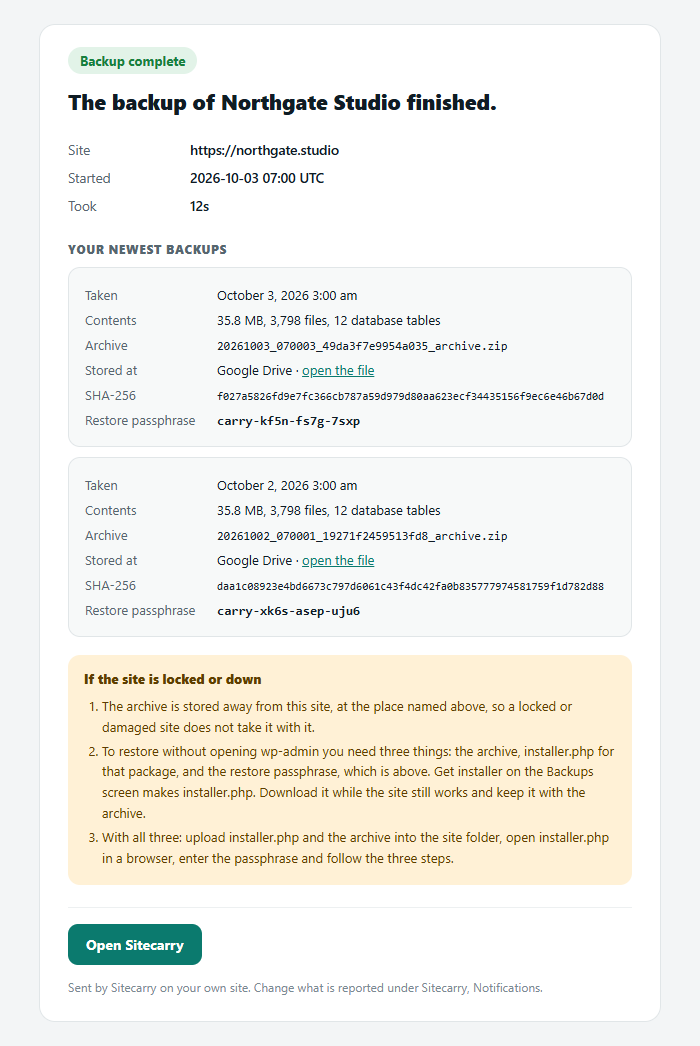
Every package also has its own restore passphrase, shown in the admin and deliberately kept out of the archive, so an installer left behind on a server cannot be used by anyone else to overwrite the site.
Yes, and this is the part most migrations get wrong. WordPress stores a lot of settings as PHP serialized data, where every string records its own byte length; replacing a domain with a longer one using a plain search and replace breaks those lengths and WordPress can then no longer read the value.
Sitecarry rewrites the serialized form directly and repairs the lengths, and it also handles the JSON-escaped form (https:\/\/) that Elementor and other page builders store their content in.
No, and nothing short of restoring it does. Verifying proves the archive is the one that was written, still opens, and holds the files a restore starts from — which catches truncated uploads, disks that filled mid-write, and silent corruption. It cannot tell you the database inside will import cleanly on a different server.
In wp-content/uploads/sitecarry/, with an unguessable filename, direct web access blocked by .htaccess and web.config, and downloads served only through an authenticated admin request — never a public URL.
Every package also has its own restore passphrase, shown in the admin and deliberately kept out of the archive, so an installer left behind on a server cannot be used by anyone else to overwrite the site.
When packages are sent off-site, use a key scoped to one bucket rather than an account-wide one — Amazon S3 and every service that speaks its protocol support this, and it limits what a leaked key can reach.
Nothing. Sitecarry removes its own settings and scheduled events and leaves the packages in wp-content/uploads/sitecarry/ exactly where they are — deleting a plugin should never be the thing that destroys your last copy of the site. Delete that folder yourself once you are sure.