Protect · Care

WordPress maintenance that prevents the emergency.

Most WordPress disasters are boring in hindsight: an update nobody applied, a backup nobody tested, a certificate nobody renewed. Maintenance is not glamorous work, but it is the difference between a quiet quarter and a very expensive week.

  • Updates tested on staging before they touch your live site
  • Backups verified by actually restoring them, not just running them
  • A named human who answers, not a ticket queue

The problem

What usually brings people here.

Updates are nobody’s job

Twenty-eight plugin updates are waiting because the last one broke the layout. Every week the gap grows, and eventually you are choosing between a known vulnerability and a risky update marathon.

You find out from a customer

The site went down on Saturday morning and nobody knew until someone emailed on Monday. No uptime monitoring, no alerts, and no idea how much that weekend cost.

The backups have never been tested

A backup plugin runs nightly and reports success. Nobody has ever restored one. A backup you have never restored is not a backup, it is an assumption you are betting the business on.

Support means waiting three days

Small changes queue behind whatever else your agency is doing. A broken form or a wrong price sits live for days because there is no clear route to someone who can fix it quickly.

What is included

The work, specifically.

Discuss a plan ↗︎

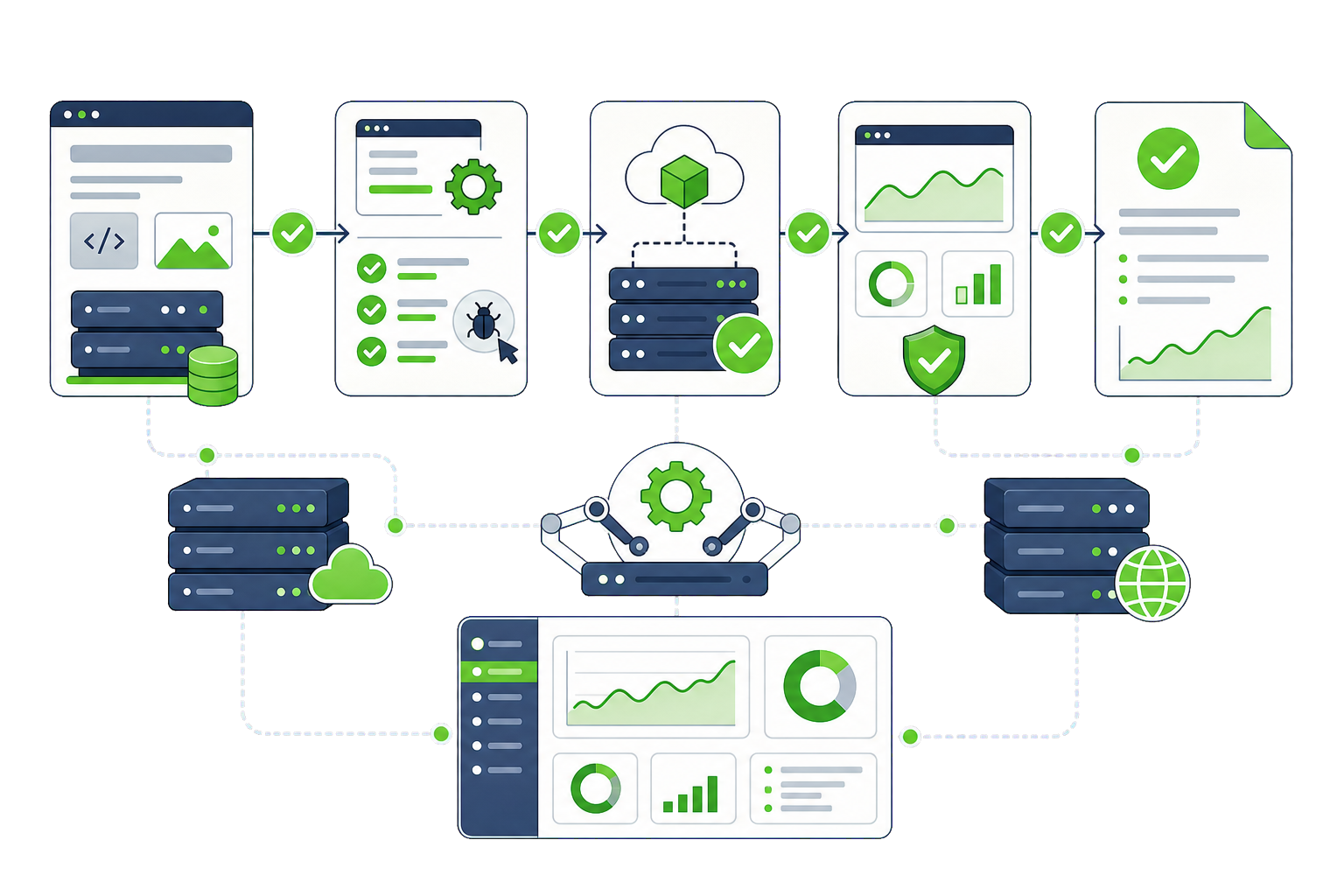
Staged updates

Core, theme and plugin updates applied on staging first, checked against your key pages, then deployed. When an update genuinely breaks something, it breaks on staging where nobody is watching.

Uptime & performance monitoring

Checks every minute from multiple locations, with alerts to us before you notice. Core Web Vitals tracked over time so a slow regression is visible while it is still small.

Tested backups

Offsite, versioned backups with a documented restore process that we actually run on a schedule. You get told the date of the last successful test restore, not just the last backup.

Security patching

Vulnerability databases watched for every plugin and theme you run. Critical patches applied out of cycle rather than waiting for the next maintenance window.

Support & small changes

A channel to a named person who knows your site, with an agreed response time. Content edits, small fixes and the questions that are too small to be a project.

Quarterly health reviews

A short written review of what changed, what is degrading and what we recommend next — so maintenance produces decisions rather than just invoices.

How it works

Boring on purpose. That is the point.

  1. Onboarding audit

    What you are running, what is out of date and what is already at risk.

  2. Baseline

    Performance, uptime and security recorded so improvement is measurable.

  3. Staging setup

    A proper staging environment, because untested updates are the whole problem.

  4. Weekly cycle

    Updates staged, checked and deployed on a predictable schedule.

  5. Monitor

    Uptime, performance and vulnerabilities watched continuously between cycles.

  6. Review

    Quarterly written review with recommendations, not just a list of tasks.

Results

What the work produced.

Membership platform

A year without an unplanned outage

A site with a history of monthly incidents, all traceable to unstaged updates. We set up staging, moved updates to a weekly cycle and added monitoring. The incidents stopped.

99.99% uptime over 12 months
0 unplanned outages

Professional services

The update backlog that never came back

Thirty-one pending updates and a team afraid to touch any of them. We cleared the backlog over three staged cycles, then kept it at zero with a weekly rhythm.

31 → 0 pending updates
weekly cadence held since

Capabilities

The maintenance stack we work in.

Updates & staging

  • Staging environments
  • Git deployments
  • WP-CLI
  • Visual regression checks
  • Rollback procedure

Monitoring

  • Uptime checks
  • Core Web Vitals tracking
  • Error logging
  • File integrity monitoring
  • SSL expiry alerts

Backups

  • Offsite storage
  • Versioned snapshots
  • Scheduled test restores
  • Database & files
  • Documented recovery

Security & reporting

  • Vulnerability databases
  • Patch management
  • Access reviews
  • Quarterly reports
  • Incident documentation

Engagement

Three ways this usually runs.

Essential

Monthly · TODO: add price

For brochure and marketing sites. Monthly staged updates, uptime monitoring, offsite backups with scheduled test restores, and security patching.

  • Monthly update cycle
  • Uptime monitoring
  • Tested backups
  • Email support

Enterprise

Monthly · TODO: add price

For stores and platforms where downtime has a number attached. Agreed response times, out-of-cycle critical patching, a named engineer and an incident process.

  • Agreed response times
  • Named engineer
  • Out-of-cycle patching
  • Incident process
  • Monthly reporting

Questions

Maintenance questions, answered plainly.

If your situation isn't covered here, send us the details and we'll reply with a straight answer.

What is actually included in a maintenance plan?

Staged core, theme and plugin updates, uptime and performance monitoring, offsite backups with scheduled test restores, security patching and a support channel with an agreed response time. Higher tiers add included hours for small changes and a quarterly written review. What is not included is new feature work, which we quote separately so your plan does not quietly absorb project scope.

Do you test updates before applying them to our live site?

Always. Updates go to staging first and get checked against your key pages and critical flows — for a store that means the checkout, for a lead-gen site the forms. Only then do they reach production. This is the single biggest difference between managed maintenance and clicking "update all" on a Friday afternoon.

What happens if something breaks anyway?

We roll back. Every deployment has a documented rollback path and a recent verified backup behind it, so recovery is measured in minutes rather than hours. If a specific plugin update is what broke it, we hold that update and work out whether to patch around it, replace the plugin or wait for the vendor.

Is this just an insurance policy we hope never to use?

Partly, and that part is worth it. But a good plan also produces improvement: performance is tracked so regressions get caught, the plugin stack gets leaner over time, and the quarterly review gives you decisions rather than a task list. If a plan only ever produces invoices, it is not being run properly.

Can you maintain a site you did not build?

Yes, and much of our maintenance work is exactly that. We start with an onboarding audit covering what you are running, what is out of date and what is already at risk. Occasionally that audit finds something serious enough that we recommend fixing it before a plan starts, and we will say so rather than take on a site we cannot keep stable.

Can we cancel?

Any time, and you keep everything. Backups, documentation, staging setup and access all remain yours. We do not hold sites hostage through hosting we control or licences in our name. Clients stay because the site stays stable, which is the only retention strategy worth having.

Start here

Tell us what you're dealing with.

The more you can tell us, the more useful our first reply will be. No sales sequence — one of the people who would actually do the work reads this.

  • We read it and look at your site
  • You get a written reply with our honest read
  • If it fits, we scope it properly

Prefer email? hello@dotance.com

We reply within one business day.