Your host has offered you PHP 8.5 and something in you says leave it alone. Fair instinct — a PHP jump is the most common cause of a site that was fine on Friday and white on Monday. But 8.5 is a gentler release than its reputation suggests, and the failure mode is not the one people prepare for. Here is what actually happens, verified by running the offending code on PHP 8.5 rather than by reading a changelog.
What a PHP 8.5 WordPress upgrade really does
We ran the three patterns that most commonly appear in older WordPress plugins, on PHP 8.5.9. Here is the literal output:
Deprecated: f(): Implicitly marking parameter $a as nullable is deprecated,
the explicit nullable type must be used instead in /tmp/p2.php on line 3

Deprecated: strlen(): Passing null to parameter #1 ($string) of type string
is deprecated in /tmp/p2.php on line 6

Deprecated: Creation of dynamic property Legacy::$unknown is deprecated
in /tmp/p3.php on line 5
Read the first word of each. Deprecated, not Fatal. The code ran. The values came back correct. Nothing stopped.
That is the single most useful fact about a PHP 8.5 WordPress migration, and it reframes the whole job: you are not hunting for things that will break, you are deciding what to do about things that will complain.
| Error level | What it does | How worried to be |
|---|---|---|
| Deprecated | Runs, logs a notice | Plan a fix; do not panic |
| Warning | Runs, result may be wrong | Investigate each one |
| Fatal error | Stops the request | Blocks the upgrade |
The trap nobody warns about: a site can survive a PHP 8.5 WordPress switch perfectly and still take itself down two weeks later, when the error log has quietly grown to fill the disk quota. Deprecations are cheap individually and expensive in volume.
The three PHP 8.5 WordPress deprecations you will actually meet
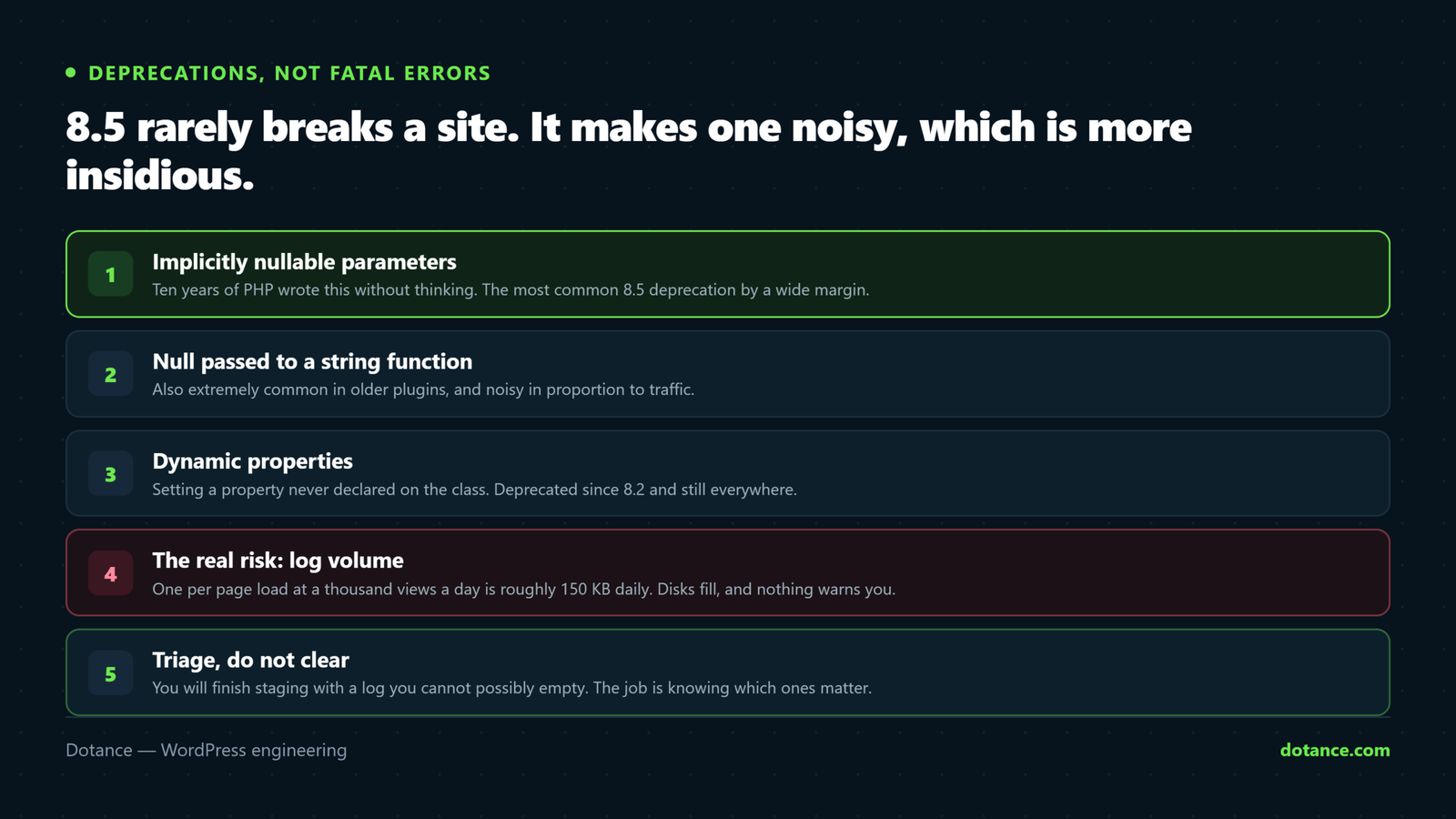
1. Implicitly nullable parameters
This is the most common PHP 8.5 WordPress deprecation by a wide margin. Ten years of PHP code wrote it without thinking:
// Deprecated: the type says string, the default says null
function example( string $thing = null ) { }

// Correct
function example( ?string $thing = null ) { }
One character fixes it. It was idiomatic for so long that it appears in plugins which are otherwise perfectly maintained, so expect to see it from code you respect rather than only from code you do not.
2. Passing null where a string is expected
strlen( null ), ucfirst( null ), trim( null ) — all deprecated, all still returning what they used to.
This one is worth understanding rather than merely fixing, because it usually points at a real bug you have been carrying. Something returned null where your code expected a string, and PHP quietly covered for you. The deprecation is PHP telling you it will stop covering.
// The usual WordPress shape
$value = get_post_meta( $id, 'field', true );   // may be ''
$value = get_option( 'thing' );                 // may be false

// Defensive, and clearer about intent
$length = strlen( (string) $value );
3. Dynamic properties
Deprecated: Creation of dynamic property Legacy::$unknown is deprecatedThird on the PHP 8.5 WordPress list, and the noisiest. Assigning to a property that was never declared has been deprecated since 8.2 and is still only a deprecation on 8.5 — we confirmed that rather than assuming it. Older plugin classes do this constantly, so expect volume rather than severity.
Seven PHP 8.5 WordPress checks before you switch
| # | Check | Why |
|---|---|---|
| 1 | What version are you on, and what is offered? | You may be jumping three versions, not one |
| 2 | Plugin and theme “tested up to” | The abandoned ones are your risk |
| 3 | Staging copy with E_ALL | See every complaint at once |
| 4 | Scan your own custom code | Nobody else will |
| 5 | Check WP-CLI and cron separately | They often use a different PHP |
| 6 | Confirm display_errors is off on live | Prevents leaking notices into output |
| 7 | Know your rollback | One click, before you need it |
Checks 1 and 2: know your starting point
php -v
wp plugin list --fields=name,version,update --format=table
The gap matters more than the destination. Going from 8.3 to 8.5 is a small step; going from 7.4 to 8.5 crosses the changes that genuinely did break things, and a PHP 8.5 WordPress upgrade from that starting point deserves proper testing rather than an afternoon.
Then look at what has not been updated in two years. An abandoned plugin will not be fixed for 8.5 by anyone, which makes it a decision rather than a bug — and a good moment to ask whether it is still earning its place, as covered in auditing plugin bloat.
Check 3: a staging copy, deliberately noisy
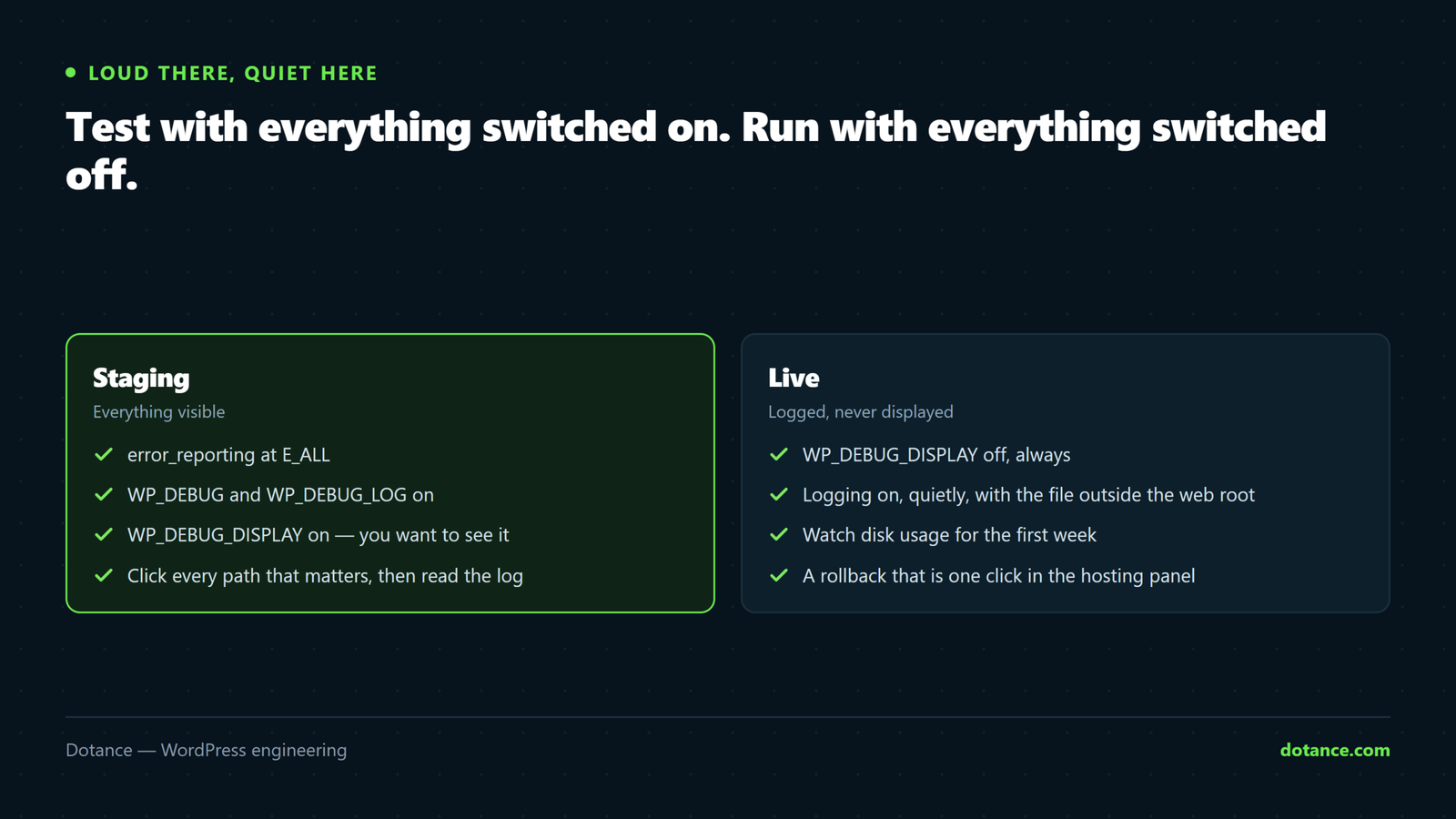
This is the whole PHP 8.5 WordPress test. Copy the site, switch the copy to 8.5, and turn every complaint on:
wp-config.php, on staging only
define( 'WP_DEBUG', true );
define( 'WP_DEBUG_LOG', true );
define( 'WP_DEBUG_DISPLAY', false );
@ini_set( 'error_reporting', E_ALL );
Then use the site properly — front end, admin, a form, a checkout if you have one, and any scheduled job you can trigger. Read wp-content/debug.log afterwards and group what you find:
# Which files are generating the most noise?
grep -oE 'in /[^ ]+\.php' wp-content/debug.log | sort | uniq -c | sort -rn | head -20
That command turns a hundred thousand log lines into a list of about six files. In our experience most of a PHP 8.5 WordPress log comes from two or three plugins, and once you know which, the decision is small. If you have no staging environment, set one up — this is precisely the job it exists for.
Check 4: scan your own code
A PHP 8.5 WordPress upgrade makes your own code your problem. Your theme’s functions.php and any bespoke plugin are nobody else’s responsibility. Two greps find most of it:
# Implicitly nullable parameters
grep -rnE '\((string|int|array|float|bool) \$[a-zA-Z_]+ = null' wp-content/themes/your-theme/

# Then lint the whole thing against 8.5 directly
find wp-content/themes/your-theme -name '*.php' -exec /opt/alt/php85/usr/bin/php -l {} \;
The linter only catches parse errors, which is exactly what you want it to catch — a parse error is the one thing that will take the site down rather than merely complain.
Check 5: cron and CLI use a different PHP
This catches people out badly on any PHP 8.5 WordPress migration. Your web requests may be on 8.5 while your cron jobs and WP-CLI are still on the system default, or the other way around.
# What does WP-CLI think it is running?
wp --info | grep 'PHP binary\|PHP version'
If a nightly backup runs under a different version from the site, you can have a PHP 8.5 WordPress front end that works perfectly and a scheduled task that fails silently every night. Check both, and check that your scheduler is running at all — the symptoms of one that is not are in WordPress cron not running.
Checks 6 and 7: quiet on live, and a way back
On production, PHP 8.5 WordPress deprecations should go to a log nobody reads rather than into your pages:
define( 'WP_DEBUG', false );
define( 'WP_DEBUG_DISPLAY', false );
A stray deprecation printed before a JSON response is enough to break your REST API, your block editor and any integration that consumes it — which turns a cosmetic issue into a functional one. It is also the fastest way to produce a white screen that has nothing to do with the upgrade itself.
And know the rollback before you start. On most hosting, switching PHP versions is a dropdown in the control panel and takes effect immediately. Being able to say “we can be back on 8.3 in thirty seconds” changes the temperature of the whole exercise.
The log-volume problem, concretely
This is the part of a PHP 8.5 WordPress upgrade that gets skipped, so here is the arithmetic.
| Situation | Log growth |
|---|---|
| One deprecation per page load, 1,000 views a day | ~150KB a day. Harmless |
| Forty per page load, 1,000 views a day | ~6MB a day. Noticeable |
| Forty per load, plus admin and cron, busy site | Gigabytes a month. A quota problem |
The third row is how a successful PHP 8.5 WordPress upgrade turns into an outage a fortnight later — the disk fills, uploads start failing, and nobody connects it to a change made two weeks earlier. Set logging to off or to a rotated file on live, and check disk usage a week after the switch.
Do not “fix” this by suppressing errors in code. Adding @ in front of calls or setting error_reporting(0) hides real problems along with the noise. Turn logging down at the server level, and fix or replace the plugins generating the volume.
Triaging the log without fixing everything
You will finish the PHP 8.5 WordPress staging run with a log you cannot possibly clear, and that is normal. The job is not zero deprecations — it is knowing which ones are yours.
| Where it comes from | Your move | Urgency |
|---|---|---|
| Your own theme or custom plugin | Fix it — it is a one-character change in most cases | Before you switch |
| A maintained plugin | Update it; report it if current | Low — the author will ship a fix |
| An abandoned plugin | Replace or accept the noise permanently | Decide, then move on |
| A premium plugin with a lapsed licence | Renew, or you are on the abandoned row | Commercial decision |
| WordPress core | Nothing. Core tracks PHP closely | None |
Row one is where your afternoon goes, and it is usually small — a handful of function signatures in a theme somebody wrote in 2019. Row three is the only one that needs a real conversation, because accepting a permanent stream of deprecations from an unmaintained plugin is a choice with a cost, not a neutral outcome.
A useful way to size the work before committing to it:
# How many distinct deprecation messages, and from where?
grep 'Deprecated:' wp-content/debug.log \
  | sed -E 's/ in \/.*//' | sort | uniq -c | sort -rn | head
Distinct messages are what you fix; total lines are only volume. A PHP 8.5 WordPress log with two hundred thousand lines and nine distinct messages is a morning’s work, and it looks like a catastrophe until you run that command.
What a PHP 8.5 WordPress upgrade gets you in return
Doing a PHP 8.5 WordPress upgrade only to stay supported is a reasonable motive, and it is not the only one. There are real gains, stated without exaggeration.
| Benefit | Honest size |
|---|---|
| Security patches | The actual reason. Non-negotiable once your version is unsupported |
| Performance | Real but modest between adjacent versions — single-digit percentages, not a transformation |
| Lower memory use | Helpful on shared hosting with a tight limit |
| Plugin compatibility | Increasingly, new plugins require 8.1 or higher |
| Clearer error messages | Genuinely better debugging when something does go wrong |
Be sceptical of anyone promising a dramatic speed increase from a PHP 8.5 WordPress switch. The enormous gains were between PHP 5.6 and 7.0, and they have been incremental since. If your site is slow, the cause is almost certainly queries, images or plugin weight rather than the interpreter version — the honest ranking is in why WordPress sites get slow.
The memory row is worth a second look on cheap hosting. A lower baseline per request buys you headroom for the things that genuinely need it, such as image processing, and that can quietly resolve a class of intermittent failure you had blamed on something else — including a fair share of what looks like allowed memory size exhausted.
Where this goes wrong
| The mistake | What happens | Do this instead |
|---|---|---|
| Switching on live to “see what happens” | You find out in front of customers | Staging, with logging on |
Leaving WP_DEBUG_DISPLAY on | Notices in HTML and broken JSON | Log only, never display |
| Treating deprecations as fatal | An upgrade postponed for a year | Read the first word of the message |
| Ignoring log growth | Full disk two weeks later | Check usage after a week |
| Only testing the home page | Checkout or admin breaks later | Use the site properly |
| Forgetting CLI and cron | Backups fail silently | wp --info on both |
Suppressing with @ | Real bugs hidden too | Fix the source, or the plugin |
The third row costs the most in practice. Sites sit on an unsupported PHP version for years because somebody saw a screen of red text on a test server and concluded the upgrade was impossible, when every line said Deprecated. Meanwhile the old version stopped getting security patches, which is a real risk in exchange for an imaginary one.
After the PHP 8.5 WordPress switch
| When | Check |
|---|---|
| Immediately | Home, a post, admin, a form, checkout |
| Same day | REST API responds cleanly — curl /wp-json/ |
| Next morning | Did the nightly backup run? |
| After a week | Disk usage and log size |
| After a month | Any plugin still generating volume — update or replace |
The backup row is the one people forget and the one that matters most, because a PHP 8.5 WordPress switch changes the environment your scheduled tasks run in. A backup that silently stopped on the day of the upgrade is not discovered until you need it — which is the argument made at more length in updating WordPress safely.
PHP’s own supported versions page tells you exactly when your current version stops receiving security fixes, which is usually the number that settles whether this is worth doing now or next quarter.
The order to do it in
- Note your current version and when it stops receiving security fixes. That date is your deadline.
- Copy the site to staging and switch the copy to 8.5.
- Turn logging on, display off, and use the site the way a customer and an editor both would.
- Group the log by distinct message and by file. Two commands, five minutes.
- Fix your own code, update what is maintained, decide about what is not.
- Switch live with logging quiet and the rollback known.
- Check backups and disk usage the following week.
Seven steps, and only two of them take real time. The reason a PHP 8.5 WordPress upgrade acquires a reputation for being a project is that people attempt steps five and six in the wrong order, on live, without step two — at which point every deprecation looks like an emergency because it is arriving in front of visitors rather than in a log file nobody is watching.
Frequently asked questions
Will a PHP 8.5 WordPress upgrade break my site?
Probably not outright — we tested the three common patterns and all three merely logged. The common issues are deprecations that log and keep working. What breaks sites is a plugin using something removed several versions ago, which is why the size of the jump matters more than the destination.
Should I go to 8.5 or stay on 8.3?
If 8.3 is still supported, delaying a PHP 8.5 WordPress upgrade until your next maintenance window is defensible while your site is stable. What is not defensible is staying on a version that no longer receives security fixes — check the dates rather than guessing.
Is PHP 8.5 WordPress support official yet?
Core tracks new PHP releases closely and is normally compatible at or shortly after release. Your risk was never core — it is the twenty-odd plugins around it, which is why the staging run matters more than any compatibility badge.
How long does the testing take?
An afternoon for a normal site: an hour to copy and switch staging, an hour using it properly, an hour reading the log. A large WooCommerce site with bespoke integrations is a day or two, most of it testing order flows.
My host upgraded without asking. What now?
Check the six things in the “after the switch” table, in that order. If something is broken, ask them to put you back on the previous version while you test properly — most will, and it is a reasonable request.
Do deprecations slow the site down?
Writing to a log on every request has a real cost, and at forty deprecations per page it is measurable. Turn logging off on production once you have collected what you need from staging.
What if a critical plugin is not compatible?
Establish whether it genuinely fails or merely complains. If it only complains, you can proceed and chase the author. If it fatals, you are choosing between the plugin and a supported PHP version, and that is a business decision worth naming out loud.
Does Site Health tell me about this?
It warns when your PHP version is outdated, which is a useful nudge and no substitute for testing. How much weight to give that screen is covered in which Site Health warnings actually matter.