Bookly is the booking plugin most people meet first, and the one most people eventually search for a way out of. Not because it is bad — it has been running real businesses for a decade — but because its free version is a demonstration and the working product is a stack of paid add-ons, and because a form that arrives as a shortcode never quite belongs to the page it sits on. This is an honest Bookly alternative comparison: six free options, judged on the five things that decide whether a booking plugin works for a business rather than on the length of their feature lists.
Why people look for a Bookly alternative
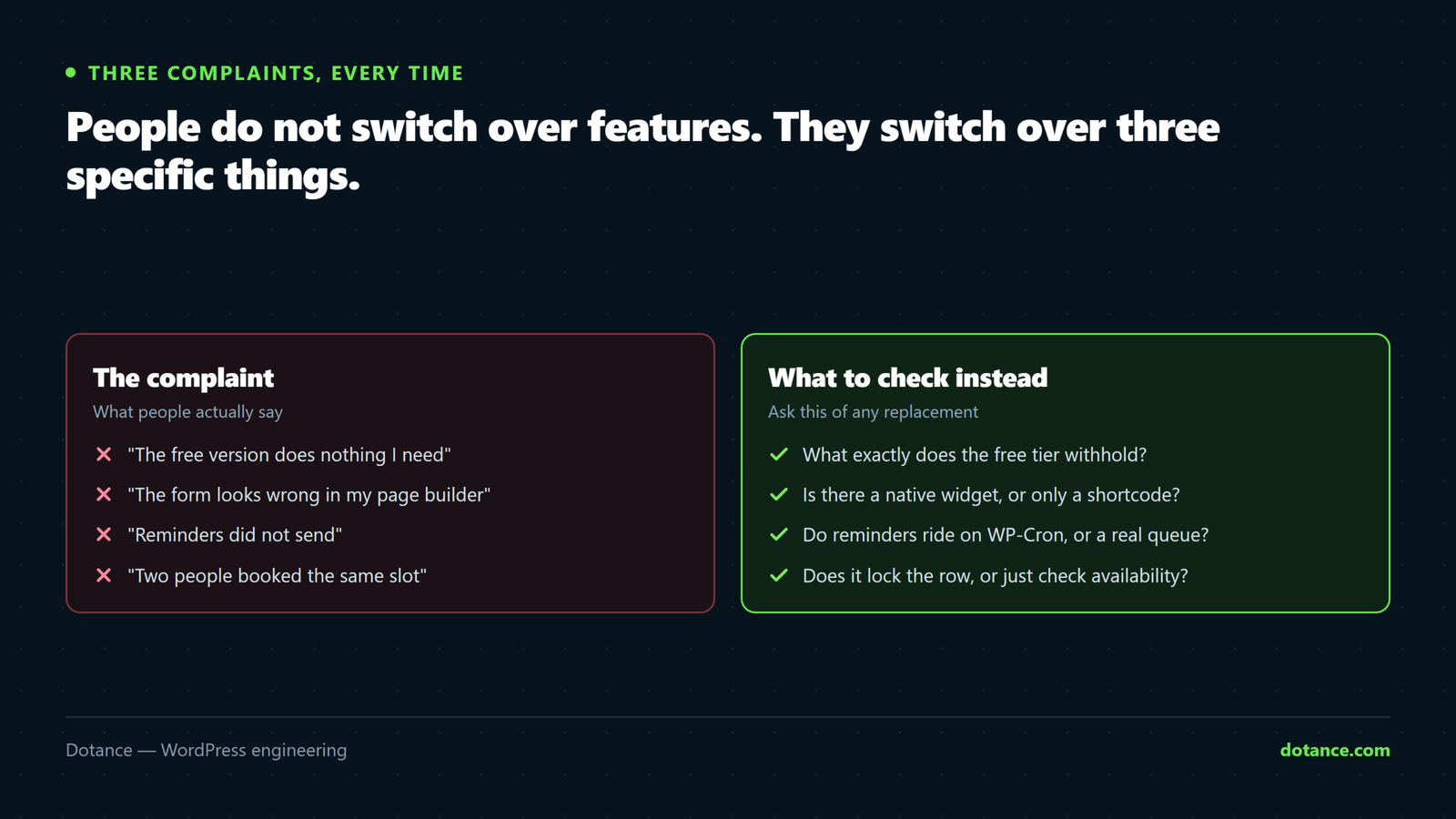
Three complaints account for nearly every switch we have been asked to make:
| Complaint | What is behind it | What to check in a replacement |
|---|---|---|
| “The free version does nothing I need” | Bookly Free covers one form and the basics; notifications customisation, deposits, multiple staff features and most integrations are add-ons | What exactly the free tier withholds, in a table, not a headline |
| “It looks wrong on my Elementor page” | A shortcode inside a widget; styling fights the theme | A native block or builder widget with style controls |
| “Reminders did not go out” | Scheduled emails depend on WP-Cron, which only runs when someone visits | A background scheduler with retries and a log |
| “Two people got the same slot” | No lock between checking availability and confirming | Per-staff locking or a unique slot key |
| “I cannot get my bookings out” | Export is limited or paid | CSV export and an importer on the other side |
If none of the five applies to you, you may not need a Bookly alternative at all. No Bookly alternative will improve a setup that is working, and the honest advice is to stay, fix the reminders with a server cron if that is the one wobble, and spend the afternoon on something else. The rest of this guide is for the people at least one complaint does apply to, which in our experience is most sites past their first year with it.
Six free options, compared
| Plugin | Free tier holds back | On the page as | Double-booking guard | Reminders via | Data out |
|---|---|---|---|---|---|
| Bookance | Nothing; payments not yet built | Block, Elementor widget, Beaver module, Breakdance element, shortcode | DB transaction + per-staff lock + slot hold | Background scheduler, retries, log | CSV; GDPR export |
| Amelia (Lite) | Most features; the free tier is a taster | Shortcode, Elementor widget, block | Yes | WP-Cron (Lite); paid adds more | Paid tiers |
| Simply Schedule Appointments | Payments, some integrations, team features | Block, shortcode; builder widgets in paid tiers | Yes | WP-Cron | CSV export |
| Easy Appointments | Payments and reports are extensions | Shortcode | Basic | WP-Cron | CSV |
| Booking Calendar | Multiple resources, payments, most features | Shortcode, block | Yes | WP-Cron | Paid |
| Hosted (Calendly and similar) | Everything past one event type; per-seat pricing | Embed or iframe | Yes | Their servers | Their export |
Free-tier details change with every release; treat the middle column as a prompt to read each plugin’s own comparison table rather than as gospel. What does not change is the shape: most free tiers are designed to demonstrate, and the working product is paid. A Bookly alternative that is “free” in the same way Bookly is free has not solved the first complaint.
Bookance
Bookance is ours, so read this paragraph with that in mind. It exists because we could not find a Bookly alternative that was free all the way down and native in the page builders our clients use. Unlimited services, staff, locations and bookings with no paid tier withholding any of them.
The form is a real Gutenberg block, an Elementor widget with style controls, a Beaver Builder module and a Breakdance element, plus a shortcode for anything else; four layouts including calendar-first and a popup button. Reservations commit inside a database transaction with a per-staff lock and a slot hold, so two people confirming the same time in the same second cannot both get it.
Emails run on a background scheduler with retries and a delivery log. There is a Bookly importer with a dry run.
What it does not do: take payments. Deposits and online payment are planned as a separate Pro add-on and are not there today. If a booking must be paid when it is made, Bookance is not yet your Bookly alternative, and the section on payments below is the honest route.
Amelia
Amelia is the polished one. The paid version is a full appointments-and-events system with a better calendar than most, and it is what many agencies reach for when the budget allows. The free tier is where the trouble is for anyone looking for a free Bookly alternative: it is limited enough that a real business outgrows it in the first week, and the upgrade is an annual licence. If you will pay, Amelia is a strong choice; if you will not, its free tier answers the first complaint no better than Bookly does.
Simply Schedule Appointments
SSA has the most generous free tier of the established plugins and a genuinely good setup experience. The free version handles one-to-one appointments, availability and confirmations well. Payments, some integrations and team scheduling are paid; reminders run on WP-Cron, so on a quiet site pair it with a real cron job. It is a fair Bookly alternative for a solo practitioner who does not need a page-builder widget.
Easy Appointments
Lightweight, long-running, and honest about being simple, which is a rarer virtue in this category than it should be. Locations, services and workers, a shortcode form, and a set of paid extensions for payments and reporting. The double-booking protection is basic and the form styling is dated, but it is small and it works. Reasonable for a low-volume site that wants the least possible plugin.
Booking Calendar
One of the oldest booking plugins, aimed more at rentals and multi-day bookings than at appointments. The free version is a single resource with a calendar; almost everything else is in paid editions. If your bookings are nights rather than slots, it is a different category and worth a look; as an appointment-style Bookly alternative it is the weaker fit.
Hosted schedulers
Calendly, Acuity, Cal.com and their relatives are not WordPress plugins, but they are what a lot of people switch to. The scheduling engine is excellent and the setup is minutes. The costs are per-seat monthly pricing that climbs with the team, a booking that happens on their domain, and a form styled by their theme rather than your page. For one person booking a few calls a week, a hosted tool is a perfectly good Bookly alternative; for a clinic with six practitioners, it is a subscription that grows and an experience that never quite matches the site.
How to choose a Bookly alternative

Five questions, in the order they eliminate options:
The elimination order
1. Must a booking be paid at the moment it is made?
     Yes → Amelia (paid), SSA (paid tier) or a hosted tool. Not Bookance today.
2. Does the form have to live in Elementor / a page builder as a real element?
     Yes → Bookance, or Amelia. Others are shortcodes.
3. More than one staff member, with their own hours?
     Yes → Bookance (free), Amelia (paid), SSA (paid tier).
4. Will reminders send on a site with little traffic?
     Needs a background scheduler (Bookance) or a real server cron for the rest.
5. Will you need to leave one day?
     CSV export and an importer on the other side. Bookance imports from Bookly and Amelia.
Question one is the one that sends people back to Bookly or on to Amelia, and it should: a Bookly alternative that cannot take the payment your business depends on is not an alternative. Question four is the one nobody asks and the one that produces the “reminders did not go out” complaint six weeks later; the cron guide explains why WP-Cron is not a scheduler and what to do about it.
Migrating away from Bookly without losing bookings
Whatever you choose, the migration is the risky part, and it is the same shape for every Bookly alternative.
The order that works
1. Clone live to staging. Do everything below there first.
2. Install the new plugin alongside Bookly. Do not deactivate Bookly yet.
3. Run the importer with dry run on. Read the report: staff matched, services
   matched, appointments in the right time zone.
4. Run it for real. Open the new plugin's appointments screen and spot-check
   ten bookings against Bookly's, including one in the future and one cancelled.
5. Replace the form on each page — the block or widget in place of the shortcode.
6. Send yourself a test booking, a reschedule and a cancellation. Check the emails.
7. Deactivate Bookly. Leave it installed for a month, then remove it.
8. Repeat on live, on a quiet day, with a fresh backup taken first.
Time zones are where imports go wrong, and they go wrong quietly, because every appointment still looks like an appointment. Bookly stores times one way, your new plugin another, and a two-hour shift on every appointment is easy to miss until a customer arrives at the wrong time. Step four exists for that. The staging guide and the backup guide cover steps one and eight; do not skip either, because a booking database is the one thing on the site you cannot re-create from memory.
If you need payments today
The plain answer. Bookly’s payment add-ons work and have for years. Amelia’s paid tier does payments well. Simply Schedule Appointments takes payments in its paid tiers. Hosted schedulers take payments on their side. Bookance does not, yet. So a business that must collect a deposit or a full payment at booking time has, today, a paid Bookly alternative or Bookly itself, and should choose between those on the other four questions rather than on price.
What we tell clients in that position: if the rest of Bookly works for you, keep it and fix the reminders with a server cron. If the page-builder problem or the add-on stacking is the real pain, Amelia is the closest full-featured free-to-try Bookly alternative with payments, and the annual licence is usually less than the add-ons you were buying. When Bookance’s payments ship, that calculation changes; until then this is where it stands.
What a Bookly alternative actually costs over a year
“Free” and “paid” hide the number that matters, which is what the booking system costs across a year including the things you will add in month two. Three honest scenarios for a small practice with two staff:
| Setup | Year one | What is included | What is not |
|---|---|---|---|
| Bookly Free + the add-ons a two-person practice needs | Add-ons are priced individually; three or four is common | Payments, custom notifications, staff features | A native builder widget; a scheduler that does not need cron |
| Amelia annual licence | One annual fee | Most of it, payments included | Free-tier use beyond a taster |
| Bookance | $0 | Unlimited everything, builder widgets, scheduler, importers | Payments, until the Pro add-on ships |
| Hosted scheduler, two seats | Two monthly seats × 12 | Excellent scheduling, payments, their hosting | Your domain, your data, a form that matches the site |
Prices are left as shapes rather than figures because every vendor changes them; put today’s numbers in and the shape holds. The usual finding is that Bookly with add-ons and a hosted tool with seats land in the same range, Amelia a little under, and a free-all-the-way Bookly alternative at zero with one feature missing. Which of those is right is the payments question again. It is also worth remembering that a booking plugin is bought once and lived with for years, so the off-the-shelf versus custom reasoning applies: the cheapest option is the one you will not have to replace.
Where switching goes wrong
| Mistake | What happens | Instead |
|---|---|---|
| Choosing by feature-list length | Paying for forty features to use five | The five questions above |
| Deactivating Bookly before the import is checked | Bookings that failed to import are gone | Keep it installed a month |
| Migrating on live first | A customer books during the switch and lands nowhere | Staging, then a quiet day |
| Ignoring time zones in the import report | Every appointment two hours off | Spot-check ten, including one at a boundary |
| Assuming reminders work because confirmations do | Confirmations send on the visit; reminders need a scheduler | Test a reminder on staging with the clock moved |
| Trusting “free” headlines | The working product is a paid tier | Read the plugin’s own comparison table |
The second row is the expensive one, and it is why every Bookly alternative worth its name ships an importer with a dry run. The seven checks for a booking plugin are the same list applied before you choose rather than after.
Questions about choosing a Bookly alternative
Is there a completely free Bookly alternative?
Bookance is free with no paid tier withholding features — unlimited staff, services, locations and bookings — with the single caveat that it does not take payments yet. Simply Schedule Appointments has a generous free tier for one-to-one bookings. Most others are free to try and paid to use.
Can I import my Bookly bookings?
Into Bookance, yes: Bookance → Tools → Importer, with a dry run first. Keep Bookly installed during the import. For other plugins, check for an importer or export from Bookly to CSV and import that; not all free tiers include CSV import.
Which Bookly alternative works best with Elementor?
The ones with a native widget: Bookance (free) and Amelia (paid tiers). Anything that is a shortcode inside Elementor’s Shortcode widget works but does not preview in the editor or take style controls, which is the second complaint on the list above.
Why do my Bookly reminders not send?
Because they are scheduled with WP-Cron, which only runs when a page is loaded. On a quiet site, nobody loads a page at the moment the reminder is due. A real server cron job hitting wp-cron.php every few minutes fixes it for Bookly and for every other WP-Cron-based plugin; a plugin with its own background scheduler avoids the problem entirely. If confirmations are not arriving either, the cause is mail, not scheduling — see why WordPress emails do not send.
Is a hosted scheduler a good Bookly alternative?
For one person with a simple calendar, yes, and it is the least maintenance. For a team, the per-seat pricing and the off-site booking page are the costs, and a plugin that keeps the booking on your domain usually wins from two or three staff upward.
Does Bookance replace all of Bookly’s add-ons?
No. It replaces the core booking, staff, locations, notifications, calendar and Google Calendar push, all free. It does not do payments, deposits, coupons, SMS or two-way calendar sync today; those are the planned Pro add-on. If your Bookly setup depends on those, wait or choose a paid Bookly alternative.
How long does a switch to a Bookly alternative take?
A day on staging for a site with a few hundred bookings, most of it checking the import and re-placing the form. The live cutover is an hour on a quiet day. Budget a month of leaving Bookly installed but deactivated as insurance.