
Native in five builders
A real Gutenberg block, Elementor widget (own category and style controls), Beaver Builder module and Breakdance / Oxygen 6 element — plus a shortcode for everything else.
★ Free plugin
A booking form that is a real Gutenberg block, Elementor widget, Beaver Builder module and Breakdance element. Unlimited services and staff, locations, a proper admin calendar, Google Calendar push, and reminders that run on a background scheduler instead of WP-Cron. Nothing in the free plugin is locked.
Overview
The popular booking plugins share the same one-star reviews: basics behind a paywall, double bookings, reminders that never send because WP-Cron did not run, and a form that refuses to render inside the page builder. Bookance was built against that list.
Every reservation is committed inside a database transaction with a per-staff lock, so two people confirming the same slot in the same second cannot both get it. Emails and reminders go through a bundled background scheduler with retries and a log. And the same form is a native element in Gutenberg, Elementor, Beaver Builder and Breakdance — no iframes, no shortcode workaround unless you want one.
Features
A real Gutenberg block, Elementor widget (own category and style controls), Beaver Builder module and Breakdance / Oxygen 6 element — plus a shortcode for everything else.
Per-staff database locks, a unique slot key and slot holds while the visitor types. The second person is offered the next free times instead of a broken booking.
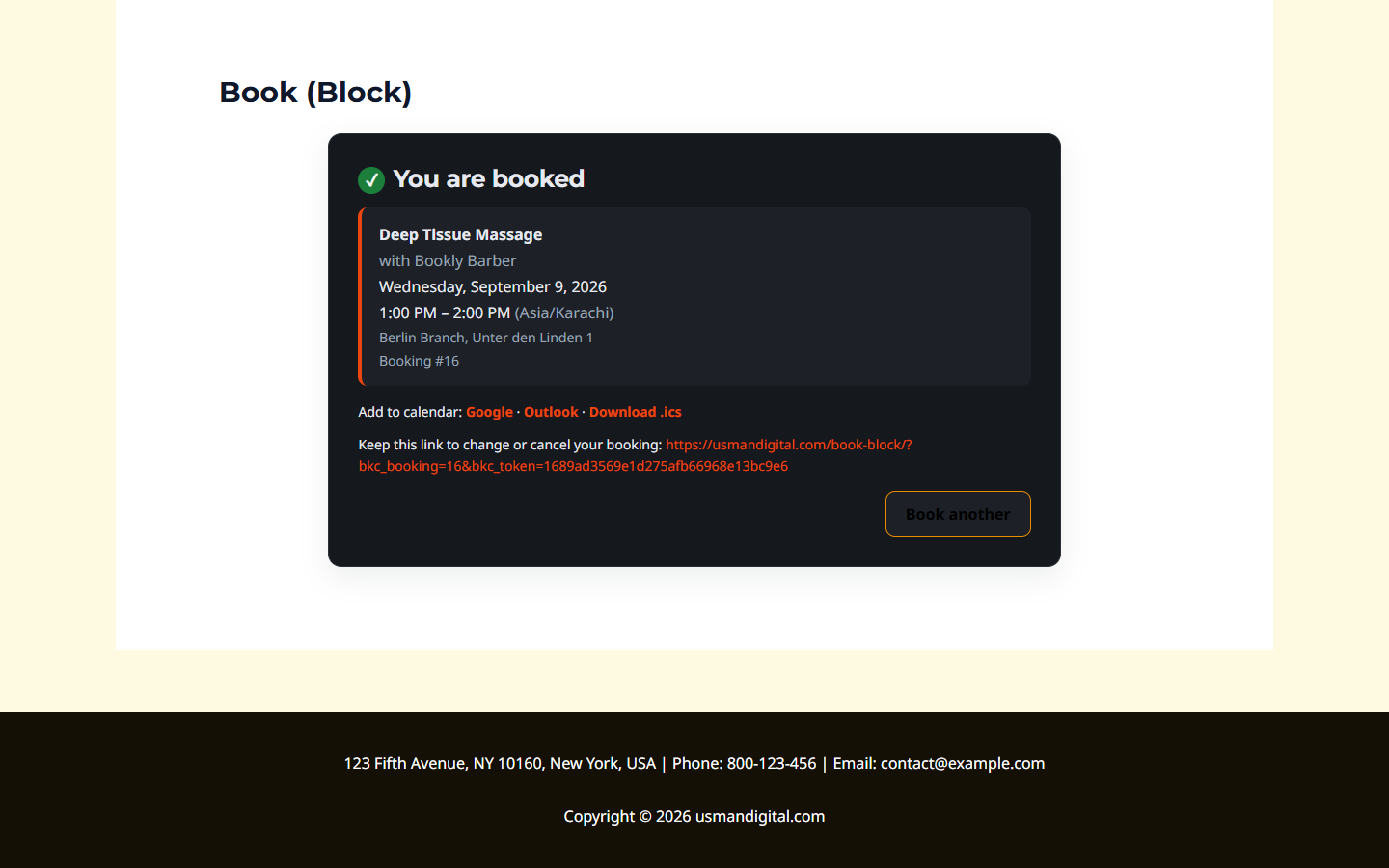
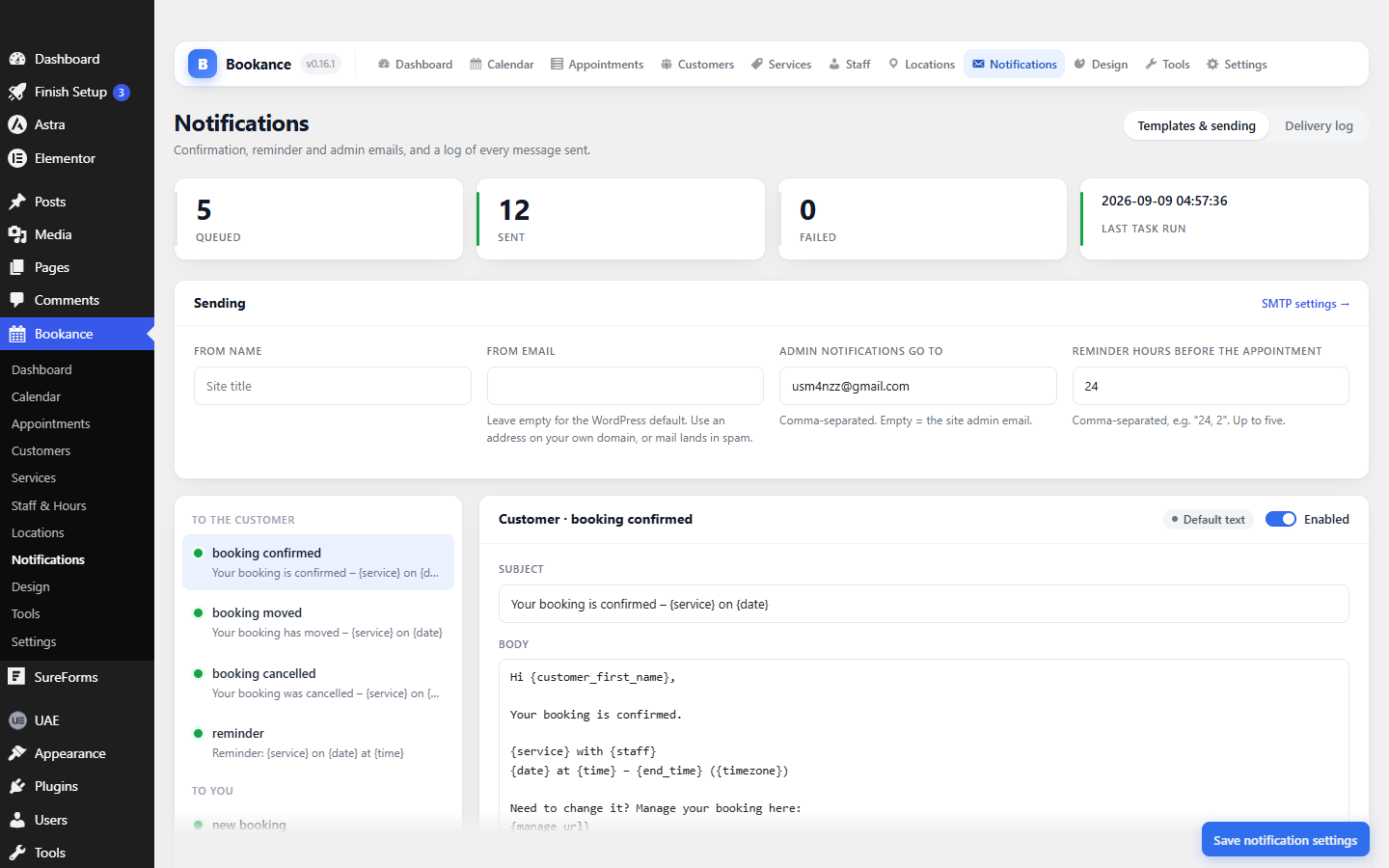
Confirmation, reschedule, cancellation and reminder emails run on Action Scheduler, with retries and a delivery log that shows the real error when one fails.
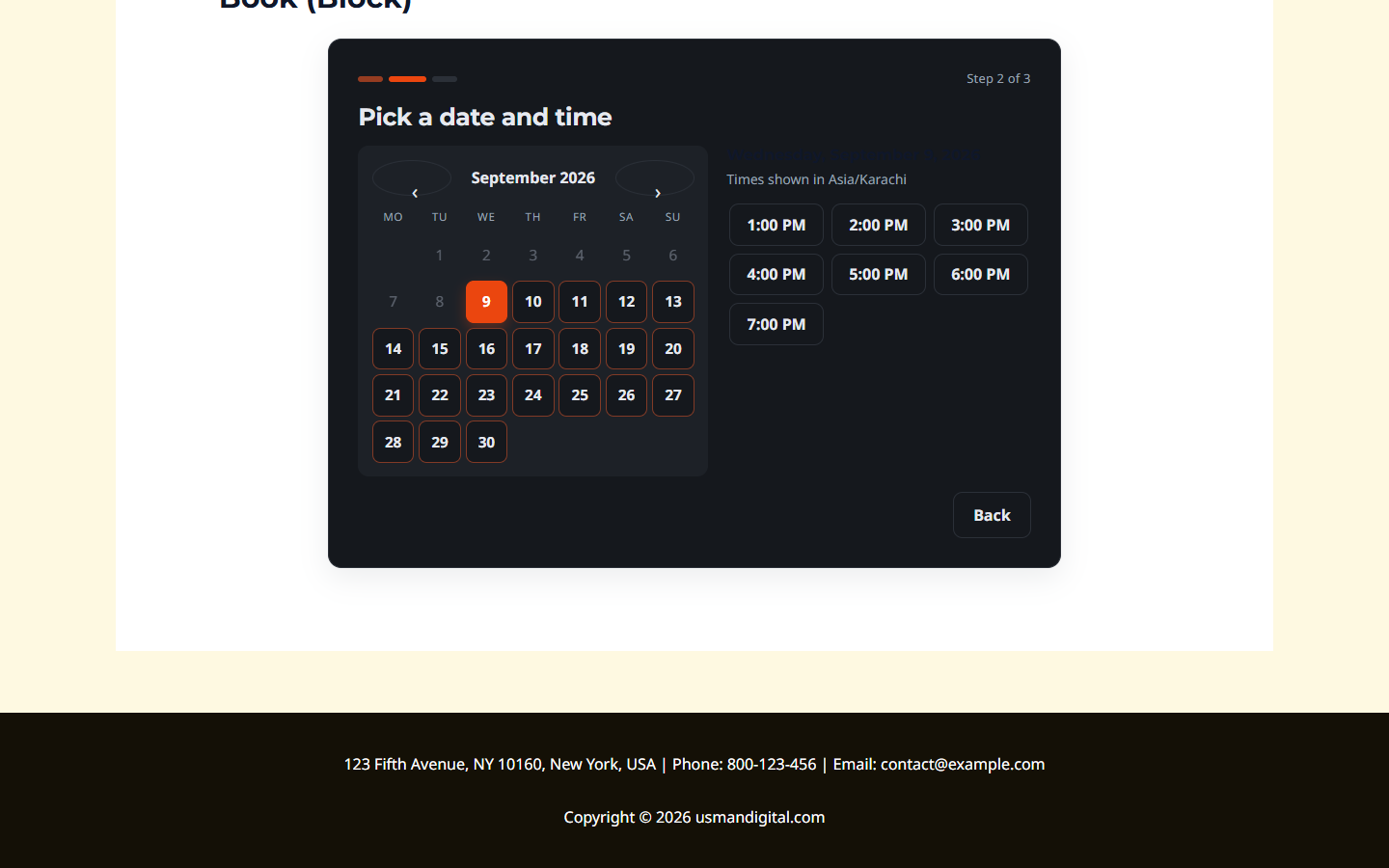
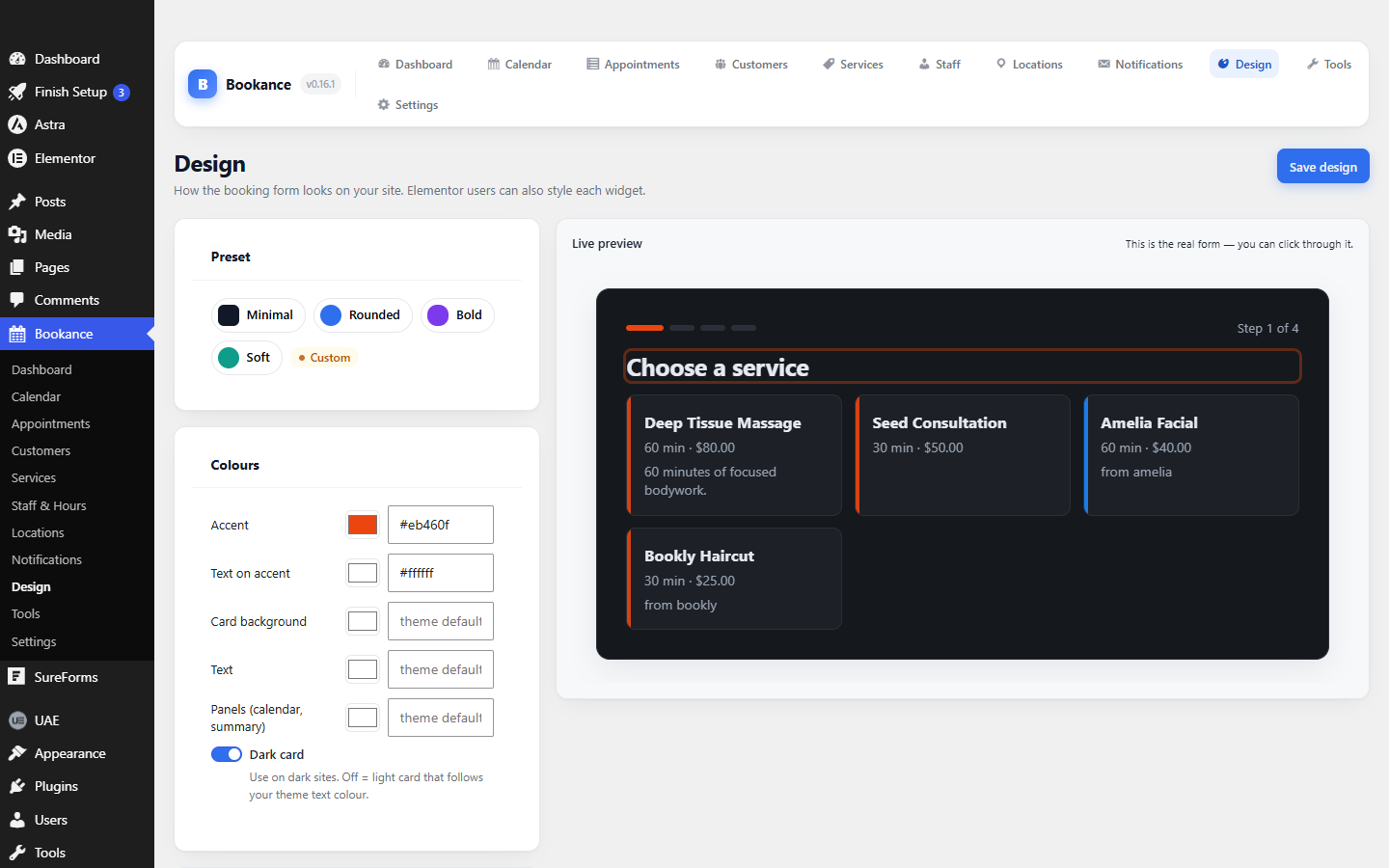
Step by step, single page, calendar-first like Calendly, or a button that opens the form in an accessible popup. Colours, radius and fonts from the Design screen with a live preview.
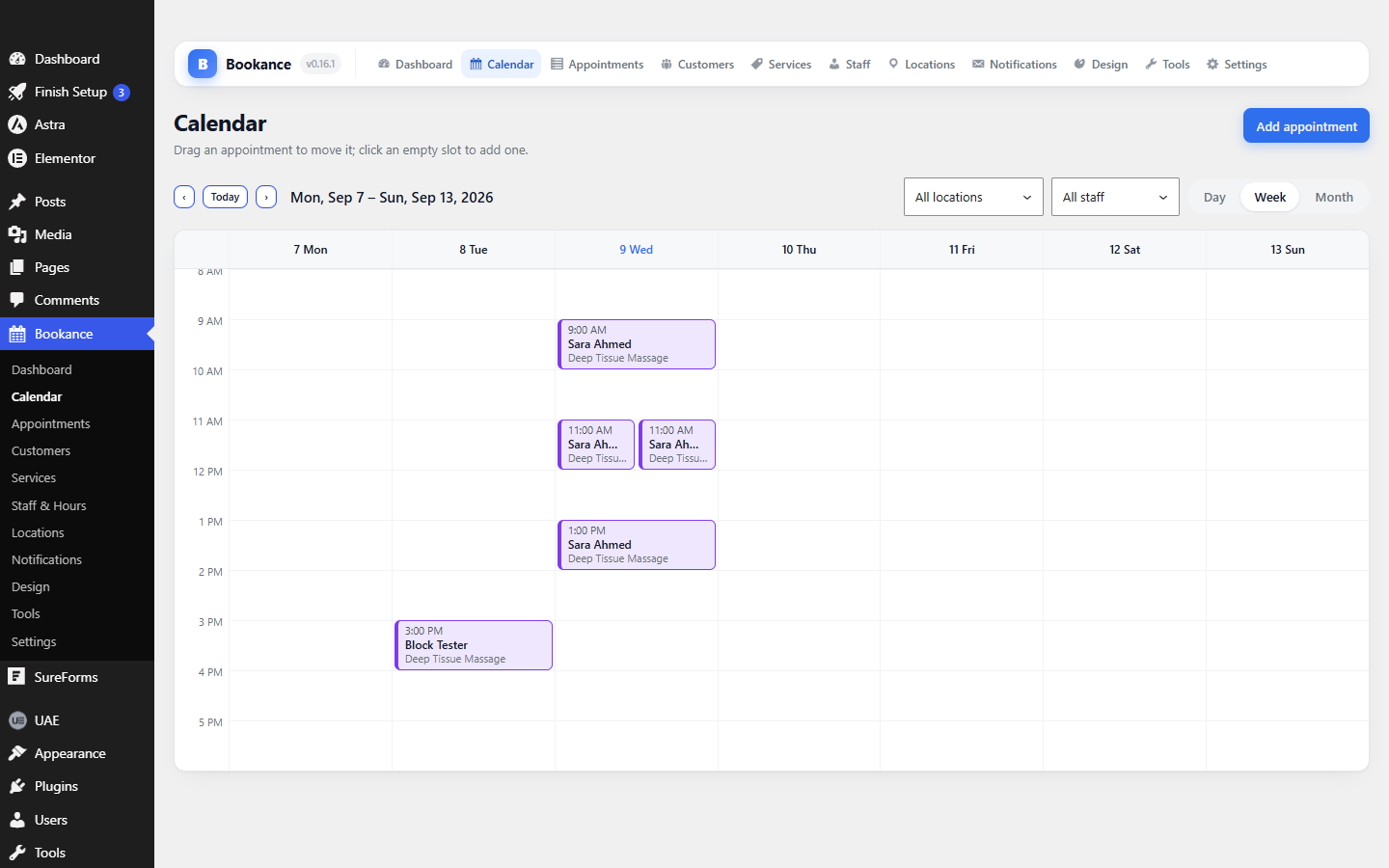
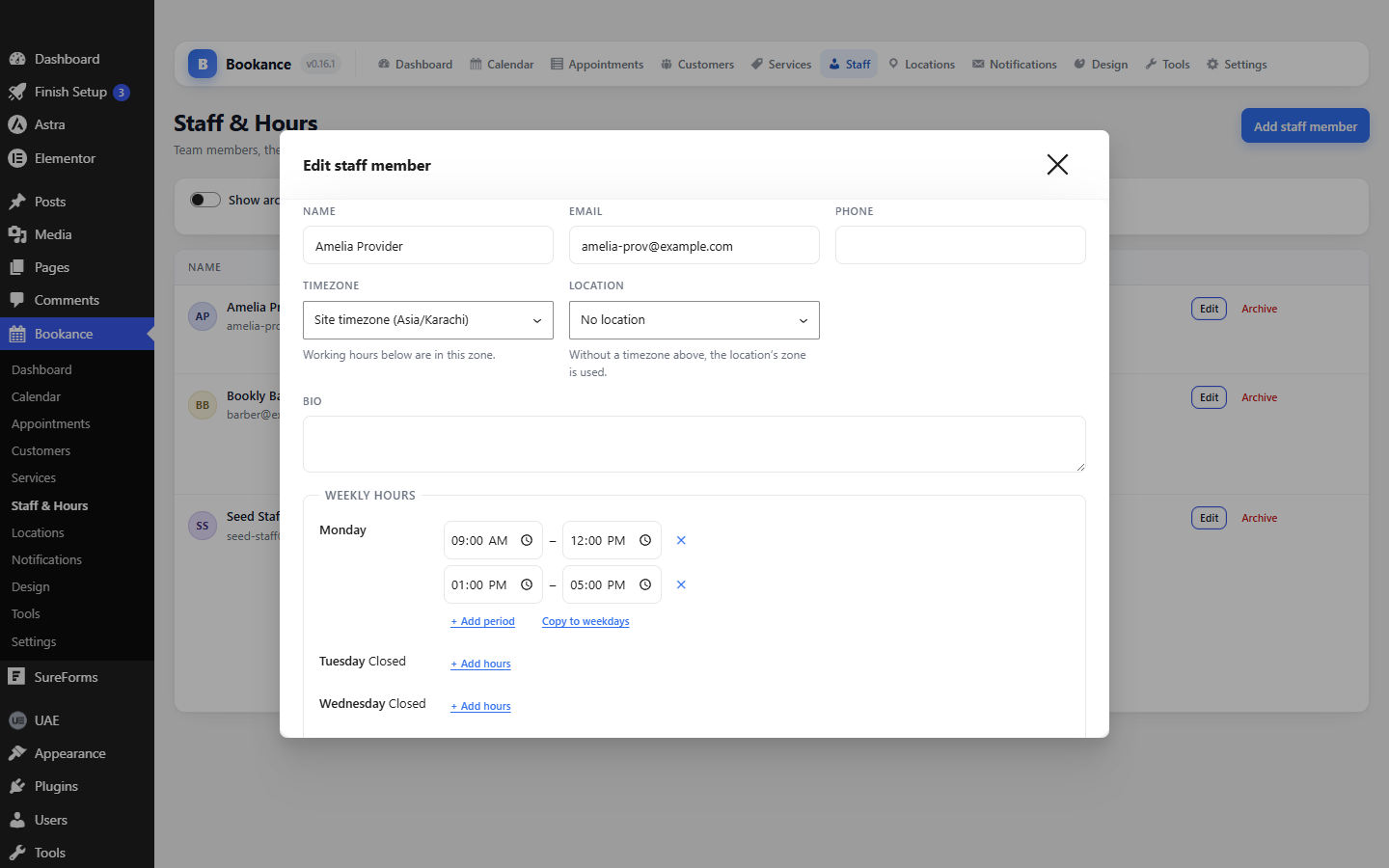
Unlimited staff with weekly hours and date overrides, locations with their own timezone, and a day / week / month admin calendar with drag-to-reschedule.
Push every booking to your own Google Calendar through your own OAuth client, and move in from BookingPress, Bookly or Amelia with one-click importers. GDPR export and erase built in.
Screenshots
Pricing
$0
The whole plugin. Unlimited services, staff, locations and bookings. No limits, no nags, no upsell inside the admin.
Quoted
Bookance is what we needed often enough to package. When a project needs something it does not do, we build that instead.
Bookance is on the WordPress.org plugin directory: install it from your dashboard under Plugins → Add New → search "Bookance", and updates arrive like any other plugin. Bookance Pro (payments, deposits, two-way calendar sync, SMS) will be a separate plugin — nothing in this one is locked.
Changelog
Bookance has a new animated icon in the admin header and the setup wizard, and a new menu icon. Nothing else changed.
Completed and no-show visits now stay on past days in the admin calendar, shown muted with no-shows struck through, instead of disappearing. Cancelled bookings still leave the calendar, and visits that are done can no longer be dragged.
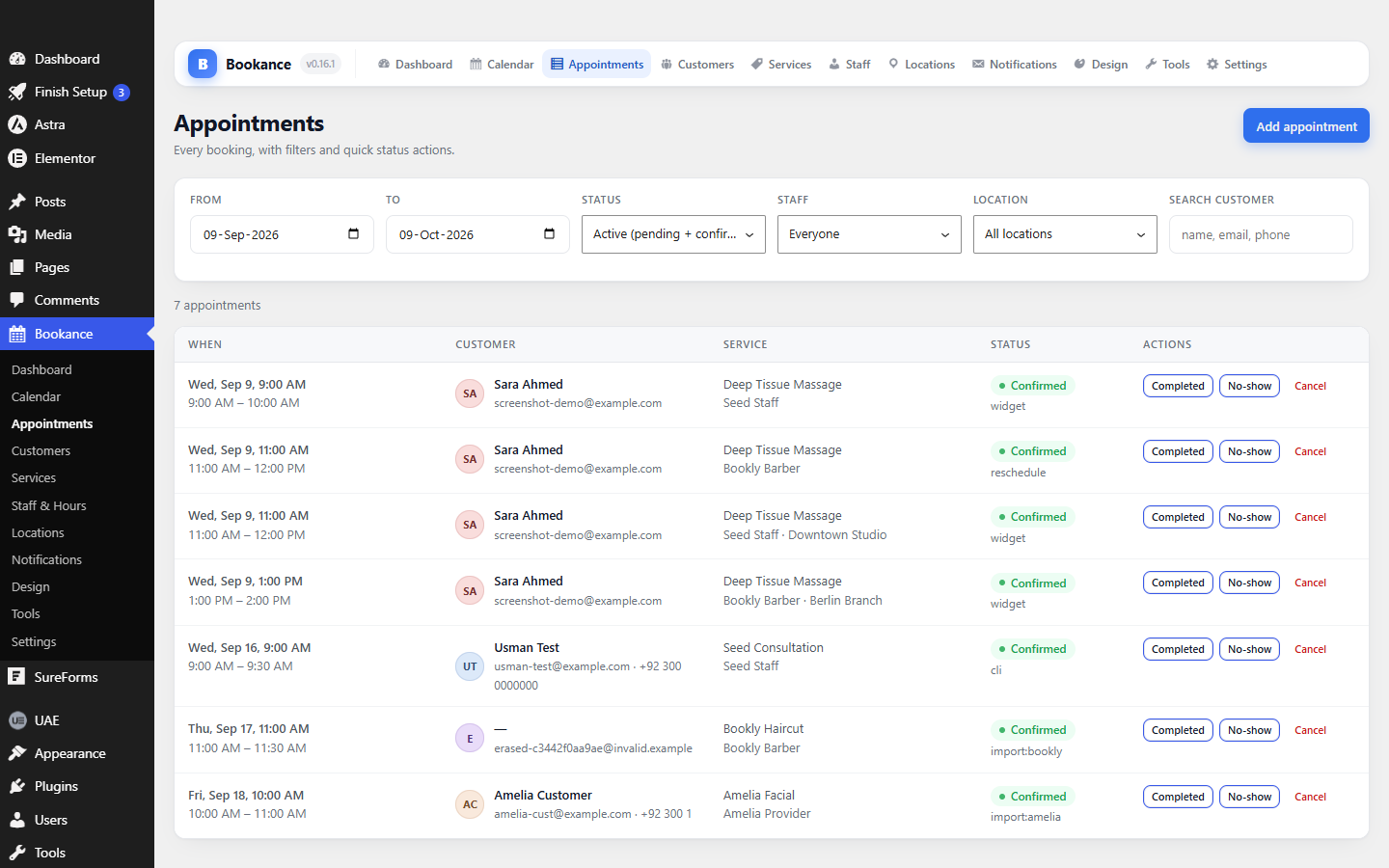
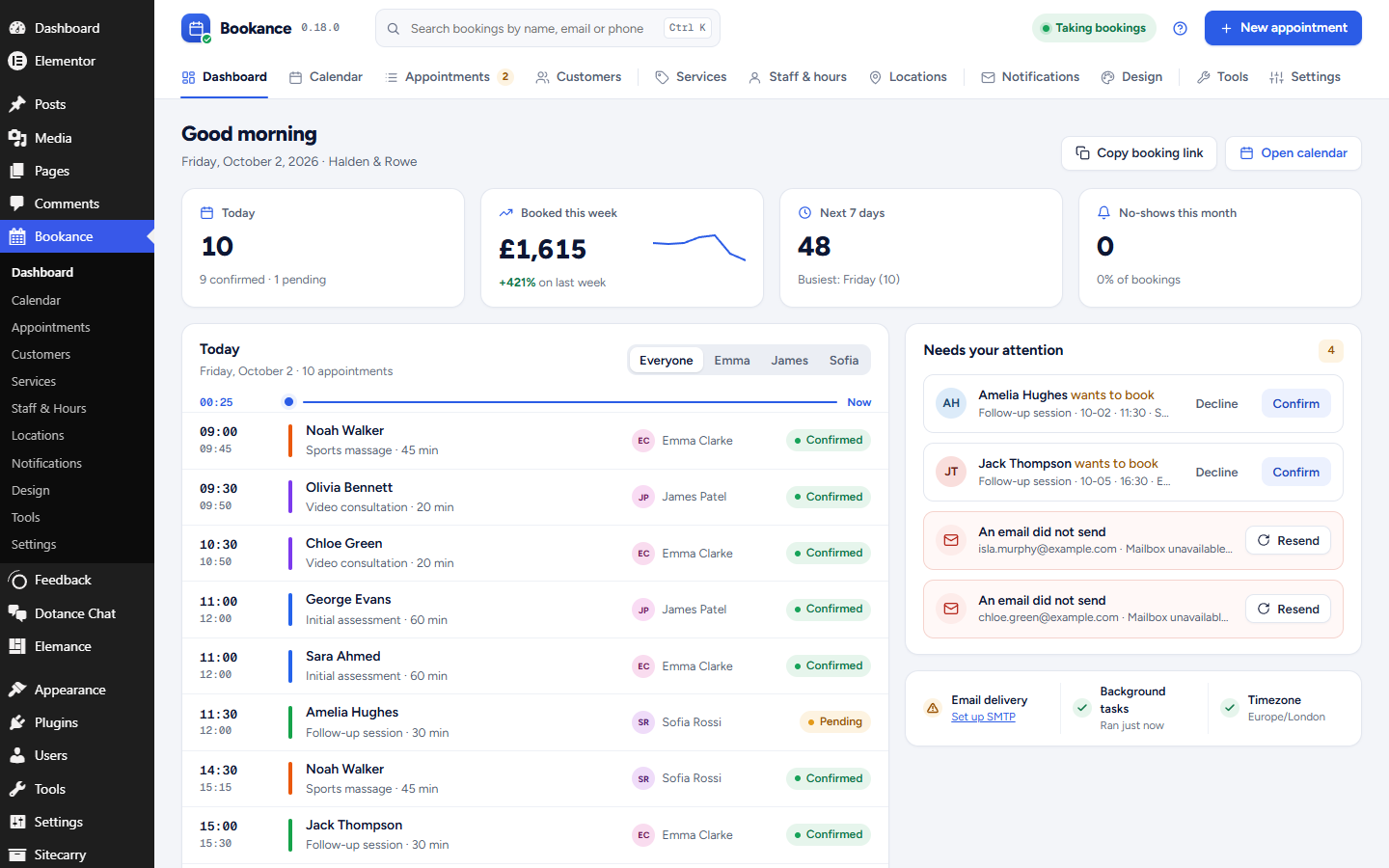
Every admin screen is redesigned: a dashboard that shows today as a timeline and what needs you, appointments with a detail panel (customer, note, every email sent), a week of working hours you can see at a glance, a preview of each email, and the booking form previewed in every layout and on a phone. The booking form itself gets named steps, a strip of days on phones and a three-column calendar-first layout. Pending bookings from an importer can now be confirmed.
Moving from BookingPress? Tools → Import from BookingPress brings in your services, customers, working hours with their breaks, and every appointment with its status and paid amount. Dry-run it first; re-running never duplicates anything. Tools → Export to CSV downloads services, staff, customers or appointments in the same columns the CSV import reads, so a file moves straight to another site.
An Elementor Style tab with 48 controls over the form design, and built-in SMTP delivery with a test send that shows the real error when mail fails.
Questions
Questions about a custom plugin built for your site are on the plugin development page.
Bookance is one. Its booking form is a native Elementor widget under its own category, with style controls in the Elementor panel, so it is placed and styled like any other element — no shortcode workaround and no iframe. The same form is also a Gutenberg block, a Beaver Builder module and a Breakdance element. Unlimited services, staff and bookings are free.
Install Bookance, run the setup wizard once (services, hours, a booking page), then add the form to any page: the Booking Form block in the block editor, the Bookance widget in Elementor, the module in Beaver Builder, or the [bookance] shortcode anywhere else. Choose the layout — step by step, single page, calendar-first or a popup button — from the block or widget settings.
Gutenberg (a real block), Elementor (a widget under its own Bookance category with style controls), Beaver Builder (a module), and Breakdance / Oxygen 6 (a server-rendered element). Everything else gets the [bookance] shortcode with the same options.
Bricks, Divi and WPBakery are on the list; they need paid licences to build and test against.
Every reservation runs inside a database transaction that locks the staff member's row, checks for overlaps, and inserts with a unique slot key as the last line of defence. While a visitor fills in their details the chosen time is held for them. Two people confirming the same slot in the same second: exactly one gets it, the other is shown the next free times.
Emails go through Action Scheduler, the same background queue WooCommerce uses, with three retries and a log that records the real error when a message fails. On a very low-traffic site you should point a real cron job at wp-cron.php; the Notifications screen warns you when the queue is stalling.
No. Unlimited services, staff, locations, customers and appointments. There is no watermark and no upsell notice in the admin. Bookance Pro will be a separate plugin that adds extras — online payments, deposits and coupons, two-way calendar sync, SMS and WhatsApp reminders — not a paywall on what is already here.
Yes. Keep the old plugin installed (it can be deactivated), open Bookance → Tools and run the importer. Dry-run first; re-running is safe because imported rows are remembered. BookingPress has no staff, so its services and working hours come in under one staff member named after your site. There is a CSV importer for everything else, and Tools → Export to CSV downloads your data in the same columns.
WordPress 6.4 or newer and PHP 7.4 or newer; tested up to WordPress 7.1 and PHP 8.3. Google Calendar push is optional and uses your own Google Cloud OAuth client, so no data goes through a third party.
We would like to use analytics cookies to understand how the site is used. They are not needed for the site to work, and nothing is loaded unless you agree. Privacy policy