What a complete backup contains
Half-backups are the most common failure, and they look fine until the day they do not.
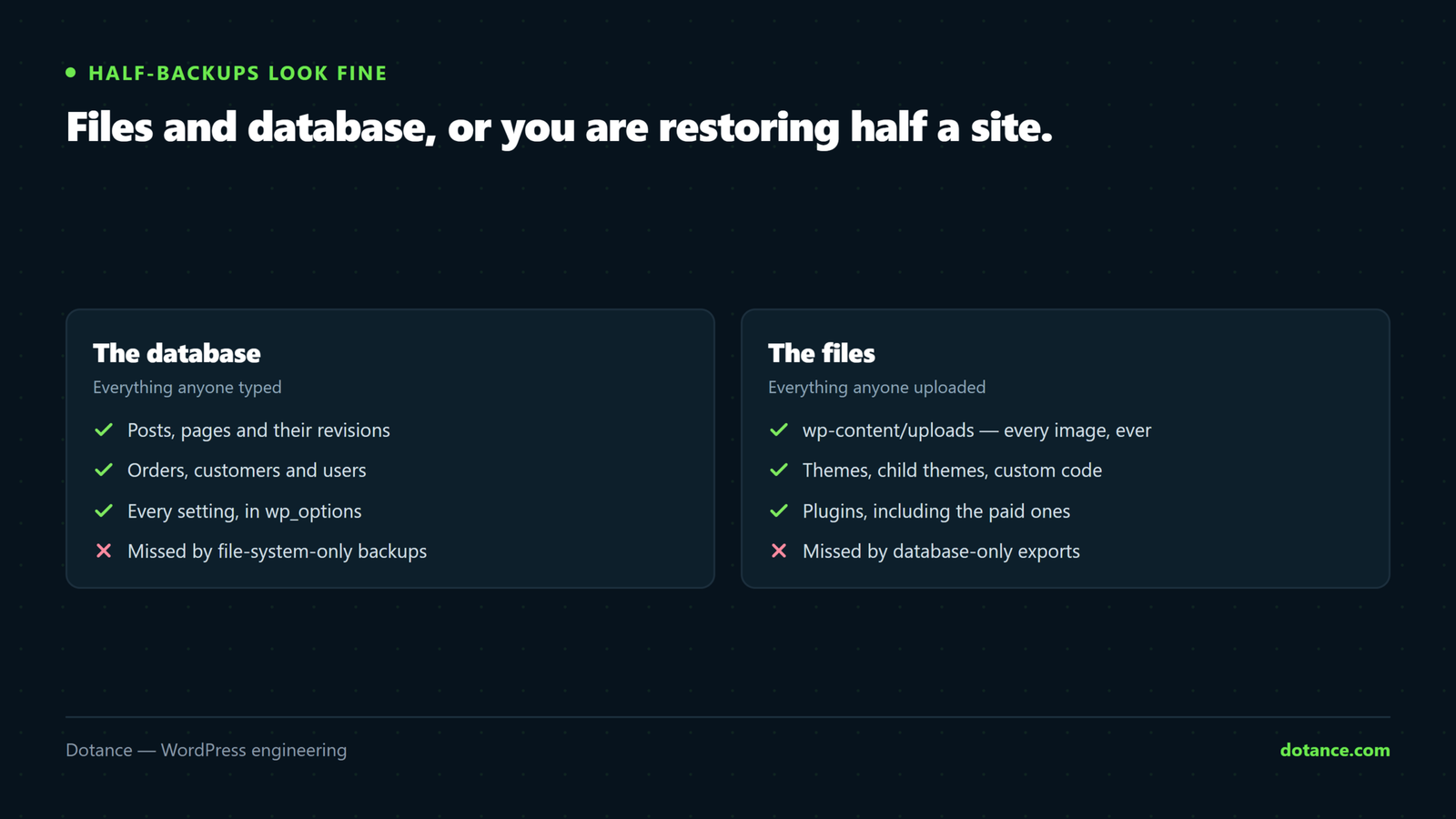
| Part | Holds | Often missed because |
|---|---|---|
| Database | Posts, pages, orders, users, settings | File-sync tools skip it entirely |
| wp-content/uploads | Every image and document | Excluded to keep the archive small |
| Themes and plugins | Your build, including custom code | “We can reinstall those” — not the customised ones |
| wp-config.php | Database credentials and salts | Hidden-file rules skip it |
| .htaccess | Redirects and rules | Same — and rebuilding redirects from memory is impossible |
Core itself does not need backing up — it downloads in seconds. Everything above does.
Off the server, on a schedule
The classic failure is location: the backup was on the machine that died, or in the hosting account that was compromised, or in a plugin folder the attacker deleted first.
Two independent systems is the practical shape:
- Host snapshots — fast to restore, but useless if the account itself is the problem.
- Your own off-site copy — S3, Google Drive, a backup service. Survives losing the host entirely.
Test that you can actually reach the off-site copy without the site. A backup you can only download from inside wp-admin is unreachable during the outage you needed it for. That is not a theoretical objection — it is the normal way this fails.
How often — and how long to keep them
One question decides it: if you restored last night’s copy, how much work disappears?
| Site | Frequency | Why |
|---|---|---|
| Brochure, edited monthly | Weekly | Little changes between backups |
| Active blog | Daily | A day of writing is a real loss |
| WooCommerce store | Database hourly or continuous; files daily | An order placed after the last backup is gone |
| Membership / user data | Continuous database | Losing customer records is not recoverable by redoing work |
Retention matters as much as frequency. Keep daily copies for a few weeks and monthly ones for a year — because slow compromises and silent corruption are often discovered long after they began, and a week of backups may all contain the problem.
Taking one by hand
Useful before any risky change, and the fastest way to know your backup contains something real:
# Database
wp db export ~/backup-$(date +%F).sql

# Everything that is not core
tar -czf ~/backup-content-$(date +%F).tar.gz wp-content/ wp-config.php .htaccess
On some shared hosting wp db export fails — it shells out to mysqldump, and hosts that disable PHP’s proc_open() break it. The error mentions proc_open rather than anything about backups. Call mysqldump directly instead, reading credentials from wp-config.php and passing them in a 0600 defaults file rather than on the command line, where they would be visible to every other user on the box.
Verify the backup, not the notification
“Backup complete” emails keep arriving from jobs that have been writing empty files for months. Check the artefact:
# Is the file a plausible size, or 0 bytes?
ls -lh ~/backup-*.sql

# Does the dump actually end? A truncated one stops mid-statement.
tail -2 ~/backup-2026-08-28.sql

# Does it contain your tables and real rows?
grep -c "INSERT INTO" ~/backup-2026-08-28.sql
grep -oE "CREATE TABLE \`[a-z_]+\`" ~/backup-2026-08-28.sql | head
A complete mysqldump ends with -- Dump completed. If yours does not, it was cut off — usually by a timeout on a large database, which is exactly the case where you most need it.
Three numbers worth a monthly glance: did it run, did it upload, and is it roughly the size it was last week? A backup that suddenly halved is a backup that started failing.
The restore drill
This is the part everyone skips and the only part that proves anything. Quarterly, restore to staging:
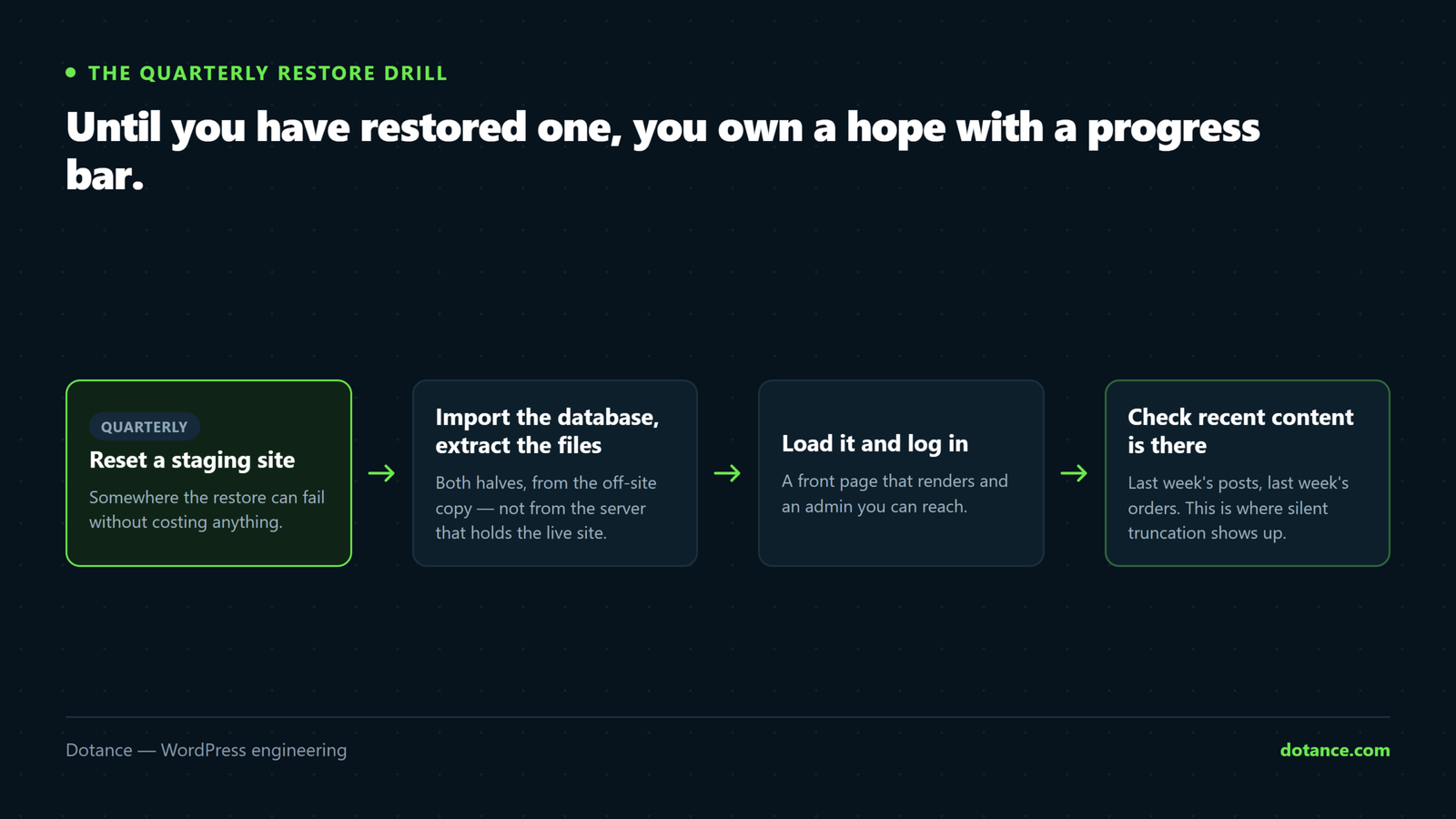
- Create or reset a staging site.
- Import the database, extract the files.
- Fix URLs —
wp search-replace 'https://live.com' 'https://staging.live.com' --precise - Load the site. Log in. Check recent content is there.
- Time it. How long did the whole thing take?
That last number is the one to know before an incident, because it is what you will be asked: how long until we are back?
Never test a restore by overwriting production. If the backup turns out to be broken you now have no site and no backup. Restore to staging, always.
How backups actually fail
| Failure | Caught by |
|---|---|
| Storage full — silently stopped weeks ago | Checking file size and date, not the email |
| API key expired, uploads failing | Confirming the copy exists off-site |
| Database dump truncated by a timeout | Checking the dump ends properly |
| Uploads excluded to save space | Reading what the job includes, once |
| Backup only reachable from inside wp-admin | Trying to download it while logged out |
| Every retained copy contains the hack | Longer retention |
If you would rather not assemble this by hand: Sitecarry is our free backup plugin. It packages files and database together, runs on a schedule to S3, FTP or Google Drive, and — the part most backup plugins skip — can rehearse a restore into scratch tables so you know the package works before you need it.
Common questions
My host takes backups. Is that enough?
It is one layer, and a good one. But it lives in the account that might be suspended or compromised, and retention is often short. Keep an independent copy you control.
How long should a restore take?
Whatever your drill measured. That is the honest answer, and having it turns an outage from panic into a schedule.
Can I just use a staging copy as a backup?
No. Staging is usually on the same server and gets overwritten on the next refresh — often with the broken version you were trying to escape.
Is a database-only backup useful?
For content recovery, yes, and it is small enough to run hourly. It will not restore a hacked or deleted site — pair it with a less frequent full backup.