Core finally has tabs. Not a plugin, not a widget, not a shortcode — an actual block, shipped in 7.1 and built on the Interactivity API. If you have been paying for a builder addon to get tabbed specifications or a tabbed FAQ, the WordPress 7.1 Tabs block changes that calculation. Here is what it does, where it genuinely beats what you are using, and the three places it does not.
What the WordPress 7.1 Tabs block actually is
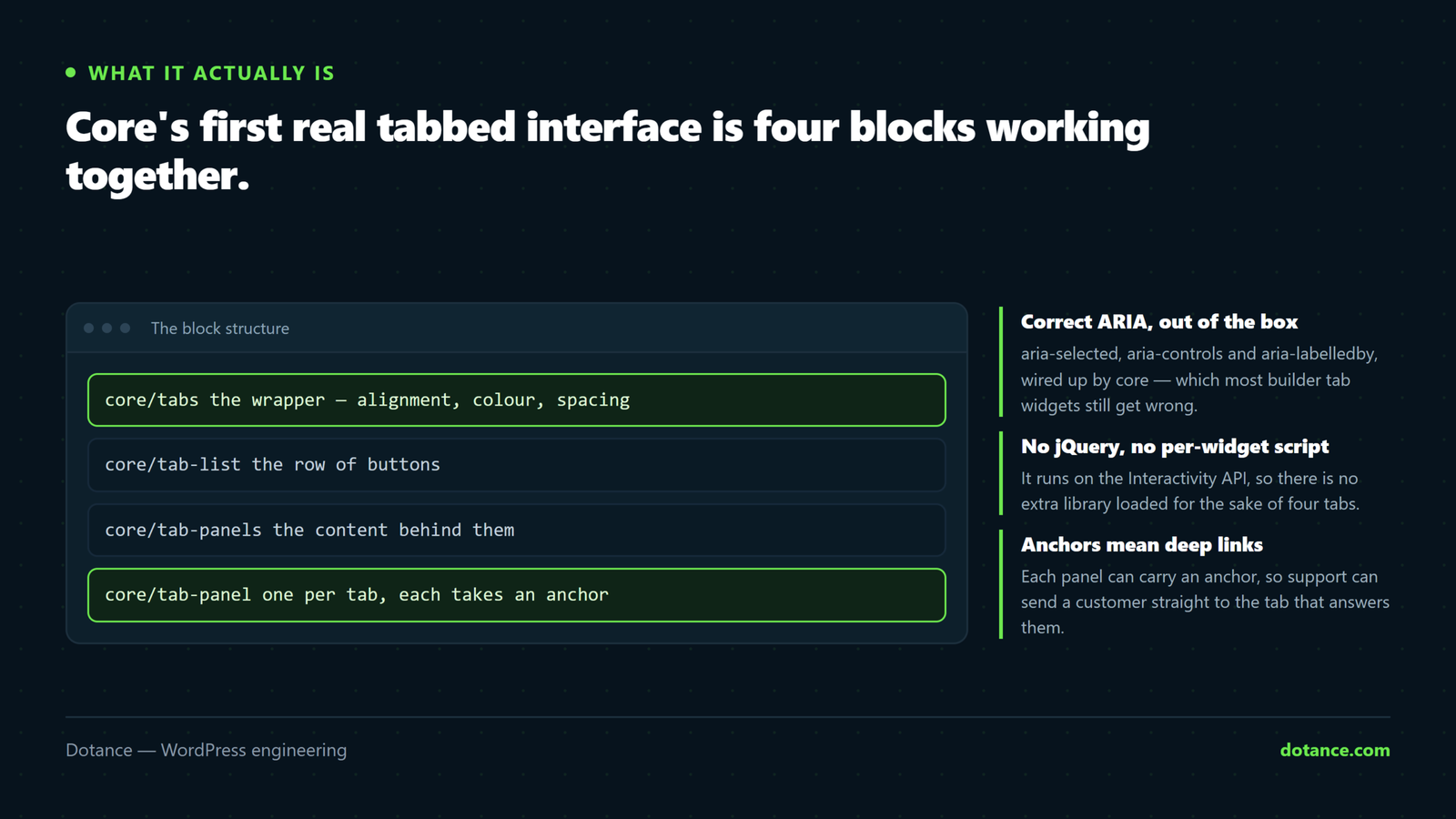
The WordPress 7.1 Tabs block is four blocks working together, which matters when you start editing the markup by hand:
| Block | Role |
|---|---|
core/tabs | The wrapper. Holds alignment, colour, spacing and typography. |
core/tab-list | The row of buttons, with the ARIA wiring. |
core/tab-panels | The container for the content panels. |
core/tab-panel | One panel. Accepts any inner blocks and its own anchor. |
The wrapper declares "interactivity": true and loads a view script module rather than a classic enqueued script. That single line is the reason the WordPress 7.1 Tabs block behaves differently from every tab widget you have used before — no jQuery dependency, no init call, and no breakage when a caching plugin reorders your JavaScript.
Check before you plan anything: this is 7.1 only. If you are still on 6.x the block does not exist, and the rest of the upgrade has its own considerations — we covered them in what the WordPress 7.1 update breaks.
Seven honest wins for the WordPress 7.1 Tabs block
| # | Win | Why it matters |
|---|---|---|
| 1 | Correct ARIA out of the box | Screen readers announce the tab state properly |
| 2 | Keyboard navigation that follows the spec | Arrow keys move between tabs, not Tab |
| 3 | No jQuery, no per-widget script | Fewer requests, nothing to break |
| 4 | Anchors on every panel | Deep-link to a specific tab from anywhere |
| 5 | Content is real markup in the page | Indexable, quotable, copyable |
| 6 | Portable between themes | No addon lock-in |
| 7 | Styled by theme.json, not by the widget | One place to change the look |
1 and 2. Accessibility that is actually correct
Look at what core renders. tab-list.php emits aria-controls, aria-label and aria-selected; tab-panel.php emits aria-labelledby. That is the full pairing the WAI-ARIA tabs pattern asks for, and it is generated for you rather than being a checkbox somebody forgot to tick.
Most builder tab widgets get roughly half of this. They mark up the buttons, skip aria-selected, and leave arrow-key navigation unimplemented, so a keyboard user has to tab through every panel’s contents to reach the second tab. If accessibility is a contractual requirement for you, the WordPress 7.1 Tabs block is a meaningful upgrade rather than a cosmetic one. Our wider notes on WordPress accessibility cover what else to audit.
3. No script to break
Builder tabs run on the builder’s frontend bundle. When a caching or optimisation plugin combines, defers or reorders that bundle, tabs are one of the first things to stop responding — you click and nothing happens, with no error anyone notices.
The WordPress 7.1 Tabs block loads a view script module scoped to itself. If it fails, nothing else does; if something else fails, tabs keep working. That isolation is worth more on a busy site than any of the styling differences. We wrote about the wider pattern in Elementor changes not showing, which is usually the same class of problem.
4. Deep links to a single tab
Every core/tab-panel supports anchor. Set one and core uses it as the panel’s ID instead of the generated …-tab-0:
# Panel anchor set to "shipping" gives you
https://example.com/product-info/#shipping
Support can now send a customer to the exact tab that answers their question. Most builder tab widgets either cannot do this or need a snippet to read the hash on load.
5. The content is in the page
All panels render as markup regardless of which tab is showing. Hidden-by-CSS content is indexed normally — Google has said so for years — so a tabbed specification table is just as findable as a flat one. That also means an AI assistant reading your page sees every panel, which matters more each quarter. See how to get cited by AI search for why that is worth deliberately checking.
6 and 7. Portability and one place to style
Builder tabs are locked to the builder. Switch theme or builder and the shortcode or widget leaves a hole in the page. The WordPress 7.1 Tabs block is core markup that survives both, and it takes colour, spacing, typography and layout from theme.json, so changing the tab look once changes it everywhere rather than page by page.
Where your page builder still wins
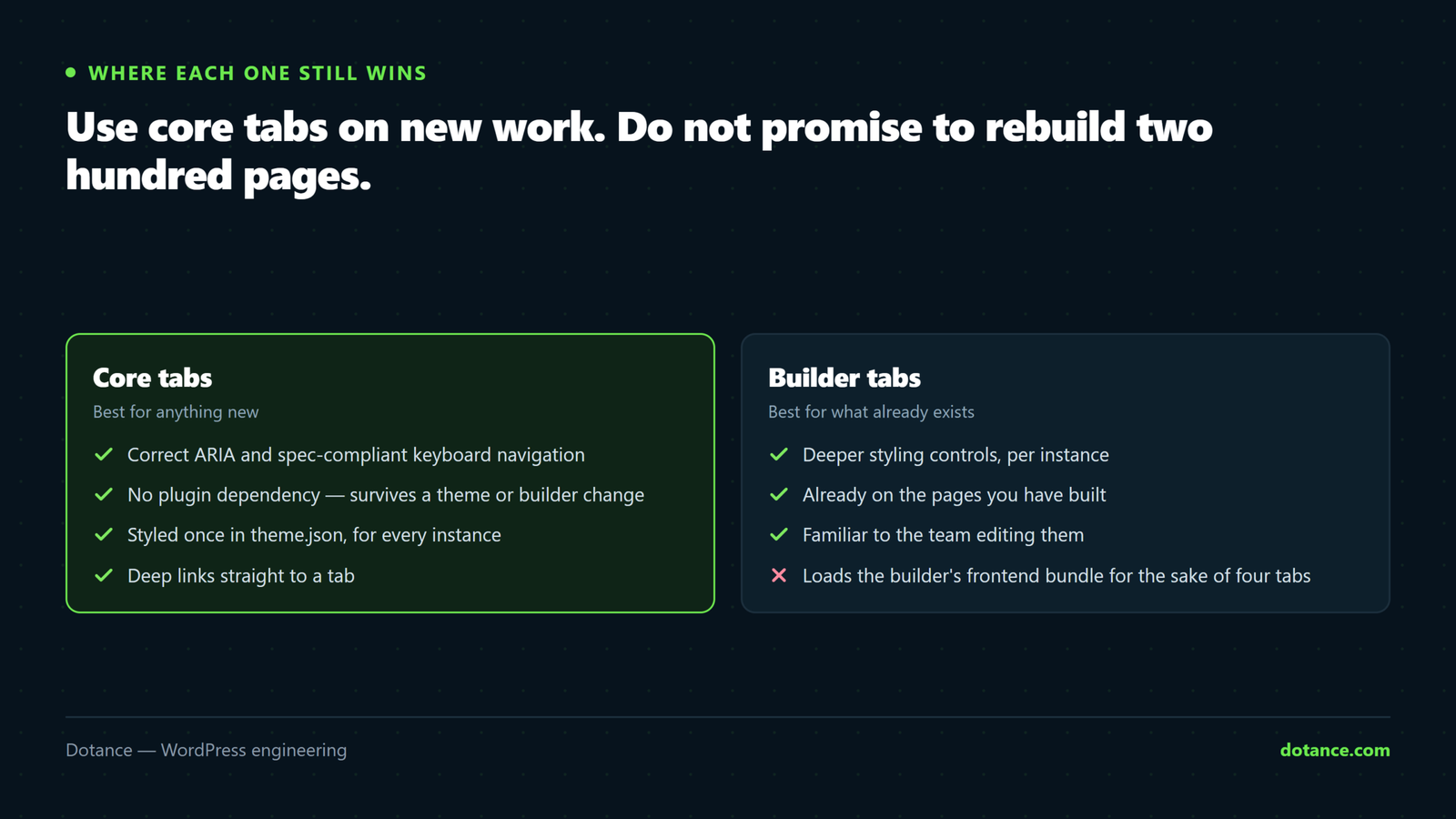
Three things, and they are not small ones. None of them is a reason to avoid the WordPress 7.1 Tabs block on new work, but all three are reasons not to promise a client a same-week migration of an existing site.
| Builder advantage | Honest assessment |
|---|---|
| Styling depth | Per-state borders, icons, hover animations, vertical layouts — core gives you far less |
| Icons in tab labels | Built in there; an inline image or an SVG block in core |
| Existing pages | Two hundred pages of builder tabs is not a migration you do for tidiness |
Be honest about the third one. The WordPress 7.1 Tabs block being better does not make rebuilding an existing library worth the hours. Use it for new pages, and convert old ones only when you are editing them anyway for another reason.
The mixed approach is fine. Core tabs on new templates and builder tabs on legacy pages will coexist without conflict — they share no scripts and no CSS. Anybody telling you the site must be consistent on day one is selling you a rebuild.
Tabs or an accordion? Pick by content, not by fashion
The other half of this question is whether tabs are the right pattern at all. Core also ships core/details, which is a native accordion built on the HTML <details> element.
| Use | When | Why |
|---|---|---|
| Tabs | Parallel options the reader compares | Sizes, plans, specifications, regions |
| Accordion | A long list the reader scans | FAQs, policies, long documentation |
| Neither | Fewer than four short items | Hiding three sentences helps nobody |
On mobile the WordPress 7.1 Tabs block has the same constraint every tab interface has: a row of five labels does not fit a 360px screen without scrolling or wrapping. For anything with long labels, an accordion is genuinely the better pattern, and core/details needs no JavaScript at all.
Moving a page to the WordPress 7.1 Tabs block
There is no converter for the WordPress 7.1 Tabs block, and there will not be one — builder tabs are stored as builder data, not as block markup. The work is manual, which is the strongest argument for doing it only on pages you are touching anyway.
- Test on staging, not live. If you do not have one, set up a staging site first — it takes an hour.
- Insert a Tabs block, set the number of panels, name the tabs.
- Paste each panel’s content in. Inner blocks are unrestricted, so tables and images are fine.
- Set an anchor on every panel, matching the old builder widget’s anchors if links exist.
- Style once in
theme.jsonor the Styles panel, not per page. - Delete the builder widget only after the new tabs render correctly on mobile.
Step four is the one people skip and regret. If a support macro or an ad links to #warranty and you rebuild without that anchor, every one of those links silently lands at the top of the page instead.
Styling the WordPress 7.1 Tabs block once
The block takes colour, spacing and typography from the block supports declared in its block.json, which means theme.json can set the house style for every instance on the site in one place.
theme.json
{
  "version": 3,
  "styles": {
    "blocks": {
      "core/tabs": {
        "spacing": { "padding": { "top": "0", "bottom": "var(--wp--preset--spacing--40)" } },
        "typography": { "fontSize": "var(--wp--preset--font-size--medium)" }
      },
      "core/tab-list": {
        "color": { "text": "var(--wp--preset--color--contrast)" }
      }
    }
  }
}
This is the practical difference from a builder, and it is larger than it looks. With a builder widget, the tab design lives inside each page, so a brand change means opening every page that has tabs. With the WordPress 7.1 Tabs block, the design lives in the theme and the pages carry only content.
For the states core does not expose — an underline on the selected tab, a hover treatment, a vertical layout on desktop — you still write CSS. The classes are stable and predictable, so a dozen lines in the theme stylesheet cover most of what a paid addon offered:
/* Selected tab underline, using the theme's own accent */
.wp-block-tab-list button[aria-selected="true"] {
	box-shadow: inset 0 -2px 0 currentColor;
}
Note that the selector keys off aria-selected rather than a state class. That is only possible because the WordPress 7.1 Tabs block sets the attribute correctly in the first place — a small illustration of why accurate ARIA is a practical benefit and not just a compliance one.
A worked example: a product specification page
The most common real use we hit is a product or service page carrying four blocks of detail that nobody needs at once — specification, shipping, warranty, reviews. Flattened, it is a four-thousand-word page nobody scrolls. Tabbed, it is a page with one clear message and four supporting panels.
| Panel | Anchor | Linked from |
|---|---|---|
| Overview | #overview | Default — carries the sales message |
| Specification | #spec | Comparison pages and ads |
| Shipping | #shipping | Support macros, checkout FAQ |
| Warranty | #warranty | Email footer, returns policy |
Set those four anchors and the page stops being one destination and becomes four. Support stops pasting long explanations into replies and sends a link that opens on the right panel. That is the feature that earns the WordPress 7.1 Tabs block its place on a commercial page, and it is the one most people never switch on.
One caution from doing this on live stores: keep the tab labels to a single word each wherever you can. “Shipping & Returns” reads well on a desktop mockup and wraps badly at 360px, and a wrapped tab row is the fastest way to make a good page look unfinished. Test the WordPress 7.1 Tabs block at mobile width before signing anything off, not after.
Where this goes wrong
| The mistake | What happens | Do this instead |
|---|---|---|
| Putting your main content in tab two | Most readers never open it | Tab one carries the primary message |
| Six or more tabs | Unusable on mobile | Four at most, or an accordion |
| Long sentence labels | The tab row wraps into a mess | One or two words per label |
| Rebuilding every existing page at once | Days of work, no measurable gain | New pages first |
| Styling each instance individually | Twenty slightly different tab designs | One rule in theme.json |
| Dropping anchors during migration | Existing deep links break silently | Map the old anchors first |
| Assuming a custom block will still work | 7.1’s iframed editor breaks some of them | See custom blocks broken after 7.1 |
That last row is the one to check before any of this. The WordPress 7.1 Tabs block is only useful to you if your editor loads cleanly on 7.1 in the first place, and the iframe change in this release stopped a fair number of custom blocks from rendering in the editor at all.
Does it make pages faster?
A little, and not for the reason people expect. The saving is not in the block’s own code — it is in what you stop loading.
| Setup | What loads |
|---|---|
| Builder tabs | Builder frontend bundle plus the addon’s script and CSS |
| Addon plugin tabs | A whole plugin, often with its own jQuery dependency |
| WordPress 7.1 Tabs block | One view script module and a small stylesheet, loaded only where used |
If tabs were the only reason a tabs-and-sliders addon was installed, removing it is a real win. If the builder is loading anyway for the rest of the page, the difference is close to nothing and you should not promise a client otherwise. The honest ranking of what makes WordPress pages slow is in our slow-site guide, and tab widgets are nowhere near the top of it.
For the specification behind the accessibility behaviour, the WAI-ARIA Authoring Practices tabs pattern is the document core is implementing, and it is short enough to read in full.
The short verdict
If you are building something new on 7.1, use core tabs. They are accessible by default, they carry no plugin dependency, they survive a theme change, and the anchors make them genuinely more useful than what most addons offer. That is a better starting position than any tab widget we have shipped in the last five years.
If you have an existing site full of builder tabs that work, leave them alone and put the WordPress 7.1 Tabs block on your list for whenever those pages next get edited. The gain is real but it is not urgent, and a migration done for tidiness rather than for a reason is how a fortnight disappears with nothing to show a client.
The one case worth acting on immediately is an accessibility obligation. If you have a public-sector contract, a procurement questionnaire or a complaint to answer, replacing builder tabs with the WordPress 7.1 Tabs block fixes a whole category of findings in an afternoon, and it fixes them at the markup level rather than with a patch on top.
Frequently asked questions
Is content inside the WordPress 7.1 Tabs block indexed by Google?
Yes. All panels are in the HTML; only the display is switched. Google indexes CSS-hidden content normally. It may weight visible content slightly higher in some contexts, which is an argument about tab one carrying your key message — not an argument against tabs.
Can I use it inside an Elementor or builder page?
Usually not directly, because builder pages replace the block canvas. Some builders have a widget that renders arbitrary block markup. The clean answer is to build those templates in blocks — the builder versus custom theme trade-off has not changed, but core closing feature gaps like this one is exactly what shifts it over time.
Does it work without JavaScript?
The first panel renders. Switching needs the view module, as it does in every implementation. If JavaScript-free operation is a hard requirement, use core/details, which needs none.
How many tabs is too many?
Four is comfortable, five is the ceiling, six wraps on mobile. If you have eight things to show, you have a list, not tabs.
Will it conflict with my existing tab widgets?
No. Different markup, different CSS, different scripts. A page can carry both while you migrate.
Do I still need a tabs and sliders addon plugin?
Only if you also use its sliders, counters or price tables. If tabs were the reason it was installed, the WordPress 7.1 Tabs block replaces it and you get a plugin back off the stack — one fewer thing to update, one fewer thing to audit, and one fewer script on every page it was loading on.
What happens to the tabs if I switch themes?
The markup stays and the styling changes, because the look comes from theme.json. That is the correct behaviour and the opposite of a builder widget, which leaves a broken shortcode or an empty section behind. Content portability is the quiet argument for the WordPress 7.1 Tabs block over anything an addon provides.
Can I set which tab opens first?
Yes — activeTabIndex defaults to zero and is editable. A URL anchor pointing at a panel takes precedence, which is what makes the deep links useful.
Is this worth upgrading to 7.1 for on its own?
No. The WordPress 7.1 Tabs block is a nice addition, not a reason to rush a major upgrade. Upgrade on the usual schedule, with a tested update process, and enjoy the block when you get there.