Two plugins dominate multilingual WordPress in 2026 and they solve the same problem from opposite ends. The WPML vs Polylang argument is usually conducted as a feature list, which is the least useful way to have it — both will translate your site. What differs is how translation gets organised, what it costs you in overhead, and how trapped you are afterwards. Here are seven differences that actually change the decision.
WPML vs Polylang: how they store translations
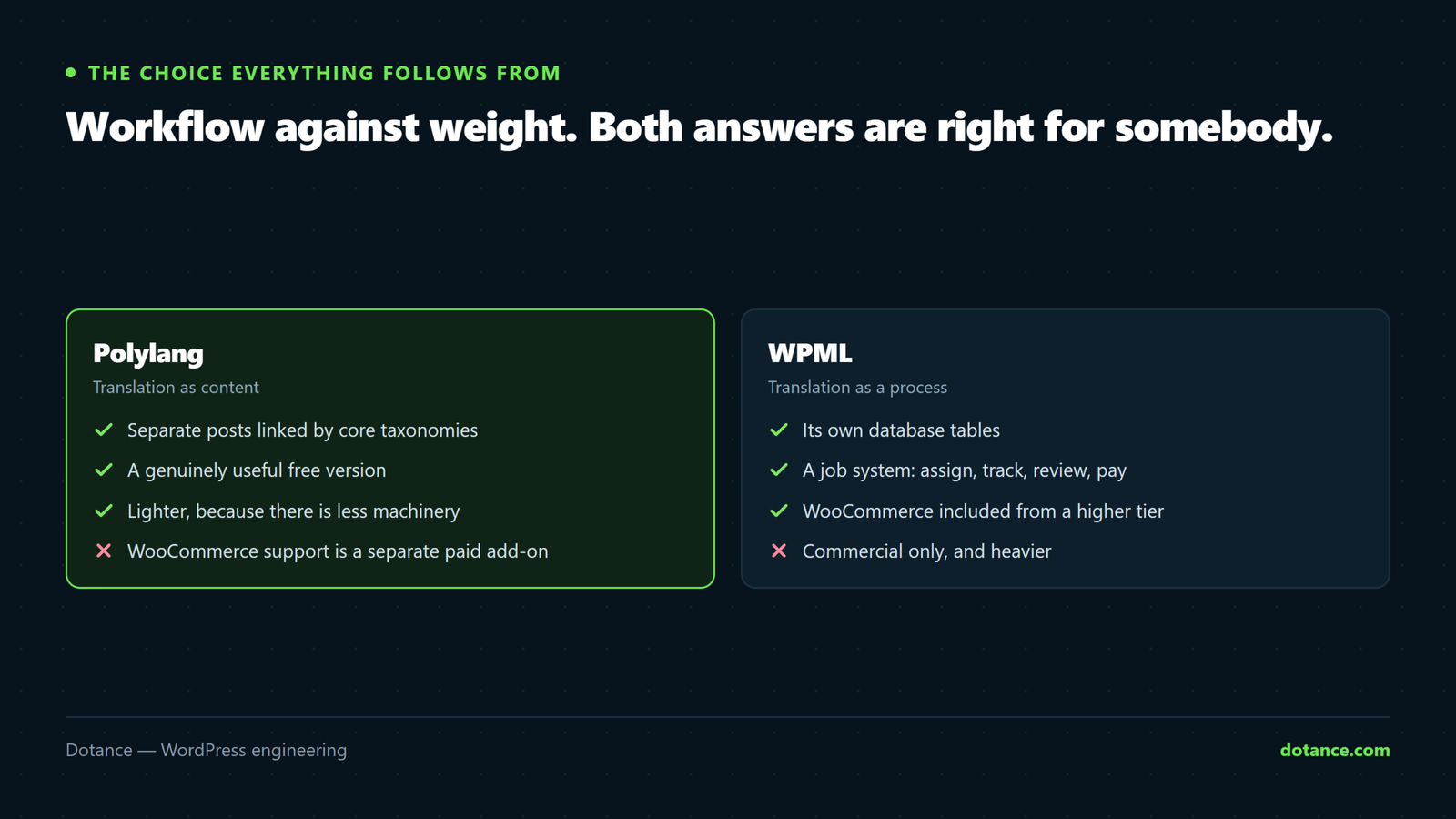
This is the architectural choice every other WPML vs Polylang difference follows from.
| Polylang | WPML | |
|---|---|---|
| Where translations live | Separate posts, linked by core taxonomies | Separate posts, linked via its own tables |
| Language assignment | A WordPress taxonomy term | Rows in icl_translations |
| If the plugin is removed | Posts remain, links are lost | Posts remain, links are lost |
| Query overhead | Uses core mechanisms | Additional joins against its own tables |
| Debuggability | Visible in standard tables | Needs knowledge of its schema |
Both approaches are legitimate. Polylang’s leans on machinery WordPress already has, which tends to mean less overhead and fewer surprises for a developer reading the database. WPML’s own tables let it track translation state — who is translating what, and whether the source has changed since — which taxonomies cannot express.
So the WPML vs Polylang data-model difference is not one being tidier. It is that WPML is storing more, because it is doing more.
Neither is a display layer. Both create real, separate posts per language with their own URLs. That matters for search: each language is an indexable page rather than a JavaScript swap, which is what you want. Tools that translate in the browser are a different category with different trade-offs.
Difference 2: translation as a process
This is the strongest argument in the whole WPML vs Polylang comparison, and it decides most agency cases.
WPML has a translation management system: you assign content to a translator, they get a queue, you see what is pending, and the system flags a translation as out of date when the original changes. You can route jobs to a professional service without leaving the admin.
| Need | Polylang | WPML |
|---|---|---|
| One person types both languages | Fine | Fine, with unused machinery |
| Briefing an external translator | Manual — you send them things | Built in |
| Knowing what is out of date | Manual tracking | Flagged automatically |
| Several translators, several languages | Becomes a spreadsheet | What it was designed for |
| Paying a translation agency in-flow | Not supported | Integrated |
Be honest about which row you are, because it answers WPML vs Polylang faster than any feature table. Most small business sites are row one, where the whole WPML vs Polylang question resolves quickly: you do not need a workflow system for a job that two people do between them. A publisher pushing forty articles a month into five languages is row four, and there the licence is cheaper than the spreadsheet.
WPML vs Polylang on licence cost
| Polylang | WPML | |
|---|---|---|
| Free version | Yes, on WordPress.org | None |
| Paid tier | Polylang Pro, annual | Tiered annual licence |
| WooCommerce | Separate paid add-on | Included from a higher tier |
| If the licence lapses | Site keeps working, updates stop | Site keeps working, updates stop |
The WPML vs Polylang cost comparison changes, so check current pricing on both sites rather than trusting any figure in an article. The structural difference is what matters: Polylang lets you start free and pay when you need Pro features, while WPML requires a purchase before you can evaluate it on your own site.
The lapsed-licence row is the one to plan for. Neither plugin disables your site when a licence expires, but both stop delivering updates, which on a plugin this deeply embedded is a real security exposure. Put the renewal in the maintenance record, as with everything in a proper handover.
Difference 4: WooCommerce
If you are running a multilingual shop, this may settle the WPML vs Polylang decision on its own.
Translating a shop is much more than translating pages. Product names, variations, attributes, categories, emails, checkout strings, tax and currency behaviour — all of it needs to work per language, and the two plugins take different routes to it.
| Shop requirement | Reality |
|---|---|
| Product content | Both handle it, via their WooCommerce add-on |
| Attributes and variations | Fiddly in both — test with your real catalogue |
| Order emails per language | Supported, frequently misconfigured |
| Multi-currency | WPML’s is more mature |
| Checkout strings | String translation in both |
Whichever you choose, rehearse a full multilingual order on staging before launch: add to cart, check out, and read the confirmation email in the second language. That single test catches most of what goes wrong, and doing it on a copy first is the point of a staging site.
Difference 5: weight
Weight is the WPML vs Polylang difference people argue about most and measure least. Multilingual plugins are among the heaviest things you can add to WordPress, because they touch every query that fetches content.
The general pattern is that Polylang is lighter, because it uses core taxonomy queries rather than joining custom tables. That is a tendency, not a law, and it is dwarfed on most sites by the rest of the stack. Measure before you make it a deciding factor:
# Query count and generation time, before and after activating either
# Install Query Monitor on staging and compare the same page
wp plugin activate query-monitor
If your site is already slow, a multilingual plugin will not be the reason, and swapping one for the other will not fix it — the causes that actually matter are in why WordPress sites get slow, and on a shop in speeding up WooCommerce.
Difference 6: how hard it is to leave
The honest WPML vs Polylang answer here is: both are harder to leave than you would like.
Your translated posts survive removing either side of WPML vs Polylang, because they are real posts. What does not survive is the relationship between them — which English post this German post translates. Rebuilding that by hand across a few hundred posts is an afternoon nobody enjoys.
| Direction | Difficulty |
|---|---|
| WPML to Polylang | Easier — Polylang ships an importer for it |
| Polylang to WPML | Harder, and less well-trodden |
| Either to a browser-based translator | You are abandoning per-language URLs |
| Either to separate sites per language | A full migration per language |
Row one is a genuine asymmetry and worth knowing when you decide. In a WPML vs Polylang choice made today, the WPML route leaves you a documented exit and the Polylang route leaves you fewer options — which is an odd inversion of how the two are usually characterised.
Difference 7: what neither does for you
Neither side of the WPML vs Polylang choice does this for you. Both handle the SEO mechanics competently, and both will let you configure them badly. These are yours to get right regardless of which you pick:
- A URL structure decided once. Subdirectories (
/de/) are the sane default for most sites. - Correct
hreflangtags, including a self-reference on every page. - Translated slugs, not English URLs with German content on them.
- Translated metadata — your SEO plugin needs configuring per language.
- A language switcher that links to the equivalent page, not to the home page.
Item five is the most common real-world failure and the easiest to check. Open a deep page, switch language, and see where you land. If you land on the home page, every visitor who switches loses their place — and search engines see a weaker relationship between the two versions than actually exists.
Item two matters because incorrect hreflang produces the appearance of duplicate content across languages, which is the situation described in fixing duplicate content. Google’s reference on telling Google about localized versions is the authority when a plugin’s output and an audit tool disagree.
When the answer is neither
| Situation | Better option |
|---|---|
| Two languages, twelve pages, rarely changing | Duplicate the pages manually — no plugin at all |
| Genuinely different content per market | Separate sites, possibly a network |
| You want machine translation everywhere, fast | A browser-layer or SaaS translator |
| Different legal entities per country | Separate sites — keep the data separate too |
The first row is worth taking seriously before entering the comparison at all. A twelve-page brochure site in two languages does not need a translation framework; it needs twenty-four pages and a link between them. Adding a heavyweight plugin to manage that is a maintenance liability bought to solve a problem you could have solved with a menu.
The second row points at a different architecture entirely, and whether a network suits you is its own question — covered in when multisite helps and when it hurts.
Choosing between WPML vs Polylang, in one table
| If | Then |
|---|---|
| You or a colleague type the translations | Polylang |
| You brief and pay external translators | WPML |
| Four or more languages, ongoing publishing | WPML |
| Two languages, occasional updates | Polylang |
| A shop with multi-currency | WPML |
| Budget is genuinely tight | Polylang free, upgrade later |
| You want to try before buying | Polylang — there is no free WPML |
The part both make harder than it should be
Translating posts and pages is the easy half of any WPML vs Polylang project. The other half is every piece of text that lives in a theme, a plugin or a widget — button labels, form messages, the footer, the cookie notice, error text on checkout.
Both call this string translation and both handle it, and it is where multilingual projects overrun.
| Where the text lives | How it gets translated | Difficulty |
|---|---|---|
| A post or page | Normal content translation | Easy |
| A theme using proper functions | String translation scans it | Easy |
| A theme with hard-coded English | You edit the theme | Developer work |
| A page builder’s widget text | Depends on builder integration | Variable, sometimes painful |
| Custom field labels and values | Per-field configuration | Tedious but doable |
| Plugin-generated emails | String translation, often missed | Easy to forget entirely |
Rows three and four are where the WPML vs Polylang comparison stops being the relevant question, because the answer depends on your theme and your builder rather than on either plugin. A theme with hard-coded English strings costs you developer time whichever you install.
Check this before you commit, not after. Open the site, list every piece of visible text that is not post content, and establish where each one comes from. Twenty minutes of that survey will tell you more about your project’s real cost than any feature comparison.
How a multilingual launch actually goes
Whichever side of WPML vs Polylang you land on, the sequence matters more than people expect, and getting it wrong is why these projects slip.
- Decide the languages and the URL structure before any content exists in the second language.
- Install and configure on staging, with the real theme and real plugins.
- Translate the framework first — menus, footer, forms, the switcher.
- Translate ten representative pages, including one of every template type.
- Test the awkward paths: search, a form submission, checkout, an email.
- Then bulk-translate the rest, having found the problems on ten pages rather than four hundred.
- Check
hreflangand the switcher on live after launch.
Step four is the one that saves the project, whichever of WPML vs Polylang you installed. Every template type behaves differently under a multilingual plugin — an archive, a single post, a landing page built in a builder, a WooCommerce product. Finding a builder incompatibility on page four is a fix; finding it on page four hundred is a rebuild.
Step three is the one clients notice. A site where the articles are translated but the navigation, buttons and footer are still in English reads as unfinished even when most of the work is done, because the framework is what a visitor sees on every page.
Where this goes wrong
| The mistake | What happens | Do this instead |
|---|---|---|
| Choosing on a feature list | Paying for a workflow nobody uses | Decide by who translates |
| Installing it after launch | Retrofitting languages onto live content | Decide before you build |
| Not translating slugs | German pages on English URLs | Translate them from the start |
| A switcher that goes to the home page | Visitors lose their place | Link to the equivalent page |
| Forgetting the SEO plugin | Untranslated titles and descriptions | Configure per language |
| Letting the licence lapse | No updates on a deeply embedded plugin | Diary the renewal |
| Machine-translating everything and walking away | Pages that read badly to customers | Machine-translate, then have a human edit |
The second row is the expensive one. Adding a multilingual plugin to a site with four hundred existing posts means every one of them now has a language assignment to set and a translation that does not exist. Deciding at the start costs nothing; retrofitting is a project.
The short verdict
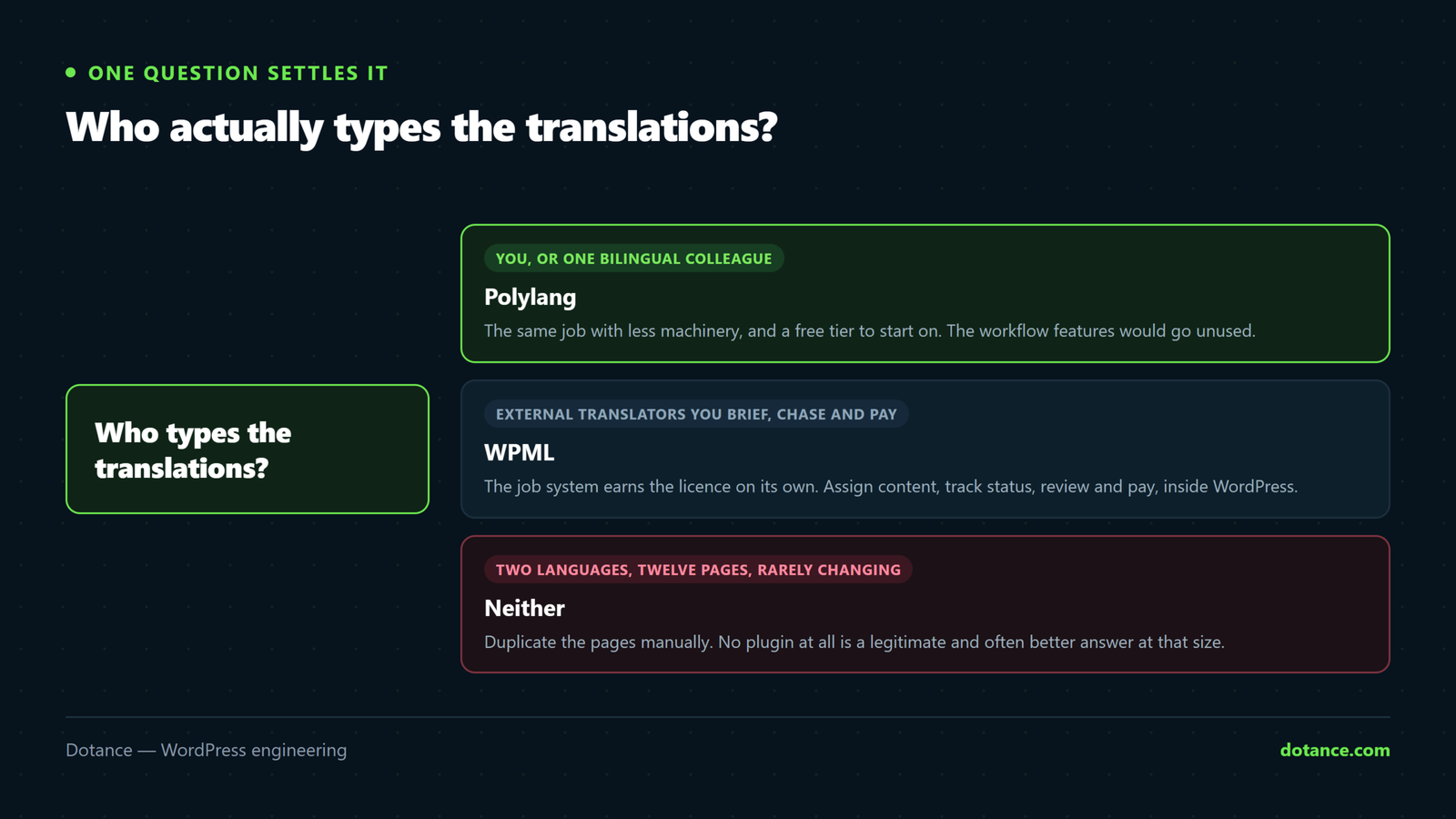
Settle WPML vs Polylang by answering one question: who types the translations? If it is you or a colleague, Polylang does the job with less machinery and a free tier to start on. If it is external translators you brief, chase and pay, WPML’s job system is the product you are buying and it is worth the licence.
Everything else in the comparison is secondary to that, with one exception: a multi-currency shop pushes the decision toward WPML regardless of who translates, because that is the more mature implementation.
Whichever you pick, decide before you build rather than after, budget for string translation as seriously as content translation, and test the switcher on a deep page. Those three habits matter more to how the project goes than the choice between the two plugins does.
Frequently asked questions
Does WPML vs Polylang matter for SEO?
Neither, inherently. Both produce separate indexable URLs per language and both emit hreflang. Your URL structure, slug translation and switcher behaviour decide your multilingual SEO — not the choice between them.
Can I switch from WPML to Polylang later?
Yes, and of the two WPML vs Polylang migration routes because Polylang provides an importer. Rehearse it on staging and check a sample of translations afterwards — automated migrations of this kind are good, not perfect.
Is the free Polylang enough?
For many two-language brochure sites, yes, and it makes the WPML vs Polylang question moot. You will want Pro for duplicating content between languages, translating slugs comfortably, and support. Start free and find out where you hit the wall.
Do I need the WooCommerce add-on?
For a shop, yes, in both cases. Translating products without it means fighting the plugin. Budget for it as part of the decision rather than discovering it after purchase.
How much do multilingual plugins slow a site down?
Enough to measure, and the WPML vs Polylang difference is rarely enough to matter on a well-built site. Both add queries to content retrieval. If you are near the edge already, a multilingual layer is not the place to find your margin — reduce plugin weight elsewhere first.
Can I use machine translation with either?
Yes, both sides of WPML vs Polylang integrate with automatic translation. Treat the output as a first draft. Machine translation of marketing copy is usually comprehensible and rarely persuasive, and a customer can tell.
What if I only need the menu and a few pages translated?
Then you may not need either plugin. Duplicate the pages, translate them, and link between them. That is a genuine answer to the WPML vs Polylang question for a surprising number of small sites.