Why a store is a different problem
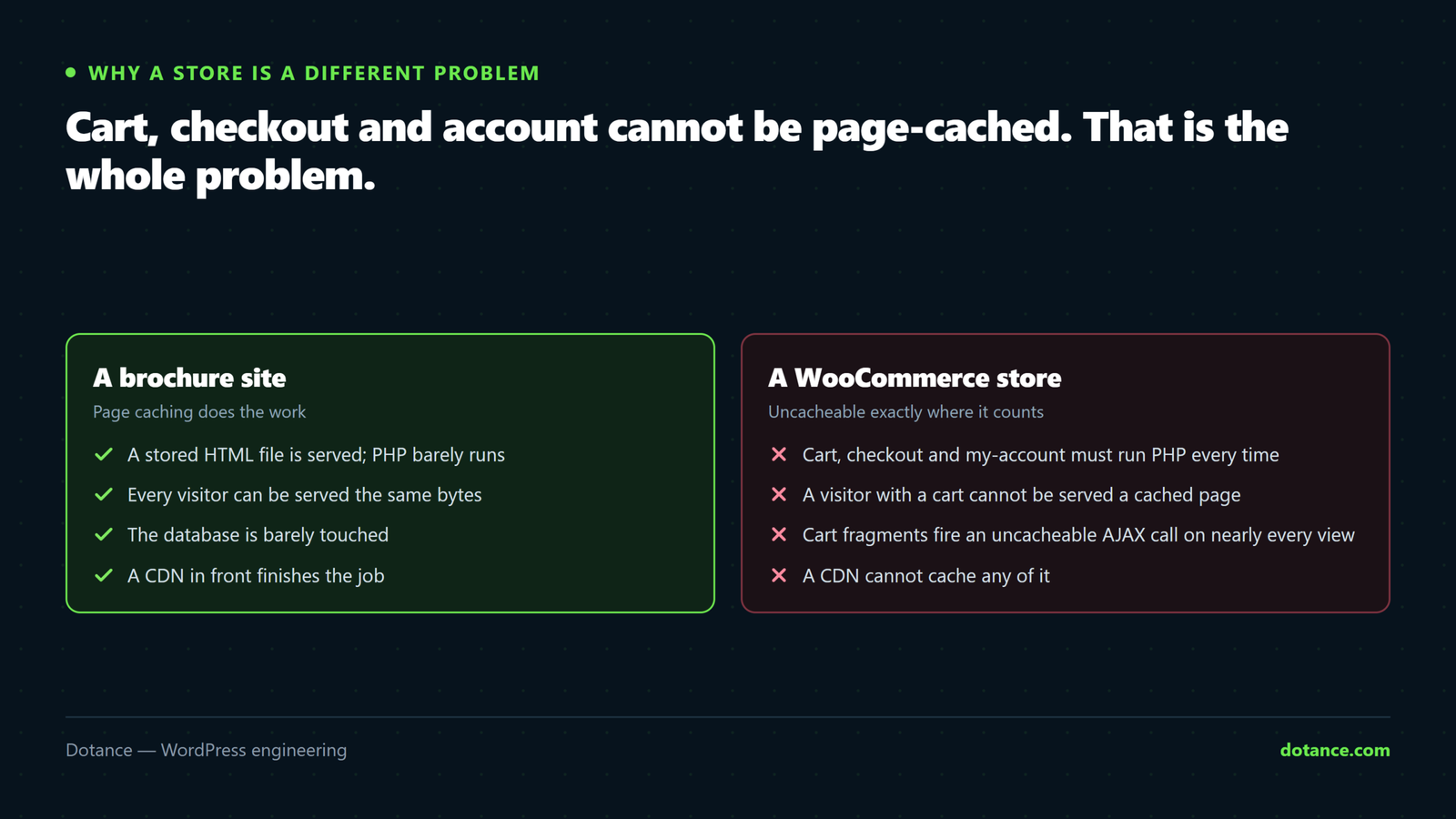
On a brochure site, page caching serves a stored HTML file and PHP barely runs. A store cannot do that where it counts: a visitor with a cart, a logged-in customer, the checkout itself — every one runs the full WordPress and WooCommerce stack, on every request.
So a fast homepage score tells you almost nothing. Measure the uncached path:
# Cached: an anonymous product page
curl -s -o /dev/null -w "product:  %{time_total}s\n" https://store.com/product/thing/

# Uncached: checkout always executes PHP
curl -s -o /dev/null -w "checkout: %{time_total}s\n" https://store.com/checkout/
If the first is 0.2s and the second is 3s, your store is slow no matter what PageSpeed says about the homepage.
1. Object caching — the biggest single win
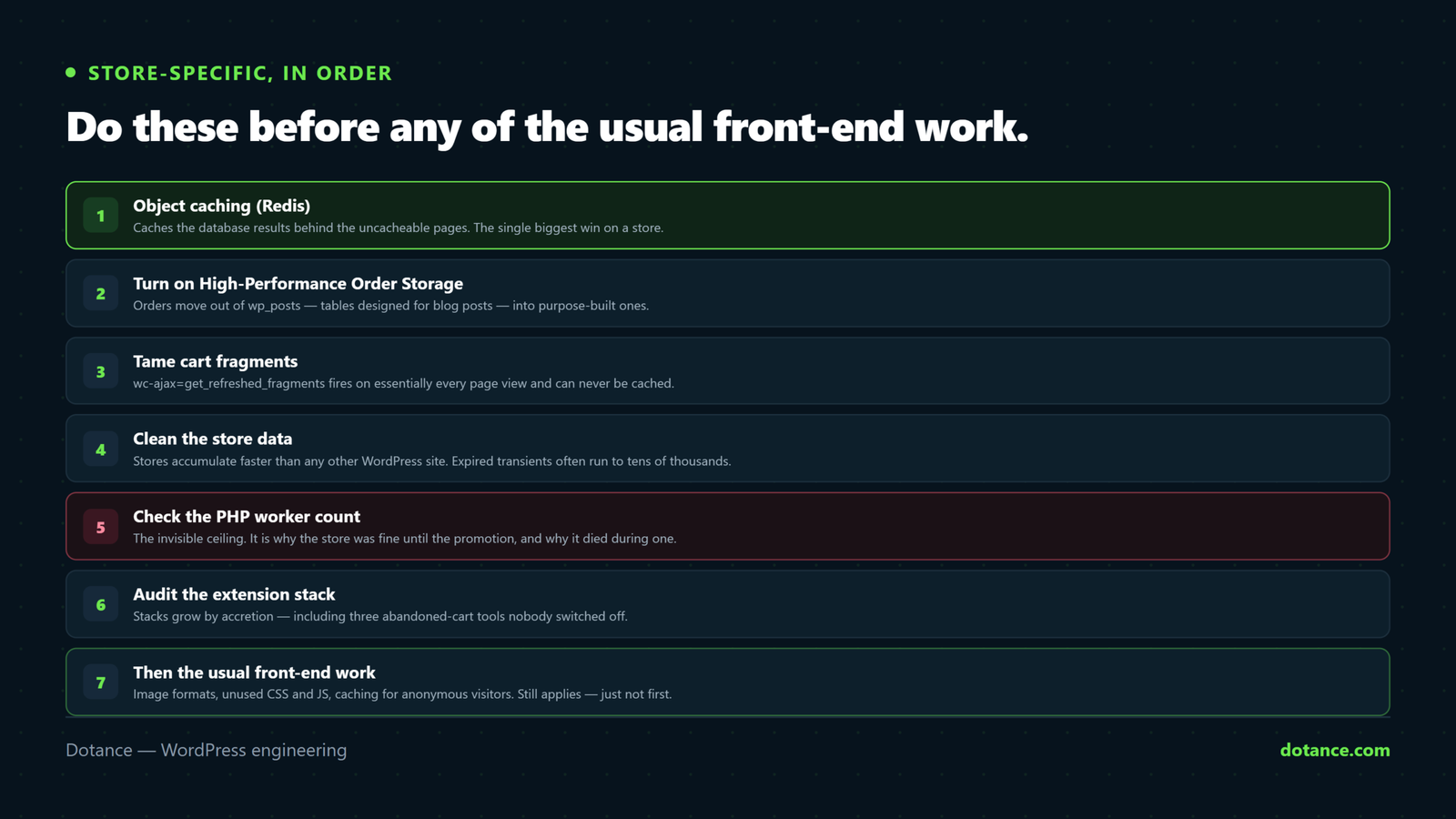
Page caching cannot help the checkout. Object caching can, because it caches the database results behind those uncacheable pages.
Without it, WordPress re-queries the same options, product meta and taxonomy terms on every single request. With Redis, they come from memory.
# Is one already running?
wp cache type

# Queries on the checkout, before and after
wp eval "global \$wpdb; \$wpdb->queries = array();"
Most managed hosts offer Redis on a click; on a VPS it is a package plus a drop-in. On a store with a few thousand products this is routinely worth more than every front-end optimisation combined.
Object caching is per-site, not per-page. If you run several sites on one Redis instance, give each a distinct cache prefix — otherwise one store can read another’s cached data, which is exactly as bad as it sounds.
2. Turn on High-Performance Order Storage
Historically WooCommerce stored every order in wp_posts and wp_postmeta — tables designed for blog posts, sharing space with every revision and transient on the site. HPOS moves orders into purpose-built tables with proper indexes.
WooCommerce → Settings → Advanced → Features → High-performance order storage.
On a store with tens of thousands of orders, admin order screens go from painful to instant.
Check your extensions first. Any plugin that reads orders must declare HPOS compatibility — WooCommerce lists incompatible ones on that settings screen. Enable it on staging, run a test order, check your reports, then do it live. Keep the “compatibility mode” sync on until you are confident.
3. Tame cart fragments
WooCommerce keeps the mini-cart count live with an AJAX call — wc-ajax=get_refreshed_fragments — that fires on essentially every page view and can never be cached. On a busy store it is a constant, pointless load.
If your header does not show a live cart count, drop it where it is not needed:
functions.php
add_action( 'wp_enqueue_scripts', function () {
	// Keep fragments where the cart is actually shown.
	if ( is_woocommerce() || is_cart() || is_checkout() ) {
		return;
	}
	wp_dequeue_script( 'wc-cart-fragments' );
}, 99 );
Test the mini-cart afterwards. If your theme depends on fragments sitewide, leave them and spend the effort on object caching instead.
4. Clean the store database
Stores accumulate faster than any other WordPress site. Three things bloat first:
# Expired transients — often tens of thousands on a store
wp transient delete --expired

# Old customer sessions
wp db query "SELECT COUNT(*) FROM wp_woocommerce_sessions
  WHERE session_expiry < UNIX_TIMESTAMP();"

# Autoloaded options — loaded on EVERY request
wp eval "global \$wpdb; echo round( \$wpdb->get_var(
  \"SELECT SUM(LENGTH(option_value)) FROM \$wpdb->options WHERE autoload='yes'\"
) / 1024 ) . 'KB';"
Under about 800KB autoloaded is healthy. Stores routinely reach several megabytes, and every page view pays for all of it.
Also check Action Scheduler, which WooCommerce uses for background jobs and which silently grows into millions of rows:
wp db query "SELECT status, COUNT(*) FROM wp_actionscheduler_actions GROUP BY status;"Completed actions older than a month can go. Back up before deleting anything.
5. PHP workers — the invisible ceiling
This is the number that explains “the site was fine until the promotion”.
A PHP worker handles one request at a time. With four workers, four uncached requests run at once and the fifth queues. On a brochure site cached pages never touch a worker — but on a store, every cart, checkout and logged-in view does.
| Symptom | Meaning |
|---|---|
| Fast normally, collapses under promotion traffic | Worker starvation. More workers, or faster requests so each frees up sooner. |
| Consistently slow even when quiet | Not workers — a slow query or missing object cache. |
| Admin slow, front end fine | Admin requests are uncached and heavier. Same fix as checkout. |
Ask your host how many workers your plan has. Under about four is thin for a real store — and note that halving your checkout time doubles effective capacity without paying for more.
6. Audit the extension stack
Store plugin stacks grow by accretion — a shipping calculator, badges, popups, three abandoned-cart tools nobody switched off. Each adds queries and assets to every page including checkout.
Query Monitor on the checkout page tells you exactly which extension costs what. Judge them there, not on the homepage: that is the page where milliseconds are money.
7. Then the usual front-end work
Image formats, unused CSS and JS, caching for anonymous visitors — all of it still applies, and our general speed guide covers it. Do it after the store-specific work, because on a store it is the smaller half.
One store-specific exception: never minify or defer checkout scripts. The saving is trivial and the risk is a checkout that silently stops working — see checkout errors.
Common questions
My homepage scores 95 but the store feels slow.
Expected. The homepage is cached; carts and checkout are not. Time the checkout with the curl commands above.
Will a CDN fix it?
For images and static assets, yes. Checkout cannot be served from an edge cache — it is different for every visitor.
Is HPOS safe on a live store?
It is stable and now the default for new installs. The risk is extensions that have not been updated for it, so check the compatibility list and test on staging first.
How many products before this matters?
Concurrency matters more than catalogue size. A 200-product store with heavy traffic will feel it before a 10,000-product store with light traffic — because the constraint is uncached requests per second, not rows in a table.