Somebody suggests multisite and it sounds obviously sensible: one place to update, one place to log in, one bill. Then two years later one of those sites needs to move to its own hosting, and you discover what you signed up for. WordPress multisite is a genuinely good architecture for a specific shape of problem and a genuinely bad one everywhere else. Here are six tests that tell you which you have.
What WordPress multisite actually is
WordPress multisite is not “several sites managed together”. It is one WordPress, wearing several faces.
| Shared across the network | Separate per site |
|---|---|
| One WordPress core installation | Posts, pages and media |
| One database (with per-site tables) | Options and settings |
One wp-content/plugins folder | Which plugins are active |
One wp-content/themes folder | Which theme is active |
| One user table | Each user’s role per site |
| One PHP version, one server, one cron | Nothing — these are network-wide |
Read the left column again, because it contains every argument for and against. Sharing is why WordPress multisite saves you work, and sharing is why a decision made for one site is a decision made for all of them.
The sentence that decides most cases: a network is one thing that looks like many, not many things in one place. If your sites are genuinely independent businesses, you are choosing an architecture whose central feature you do not want.
Six WordPress multisite tests before you commit
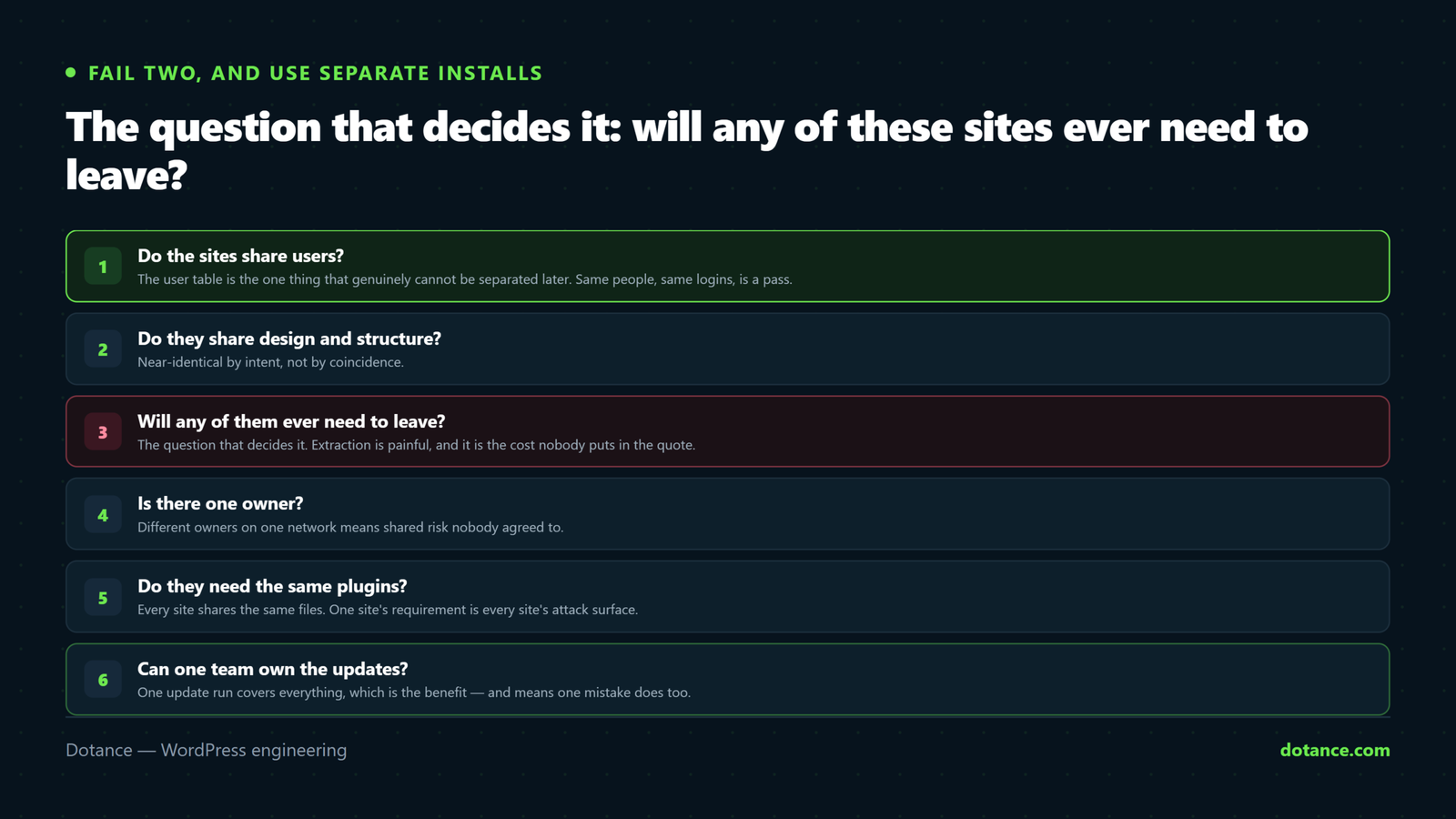
| # | Test | Pass looks like |
|---|---|---|
| 1 | Do the sites share users? | Same people, same logins, across sites |
| 2 | Do they share design and structure? | Near-identical, by intent |
| 3 | Will any of them ever leave? | No — same owner, indefinitely |
| 4 | Do they need the same plugins? | Broadly yes |
| 5 | Is there one person accountable? | One team maintains all of it |
| 6 | Who benefits from the choice? | The client, not only the agency |
1 and 2. Shared users and shared design
These are the two tests the feature was actually built for. A university where one login works across forty departmental sites, all sharing a design system, is the textbook case — and it is a very good case.
If your sites have entirely separate audiences, separate logins and separate designs, they are separate sites. The network gives you nothing except a shared point of failure.
3. The test that matters most: will one ever leave?
This is the WordPress multisite question people answer too quickly. “No, they are all ours” is fine today and wrong surprisingly often — a brand gets sold, a department spins out, a franchisee buys their location, a client leaves.
Extracting a single site from a WordPress multisite network is a real migration, not an export:
- Export that site’s tables (
wp_3_posts,wp_3_optionsand the rest). - Rename every table prefix to the single-site form.
- Extract only that site’s users from the shared user table.
- Untangle user meta, where capabilities are stored with a site-specific prefix.
- Move only that site’s uploads out of the per-site media folder.
- Rewrite URLs, remove multisite constants, re-check every plugin.
A competent developer does that in a day or two for a simple site. Nobody includes it in the original quote, and everybody is surprised by it. Weigh that against the convenience you are buying — and if you do face it, the general principles are the same as in changing WordPress hosting, with considerably more care around the user table.
4. Shared plugin files, separate activation
This distinction trips up most WordPress multisite newcomers. All sites share the same plugin files; each site chooses which to activate. So site A can run a plugin site B does not — but they must run the same version of it, on the same PHP, at the same time.
| Consequence | Why it matters |
|---|---|
| One plugin update applies to every site | You cannot stage an update per site |
| A vulnerable plugin exposes the network | Even sites that never activated it |
| One PHP version for everyone | The least-compatible site sets the pace |
| Plugins that are not multisite-aware | More common than you would like |
| Licences often count sites, not installs | Check before assuming one licence covers it |
The third row is the quiet one. A network is stuck on the oldest PHP version any of its sites can tolerate, so one neglected site holds twenty others back — exactly the situation described in upgrading to PHP 8.5, multiplied.
5 and 6. Accountability, and who the choice is for
A network needs one team who owns updates for all of it. Where nobody owns it, updates stop, because whoever would run them is afraid of breaking the nineteen sites they are not responsible for.
Test six is uncomfortable and worth asking anyway. Multisite is often proposed because it is cheaper for the agency to maintain, which is a legitimate benefit that should be stated rather than dressed up as a technical recommendation. If the client is taking on an extraction cost so that somebody else saves maintenance time, they deserve to know that before they agree.
Where WordPress multisite genuinely helps
| Situation | Why it fits |
|---|---|
| University or council departments | Shared branding, shared logins, one owner |
| Franchise locations under one brand | Identical structure, central control |
| A product with many near-identical microsites | Changes roll out once |
| Internal intranets per team | Shared users is the entire point |
| A network you are deliberately selling as a service | Exactly what it was built for |
The common thread in every good WordPress multisite case is one owner, one design language, one team. Where that holds, WordPress multisite is not a compromise — it is clearly the right tool, and the alternative would be forty copies of the same maintenance work.
Where WordPress multisite hurts
| Situation | What goes wrong |
|---|---|
| Unrelated clients on one network | One client’s needs constrain everyone; extraction is inevitable |
| Sites with different growth paths | One outgrows the shared hosting and drags the rest |
| Several independent shops | Different gateways, tax rules and plugin needs |
| One site needing an incompatible plugin | You cannot isolate the risk |
| Different compliance requirements | One database, one backup, one breach surface |
| A “we might add more sites later” plan | Architecture chosen for sites that never appear |
The first row is the most common WordPress multisite mistake in agency work, and it is usually well-intentioned. Putting six unrelated clients on one WordPress multisite install means any of them leaving triggers a migration, and a security problem in one is a security problem for all six — with one database holding everybody’s data. That is a difficult conversation to have after the fact, and it collides directly with the ownership principles in client handover.
The last row deserves naming. “We might launch more sites later” is the most common reason multisite gets chosen, and the extra sites frequently never arrive. You then carry the constraints permanently in exchange for flexibility you never used. Build the second site when there is a second site.
The alternative most people actually want
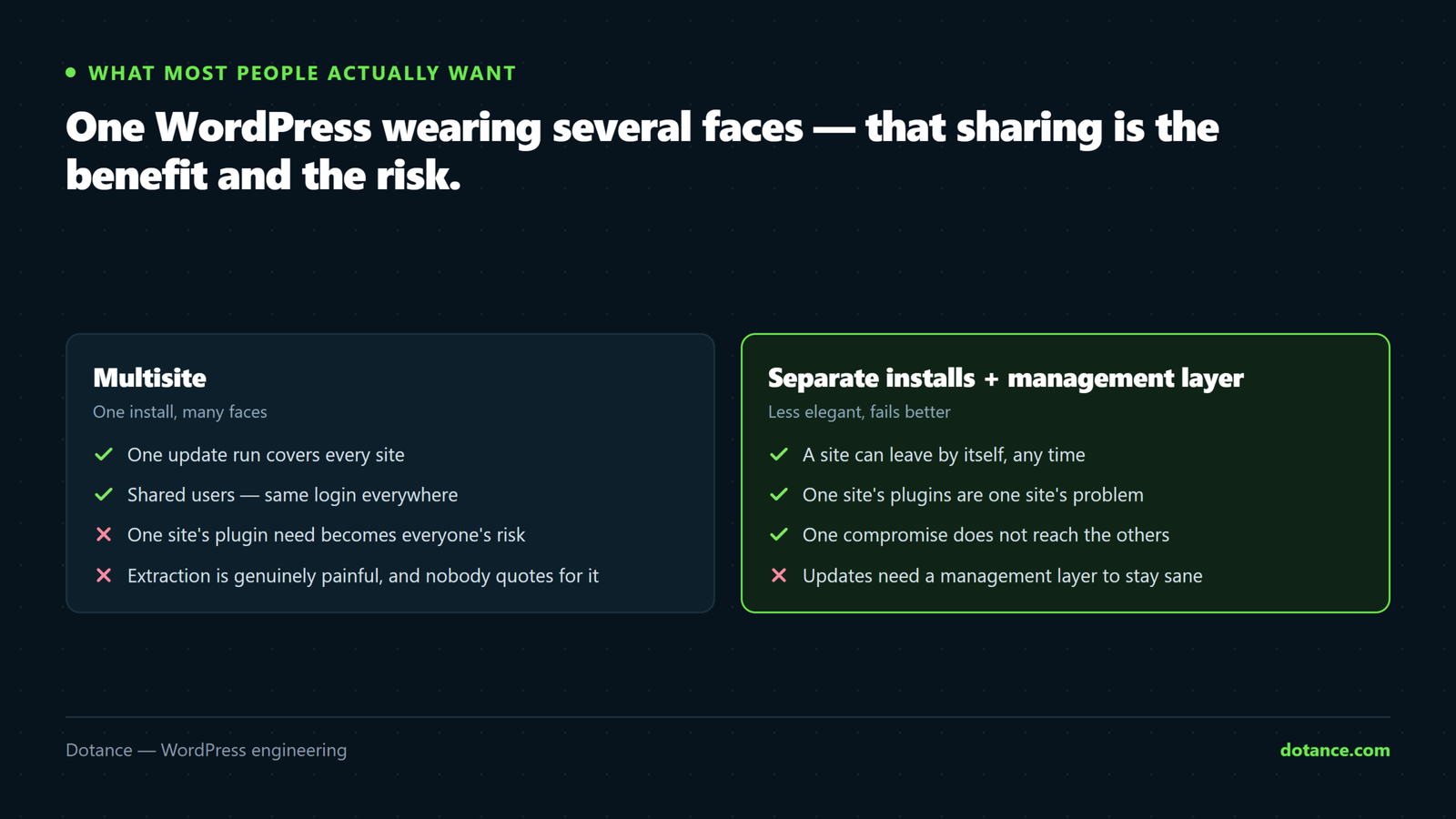
Most people asking about WordPress multisite want separate installations with a management layer on top. That is less elegant and it fails better.
| Multisite | Separate installs | |
|---|---|---|
| Updating everything | One action | A dashboard, or a script |
| One site goes down | Often all of them | Only that one |
| One site needs a different plugin | Everyone carries the file | Nobody else is affected |
| A site leaves | A migration project | Move the files and database |
| Different PHP versions | Impossible | Per site |
| Shared logins | Built in | Needs building |
| Hosting cost | Usually lower | Usually higher |
Two rows favour WordPress multisite outright: shared logins and hosting cost. If neither of those is a priority for you, separate installations win on every line that matters when something goes wrong — and a scripted update across twenty installs is a genuinely solved problem, not a hardship.
# Updating separate installs is not the burden it is made out to be
for d in /home/user/sites/*/public_html; do
  wp --path="$d" plugin update --all
  wp --path="$d" core verify-checksums
done
Running a network well, if you have one
Plenty of people arrive at this article with a WordPress multisite network already running. The architecture is fine; what determines whether it is pleasant is a handful of operational habits.
| Habit | Why it matters on a network |
|---|---|
| A staging network, not a staging site | Multisite bugs only appear with more than one site |
| Update on staging, then live, same day | One update touches every site at once |
| Super admin for one team only | It is the highest privilege that exists |
| Per-site exports on a schedule | So restoring one site is not surgery |
| A written list of which sites use what | Otherwise nobody can deactivate anything safely |
| An extraction runbook, written before it is needed | Turns a crisis into a task |
The last row is the one we would push hardest. Write the extraction steps down once, while nothing is urgent, and rehearse them on the least important site. A WordPress multisite network with a tested extraction procedure is a genuinely comfortable thing to own; one without is a bet that nothing will ever change.
The fifth row prevents a specific and common paralysis. On a network with thirty plugins and twelve sites, nobody can tell which plugin any given site depends on without checking each one, so nothing ever gets removed and the install grows indefinitely.
# Which sites have this plugin active?
wp site list --field=url | while read url; do
  wp --url="$url" plugin list --status=active --field=name \
    | grep -q '^some-plugin$' && echo "$url"
done
The user table is the part people forget
Most WordPress multisite discussions focus on posts and plugins. The user table is where the sharp edges actually are, because it is the one thing that genuinely cannot be separated cleanly.
| Behaviour | Consequence |
|---|---|
| One account, many sites | A person has a different role on each |
| Capabilities stored per site in user meta | Extraction must rewrite those keys |
| Email addresses unique across the network | Two clients cannot use the same address |
| Password reset is network-wide | One credential opens every site they are on |
| Deleting a user from a site | Does not delete them from the network |
Row three catches agencies out regularly. If one person is the contact for two clients on the same network, they cannot have an account on both under the same email — which produces the sort of workaround accounts that nobody documents and everybody later finds during a security audit.
Row four is the security point. A shared credential across a WordPress multisite network means one compromised password reaches every site that user belongs to, so two-factor authentication is not optional here in the way it might arguably be on a small single site.
Where this goes wrong
| The mistake | What happens | Do this instead |
|---|---|---|
| Unrelated clients on one network | Shared risk, painful exits | Separate installs |
| Choosing it for sites that do not exist yet | Permanent constraints, unused flexibility | Build the second site first |
| Assuming one plugin licence covers the network | An unlicensed site and no updates | Read the licence terms |
| Not testing plugins for multisite support | Settings leak between sites, or nothing works | Test on a staging network |
| Giving a client super admin | Network-wide access to other people’s sites | Site administrator only |
| No plan for extraction | An unbudgeted project under time pressure | Price it at the start |
| One backup for the whole network | Restoring one site means restoring all | Per-site export routine too |
The super admin row is the real WordPress multisite security boundary and it is crossed constantly. On a WordPress multisite install, a super admin can reach every site on the network — so handing that role to a client who only owns one of them gives them access to other people’s data. Site administrator is the correct role, and the difference is not cosmetic.
The backup row is the other one worth planning for. Network backups restore the network; restoring a single site from one is manual surgery, which is exactly the situation backups done right warns about — having backups is not the same as being able to restore the thing you need.
The WordPress multisite decision in one table
| If | Then |
|---|---|
| Same owner, same design, shared logins | Multisite, confidently |
| Same owner, different designs, no shared logins | Separate installs |
| Different owners, any configuration | Separate installs |
| Independent shops | Separate installs |
| Under five sites, no shared users | Separate installs — the overhead is not worth it |
| Twenty or more near-identical sites | Multisite, and budget for extraction anyway |
WordPress documents the network setup process at Create a Network, including the domain and subdirectory choice — which is worth reading before you enable anything, because that particular decision is awkward to reverse later.
The short verdict
Use it when the sites belong to one owner, look alike by design, and share the people who log in. That is a real pattern, it is common in education, franchising and internal tooling, and nothing else serves it as neatly.
Avoid it when the sites are independent businesses that happen to share a developer. The convenience is real but it is mostly yours, and the cost lands on whoever has to leave first — under time pressure, with an invoice nobody expected.
And if you already run one, the difference between comfortable and precarious is a written extraction procedure that somebody has actually rehearsed. Everything else about running a network is ordinary maintenance; that one document is what turns the worst day into a scheduled task.
Frequently asked questions
Is WordPress multisite slower?
WordPress multisite is not inherently slower per site. What changes is that all sites share one server’s resources, so a busy site affects the quiet ones. Performance problems also become network problems rather than isolated ones.
Can I convert a single site into a network later?
Yes, and converting a single site into a WordPress multisite network is the right order to do things in. Add WP_ALLOW_MULTISITE, run the network setup, and the existing site becomes the first site. Going the other way — pulling a site out — is the hard direction.
Do all sites have to be on the same domain?
No. Subdomains and subdirectories are the defaults, and mapped custom domains work per site. Choose the structure up front, because changing it afterwards means rewriting every URL on the network.
Are plugins safe to use on multisite?
Most mainstream plugins handle WordPress multisite correctly. Smaller plugins often store settings in a single options row and leak them between sites. Test on a staging network before trusting anything with per-site settings — and fewer plugins is doubly valuable here, as argued in auditing plugin bloat.
Can different sites use different themes?
Yes. Each site activates its own theme from the shared themes folder. The files are common; the choice is per site.
Is it cheaper?
WordPress multisite is usually cheaper on hosting and maintenance, though not always overall. Add the cost of the first extraction and the sums often come out level — which is why that cost belongs in the decision rather than in a surprise invoice two years later.
What if I already have unrelated clients on one network?
Do not panic and do not rush. Plan extractions one at a time, starting with whoever is most likely to leave, and rehearse each on a staging copy first. It is a known quantity of work, not an emergency.