A five-minute audit you can run right now
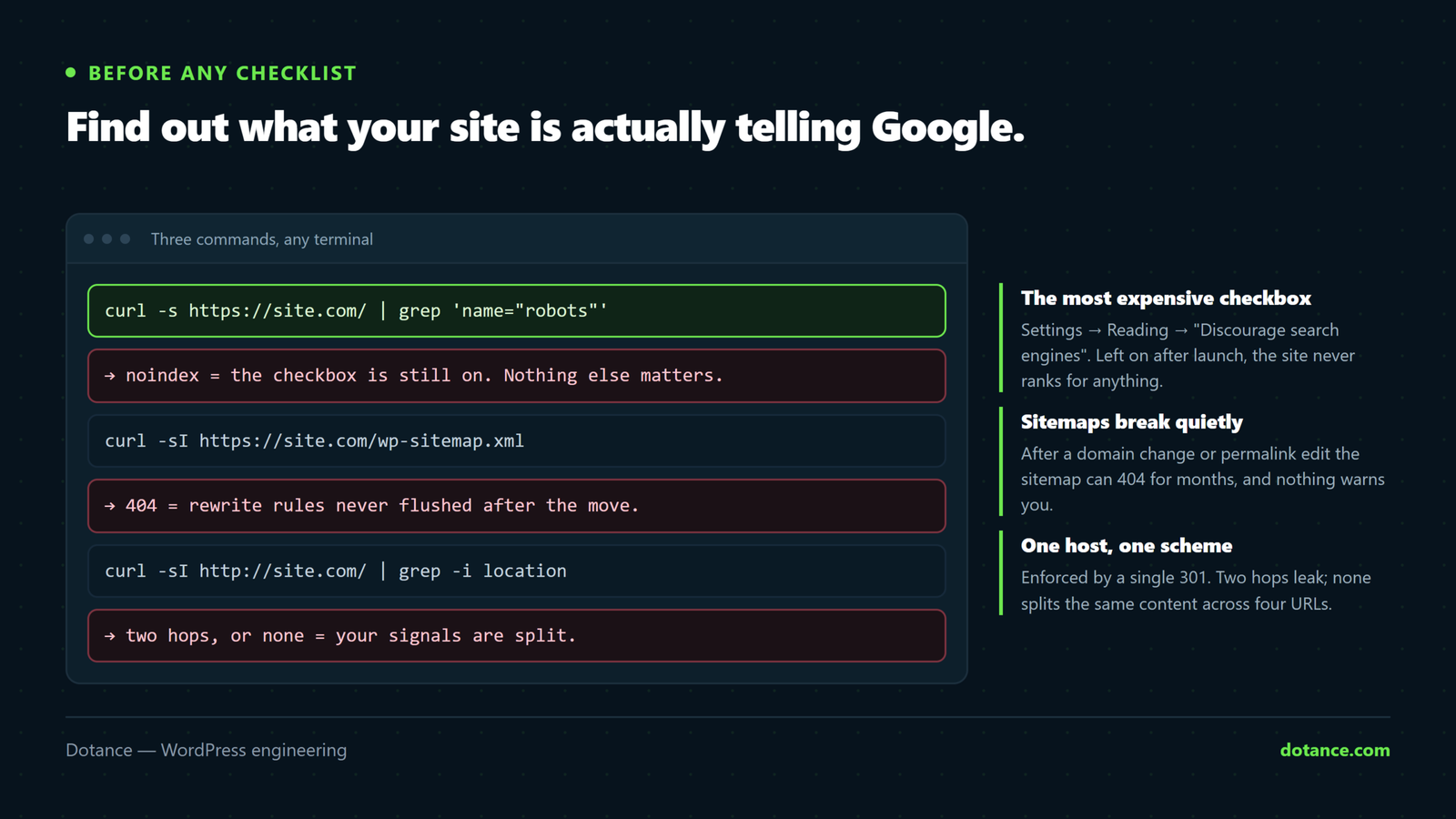
Before any checklist, find out what your site is actually telling Google:
# Is the site indexable at all?
curl -s https://yoursite.com/ | grep -oE '<meta name="robots"[^>]*'

# Does the canonical point at itself?
curl -s https://yoursite.com/ | grep -oE '<link rel="canonical"[^>]*'

# Does the sitemap actually resolve?
curl -s -o /dev/null -w "sitemap: %{http_code}\n" https://yoursite.com/sitemap_index.xml

# What does robots.txt allow?
curl -s https://yoursite.com/robots.txt
Four commands, and they catch the faults that cost the most.
1. The checkbox that kills sites
Settings → Reading → “Discourage search engines from indexing this site.”
Left on after launch, it emits noindex sitewide and the site never ranks for anything. It is the single most common catastrophic SEO fault, and it is invisible unless you look.
wp option get blog_public
# 1 = indexable. 0 = you are invisible.
It cuts both ways. Staging sites must have it ON, or your dev copy competes with production for your own brand. Set it deliberately in both places — and check after every migration, because copying a live site to staging copies the setting with it.
Note too that SEO plugins often suppress the sitemap and canonical tags entirely while the site is noindexed — so “my sitemap 404s” on a staging site is usually correct behaviour, not a bug.
2. Sitemaps that quietly stop working
Submit the sitemap in Search Console, then verify it resolves — because it can break without anyone noticing.
The classic: after a domain change or permalink edit, the sitemap 404s until rewrite rules are flushed, while robots.txt keeps advertising the URL. Nothing errors; Google just stops getting the file.
wp rewrite flush
curl -s -o /dev/null -w "%{http_code}\n" https://yoursite.com/sitemap_index.xml
Then check the sitemap’s URLs match the live domain — after a migration they often still point at the old one:
curl -s https://yoursite.com/page-sitemap.xml | grep -oE '<loc>[^<]+' | head -53. Decide what deserves to be indexed
WordPress generates far more URLs than you have content. Thin pages dilute nothing magical — but they do waste crawling and compete with the real page.
| Page type | Usually | Why |
|---|---|---|
| Posts, pages, products | Index | The actual content |
| Category archives | Index if curated | Useful when they have descriptions and depth |
| Tag archives | Noindex mostly | One post per tag is a thin duplicate |
| Date archives | Noindex | Nobody searches by month |
| Author archives | Noindex on single-author sites | A duplicate of the blog |
| Attachment pages | Noindex or redirect | A page containing one image |
| Internal search results | Noindex | Infinite, thin, sometimes spammable |
Do not “optimise crawl budget” on a small site. Crawl budget is a real constraint at hundreds of thousands of URLs. Under a few thousand, Google crawls everything it wants regardless — the reason to noindex thin archives is duplication and quality, not budget.
4. Read the Indexing report — it names your problems
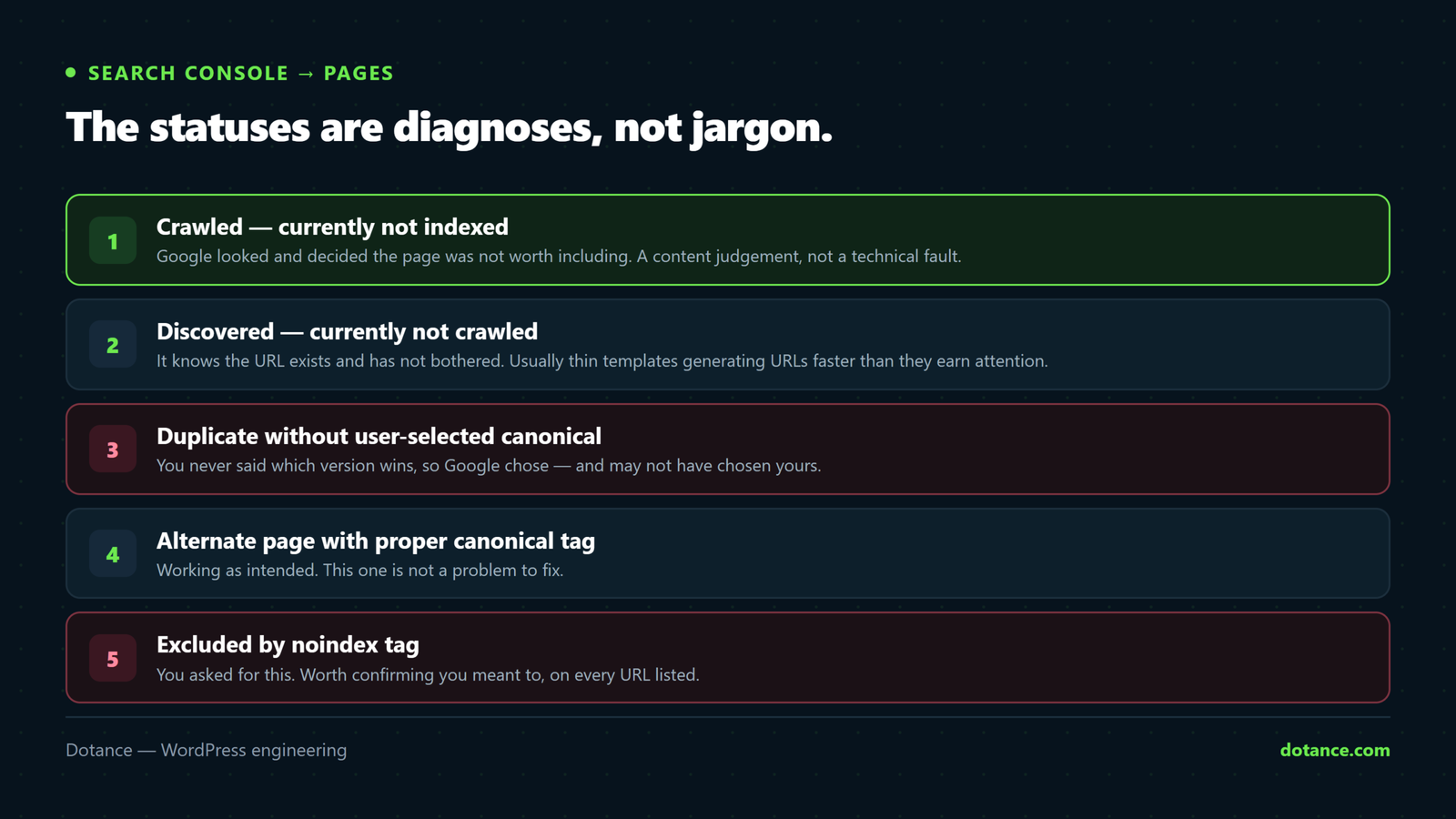
Search Console → Pages. The statuses are diagnoses, not jargon:
| Status | What Google is telling you |
|---|---|
| Crawled — currently not indexed | It looked, and did not think the page was worth indexing. A quality signal, not a bug. |
| Discovered — currently not indexed | It knows the URL but has not crawled it. Often a sign of slow response or low perceived value. |
| Duplicate without user-selected canonical | Several URLs look the same and you did not say which wins. |
| Duplicate, Google chose different canonical | You did say — and Google disagreed. Usually internal links point at the other one. |
| Excluded by ‘noindex’ tag | Intentional, hopefully. Check the list for pages that should not be there. |
| Soft 404 | Returns 200 but looks empty. Common on empty archives and bad redirects. |
Read it monthly. It is the most specific feedback about your site you will ever get for free.
5. One canonical URL per piece of content
The same content at several URLs splits your signals. Pick one host and scheme and enforce it with a 301:
curl -sI http://yoursite.com/       | grep -i location
curl -sI https://www.yoursite.com/  | grep -i location
Both should land on your canonical form in one hop. Two hops is a chain — see redirects done properly. Where variants must keep working, a canonical tag decides which earns the credit; the detail is in duplicate content.
6. Structured data that is true
Schema helps machines understand a page and can earn rich results — Article, Product, FAQ, Organization, Breadcrumb.
Two rules that matter more than coverage:
- The markup must match what a visitor sees. FAQ schema with answers not on the page is a policy violation and earns a manual action.
- One block per type per page. Two plugins each emitting FAQPage is worse than neither.
# What is on the page right now?
curl -s https://yoursite.com/ | grep -oE '"@type":"[A-Za-z]+"' | sort | uniq -c
Then validate at validator.schema.org and Google’s Rich Results Test.
7. Core Web Vitals are part of this now
Performance is a ranking input, and it is measured on field data — real visits over 28 days — not a Lighthouse run.
Search Console → Core Web Vitals is the number that counts. A page that scores 100 in the lab and fails in the field is failing. The fixes live in LCP and CLS.
The routine
- Monthly: Indexing report, Core Web Vitals, any manual actions.
- Quarterly: crawl the site, flatten redirect chains, review what is indexed.
- After every migration or redesign: the four commands at the top of this article, before anything else.
Common questions
Which SEO plugin should I use?
Any of the main ones handles the basics competently. Switching plugins is not a strategy — configuring the one you have is. And never run two: they will both emit canonicals and schema, and disagree.
My pages are “Crawled — currently not indexed”.
Google looked and passed. That is a content judgement, not a technical fault — thin, duplicative or low-value pages get this. Improving the page beats resubmitting it.
How long after fixing before I see movement?
Indexing changes can take days to weeks; Core Web Vitals field data lags around 28 days. Anyone promising faster is guessing.
Do I need to submit every page manually?
No. A working sitemap and internal links are enough. Manual submission is for urgent single-page fixes, not routine publishing.