The four parts of LCP
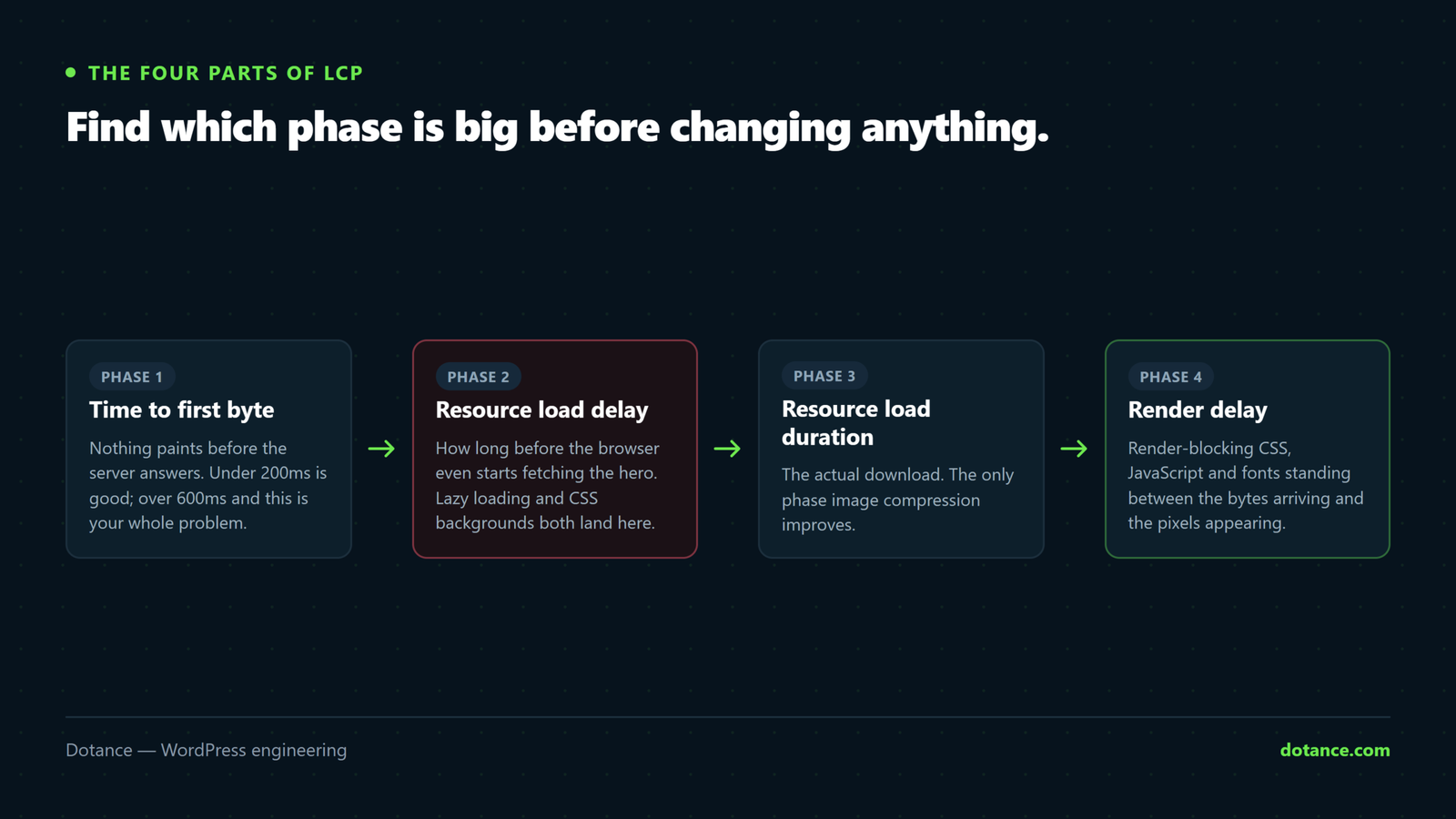
This is the section that turns guesswork into a fix. Google splits LCP into four phases, and PageSpeed Insights reports each one. Optimise the biggest, ignore the rest.
| Phase | Healthy share | If it dominates, fix |
|---|---|---|
| Time to First Byte | ~40% | Hosting, caching, PHP version, slow queries |
| Resource load delay | <10% | The browser found the image late — preload it |
| Resource load duration | ~40% | The image is too big — compress, resize, WebP |
| Element render delay | ~10% | Render-blocking CSS/JS, or fonts |
A large load delay and a large load duration need opposite fixes. Compressing an image that was found late does nothing; preloading an image that is 4MB does nothing either. This is why “I optimised the images and LCP did not move” is so common.
Find the element and the phase
Run the URL through PageSpeed Insights, then expand “Largest Contentful Paint element” — it names the exact node — and the LCP breakdown beneath it.
Or in the browser console, on the live page:
new PerformanceObserver((list) => {
  const e = list.getEntries().at(-1);
  console.log('LCP:', Math.round(e.startTime), 'ms', e.element);
}).observe({ type: 'largest-contentful-paint', buffered: true });
That logs the timing and highlights the element in the Elements panel when you hover it.
The classic fault: a lazy-loaded hero
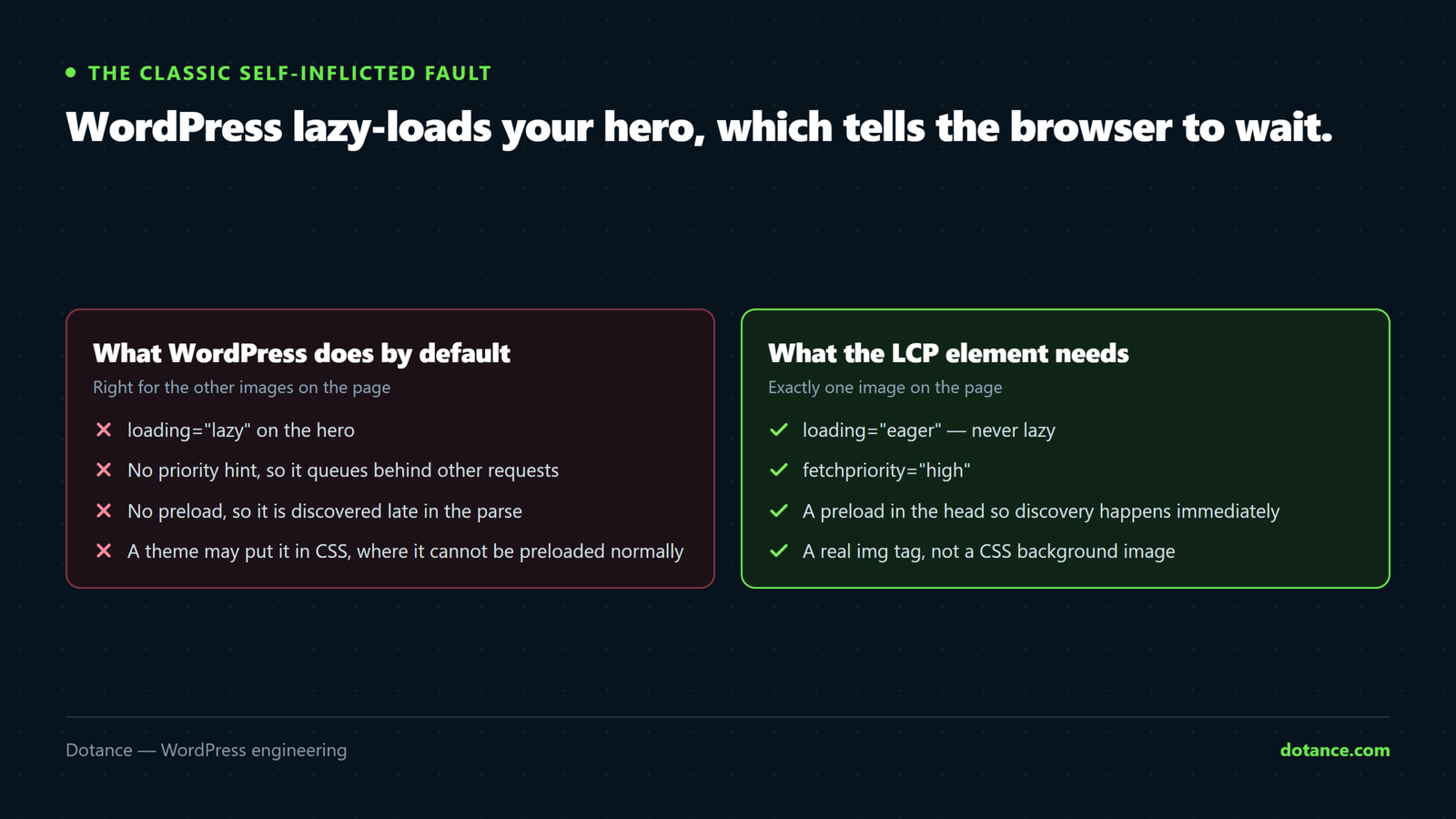
WordPress adds loading="lazy" to images automatically. Lazy loading is right for images below the fold and wrong for the LCP element — it tells the browser to wait, which is the opposite of what you need.
Core skips the first content image, but theme headers, page-builder widgets and custom templates routinely slip through. Check the hero in DevTools: if it has loading="lazy", that is likely most of your problem.
functions.php
// Never lazy-load images in the first two "content" positions.
add_filter( 'wp_omit_loading_attr_threshold', function () {
	return 2;
} );
For a specific template, be explicit:
<img src="hero.webp" width="1600" height="900" alt="…"
     loading="eager" fetchpriority="high" decoding="async">
fetchpriority="high" is the cheapest LCP win there is. It tells the browser this image matters more than everything else queued, and it is one attribute. On image-led pages it commonly moves LCP by several hundred milliseconds on its own.
Preload — and the background-image trap
If the browser only discovers the hero after parsing CSS, it starts late whatever its priority. Preload it in the head:
functions.php
add_action( 'wp_head', function () {
	if ( ! is_front_page() ) {
		return;
	}
	echo '<link rel="preload" as="image" fetchpriority="high" '
	   . 'href="/wp-content/uploads/2026/01/hero.webp">';
}, 1 );
A CSS background-image is the worst case for LCP. The browser cannot see it until CSS has downloaded and parsed, so it starts very late — and page builders use background images everywhere for hero sections. If your LCP element is a background image, either preload it explicitly as above, or use a real <img> positioned behind the content. Switching a hero from background to <img> is often worth a second by itself.
With srcset, preload the same candidates or the browser downloads a second copy:
<link rel="preload" as="image"
      imagesrcset="hero-800.webp 800w, hero-1600.webp 1600w"
      imagesizes="100vw" fetchpriority="high">
When TTFB is the problem
Nothing paints before the server answers. Measure it:
curl -s -o /dev/null -w "TTFB: %{time_starttransfer}s\n" https://yoursite.com/| TTFB | Verdict |
|---|---|
| Under 200ms | Good — look elsewhere |
| 200–600ms | Acceptable, improvable with caching |
| Over 600ms | Fix this before anything else |
In order: full-page caching, a current PHP version, object caching for query-heavy pages, then the host itself. A slow origin makes every other optimisation cosmetic.
Render delay: CSS, JS and fonts
- Render-blocking CSS. Page builders and theme bundles ship far more than a page uses. Inline the critical part, defer the rest.
- Fonts. If the LCP element is a heading, a late font holds the paint. Preload the one weight it needs and use
font-display: swap. - Third-party scripts. Chat widgets, heat maps and tag managers loaded in the head compete for bandwidth with your hero. Defer them.
<link rel="preload" as="font" type="font/woff2" crossorigin
      href="/fonts/heading.woff2">
crossorigin is not optional on a font preload. Without it the browser fetches the file twice — once for the preload, once for the real use — and you have made things slower while believing you optimised.
Verify on field data, not the lab score
Lighthouse runs one simulated load on one device. Google ranks on the Chrome User Experience Report — real visits, real phones, 28-day rolling window.
- Search Console → Core Web Vitals is the number that counts.
- It lags by weeks. A fix today shows up gradually, not tomorrow.
- Judge on the 75th percentile — pass means three quarters of visits were under 2.5s, not the average.
Common questions
Lighthouse says 95 but Search Console says LCP is failing.
Lighthouse is a lab test on a simulated fast connection; Search Console reports real visitors on real phones and networks. When they disagree, believe the field data.
I compressed everything and LCP barely moved.
Then load duration was not your dominant phase. Go back to the four-part breakdown — it is probably TTFB or render delay.
Does a CDN fix LCP?
It helps load duration and TTFB for distant visitors. It does nothing for a lazy-loaded hero or render-blocking CSS — those are still there, just delivered faster.
My LCP element is a heading, not an image.
Then it is fonts and render-blocking CSS, not images at all. Preload the heading font and get the critical CSS inline.