Which status code
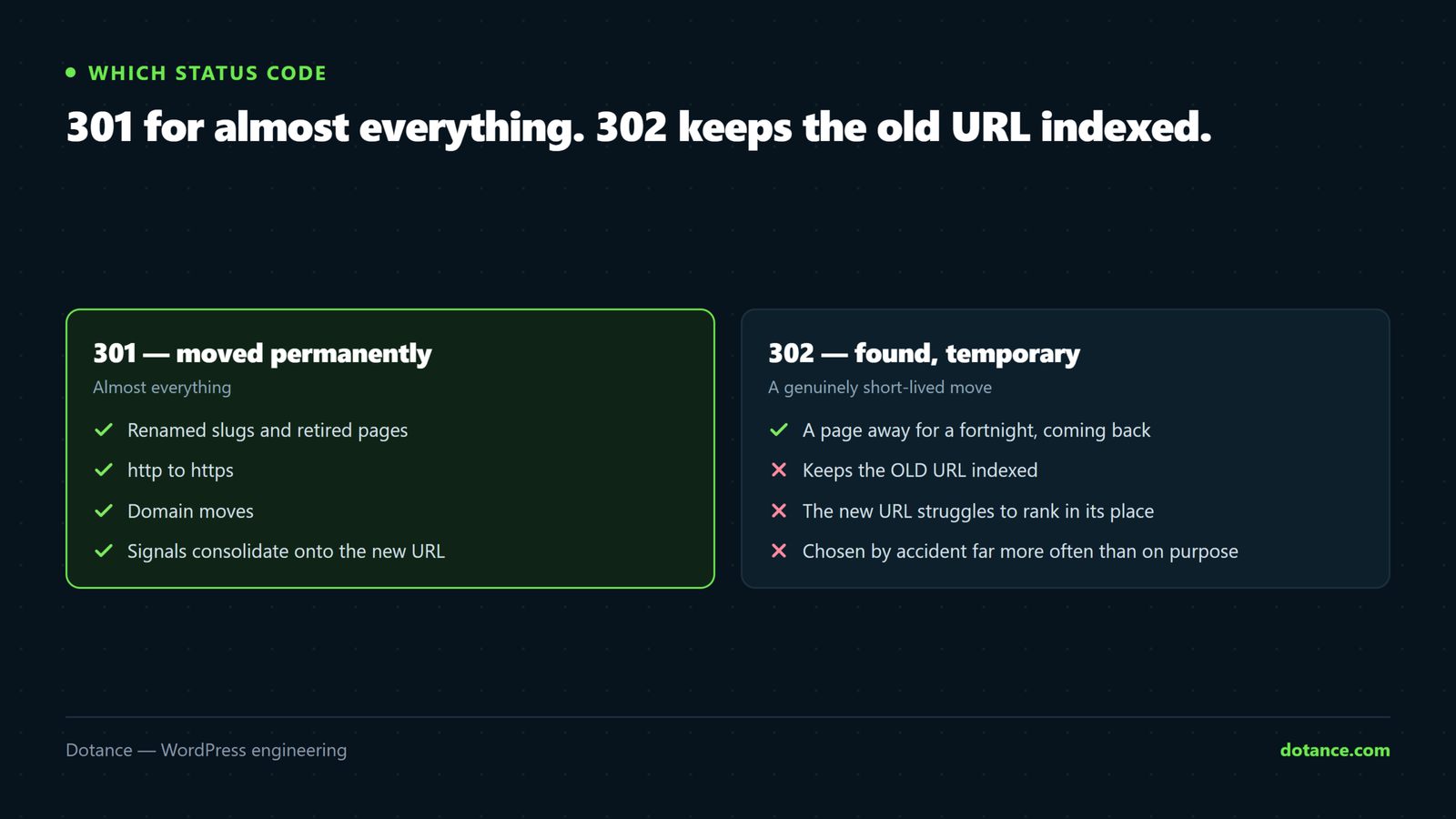
| Code | Means | Use for |
|---|---|---|
| 301 | Moved permanently | Renamed slugs, retired pages, http→https, domain moves. Almost everything. |
| 302 | Found — temporary | A genuinely short-lived move. Keeps the old URL indexed. |
| 307 | Temporary, method preserved | Rarely relevant to content moves. |
| 410 | Gone, permanently | Content deliberately removed with no equivalent. Drops from the index faster than a 404. |
| 404 | Not found | Fine. Not every dead URL needs a redirect. |
A 404 is not a failure. If a page is gone and nothing replaces it, 404 (or 410) is the honest answer, and Google handles it fine. Redirecting it somewhere irrelevant is worse — that gets treated as a soft 404 and passes nothing, while making your site harder to understand.
Build the map before you touch anything
A spreadsheet, one row per old URL, the new destination beside it. Do this before the restructure, while you can still see the old site.
Get the list of URLs that actually matter:
- Search Console → Pages — every indexed URL.
- Analytics, last 12 months by pageviews — what people actually reach.
- Your sitemap before the change:
curl -s https://yoursite.com/page-sitemap.xml \
  | grep -oE '<loc>[^<]+' | sed 's/<loc>//' > old-urls.txt
wc -l old-urls.txt
Then for each, the closest equivalent:
| Old page | Redirect to |
|---|---|
| Retired product | Its replacement, or its category |
| Merged blog posts | The surviving post |
| Old service page | The nearest current service |
| Discontinued line, nothing similar | 410, not the homepage |
The test: would someone landing here feel they arrived? If not, it is a soft 404 whatever the status code says.
Implementing them
A plugin — for tens of rules
Redirection, or your SEO plugin’s module. Easy, logged, and you get a 404 monitor that turns real misses into new rules. The cost is that WordPress boots on every redirected request.
Server level — for hundreds, or a domain move
These run before PHP starts, so they cost essentially nothing.
.htaccess — Apache, above the WordPress block
Redirect 301 /old-service/ https://yoursite.com/services/new-service/

# A whole retired section, keeping the sub-path
RedirectMatch 301 ^/old-blog/(.*)$ https://yoursite.com/blog/$1
nginx
location = /old-service/ {
	return 301 https://yoursite.com/services/new-service/;
}

location ^~ /old-blog/ {
	rewrite ^/old-blog/(.*)$ https://yoursite.com/blog/$1 permanent;
}
Put your rules ABOVE the # BEGIN WordPress block in .htaccess. WordPress’s own rules route everything to index.php, so anything below them may never be reached. WordPress also rewrites that block on permalink changes — rules inside it get wiped without warning.
Find and flatten chains
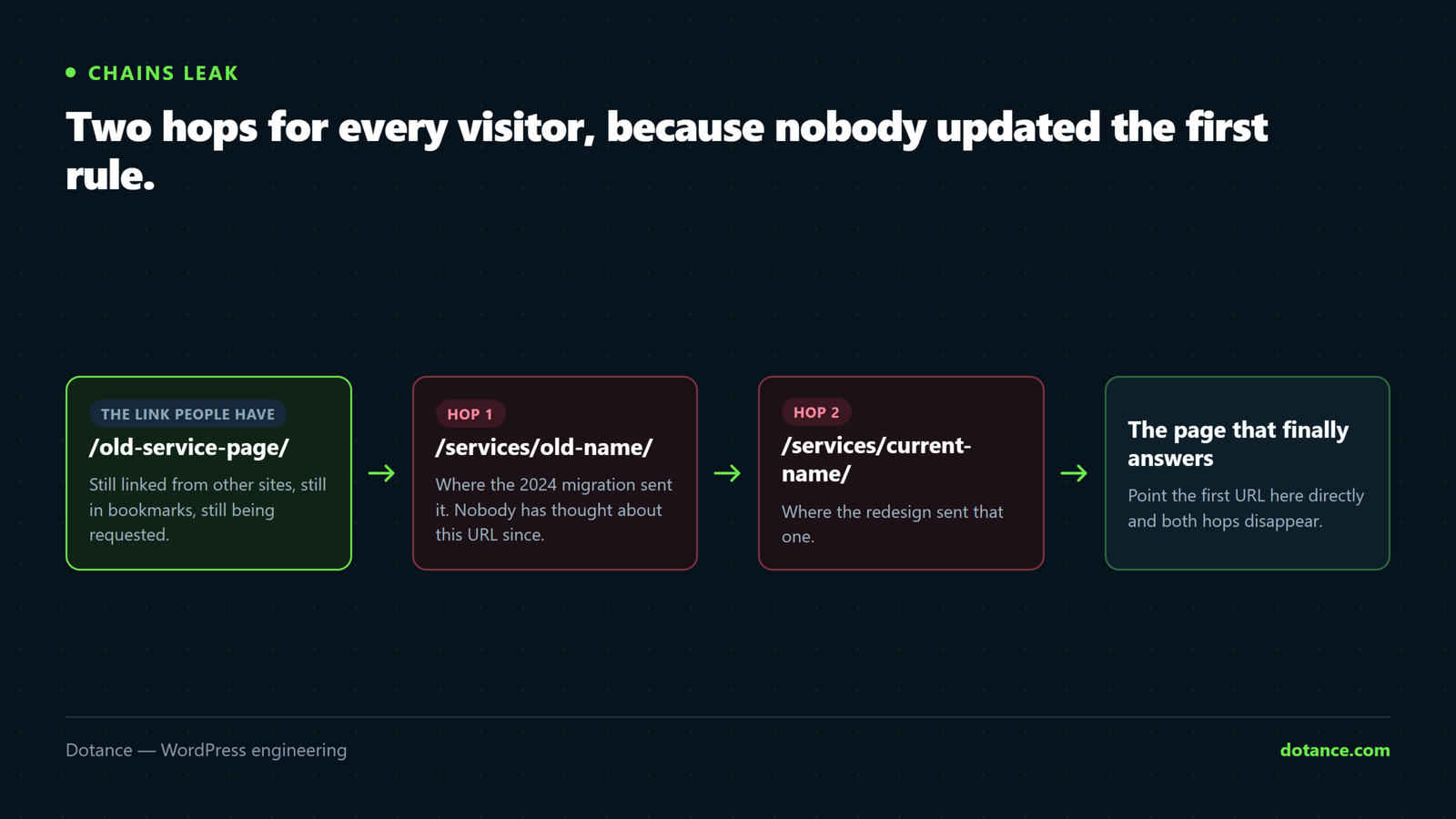
Chains accumulate: A→B from a migration two years ago, B→C from the redesign. Now every visitor and crawler takes two hops.
# How many hops, and where does it end?
curl -sIL -o /dev/null -w "hops: %{num_redirects}  final: %{url_effective}\n" \
  https://yoursite.com/old-page/

# See each step
curl -sIL https://yoursite.com/old-page/ | grep -iE "^HTTP|^location"
Anything over one hop should be flattened — edit the first rule to point straight at the final URL.
Check a whole list at once:
while read -r u; do
  printf "%s  %s\n" \
    "$(curl -sIL -o /dev/null -w '%{num_redirects} -> %{http_code}' "$u")" "$u"
done < old-urls.txt
Loops — A→B→A — take the page down entirely. curl reports “Maximum redirects followed”; fix those the day they appear.
Verify after the change
# Every old URL should give exactly one 301 to a sensible page
while read -r u; do
  code=$(curl -sI -o /dev/null -w "%{http_code}" "$u")
  dest=$(curl -sI -o /dev/null -w "%{redirect_url}" "$u")
  printf "%s  %s  ->  %s\n" "$code" "$u" "$dest"
done < old-urls.txt | grep -v "^301"
That prints only the ones that are not a clean 301 — your worklist.
Then watch Search Console → Pages → Not found (404) for a few weeks. Every unexpected 404 with real traffic earns a rule. This is exactly the process behind a redesign that keeps its rankings.
The expensive mistakes
| Mistake | What it costs |
|---|---|
| Everything → homepage | Treated as soft 404s. Passes nothing. |
| 302 instead of 301 for a permanent move | The old URL stays indexed; the new one struggles. |
| Rules inside the WordPress .htaccess block | Silently wiped on the next permalink save. |
| Redirecting to a page that is itself redirected | A chain from day one. |
| Forgetting the sitemap | You keep submitting URLs that redirect. Regenerate it. |
| Leaving internal links pointing at old URLs | Every internal click takes an unnecessary hop. |
That last one is worth its own sweep — update the links in your content, do not rely on the redirect:
# Dry run first. Always.
wp search-replace '/old-service/' '/services/new-service/' \
  --dry-run --report-changed-only
Keep the map
Store the spreadsheet with the project, not in someone’s downloads folder. At the next restructure you will need to know what already redirects where — otherwise you will build chains on top of chains, and nobody will remember why /old-blog/ exists.
Common questions
How long should I keep redirects?
Indefinitely. Google consolidates signals within months, but external links and bookmarks last years. Redirects are cheap; broken links are not.
Do redirects lose “link juice”?
Google has said a 301 passes signals with no loss for a long time now. Chains still cost speed and crawl efficiency, so flattening remains worthwhile.
Plugin or server level?
Under about fifty rules, a plugin — the logging and 404 monitor are worth the small overhead. Hundreds of rules, or a domain move: server level.
My redirect works in the browser but Google still shows the old URL.
Consolidation takes weeks. Confirm the redirect is a single 301, that internal links and the sitemap point at the new URL, then wait.