Search for an Elementor popup builder and every result is Elementor Pro. That is accurate — Elementor’s own popup builder ships only with Pro — and it is why so many people who need one exit-intent offer or one announcement bar pay for a licence they use nothing else of. The popup is a rectangle with content in it; the design part you can already do in free Elementor. What Pro adds is the container, the triggers and the display rules. This guide is the four ways to get those without Pro, what each one can and cannot do, and the rules that decide whether the popup helps or hurts.
What an Elementor popup builder actually does
Strip the marketing and a popup builder is four things:
| Part | What it means | Free Elementor has it? |
|---|---|---|
| A template | The popup’s content, designed with the editor | Yes — any section or saved template |
| A container | The overlay, the box, the close button, the positioning | No |
| Triggers | When it opens: delay, scroll depth, exit intent, click, inactivity | No |
| Display rules | Where it shows (pages, post types, devices) and how often (once, per session, every visit) | No |
Every free Elementor popup builder route below supplies the missing three rows in a different way. Judge them on the triggers and the frequency control, because a beautiful popup that opens on every page load is a beautiful way to lose visitors.
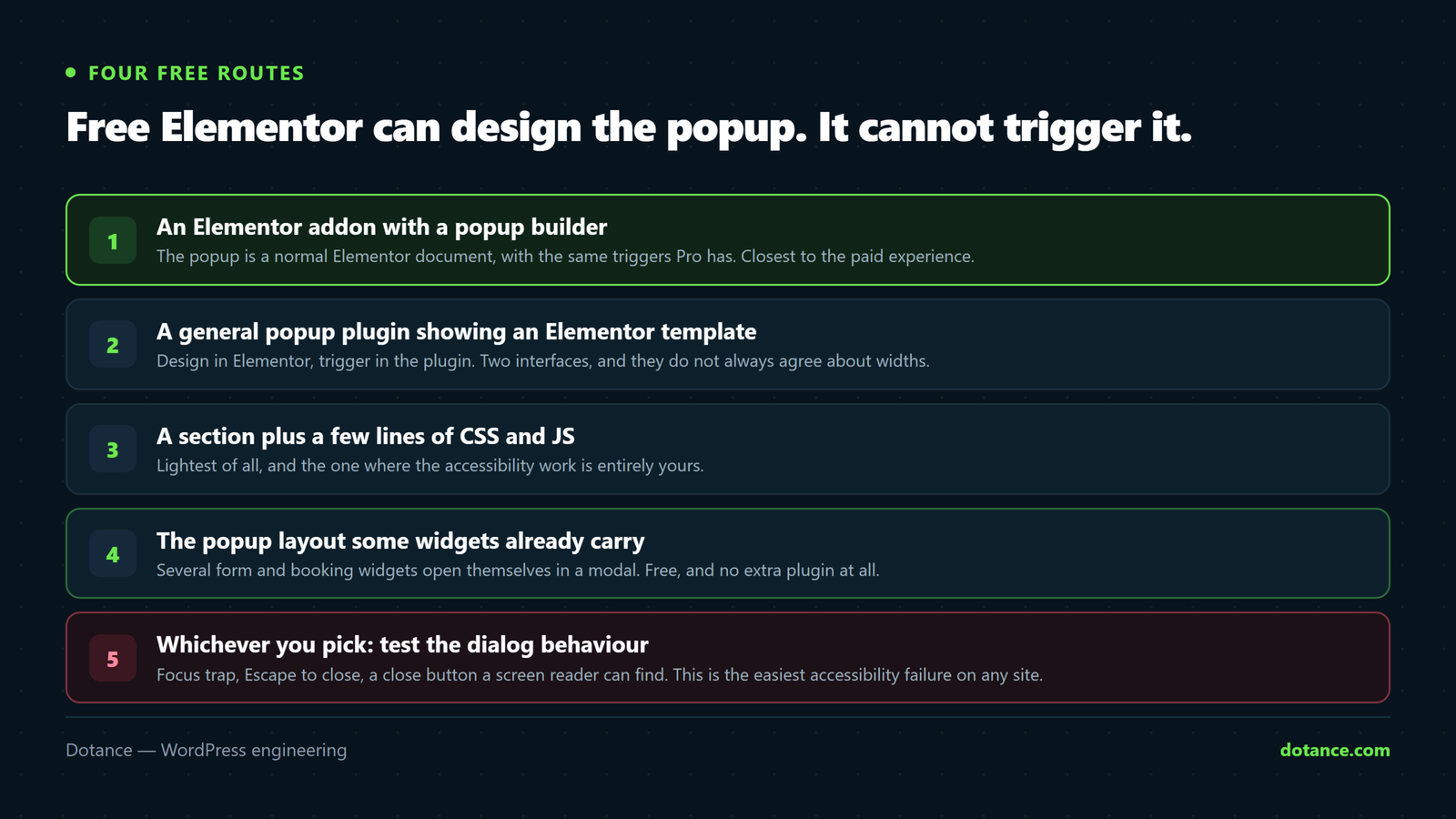
Four free routes to an Elementor popup builder
| # | Route | Designed in Elementor | Triggers | Frequency control | Extra weight |
|---|---|---|---|---|---|
| 1 | An Elementor addon with a popup builder (Elemance) | Yes, as a normal document | Delay, scroll %, exit intent, click | Once, per session, every visit | One plugin you may already run |
| 2 | A general popup plugin showing an Elementor template | Template yes; container in their editor | Usually all of them | Usually | A second plugin and its scripts |
| 3 | A hand-made modal: section + CSS + a few lines of JS | Yes | Only what you write | Only what you write | Nothing |
| 4 | A widget with its own popup layout (forms, booking) | The widget is | Click only | n/a — it is a button | Nothing extra |
1. An addon with its own Elementor popup builder
Some addon packs include a popup builder for free Elementor, and this is the closest thing to Pro’s experience: the popup is an Elementor document you open in the editor, with triggers and display rules in a meta box beside it. Elemance is ours. Its popup builder gives you time delay, scroll percentage, exit intent and click triggers, frequency of once, once per session or every visit, and a choice of where the popup appears — and it sits in the same plugin as its header/footer builder and fourteen widgets, so a site that needs all three runs one plugin instead of three.
Building one
1. Elemance → Popups → Add New. Design it like any Elementor page.
2. In the popup settings: trigger (e.g. exit intent), frequency (once per session),
   display (all pages, or a list), device (hide on mobile if you like).
3. Publish. The container, overlay and close button come from the builder.
4. Check it in a private window: it should open once and stay closed after.
Where Pro still wins, plainly: Pro’s popup builder has more advanced rules (inactivity, after N page views, per-user-role), more entrance animations, and form-to-popup integration with its own Form widget. If you need those, Pro is the right purchase. For an exit-intent offer, an announcement, a cookie notice or a “book a call” modal, an addon popup builder covers it.
2. A general popup plugin showing an Elementor template
Plugins such as Popup Maker have been building popups since before Elementor existed, and any of them can stand in for an Elementor popup builder and have every trigger imaginable. The Elementor part is a workaround: save the design as an Elementor template, put its shortcode into the popup plugin’s content box, and let the popup plugin supply the container and rules. It works, and it is free.
Two costs. The design and the container live in two editors, so the border, the close button and the width are set in the popup plugin’s own settings and never preview in Elementor. And you are loading a second plugin’s CSS and JS on every page for the sake of one modal — which is exactly the kind of weight the slow-editor guide and the slow-site guide both start by removing. If you already run a popup plugin for other reasons, use it; do not add one only to get an Elementor popup builder.
3. A hand-made modal from a section
Free Elementor can build the box; what it lacks, and what an Elementor popup builder supplies, is the open, close and overlay behaviour, which is about forty lines of CSS and JavaScript. Build the popup as a section with a CSS ID, hide it by default, and toggle a class from a button. It is the lightest route and the most work, and it gives you exactly the triggers you write and none you did not.
The shape of it (Elementor › Custom CSS on the section, plus a small script in a code-snippets plugin)
/* The section, hidden until opened */
#offer-modal { display: none; position: fixed; inset: 0; z-index: 9999;
  background: rgba(0,0,0,.6); align-items: center; justify-content: center; }
#offer-modal.is-open { display: flex; }
#offer-modal .modal-box { background: #fff; max-width: 560px; width: 90%;
  border-radius: 12px; padding: 32px; position: relative; }
// Open from any element with the class "open-offer"; close on button, overlay or Escape.
document.addEventListener('click', function (e) {
const modal = document.getElementById('offer-modal');
if (e.target.closest('.open-offer')) { modal.classList.add('is-open'); modal.querySelector('.modal-close').focus(); }
if (e.target.closest('.modal-close') || e.target === modal) { modal.classList.remove('is-open'); }
});
document.addEventListener('keydown', function (e) {
if (e.key === 'Escape') { document.getElementById('offer-modal')?.classList.remove('is-open'); }
});That is a click-triggered modal with Escape and overlay close. Exit intent, scroll depth and once-per-session each add a dozen lines and a cookie. By the time you have written all four you have rebuilt an Elementor popup builder badly, which is the argument for route one — but for a single click-to-open modal, this is honest, fast and weightless.
4. A widget that carries its own popup
Some widgets do not need an Elementor popup builder at all because the popup is one of their layouts. Booking widgets are the common case: an Elementor booking form with a “popup button” layout renders the trigger and an accessible modal itself, with focus trapping and Escape built in. Contact-form widgets from several addon packs do the same. If the only popup you need is “open this form”, check whether the form’s own widget can already do it before reaching for anything else.
Triggers and frequency: the settings that decide everything
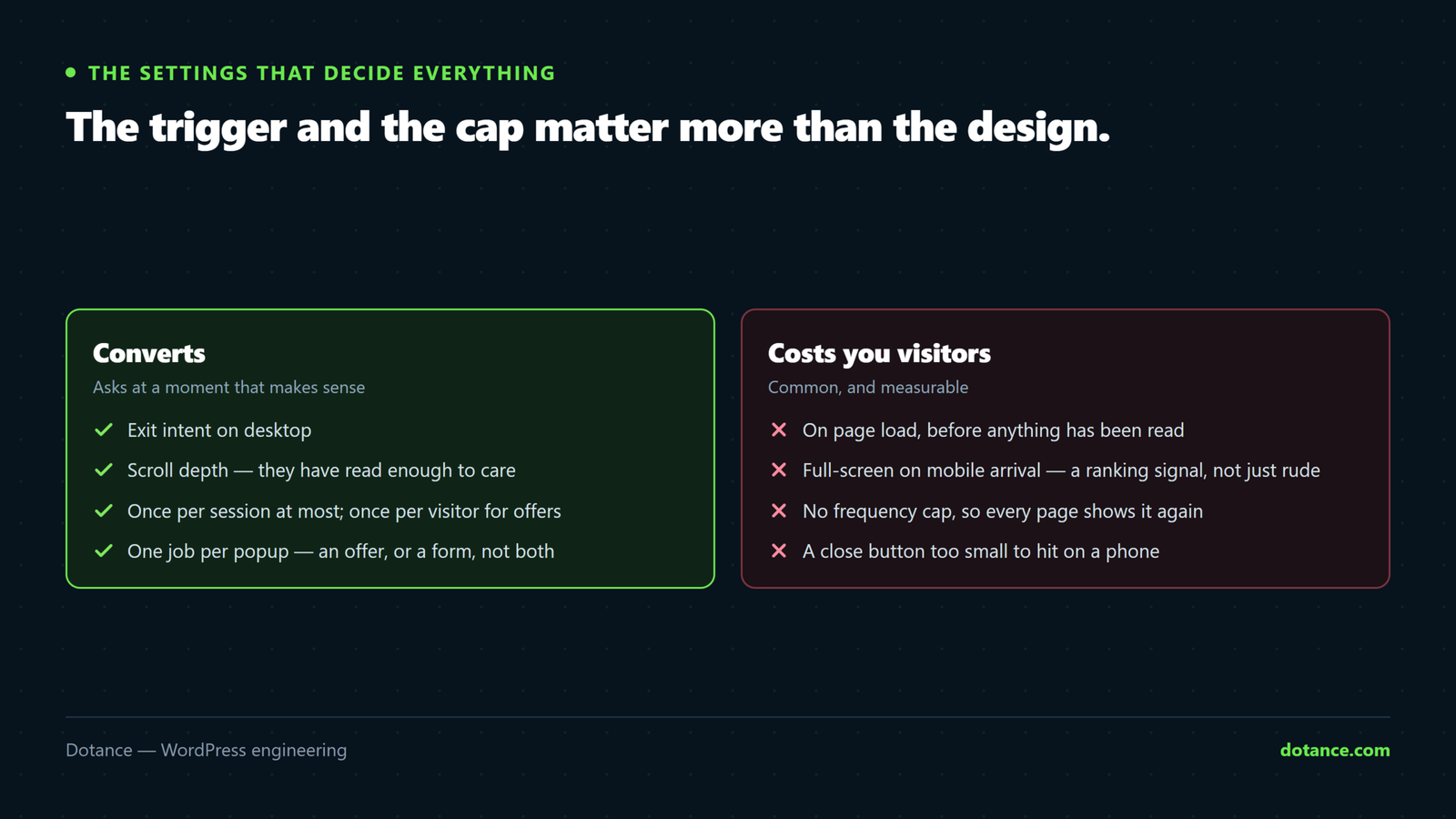
The design of a popup accounts for a small part of how it performs, whichever Elementor popup builder made it. The trigger and the cap account for most of it. Some honest numbers from client sites over the last two years, which you should treat as directions rather than laws:
| Trigger | Best for | Cap | What we see |
|---|---|---|---|
| Exit intent (desktop) | Offers, “before you go” | Once per session | Highest conversion, lowest annoyance |
| Scroll 50–70% | Newsletter, related content | Once per visitor | Reaches people who read; ignore the skimmers |
| Time delay 5–15 s | Announcements | Once per day | Fine on long pages, irritating on short ones |
| Click | Forms, bookings, videos | None needed | Zero annoyance; the visitor asked for it |
| On page load, no cap | Nothing | — | Bounce rate up, CLS penalised, Google’s interstitial rule |
One more number worth knowing: on the sites where we replaced a load-triggered popup with an exit-intent one capped to once per session, sign-ups per hundred visitors went up, not down, in every case but one. Fewer people saw the popup and more of them acted on it, because the ones who saw it were leaving anyway and had nothing to lose by reading. That is the whole argument for triggers over reach.
Two rules are not preferences. Google treats a popup that covers the main content on a mobile landing from search as an intrusive interstitial and can rank the page lower for it; a small banner or a click-triggered modal is fine, a full-screen overlay on arrival is not. And a popup that appears after layout shifts content — pushing the page down as it opens — counts against Cumulative Layout Shift; an overlay positioned fixed over the page does not, which is one reason the CLS guide tells you to prefer overlays to inline bars.
Whatever Elementor popup builder you use, the setting to look for first is the frequency cap. If it does not have one, it is not finished.
The accessibility checklist for any popup
A popup is a dialog, and dialogs have rules that screen-reader users and keyboard users depend on. Every route above can pass or fail them; route one and route four pass by default, route two usually passes, route three passes only if you write it.
Five checks, two minutes
1. Tab from the page into the open popup: focus must land inside it.
2. Keep tabbing: focus must stay inside (a focus trap), not wander behind.
3. Press Escape: it must close, and focus must return to what opened it.
4. The close button must be a real button with a text label, not an icon alone.
5. The container needs role="dialog" and aria-modal="true" so assistive tech
   announces it as one.
Fail these and the popup is a wall for some visitors — and, on sites that must meet accessibility requirements, a legal exposure. The hand-made route needs a focus trap added to the script above before it is fit for a public site; it is the one thing that snippet deliberately leaves out, because it is another thirty lines and a reason to use a builder that has done it.
Setting up an Elementor popup builder: the checklist
The order below is the one that avoids rework, whichever route you chose. Most of it is deciding before designing.
Before the first pixel
1. One job per popup. An offer, or a newsletter, or an announcement — not all three.
2. Decide the trigger and the cap first (table above). Write them down.
3. Decide where it must NOT show: checkout, thank-you pages, the page it links to.
4. Mobile: separate decision. Usually click-only, or nothing.
5. Design at the real size: 560px wide desktop, 90% width mobile, never taller than the screen.
6. Close button top-right, 44px hit area, text label for screen readers.
7. Publish, then test in a private window on desktop AND on a phone.
Step one sounds obvious and is the one most often broken: a popup that offers a discount, asks for an email and announces a sale is three popups fighting for one click, and the visitor closes all three.
Step three is the one an Elementor popup builder makes easy to skip: display rules default to “everywhere”, and a discount popup on the checkout page is a discount you did not need to give. Step five is where most popups fail on phones — a design that fits a laptop screen is taller than a phone screen, so the close button is off-screen and the visitor cannot leave. Every Elementor popup builder can set a max height with inner scrolling; set it.
Moving popups from Elementor Pro to a free Elementor popup builder
Sites that drop Pro usually do it at renewal, and the popups are what they forget. The content is a template — export it from Templates › Saved Templates as JSON and import it into the new builder, or simply copy the section. The triggers and display rules do not export; rebuild them from the table above, which takes a minute per popup. Then deactivate Pro and check every page that had a popup, because Pro’s popups vanish the moment its licence does and the fallback is nothing. A free Elementor popup builder does not care whether Pro was ever installed; the templates are ordinary Elementor documents.
Where an Elementor popup builder goes wrong
| Mistake | What happens | Fix |
|---|---|---|
| No frequency cap | The same visitor sees it on every page | Once per session at most; once per visitor for offers |
| Full-screen popup on mobile arrival | Rankings and bounce rate both suffer | Click-triggered or a small bar on mobile; exit intent on desktop only |
| Popup loaded on every page for one landing page | Weight everywhere for a modal used in one place | Display rules: that page only |
| Two popup systems installed | Two overlays fight; one blocks the other’s close | One builder; remove the other |
| Cached popup state | “Once per visitor” shows twice, or never | Frequency by cookie or localStorage, not by server-side state a page cache freezes |
| Popup content that only exists in the popup | Invisible to search engines and to visitors who dismissed it | Put the offer on a page too; the popup points at it |
The cache row catches sites that added a page cache after the popup worked. An Elementor popup builder that decides “show or not” in PHP has that decision frozen into the cached HTML; one that decides in the browser from a cookie keeps working. Check which yours does before blaming the cache plugin — it is the same class of problem as Elementor edits that do not appear.
Questions about the Elementor popup builder
Does free Elementor have a popup builder?
No. The Elementor popup builder is part of Elementor Pro. Free Elementor can design the popup’s content as a section or template, but it has no container, triggers or display rules of its own. The four routes above supply those without Pro.
What is the best free Elementor popup builder?
For most sites, an addon that includes one — because the popup stays an Elementor document and the triggers live beside it. Elemance is ours and gives you delay, scroll, exit-intent and click triggers with frequency control. A general popup plugin is the right choice if you already run one; a hand-made modal is right for a single click-to-open box on a site that wants zero extra plugins.
Can I make an exit-intent popup without Elementor Pro?
Yes. Exit intent is a mouse-leaves-the-viewport event, and every route except the widget-layout one can trigger on it. Cap it to once per session; exit intent that fires on every page is the fastest way to teach visitors to close your site without reading it.
Will an Elementor popup builder hurt my Google rankings?
A full-screen popup shown immediately to a mobile visitor arriving from search can, under Google’s intrusive-interstitial guideline. Click-triggered popups, small bars, cookie notices and popups shown after the visitor has read or is leaving do not. Design the mobile behaviour separately.
How do I open an Elementor popup builder popup from a button?
With an addon builder, set the trigger to click and give the button the popup’s selector or class. With a general popup plugin, use its trigger class on the button. With the hand-made route, the button carries a class the script listens for. With a widget that has its own popup layout, the button is the widget.
Does an Elementor popup builder slow the site down?
A little, if it loads its script everywhere; not measurably, if it loads only on pages with a popup and the popup itself is a section already on the page. Route three loads nothing extra. Whichever you use, apply display rules so the popup’s assets are not shipped to pages that never open it.
Can I show different popups on desktop and mobile?
Yes, with any Elementor popup builder that has device rules — Elemance and the general popup plugins both do. The common arrangement is exit intent on desktop and either nothing or a click-triggered modal on mobile, where exit intent does not exist and full-screen overlays are penalised.