
16 custom widgets
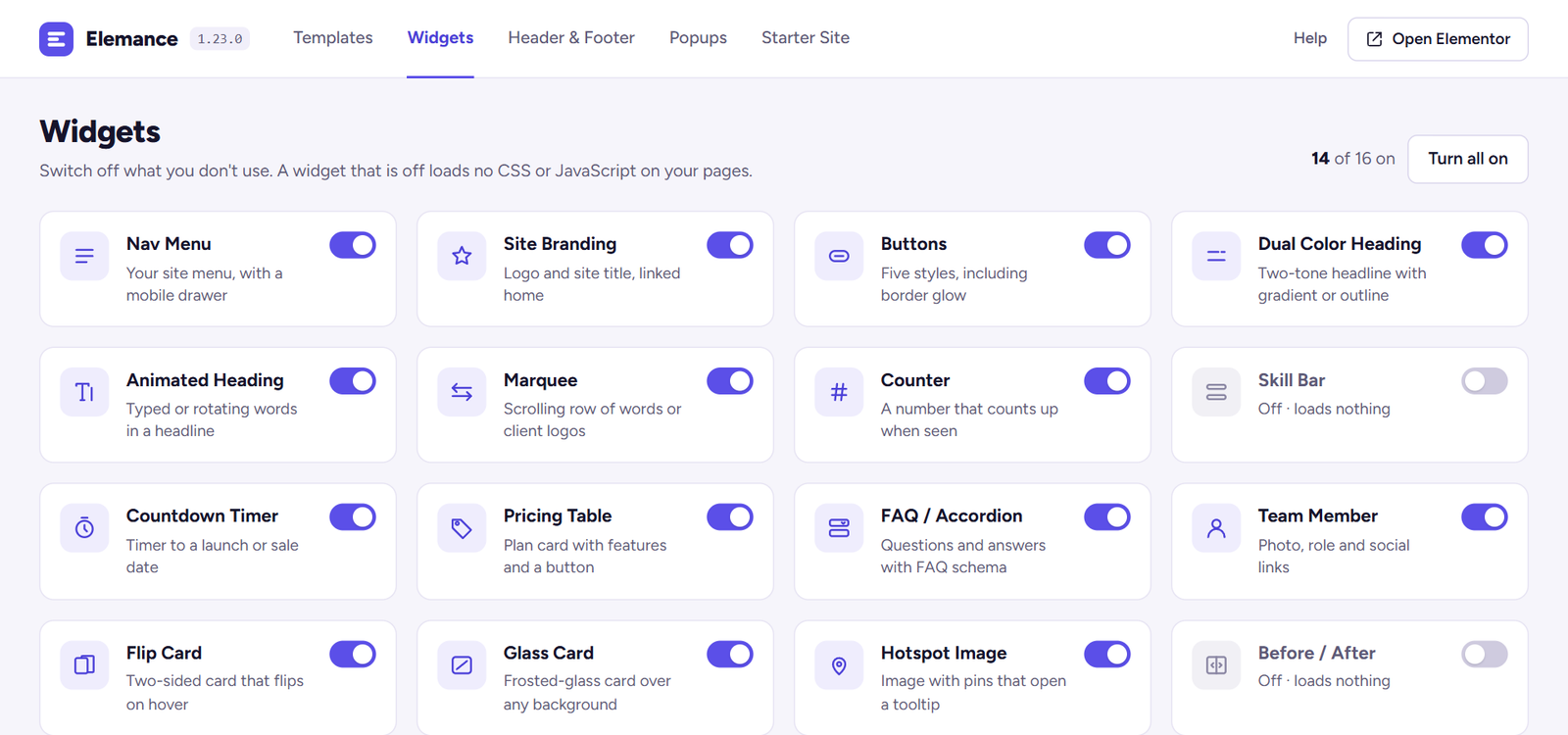
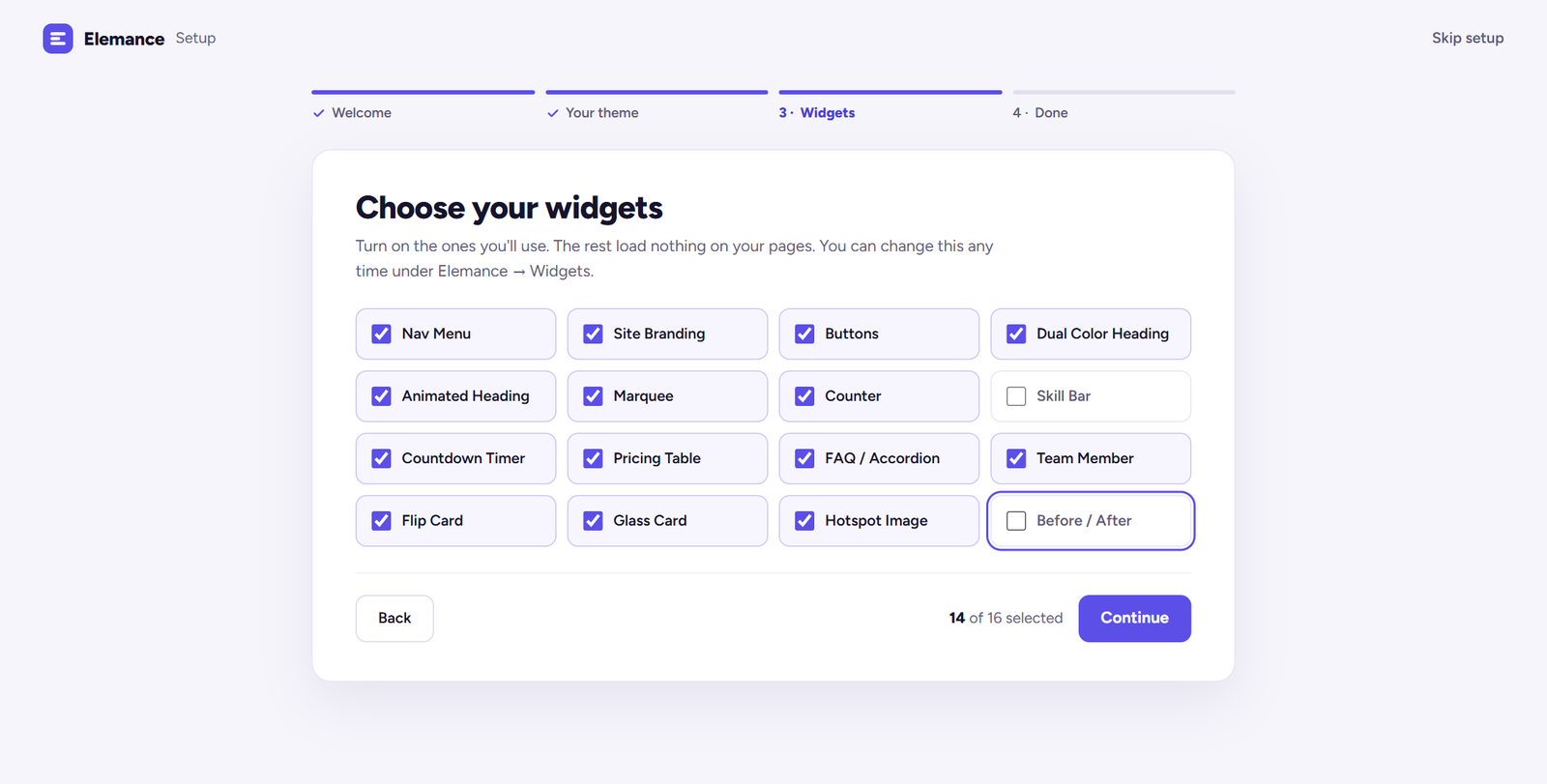
Nav Menu, Site Branding, Marquee, Flip Card, Counter, Animated Heading, Skill Bar, Glass Card, Hotspot, Before/After, Dual Heading, Pricing Table, Accordion, Countdown, Team Member and Buttons.
★ Free plugin
Sixteen custom Elementor widgets, forty-one section templates, and a header/footer and popup builder that work on free Elementor. Turn off the widgets you do not use and they stop loading their CSS and JS entirely.
Overview
Most Elementor addon packs give you two hundred widgets and load assets for all of them. Elemance goes the other way: sixteen widgets we actually use on client work, and a manager that stops a disabled widget from registering or enqueueing anything at all.
The header/footer builder and the popup builder both run on free Elementor, so a small site does not need a Pro licence to get a custom header or an exit-intent popup. Everything is built on core WordPress and Elementor APIs — no external services, no phone-home, no account to create.
Features
Nav Menu, Site Branding, Marquee, Flip Card, Counter, Animated Heading, Skill Bar, Glass Card, Hotspot, Before/After, Dual Heading, Pricing Table, Accordion, Countdown, Team Member and Buttons.
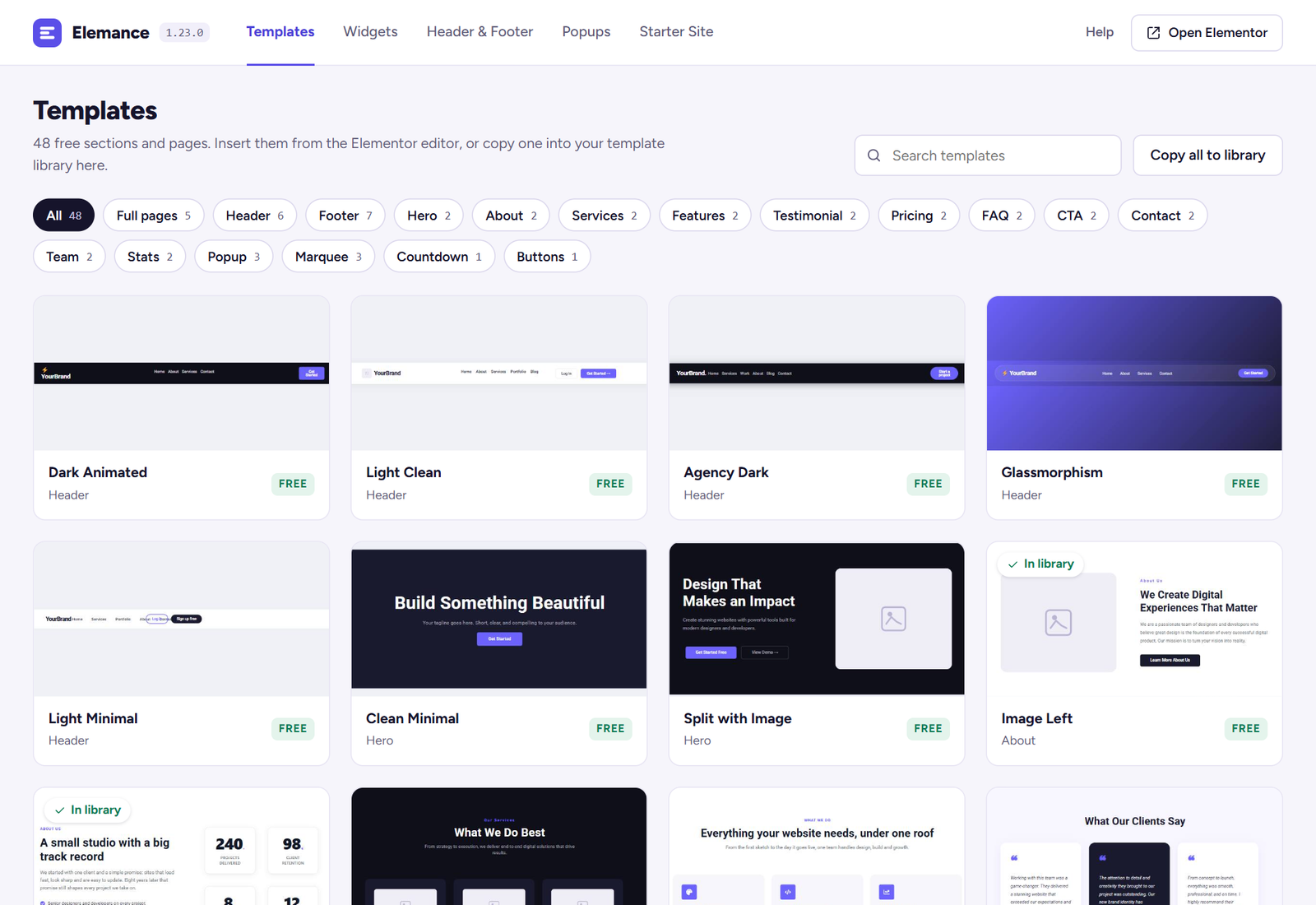
Headers, footers, heroes, popups, pricing, FAQs, team grids and stats bars — inserted from a panel inside the Elementor editor.
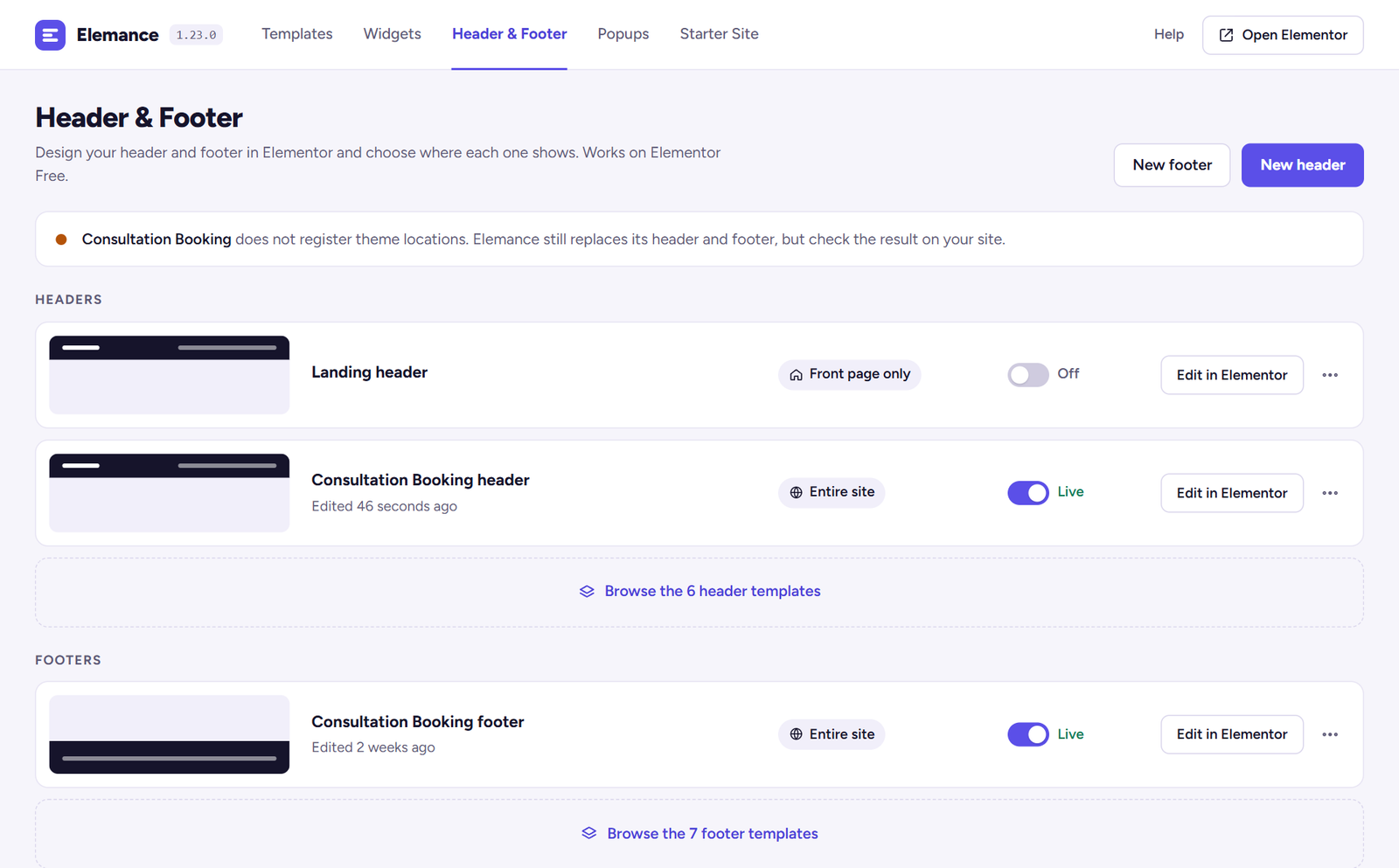
Build both in Elementor without Pro. Works with Hello Elementor, Astra, GeneratePress, OceanWP, Neve and Storefront, with a fallback for other themes.
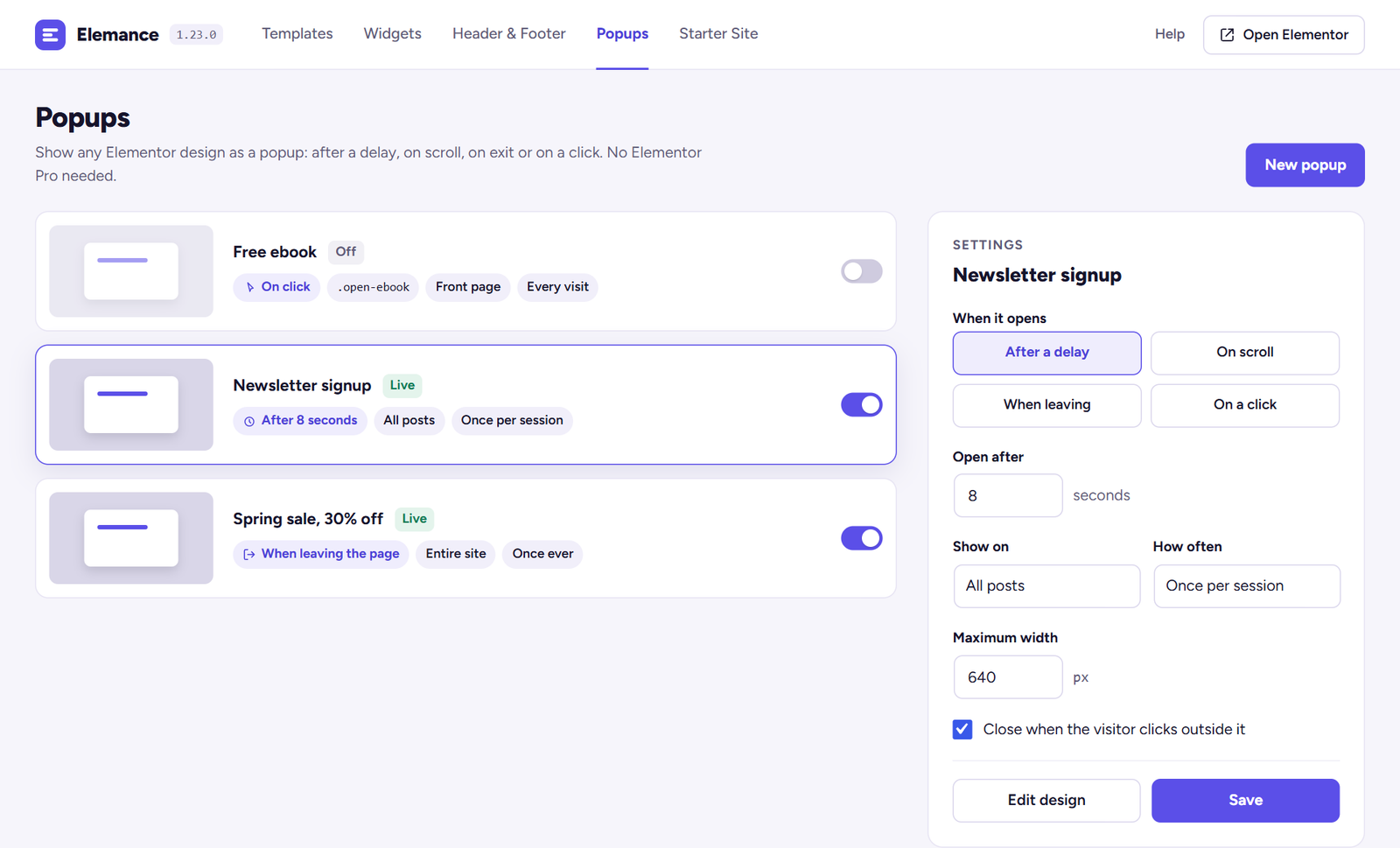
Time delay, scroll depth, exit intent or click, with frequency control — once, once per session, or every visit.
Turn off what you do not use. A disabled widget stops registering in Elementor and stops loading its CSS and JS — not hidden, actually gone.
The plugin makes zero outbound HTTP requests. Nothing to sign up for, nothing sent anywhere, no licence server to be down.
Screenshots

Pricing
$0
The whole plugin. Every widget, every template, both builders. No tiers, no upsell inside the editor.
Quoted
Elemance is what we needed often enough to package. When a project needs something it does not do, we build that instead.
Elemance is on the WordPress.org plugin directory, so you install it like any other plugin — search for it from your dashboard, or download it from the listing. Updates arrive through the normal WordPress updates screen.
Changelog
Elemance has a new animated icon in the admin header and a new menu icon. Nothing else changed.
Every Elemance screen now shares one bar with tabs for Templates, Widgets, Header & Footer, Popups and Starter Site. Templates can be filtered, searched, previewed and copied to your library. Each widget has its own switch that saves at once. Headers, footers and popups switch live or off from the list, and a popup’s trigger, pages and frequency can be changed without opening the editor. The setup wizard gets a progress bar and a Skip link.
A Nav Menu widget puts any WordPress menu in a header or footer, with dropdowns that work on touch and keyboard and a hamburger below the breakpoint you choose. A Site Branding widget shows the logo and site name. A starter site can now bring its own header and footer, and widgets added in an update are switched on for sites that had already chosen theirs.
With a supported theme active (Consultation Booking), Elemance → Starter Site imports its whole demo in one click: every page, a menu, and the home page as your front page. It only creates new pages; your existing pages are not changed.
A widget’s CSS and JavaScript now load only on pages that use that widget, instead of every enabled widget loading on every Elementor page. Adds five full-page templates for the free Consultation Booking theme, shown while that theme is active. Fixes the FAQ accordion showing both the plus and minus icon, and a console error when a widget script ran before Elementor had started.
Questions
Questions about a custom plugin built for your site are on the plugin development page.
Elemance includes a header and footer builder that works with the free Elementor. Design the header or footer as a normal Elementor document from Elemance → Header & Footer, choose where it appears, and the theme's own header or footer is replaced. It works out of the box with Hello Elementor, Astra, GeneratePress, OceanWP, Neve and Storefront, with a universal fallback for other themes.
Yes, with Elemance's popup builder. Design the popup as an Elementor template, then pick a trigger — a time delay, a scroll percentage, exit intent or a click — and how often it may show: once, once per session or every visit. It does not need Elementor Pro.
No. Every part of it runs on free Elementor, including the header/footer builder and the popup builder — the two things people usually buy Pro for. If you already have Pro, Elemance sits alongside it without conflict.
Elementor itself must be installed and active. WordPress is documented at wordpress.org.
WordPress 6.0 or newer and PHP 8.0 or newer. Version 1.16.0 was installed and tested on WordPress 7.1 with Elementor 4.2 before release — all 14 widgets register and render.
Free, GPLv2, and you can use it on client sites. There is no locked widget, no watermark, and no upsell interrupting the editor.
If a Pro version ever exists it will be additional widgets, not a ransom on the ones already here.
Only the widgets you leave enabled load anything. Turn one off in the widget manager and it stops registering with Elementor and stops enqueueing its CSS and JS — it is not hidden with CSS, it is genuinely not there.
The plugin also makes no outbound HTTP requests at all, so there is no licence check or remote template fetch slowing down your admin.
Yes — it is listed at wordpress.org/plugins/elemance. You can install it straight from Plugins → Add New in your dashboard by searching for “Elemance”, and updates come through the normal WordPress updates screen.
Pages built with Elemance widgets keep their content but lose the widget rendering, the same as with any Elementor addon. Templates you have already inserted are normal Elementor sections and are unaffected.