“Bring your own API key” sounds like a hidden charge, and plugin pricing pages do little to dispel that: they say the plugin is free and then wave at “usage costs from your provider” as if those were unknowable. They are not. AI plugin API costs are a multiplication of four numbers you can look up or measure, and once you have done it once for your site the answer is usually smaller than a coffee. This guide is the five numbers, a worked example for a typical business site, the plugin behaviours that inflate the bill, and the comparison with per-conversation pricing that most vendors would rather you did not make.
The unit: tokens, and what one costs
AI plugin API costs start with the unit. Every provider bills per token, where a token is roughly three-quarters of a word of English. Prices are quoted per million tokens, separately for input (what you send) and output (what the model writes), and output is usually several times dearer than input. The exact figures change often; the shape does not, so this guide uses ranges and tells you where to look up today’s number.
| Model tier | Input, per million tokens | Output, per million tokens | Fit for a website chat |
|---|---|---|---|
| Free tiers (e.g. Gemini’s) | $0, with rate limits | $0, with rate limits | Small sites, entirely |
| Small / “mini” / “flash” models | Roughly $0.05 – $0.60 | Roughly $0.20 – $2.50 | Almost every site; the retrieved passage does the hard work |
| Mid-size models | Roughly $1 – $5 | Roughly $5 – $15 | Rarely needed for grounded Q&A |
| Frontier models | $5 and up | $15 and up | Overkill for “what are your opening hours” |
Those ranges are deliberately wide; the provider pages — Google’s, OpenAI’s, Anthropic’s — carry the exact figures and they move. The point to take from the table is the tier: for a grounded website chatbot, where the plugin hands the model the relevant passage and asks for a short answer, the small tier is the right one, and AI plugin API costs at that tier are measured in cents per hundred answers.
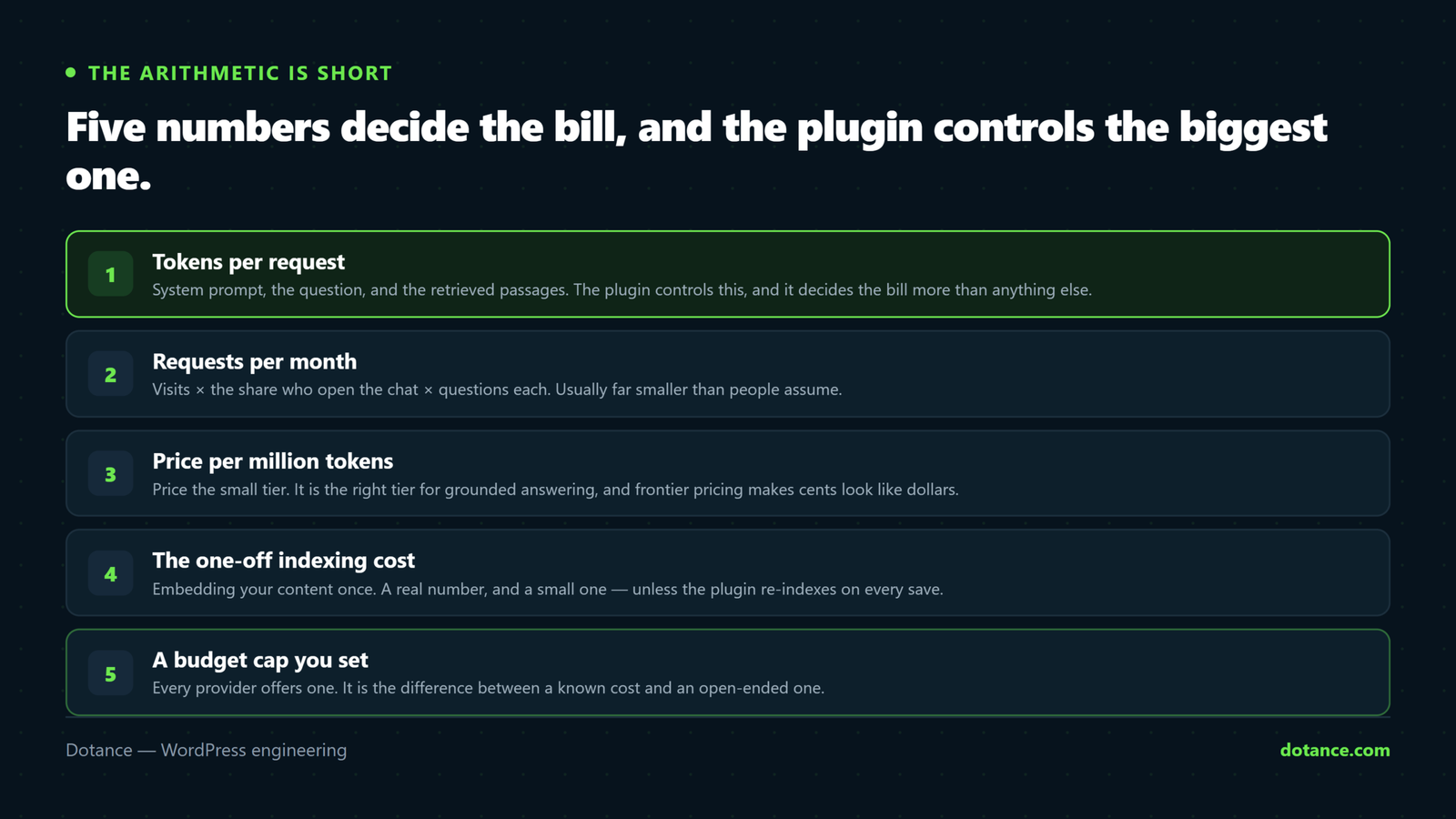
The five numbers that set AI plugin API costs
1. Tokens per request
This is the number the plugin controls, and the one that decides AI plugin API costs more than any other. A grounded chat request contains: a system prompt (the plugin’s instructions, 100–400 tokens), the retrieved passages from your site (two or three chunks of a few hundred tokens each), the visitor’s question (20–50), and the answer (100–300). Call it 1,500–2,500 tokens in and 200–300 out for a well-built plugin. A badly built one sends the whole page, or the whole conversation history every turn, and the number is five to ten times higher for the same answer. Ask the plugin how much it sends, or measure it from the provider’s usage dashboard after ten test questions.
2. Requests per month
The second of the AI plugin API costs inputs is your traffic, times the share that opens the chat, times questions per conversation. For a business site with 10,000 visits a month, 2–5% open a chat, and they ask two or three questions: 400 to 1,500 requests. A shop with more traffic and more product questions is higher; a portfolio site is lower. The chat plugin’s own log gives you the real number after a month, and it is the number to plan on.
3. Price per million tokens
From the table: pick the small tier of the provider you trust with the data — the third number in the AI plugin API costs arithmetic. Use today’s figure from their page. For the worked example below we use $0.30 per million in and $1.20 per million out, which sits inside the small-tier range at the time of writing and errs high.
4. The one-off index
A grounded plugin turns your pages into vectors once, with an embedding model, so it can find the relevant passage later. Embedding models are priced per million tokens too, at a fraction of the chat models’ rate. A 200-page site is perhaps 300,000 tokens of text; indexing it costs cents, and re-indexing happens only for pages that change. This is the part of AI plugin API costs people forget to include and the part that turns out not to matter.
5. The budget cap
Not a cost — the thing that bounds the other four. A plugin that lets you set a monthly token budget, stops politely when it is reached, and alerts you at half, turns AI plugin API costs from an open-ended risk into a line item. If the plugin you are evaluating cannot do this, the rest of the arithmetic is optimistic; a scraper hammering the chat endpoint, or a bug that loops, can spend a month’s budget in an hour.
A worked example: AI plugin API costs for a typical site
A services business, 10,000 visits a month, 4% open the chat, three questions each: 1,200 requests. A well-built grounded plugin at 2,000 tokens in and 250 out per request.
The multiplication
Input   1,200 × 2,000 = 2,400,000 tokens × $0.30 / 1,000,000 = $0.72
Output  1,200 ×   250 =   300,000 tokens × $1.20 / 1,000,000 = $0.36
Index   ~300,000 tokens, once, at embedding rates            ≈ $0.03
                                                       Month ≈ $1.11
Eleven hundred answered questions for about a dollar. On Gemini’s free tier the same site pays nothing until it exceeds the rate limits, which at this volume it does not. Triple the traffic and it is three dollars. This is the honest scale of AI plugin API costs for a grounded chat on a normal business site, and it is why “you pay your provider” is a feature rather than a catch.
Now the same site on a per-conversation SaaS widget. Plans typically start around a few tens of dollars a month for a conversation allowance in the low hundreds, with overage above it or a step up to the next tier. Four hundred conversations a month lands in the second or third tier of most such plans. The comparison is not close: the key-based route is cheaper by a factor somewhere between ten and fifty at this volume, and the gap widens as traffic grows, because SaaS pricing scales with conversations while API pricing scales with tokens at a much lower slope.
What the SaaS fee actually buys. Their servers, their support desk, no key to manage, and often a live-chat handover to a human. Those are real. Whether they are worth ten to fifty times the running cost depends on whether anyone on your team would otherwise spend twenty minutes creating an API key. For most small businesses, the answer is that twenty minutes is fine.
What inflates AI plugin API costs (and it is never the price list)
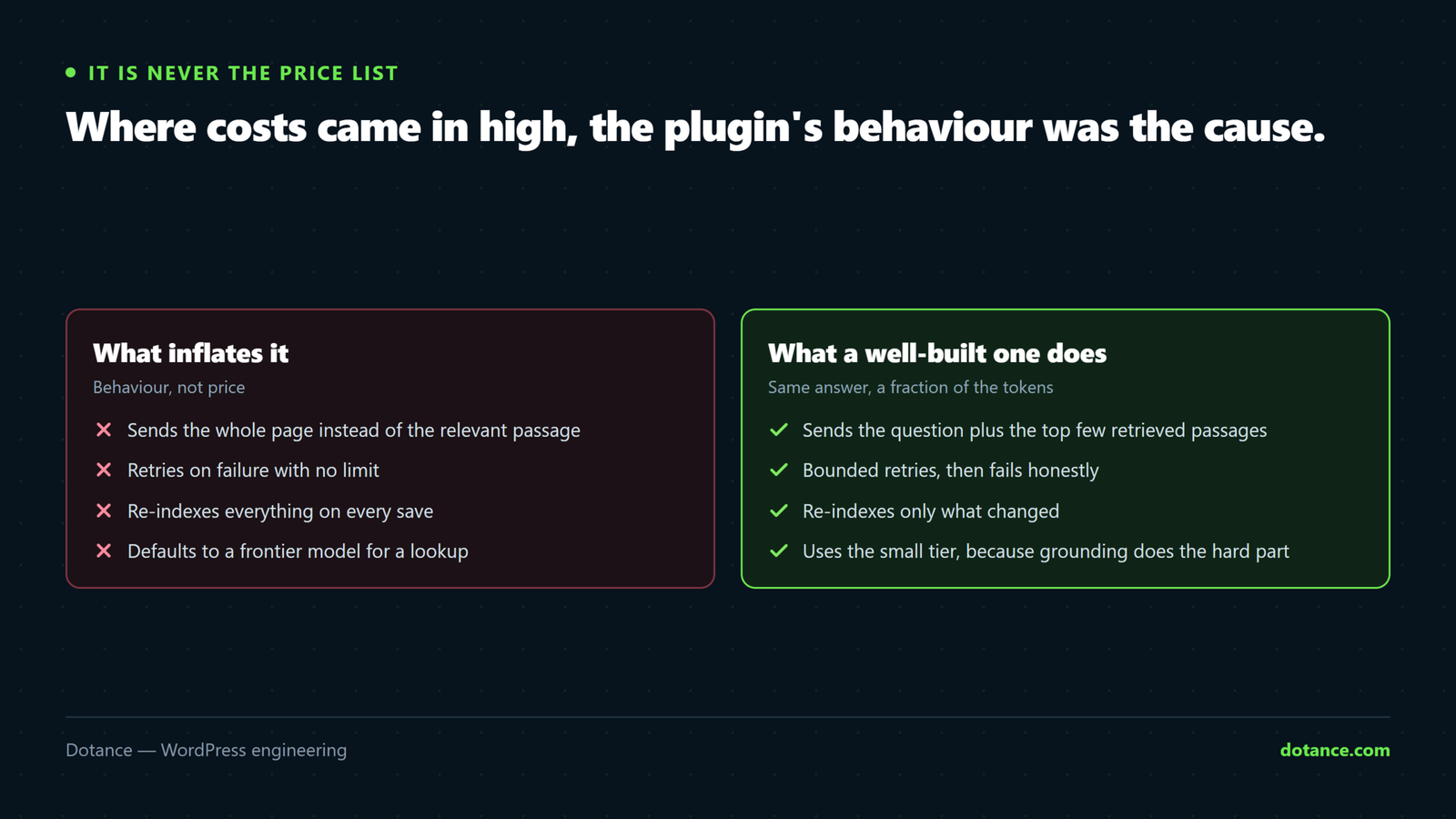
In every case we have looked at where AI plugin API costs came in higher than expected, the price per token was not the cause. The plugin’s behaviour was.
| Behaviour | Effect on the bill | What a good plugin does |
|---|---|---|
| Sending the whole page instead of retrieved passages | 5–10× tokens per request | Retrieves two or three relevant chunks |
| Resending the full conversation every turn | Grows with every question; a ten-turn chat costs ten times the first turn | Trims history to the last few turns |
| Unlimited retries on error | A provider outage becomes a bill | Retries twice, then fails politely |
| Re-indexing everything on every save | Index cost × number of edits | Re-embeds only the changed page |
| No rate limit on the chat endpoint | One scraper spends the month | Per-IP limits and a budget cap |
| Frontier model by default | 10–50× the small-model price for the same answer | Small model by default; bigger only if you choose |
These are checkable before you install. Read the plugin’s description for words like “retrieval”, “chunks”, “budget” and “rate limit”; ask the developer what a typical request contains; and after installation, look at the provider’s usage dashboard after a day and divide tokens by requests. A number above 4,000 per request for a short answer means the plugin is sending more than it needs, and AI plugin API costs will follow.
How we keep Askora’s costs where the arithmetic says
Askora is our grounded chat plugin and it is built around exactly the table above. Requests carry the system prompt, the visitor’s question and the top few retrieved passages, not the page; conversation history is trimmed; retries are capped; the index updates per changed page; there is a per-IP rate limit; and there is a monthly token budget with an alert, set on the settings screen, that stops the chat with a polite message when reached. The default model on each provider is the small tier. The seven questions to ask before installing a chatbot cover the rest; this post is the cost question in full.
Two more things that keep the bill honest. The API key is stored encrypted, so it does not end up in a plain-text backup that a leak could turn into somebody else’s usage on your account. And the usage screen shows tokens this month against the budget, in the admin, so you are not opening a provider dashboard to find out.
Choosing a provider on cost and terms
| Provider | Cheapest sensible model | Free tier | Worth knowing |
|---|---|---|---|
| Google Gemini | The current “flash” / “flash-lite” model | Yes, with rate limits — enough for a small site | Check the data-use terms of the free tier versus paid |
| OpenAI | The current “mini” model | No | Widely supported; the de-facto API shape others copy |
| Anthropic | The current small Claude model | No | Strong at following “answer only from this” instructions |
| OpenAI-compatible endpoints (self-hosted or other vendors) | Varies | Varies | Lets you move without changing the plugin |
Cost differences between the small models are small; AI plugin API costs barely move between them, and the terms differ more. Read what each provider does with your prompts on the tier you are using — free tiers sometimes permit training on inputs where paid tiers do not — and decide on that. The GEO comparison touches the same point from the other side: your content is going to these models one way or another; choose the terms deliberately.
Measuring your own AI plugin API costs after a month
The estimate above is an estimate. After a month with the chat live, replace it with two numbers from real data. From the provider’s usage dashboard: total tokens for the month and total requests; divide to get tokens per request, which tells you whether the plugin is lean. From the chat plugin’s own log: conversations, questions, and how many questions were answered from your content versus declined — the declined ones are the unanswered-questions list, and they are the content plan.
Put the two beside your AI-referral traffic and you have the whole loop: what AI search sent, what those visitors asked, what it cost to answer them, and which pages the answers came from — which are the pages worth making easier for AI engines to cite. AI plugin API costs, seen that way, are the cheapest part of an otherwise expensive question.
Where estimating AI plugin API costs goes wrong
| Mistake | Result | Instead |
|---|---|---|
| Using frontier-model prices in the estimate | An answer that costs cents looks like it costs dollars | Price the small tier; it is the right tier for grounded chat |
| Forgetting output is dearer than input | Underestimate by a third or so | Price both; keep answers short |
| Assuming every visitor chats | A ten-times overestimate | 2–5% open it; measure after a month |
| No budget cap | The one month a bot or a bug hits the endpoint | Cap and alert, before launch |
| Comparing SaaS “starting at” with API “worst case” | The subscription looks cheaper | Same volume, both sides, actual tiers |
| Ignoring plugin behaviour | The bill is right; the plugin is wasteful | Tokens per request from the usage dashboard |
The fourth row is the only way a key-based plugin produces a bill anyone regrets, and it is entirely preventable. Set the cap before the chat goes live, at a number you would not mind paying, and raise it when the usage screen shows you the real figure. Managed sensibly, AI plugin API costs are the smallest line on the site’s monthly list — smaller than hosting, smaller than the domain — and the maintenance routine can include a glance at the usage screen alongside the backups.
Questions about AI plugin API costs
How much does an AI chatbot plugin cost to run per month?
For a grounded chatbot on a typical business site — around a thousand questions a month on a small model — roughly one to three dollars, and nothing on a free tier. Higher-traffic sites scale roughly linearly with questions. The plugin’s own behaviour matters more than the provider’s price list.
Is a free API tier really free of AI plugin API costs?
Yes, within rate limits — a number of requests per minute and per day — and often with different data-use terms from the paid tier. A small site rarely hits the limits. Read the terms for the tier you are on, then decide whether the saving is worth them.
Do AI plugin API costs go up as my content grows?
Barely. Indexing new pages costs cents. Per-request cost depends on the passages retrieved, not on the total size of the site, so a thousand-page site pays about the same per answer as a fifty-page one.
Which is cheaper, my own API key or a chatbot subscription?
At the same conversation volume, your own key is usually ten to fifty times cheaper. The subscription buys hosting, support and sometimes a human-handover feature; if you value those, price them honestly against the difference.
Can I cap AI plugin API costs?
With a good plugin, yes: a monthly token budget that stops the chat when reached, plus an alert. Providers also let you set spending limits on the key itself, which is a second line of defence worth using.
What costs more, input or output tokens?
Output, typically by three to five times. A grounded plugin keeps answers short, which keeps AI plugin API costs down as well as making the chat better to use.
Does Askora charge anything on top?
No. The plugin is free; you pay your provider directly for tokens, at the provider’s rate, with a budget cap in the plugin. A Pro add-on with extras is planned as a separate plugin, and it will not add a per-conversation fee either.