Somebody asked ChatGPT which agency to use, it named you, they visited, and they bought. In GA4 that session is filed under Direct alongside the person who typed your domain from a business card. If you want to track AI search traffic properly — and know whether any of the work you are doing for assistants is paying back — you have to build the reporting yourself. Here is exactly how, and where it stops being possible.
Why GA4 cannot track AI search traffic out of the box
GA4 sorts sessions into default channel groups using rules Google maintains. Those rules were written for a web of search engines, social networks and email campaigns. Assistants are none of those, so they fall through:
| Source | Where GA4 files it by default |
|---|---|
chatgpt.com | Referral, or Direct if the referrer is stripped |
perplexity.ai | Referral |
gemini.google.com | Often Organic Search — it is a Google domain |
copilot.microsoft.com | Referral, sometimes Organic Search |
claude.ai | Referral |
| An assistant in a mobile app | Direct, with no referrer at all |
The Gemini row is the one that quietly distorts reports. Because it is a google.com subdomain, some of that traffic is counted as organic search, which inflates the channel you are already measuring and hides the one you are trying to find. Anyone who says they can track AI search traffic in GA4 without configuring anything is reading a number that includes ordinary Google clicks.
Set your expectations first. On the sites we manage, assistant referrals are between 0.4% and 3% of sessions. They convert at two to four times the site average. If you go looking for a big number you will conclude the channel does not exist; if you look at conversion rate you will find the opposite.
Step 1: build a channel group that can track AI search traffic
This is the single change that does most of the work, and GA4 applies channel groups retroactively — so you get history back, not just future data.
- Admin → Data display → Channel groups.
- Create a copy of the default group and name it AI aware.
- Add a new channel at the very top called AI assistants.
- Condition: Source matches regex, with the pattern below.
- Save, then select the group in any report’s channel dimension.
Source matches regex
chatgpt|openai|perplexity|claude\.ai|anthropic|copilot|
gemini\.google|bard\.google|you\.com|phind|poe\.com|
gptbot|searchgpt|duckassist|mistral|grok|x\.ai
Order matters. The AI channel must sit above Organic Search, or the Gemini sessions will be claimed by the organic rule before yours is evaluated. This is the one place people get it wrong and conclude they cannot track AI search traffic on Google’s own assistant.
Keep the pattern in a note somewhere. The ability to track AI search traffic decays quietly as the market moves. New assistants appear every few months, and a channel group that was accurate in March is missing two sources by September.
Step 2: an exploration that shows what they landed on
A channel group tells you how many. It does not yet tell you anything you can act on. The useful question is which pages assistants send people to, because that tells you what they think you are good at.
| Setting | Value |
|---|---|
| Technique | Free form |
| Rows | Landing page + query string |
| Columns | Session source |
| Values | Sessions, engagement rate, key events |
| Filter | Session source matches your regex |
Run it over ninety days. The pattern is almost always the same: assistants cite pages that answer a specific question with specific detail, and ignore service pages entirely. If you want to track AI search traffic and act on it, this report is the one that changes what you write next — our guide on getting cited by AI search covers the writing side.
Step 3: read your server log for the half GA4 never sees
A click is the end of the process. Before it, an assistant has to read you — and that read never appears in analytics, because bots do not run JavaScript trackers.
On the server
# Which assistants are reading the site, and how often?
grep -oiE 'GPTBot|OAI-SearchBot|ChatGPT-User|PerplexityBot|ClaudeBot|
Claude-User|Google-Extended|Bingbot|Amazonbot' access.log | sort | uniq -c | sort -rn| User agent | What it means |
|---|---|
GPTBot | Crawling for training — no immediate traffic |
OAI-SearchBot | Indexing for ChatGPT search — this one precedes clicks |
ChatGPT-User | A live user’s request, right now |
PerplexityBot | Perplexity’s index |
ClaudeBot / Claude-User | Crawl and live fetch respectively |
Google-Extended | Gemini grounding, controlled separately from Googlebot |
The live-fetch agents are the valuable rows. A hit from ChatGPT-User means a real person asked something and the assistant went to your page to answer it. Count those and you can track AI search traffic that never produced a session at all — you were read, quoted, and possibly credited without a click.
Check your robots.txt before you celebrate a low number. Plenty of security plugins and CDN presets block these agents by default. If OAI-SearchBot is disallowed, you are not being considered for citation at all, and no amount of analytics configuration changes that.
Step 4: accept what is genuinely unmeasurable
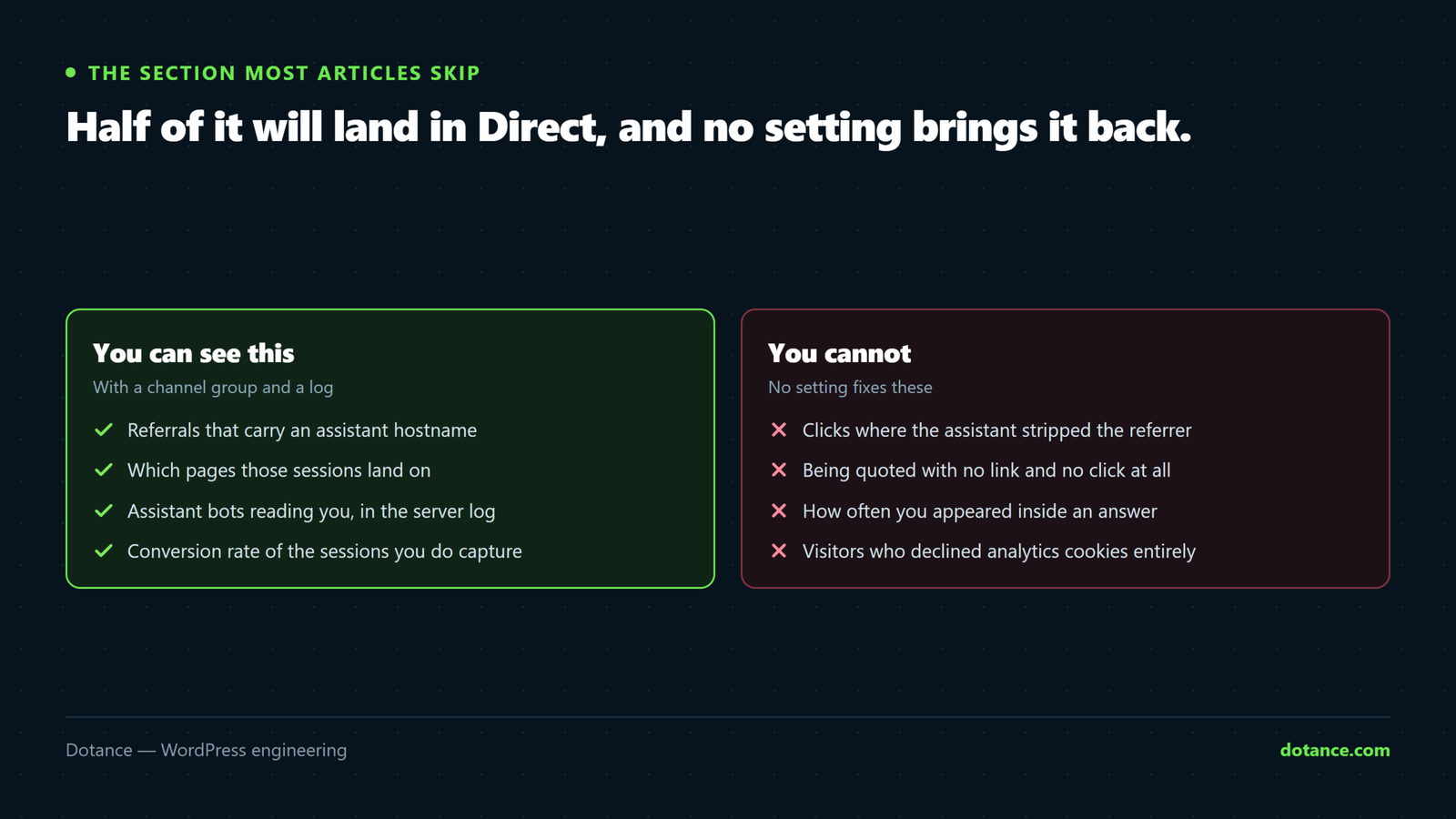
This is the section most articles skip, and skipping it is why so many dashboards claim to track AI search traffic completely when they cannot. It is also the section that stops you making a bad decision on the strength of a confident-looking number.
| What happens | Can you measure it? |
|---|---|
| Click from a web assistant | Yes, with the channel group |
| Click from a mobile assistant app | Rarely — usually lands in Direct |
| Cited, no click | Only as a bot hit in the log |
| Cited, user searches your brand later | No — it becomes branded organic |
| Recommended in a voice answer | No |
Row four is where most of the real value sits. Somebody asks an assistant for a recommendation, is told your name, then Googles you the next day and converts as branded organic. Nobody can track AI search traffic through that path, so the honest way to see it is a branded-impressions line in Search Console next to your assistant-citation count — when both rise together over a quarter, the mechanism is working even though no single session proves it.
Use annotated dates rather than attribution models here — no model on the market can track AI search traffic through a branded search a week later. Note the week a big guide went live, then look at branded impressions and assistant bot hits a month later. It is coarse, and it is still more honest than a dashboard that claims precision it does not have.
Step 5: judge the channel on the right number
Once you can track AI search traffic, the temptation is to compare its session count against organic search and conclude it is irrelevant. That comparison is the mistake.
| Metric | Organic search | Assistant referrals |
|---|---|---|
| Volume | High | Low — often under 2% |
| Intent | Mixed, plenty of research | Late — the question was already answered |
| Pages per session | Higher | Lower, often one |
| Conversion rate | Site average | Frequently two to four times higher |
| Right metric | Sessions and rankings | Conversion rate and enquiry quality |
The reason is straightforward. A person arriving from an assistant has already had their comparison done for them. They are not researching; they are checking that you exist and look credible. That is why a slow or awkward landing page costs more in this channel than in any other — see why WordPress sites go slow if yours is borderline.
Set a key event in GA4 for whatever counts as an enquiry before you try to track AI search traffic to revenue, then put it in the exploration from step two. A channel doing 1% of sessions and 6% of enquiries is not a rounding error, and being able to track AI search traffic to that level is what turns the argument from opinion into a number.
The backstop: log assistant referrals server-side
GA4 has a gap that nobody mentions in this context. A visitor who declines analytics cookies is invisible to it, and consent rates on a typical European site sit somewhere between 50% and 80%. So the channel group can only ever track AI search traffic from the consenting share, and assistant referrals skew toward exactly the kind of privacy-aware visitor who declines.
The fix is fifteen lines in a must-use plugin. It records nothing personal — a timestamp, the referring host and the page — so it stays on the right side of both GDPR and your own conscience.
wp-content/mu-plugins/ai-referral-log.php
<?php
add_action( 'template_redirect', function () {
	$ref = isset( $_SERVER['HTTP_REFERER'] ) ? $_SERVER['HTTP_REFERER'] : '';
	if ( ! $ref ) {
		return;
	}

	$host = parse_url( $ref, PHP_URL_HOST );
	// Hostname only. No query string, no user data.
	if ( ! $host || ! preg_match( '#(chatgpt|openai|perplexity|claude\.ai|copilot|gemini\.google|you\.com)#i', $host ) ) {
		return;
	}

	error_log(
		gmdate( 'c' ) . "\t" . $host . "\t" . strtok( $_SERVER['REQUEST_URI'], '?' ) . "\n",
		3,
		WP_CONTENT_DIR . '/ai-referrals.log'
	);
} );
Read it with the same one-liner you used for the bot log:
cut -f2 wp-content/ai-referrals.log | sort | uniq -c | sort -rnCompare that count with GA4’s for the same period. The gap between them is your consent loss, and on most sites it is large enough to change the conclusion. This is the cheapest way to track AI search traffic accurately rather than approximately, and it costs one file and no plugin.
Rotate the file. An unmanaged log grows forever and ends up in your backups. Truncate it monthly, or write to a dated filename — the same discipline any custom logging needs, alongside the rest of your maintenance routine.
A worked example, three months of real shape
Numbers make it clearer than any argument about why you should track AI search traffic in the first place. These are the proportions we typically see on a well-written B2B services site of maybe sixty pages, over ninety days:
| Channel | Sessions | Enquiries | Conversion rate |
|---|---|---|---|
| Organic search | 14,200 | 96 | 0.68% |
| Direct | 3,900 | 41 | 1.05% |
| Paid | 2,100 | 18 | 0.86% |
| AI assistants | 290 | 11 | 3.79% |
Read those two columns together, because that is the entire argument for learning to track AI search traffic at all. Two per cent of the sessions and eight per cent of the enquiries. If you only look at the sessions column you close the report and forget about it; if you can track AI search traffic to the enquiry, it becomes the most efficient channel on the page by a wide margin.
The log tells the other half of that story. Over the same quarter, OAI-SearchBot and PerplexityBot read four hundred-odd pages between them, concentrated almost entirely on the guides rather than the service pages. That distribution is the actionable finding: the pages earning citations are the ones that answer a narrow question thoroughly, which is the same thing that makes them work in ordinary technical SEO terms.
What the finished setup looks like
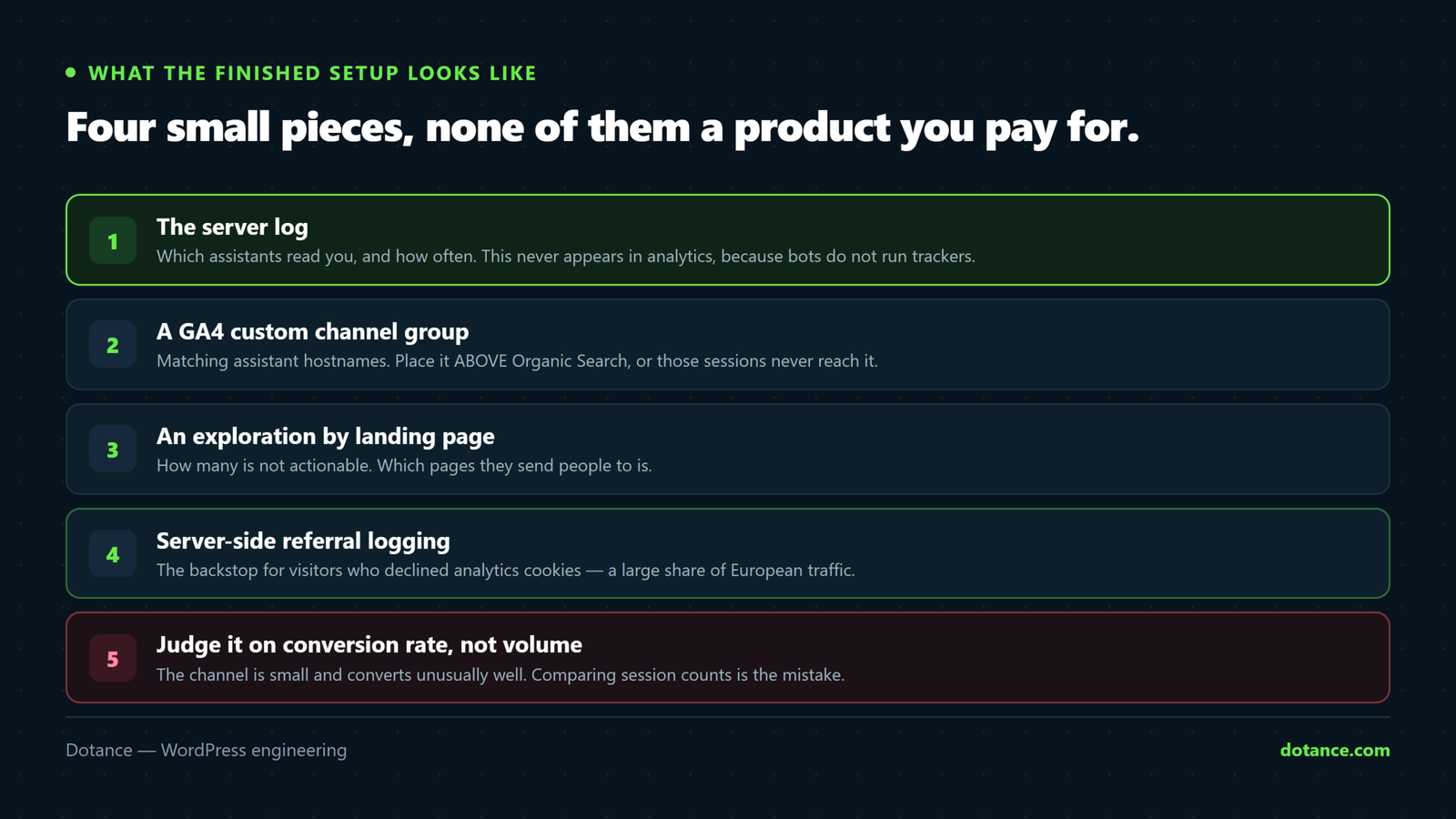
Put together, four small pieces let you track AI search traffic from first read to final enquiry, and none of them is a product you pay for.
| Layer | Answers | Cost |
|---|---|---|
| Server log, bot agents | Who is reading me? | One command |
| Referral log file | Who actually clicked, consent aside | One mu-plugin |
| GA4 channel group | What did they do on the site? | Ten minutes |
| Search Console branded line | The half nobody can attribute | Already there |
Build them in that order. The log layers work immediately and keep working whether or not a visitor accepts cookies, while the GA4 layer is what makes the channel legible to anyone else in the business. Trying to track AI search traffic with analytics alone is where most teams start, and it is why most teams conclude the channel is too small to bother with.
Where this goes wrong
| The mistake | What happens | Do this instead |
|---|---|---|
| Putting the AI channel below Organic Search | Gemini sessions never reach it | Move it to the top |
| Editing the default channel group | Google overwrites it on updates | Copy it, then edit the copy |
Matching on google alone | Swallows all organic search | Match gemini\.google specifically |
| Reporting Direct as “AI traffic” | Overstates the channel enormously | Report only what matched |
| Blocking AI bots then asking why citations stopped | You removed yourself from consideration | Decide deliberately, in robots.txt |
| Building a dashboard and never updating the regex | Silently misses new assistants | Review quarterly |
| Judging the channel on volume | Killing work that was converting | Compare conversion rate |
A quarterly routine
| Task | Where | Looking for |
|---|---|---|
| Update the source regex | GA4 channel groups | Assistants that did not exist last quarter |
| Bot-hit count by agent | Server log | A drop means a block somewhere |
| Landing pages by AI source | Exploration | What you are known for |
| Branded impressions | Search Console | The invisible half of the channel |
| Conversion rate vs site average | Exploration | Whether it earns more attention |
| robots.txt review | Your site | Accidental blocks from plugin presets |
Six checks, maybe forty minutes a quarter, and they are enough to track AI search traffic without it becoming a project. That is the correct amount of effort for a channel this size — enough to track AI search traffic honestly, not so much that you build a reporting habit bigger than the thing it reports on. The strategic side is a separate question, covered in GEO versus SEO.
OpenAI documents its crawler names and IP ranges publicly at the OpenAI bots page, which is the reference to use when you are verifying that a log entry is genuine rather than a spoofed user agent.
The other side of the same data: what visitors ask once they arrive. Dotance Chat keeps that log on your own site — every question, whether it was answered, and which page answered it — which lines up neatly against the AI-referral sessions tracked here.
Frequently asked questions
How is this different from just watching referrals?
A referral report gives you rows; a channel gives you a comparable line next to organic and paid, with the same conversion metrics attached. The point of the work is not to see the hostnames — it is to track AI search traffic in the same table as every other channel so it can be argued about on equal terms.
Why does so much of it land in Direct?
Mobile assistant apps and some desktop clients open links without passing a referrer. There is no setting that recovers it. Treat a rise in Direct alongside a rise in bot hits as suggestive, not as proof, and never relabel Direct as AI traffic in a client report.
Can I use UTM parameters to track AI search traffic?
Only where you control the link — a UTM on a URL in your own documentation, for example. You cannot tag a citation an assistant generates from your page, so this covers a small fraction at best.
Does Search Console show assistant impressions?
It shows AI Overviews within Google Search results, not third-party assistants. It is worth watching, but it is a different measurement from the referral channel — and if your pages are missing from Search Console entirely, start with why a WordPress site is not showing on Google.
Should I block AI crawlers?
Separate the two kinds. Training crawlers take content and return nothing directly; search crawlers are how you get cited. Blocking GPTBot while allowing OAI-SearchBot is a defensible position. Blocking both means opting out of the channel.
Will the regex need changing often?
Once or twice a year. Assistants that matter arrive slowly, and the ones that vanish do no harm sitting in the pattern. A calendar reminder each quarter is enough to keep the ability to track AI search traffic from quietly decaying.
Does any of this need a plugin?
No. The channel group is a GA4 setting and the log analysis is one command. Anything sold as an AI-traffic plugin is reading the same referrer you already have.
How long before the numbers mean anything?
Ninety days. The volumes are low enough that a fortnight of data is noise, and you need a quarter before a trend in either direction is real.
Is it worth reporting to clients at all?
Yes, with the caveats stated. Report it as one line among several, not as a feature of the month. Show the channel, the conversion rate, the bot hits, and say plainly that the branded-search half cannot be attributed. Clients respond well to being told where measurement ends — it makes the numbers you do give them more credible, not less.