Every content plan starts with a guess about what people want to read. Keyword tools guess from search volume; competitors guess from each other. Meanwhile, on any site with a chat bubble, visitors have been typing exactly what they wanted to know and getting “I’m not sure about that” back, and nobody has read the list. Chatbot unanswered questions are the questions your site failed to answer, asked by the people who came to have them answered, at the moment they cared. This guide is how to collect that list properly and six ways to turn it into pages that pull their weight.
Why chatbot unanswered questions beat keyword research
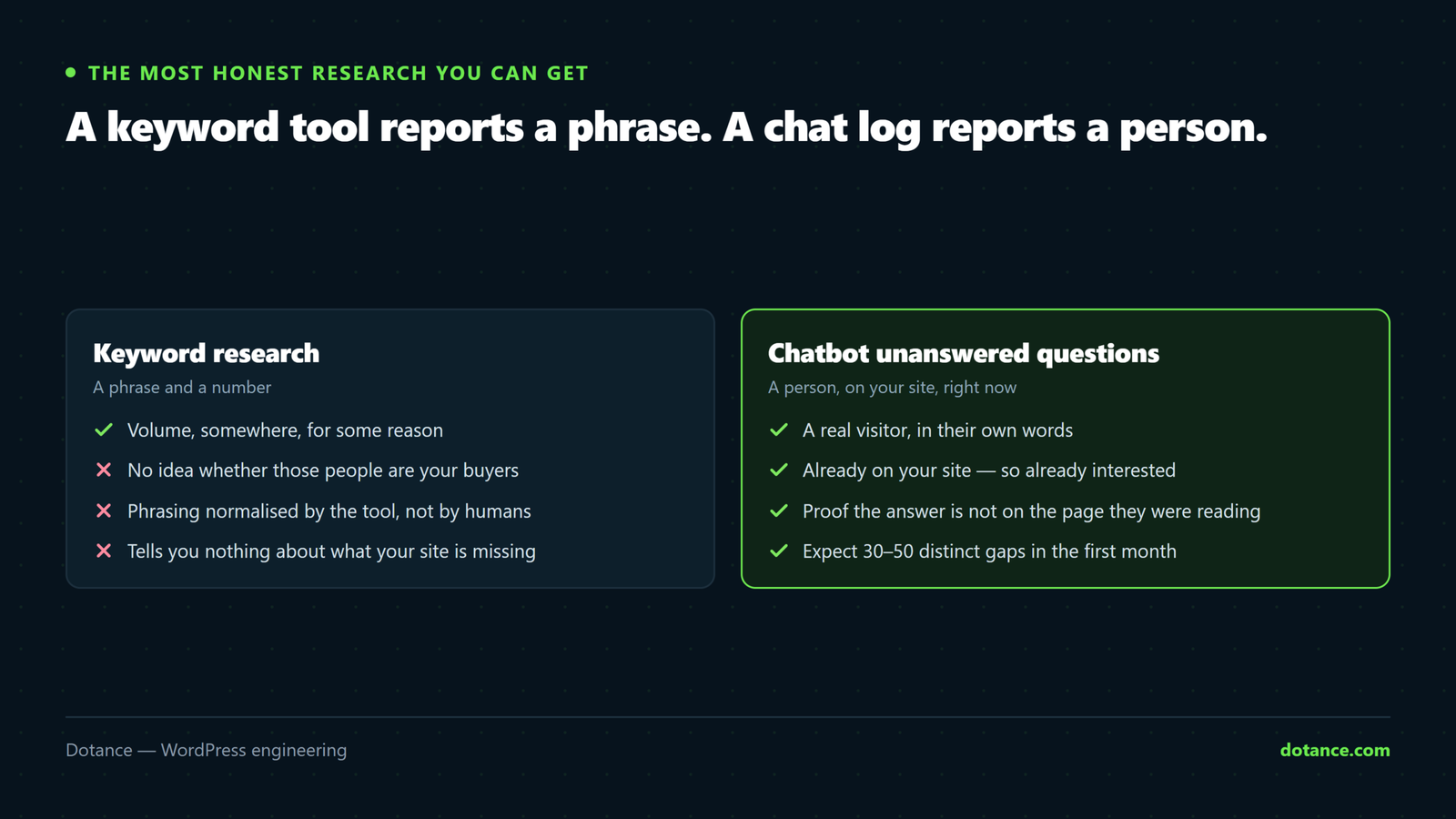
A keyword tool tells you that some number of people search for a phrase each month, somewhere, for some reason. A chatbot log tells you that a specific visitor, on your services page, on Tuesday, asked whether you work with clients in Germany — and left without an answer. The second is smaller and far more useful, because every item in it is a visitor you already had and a page you could have converted them with.
| Source | What it tells you | What it cannot |
|---|---|---|
| Keyword research | What strangers search for, at scale | Whether any of them would visit you, or what they meant |
| Search Console queries | What you already rank for, and near-misses | The questions you have no page for at all |
| Site search logs | What visitors looked for on your site | Whether they found it; usually a word, not a question |
| Chatbot unanswered questions | Full questions, from your visitors, that your content could not answer | Volume — it is your traffic, not the internet’s |
The fourth row only exists if the chat tool is honest about not knowing. A bot that answers from a general model never records a gap, because it always produces something; the question gets a plausible paragraph and disappears. A site-grounded bot — one that answers only from your own pages and declines otherwise — produces the list as a by-product of being truthful. That is one of the reasons we built Askora that way: the unanswered-questions report is the feature; the chat is how the data arrives.
Collecting chatbot unanswered questions properly
Before the six ways, the list has to exist in a usable form. Three requirements:
What a usable report needs
1. The question, verbatim — not a category the tool assigned.
2. The page the visitor was on when they asked it.
3. Whether the bot answered from your content, declined, or guessed.
   Only the declines are gaps. Guesses are gaps you cannot see.
If your tool shows transcripts, export a month and filter to the replies that contain its “I don’t know” phrasing. If it shows a report, check it includes the page context — a question asked on the pricing page means something different from the same question on the blog. If it shows neither, you have a chat bubble and no research tool, and the seven questions to ask before installing one are worth reading before the renewal.
Six ways to turn chatbot unanswered questions into content
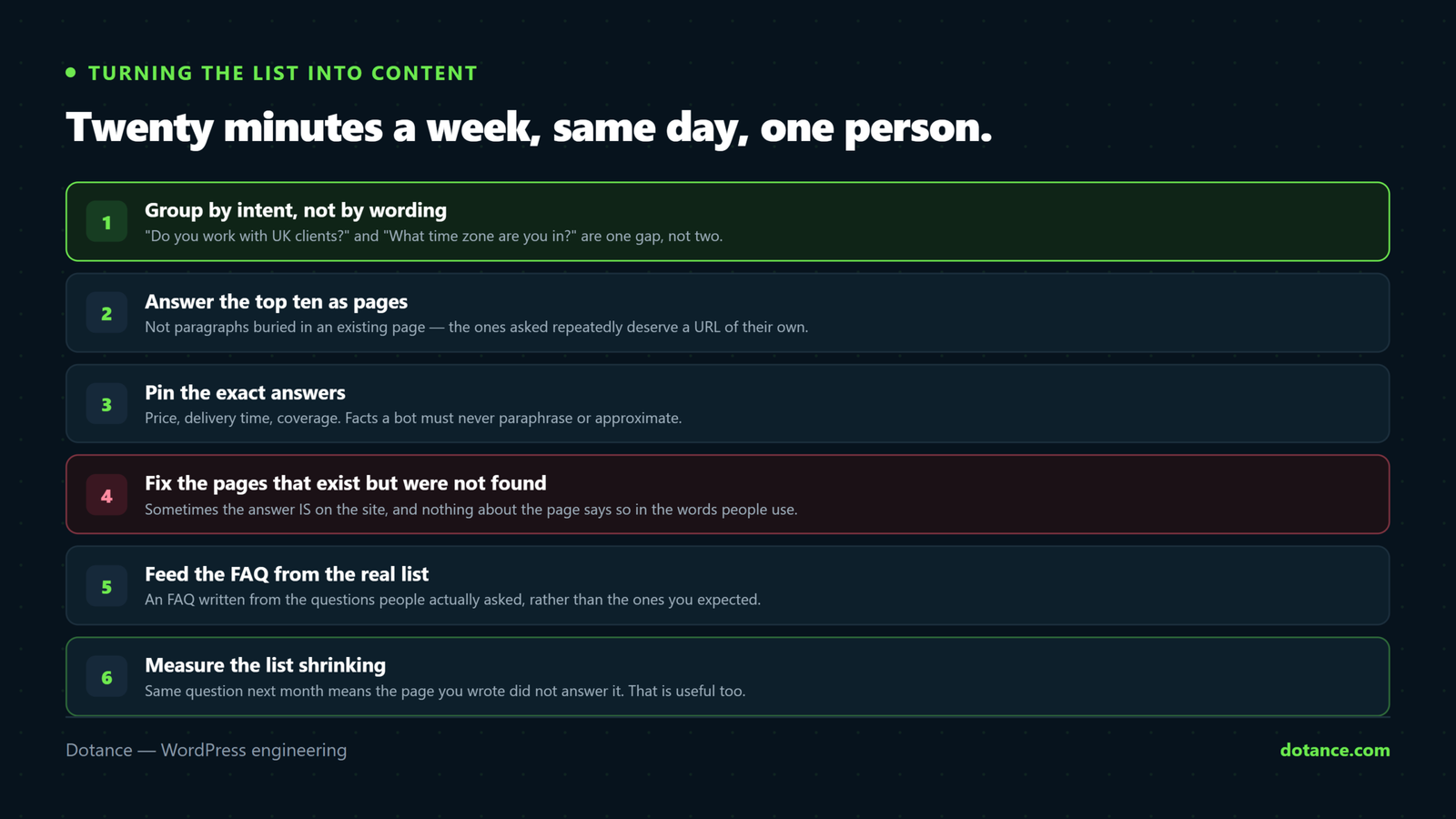
1. Group by intent, not by wording
“Do you work with UK clients?”, “Are you based in London?” and “What time zone are you in?” are one gap: where are you and who can hire you. Read the month’s list once and sort it into intents by hand — thirty to fifty questions take twenty minutes — before counting anything. The count per intent is your priority order, and it is usually lopsided: three intents account for half the questions.
Resist the temptation to automate this step on the first pass. The tool’s own clustering, if it has one, is a fine second opinion; it is a poor first one, because it groups by words and the value is in noticing that two differently worded questions want the same page.
2. Answer the top ten as pages, in the visitor’s words
The most-asked intents become pages, and the title of each page is the question as visitors asked it. Not “Our Service Area” but “Do you work with clients outside the UK?” — because that is the query, on your site and in a search engine, and the direct phrasing is also what an AI search engine lifts as an answer. Write the answer in the first paragraph, then the detail. This is the same shape the guide to getting cited recommends, and chatbot unanswered questions are the cheapest source of such titles you will find.
Ten pages from ten intents is a quarter’s publishing for a small site. It is also the first time the plan has come from the audience rather than from a tool’s estimate of one.
3. Pin the exact answers
Some gaps are not pages; they are facts. Prices, opening hours, delivery areas, minimum orders, refund windows. A visitor asked and the bot did not know because the fact lives in a PDF, a footer, or a colleague’s head. These go into pinned answers — short, exact, returned verbatim — so the bot stops declining them tomorrow, and into a facts page so search engines can find them too. Pinning is where chatbot unanswered questions turn into revenue fastest, because a price question is a buying question.
4. Fix the pages that exist but were not found
A share of the list — often a third — will be questions your site does answer, on a page the bot did not retrieve. That is not a content gap; it is a findability gap, and it points at the page. Usual causes: the answer is inside an image, a PDF or an accordion the indexer skipped; the page uses your internal name for the thing and the visitor used the common one; the page was excluded from the index; or the answer is one line in a 3,000-word post.
Fixes are correspondingly small: put the answer in text, add the common name, include the page, or give the answer its own heading. Check the bot’s index after each fix, and the question should start being answered. The same findability fixes help search engines, which is why a page that keeps producing chatbot unanswered questions is often also one that ranks for nothing.
5. Feed the FAQ, and the FAQ schema
Every page with a FAQ section should have its questions refreshed from this list, because the list is what people actually ask. Replace the invented “What makes you different?” entries with the real questions, in the real phrasing, with a direct answer. Keep the FAQ schema in step with it, so the questions are machine-readable; the technical SEO checklist covers the markup. The FAQ is the fastest route from a gap to a published answer — a paragraph rather than a page — so use it for the long tail of intents that do not justify a page of their own.
6. Measure the list shrinking
The report of chatbot unanswered questions is also the scoreboard. After each batch of pages and pins, the same questions should stop appearing, and the total of chatbot unanswered questions per hundred conversations should fall. Track that ratio monthly. A site that starts at 40% unanswered and gets to 10% has, by definition, written the content its visitors wanted, and the remaining 10% is the next month’s list.
Chase it to zero and you are answering questions nobody asks; the healthy floor is a small, changing residue of genuinely new ones. Put the ratio next to the AI-referral numbers and you have both halves of the picture: what AI search sent you, and what those visitors still could not find.
A weekly routine for chatbot unanswered questions
The list only pays if somebody reads it, and the way to make that happen is to make it small and regular. Twenty minutes a week, same day, one person:
Twenty minutes, every Monday
1. Open the report. Filter to the last seven days.
2. Dismiss tests, spam and "hello". Usually a third.
3. Sort the rest into existing intents; add new ones only when nothing fits.
4. Anything price/hours/policy: pin the answer now, on the spot.
5. Anything answered on an existing page the bot missed: fix the page now.
6. The top new intent this week: add it to the content list with the count.
7. Note the unanswered ratio for the week.
Steps four and five are why the routine is weekly rather than monthly: a pinned answer or a fixed heading closes the gap the same day, and the following week’s report shows it gone. Chatbot unanswered questions that wait a month for a content meeting are questions thirty more visitors will ask in the meantime. Steps six and seven feed the monthly planning, where the counts decide what gets written.
For a larger site with several editors, split by section: each editor reads the chatbot unanswered questions asked on their pages. The page context in the report makes that split possible; without it, the list is one undifferentiated queue and nobody owns it.
Services sites and shops: what differs
On a services site the gaps cluster around price, timeline, location and ownership — the four questions people ask before a call — and the answers are pages and pins. On a shop the chatbot unanswered questions are about a specific product: sizing, compatibility, delivery to a country, stock. Those are attributes, not pages; the fix is usually a missing field on the product template that the indexer can then read, and a pinned answer for delivery and returns policy. The routine is the same; the output is product data rather than prose.
A worked example from a services site
A consultancy with about thirty pages ran a grounded chatbot for one month. It logged 412 conversations and 168 questions the content could not answer. Grouped by intent, the 168 became 27 gaps; the top five accounted for 91 of them:
| Intent | Asked | What existed | Action |
|---|---|---|---|
| Price range for a typical project | 34 | Nothing — “contact us for a quote” | A pricing page with ranges; three pinned answers |
| Timeline from start to launch | 21 | One line in a case study | A “how long does it take” page |
| Whether they work with a particular platform | 16 | A logo in a footer image | Text on the services page; index the page |
| Who owns the work afterwards | 12 | Buried in terms | A FAQ entry and a pinned answer |
| Support after launch | 8 | A maintenance page the indexer had excluded | Include the page; add the common wording |
Two of the five needed no writing at all — a page put back into the index and a footer image replaced with text. The pricing page, which the owner had resisted for two years on the theory that prices scare people away, became the most-visited page on the site within a month and the one AI assistants quoted. The unanswered ratio went from 41% to 14% over two months. None of it came from a keyword tool; all of it came from chatbot unanswered questions, read once a week.
Where working with chatbot unanswered questions goes wrong
| Mistake | What happens | Instead |
|---|---|---|
| Using a bot that always answers | No gaps recorded; invented answers instead | A grounded bot that declines and logs |
| Reading raw transcripts | Hours of “hello?” and tests; the signal is lost | A report filtered to declines, with page context |
| Grouping by keyword | One intent split into six “topics” | Group by hand, by what the visitor wanted |
| Writing a page per question | Thirty thin pages nobody links | A page per intent; a FAQ line per long-tail question |
| Answering only in the bot | The gap closes for chat users and stays open for search | Pin the answer and publish it on a page |
| Never re-reading the list | The same questions, every month | Monthly review; track the unanswered ratio |
The first row decides whether any of this is possible. A tool that fills every gap with a confident guess produces no list, and worse, hides the gaps behind answers that may be wrong. If the report of chatbot unanswered questions on your site is empty, that is not because your content is complete.
Questions about chatbot unanswered questions
What counts as one of the chatbot unanswered questions?
One the bot could not answer from your own content and said so. A question it answered from general knowledge does not count, because you cannot tell whether the answer was right — and it should not have been given. The distinction is the difference between a grounded chatbot and a general one.
How many chatbot unanswered questions should I expect?
On a business site with a few dozen pages, thirty to fifty distinct gaps in the first month is typical, grouping to fifteen to thirty intents. It falls quickly once the top intents have pages. A site that reports none is either complete — rare — or running a bot that never declines.
Should every one of the chatbot unanswered questions become a page?
No. The top intents by count become pages; the long tail becomes FAQ entries and pinned answers; a share turns out to be questions you already answer on a page the bot did not find, which is a fix to that page. A page per raw question produces thin content that nobody links.
Does this help with AI search as well as my own chatbot?
Directly. An AI search engine building an answer about your business faces the same gap your bot did: if the page does not exist, it cannot cite you. Pages written from chatbot unanswered questions are, by construction, direct answers to real questions in the words people use, which is the format that gets cited. The GEO and SEO comparison goes into why.
What if my chat tool only shows transcripts?
Export a month, search for the tool’s decline phrasing, and build the list by hand once to see whether it is worth it. If it is — it usually is — switch to a tool that reports declines with page context, because the manual version will not survive the second month.
How does Askora handle chatbot unanswered questions?
It answers only from your indexed pages, declines otherwise, and lists every decline with the page it was asked on and a drafted answer written from whatever nearby content exists. You can pin the draft as an exact answer, save it as a draft post to expand, or dismiss it. The list is the content plan; the drafts are the first paragraph of each page.
How long before the chatbot unanswered questions ratio drops?
Within a month of publishing the top-intent pages and pinning the facts, on every site we have watched. The ratio then settles at a low, changing residue of new questions, which is the healthy state — it means the site is being asked things it has not been asked before.