Duda is popular with agencies, which is exactly why leaving it can be awkward. Many site owners never had a Duda account of their own; the agency did. When the owner wants to move to WordPress, they discover the export tool sits behind a plan they do not have. This guide covers how a Duda to WordPress migration really works, what Duda’s own export includes and leaves out, and the order of steps that keeps your search traffic. The export details come from Duda’s support documentation, which we link to below.
Why businesses move from Duda to WordPress
The reasons we hear are familiar from every hosted builder. The site lives on a subscription that never ends, often billed through an agency. The design belongs to the platform. And features are limited to what Duda exposes, so anything unusual means a workaround or a third-party embed.
WordPress fixes those problems at a price: you, or someone you pay, now looks after updates, hosting and security. That trade is worth it for most growing businesses, and it is the same trade we describe in our guide to moving from Wix to WordPress. The difference with a Duda to WordPress move is access. On Wix, the owner usually holds the account. On Duda, very often they do not.
What you gain and lose in a Duda to WordPress move
Be clear about the trade before you start. A Duda to WordPress move gives you ownership and freedom, and hands you responsibilities Duda used to carry.
| You gain | You take on |
|---|---|
| A site you own, on hosting you choose | Hosting, backups and security |
| Any plugin or custom feature you need | Plugin and core updates |
| Full control over URLs, schema and SEO settings | Someone to configure them properly |
| Freedom to change agency without changing platform | Choosing a developer you trust |
For a business site that is growing, the left column usually wins. For a five-page site that never changes, staying on Duda can be the sensible choice, and nobody should push you into a Duda to WordPress migration you do not need.
First, check who can export the site
Duda’s Site Export documentation sets two conditions. The feature is available on the Agency plan and higher, and only users with the account owner or staff member role can export a site. The site must also be published, because the tool exports the live version, not the draft in the editor.
| Your situation | What to do |
|---|---|
| You have your own Duda account on an Agency plan | Export it yourself: More → Settings → Site Export → Export Site |
| An agency built the site on their account | Ask them to run the export and send you the .zip |
| The agency will not help or has gone | Rebuild from the live site: copy content and download images page by page |
| You only want to change agencies, not platforms | Duda offers a site transfer between accounts instead of an export |
Ask for the export early, in writing, and give a date. Agencies are usually cooperative, but a Duda to WordPress migration stalls for weeks when the request sits in someone’s inbox.
What Duda’s export includes, and what it leaves out
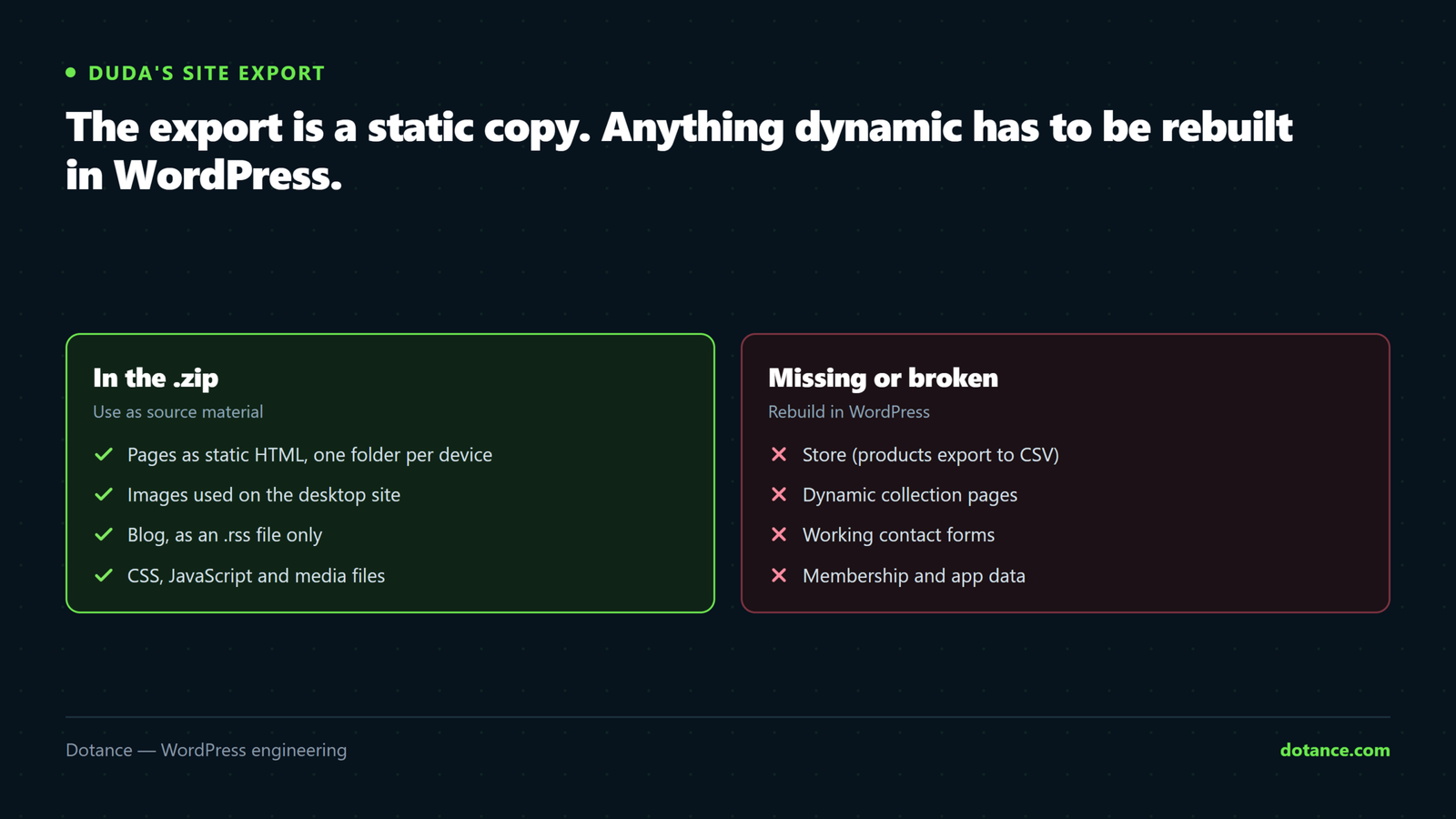
The export is a .zip file of your published site’s files: HTML, JavaScript, CSS, images and media, formatted to run on a web server without the Duda editor. Sites up to 1 GB can be exported. Because Duda serves different markup to different devices, you get three folders of HTML and CSS, one each for desktop, tablet and mobile.
| Feature | In the export? | Duda to WordPress plan |
|---|---|---|
| Pages and their text | Yes, as static HTML | Copy into WordPress pages |
| Images used on the desktop site | Yes | Upload to the Media Library |
| Blog | Only as an .rss file | Import with the WordPress RSS importer |
| Store | No; products export separately to CSV | Import into WooCommerce |
| Dynamic pages (collections) | No | Rebuild with custom post types or a page template |
| Contact forms | Appear, but stop working | Rebuild with a WordPress form plugin |
| Membership data and app data | No | Export from each app or invite members again |
| 404 page, personalization triggers | No | Recreate if you used them |
Do not reuse the exported code as your theme. Duda’s terms say you may not unminify the exported JavaScript and CSS or copy its template designs to sell. More practically, three device-specific copies of every page are a poor base for WordPress. Use the export as a source of content and images, and build a proper theme.
The Duda to WordPress migration in 7 steps
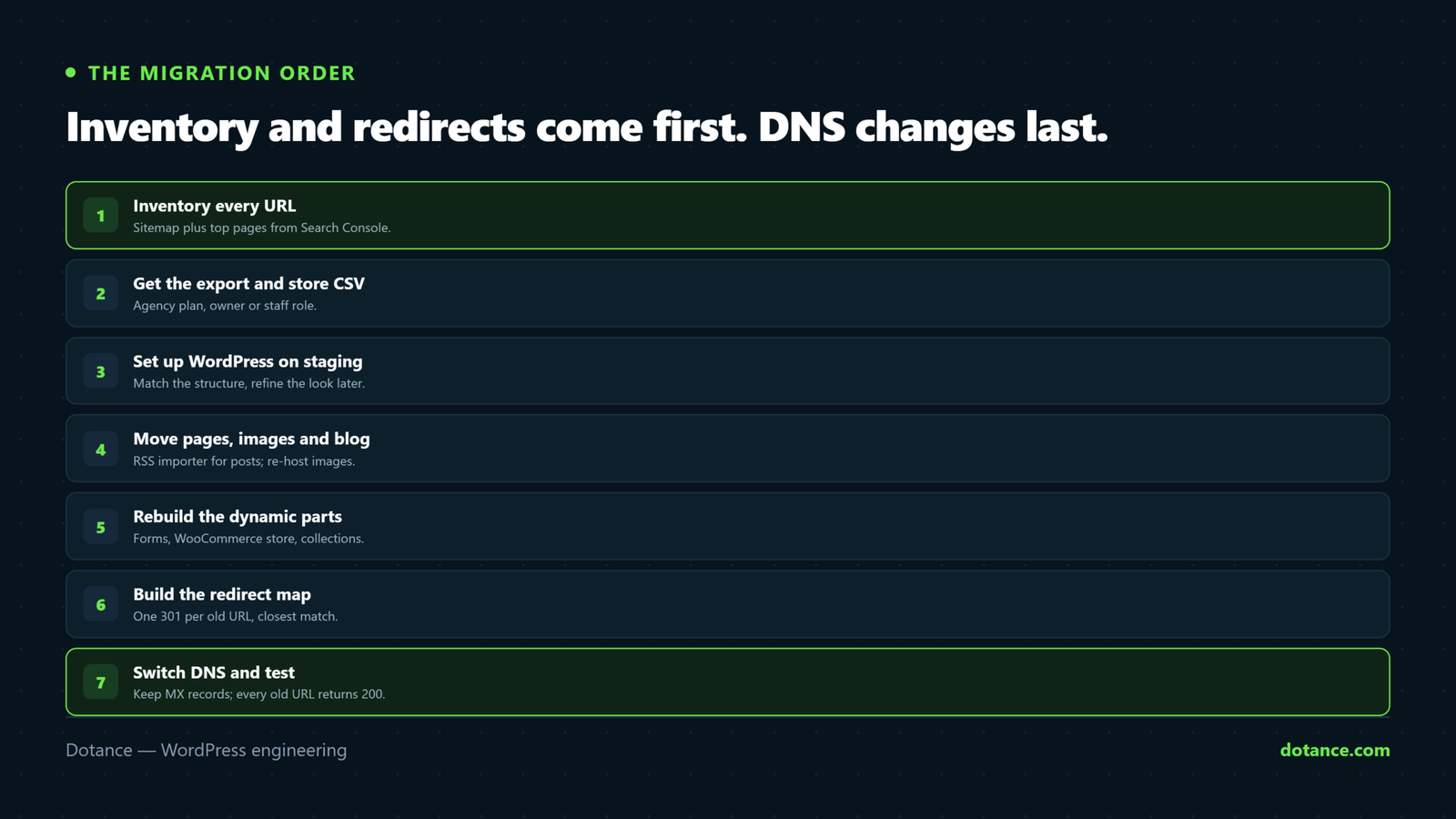
This is the order we follow on every Duda to WordPress project, small or large. The order matters more than the tools: inventory and redirects come before anything goes live.
Step 1: Inventory every URL
List every page, blog post and file URL on the live site before you touch anything. Start with the site’s sitemap if it has one, then add your top pages from Google Search Console, since those are the URLs that carry traffic and backlinks.
# Pull every URL from the live sitemap into a file
curl -s https://example.com/sitemap.xml | grep -o '<loc>[^<]*' | sed 's/<loc>//' > old-urls.txt
wc -l old-urls.txt
Keep this file. It drives your redirects in step 6 and your final checks in step 7.
Step 2: Get the export and the store CSV
Request the .zip from whoever holds the Duda account; the Duda to WordPress work cannot start properly without it. If the site has a store, ask for the product CSV from the store control panel at the same time, since the store is not in the .zip. Check the export opens and that the desktop folder contains every page from your inventory.
Step 3: Set up WordPress on staging
Build the new site on a staging copy or a temporary domain, not on the live domain. Choose a theme that matches the structure of the Duda site rather than one that matches its look exactly; the design can be refined later, but the page structure decides how much rework you face. Our guide to setting up a staging site covers the options.
Step 4: Move pages, images and the blog
Copy each page’s content from the desktop folder into a WordPress page, and upload the images to the Media Library. For the blog, WordPress has an RSS importer under Tools → Import. Run it on the .rss file from the export, then compare the number of imported posts with the number on the live blog.
# Count posts in the exported feed, then in WordPress after import
grep -c '<item>' blog.rss
wp post list --post_type=post --format=count
The RSS importer brings in post text, not the image files, so images in imported posts may still point at Duda’s servers. Those links break when the Duda site is switched off. Download each image, upload it to WordPress and update the post, or use a plugin that imports external images into the Media Library.
Step 5: Rebuild what the export cannot carry
Forms, store, dynamic pages and memberships need rebuilding in WordPress, and this is where most Duda to WordPress time goes. For the store, map the Duda CSV columns onto WooCommerce’s product CSV importer; our guide to WooCommerce product import covers the column mapping and the usual errors. For dynamic pages built from Duda collections, a custom post type with a single template usually replaces them cleanly. If your collections were fed from an external spreadsheet, that spreadsheet is your best export.
Step 6: Build the redirect map
Duda and WordPress rarely produce the same URLs in a Duda to WordPress move, especially for blog posts. Map every URL from your inventory to its new address with a 301 redirect, either in a redirect plugin or in the server configuration:
.htaccess (Apache or LiteSpeed)
Redirect 301 /about-us /about/
Redirect 301 /blog/our-first-post /blog/our-first-post/
Redirect 301 /services-1 /services/
Send each old page to the closest matching new page, never everything to the home page. Our guide to redirects without losing rankings explains why that matters.
Step 7: Switch DNS and test
Lower the DNS TTL a day ahead, note your current MX records so email keeps working, then point the domain at your WordPress host. Run your inventory against the new site straight away:
# Every old URL should end on a live page (200)
while read url; do
  curl -s -L -o /dev/null -w "%{http_code} $url\n" "$url"
done < old-urls.txt | grep -v '^200'
An empty result means every old URL lands somewhere real and the Duda to WordPress switch is complete. Submit the new sitemap in Search Console the same day.
Choosing a WordPress setup after Duda
People leaving Duda are used to a visual editor, so the WordPress setup should not feel like a step backwards. There are two sensible routes for a Duda to WordPress rebuild.
A block theme uses the WordPress editor itself. It is fast, needs no extra plugins and suits simple sites whose owners make small text changes. A page builder such as Elementor gives a drag-and-drop editor much closer to Duda’s, at the cost of extra weight and one more plugin to keep updated. Our comparison of a page builder or a custom theme covers the trade-off in detail.
Whichever you choose, keep the plugin list short. A Duda to WordPress migration is a chance to start clean: one form plugin, one SEO plugin, one backup plugin, a caching layer from your host, and nothing installed “just in case”.
Moving a portfolio of Duda sites
Agencies leaving Duda face a different problem: not one site but dozens, each with a client waiting. The approach that works is to treat the first Duda to WordPress migration as a pilot. Build a starter theme, a standard plugin set, a form template and a redirect checklist on that site, then reuse all of it.
Group the remaining sites by type, such as brochure sites, sites with blogs and sites with stores, and move them in waves. Tell each client the date their site moves and what will look different in their editor. Keep each Duda site live until its WordPress replacement has passed the URL check in step 7, then cancel it. That way no client is ever without a working site.
Will a Duda to WordPress migration hurt SEO?
Not if the redirects are complete and the content is kept. Search engines rank pages, not platforms. Traffic drops after a Duda to WordPress move almost always trace back to one of three things: old URLs that now 404, pages whose text was shortened during the rebuild, or titles and meta descriptions that were not copied across.
Copy each page’s title and meta description from the live Duda site into your SEO plugin before launch. Keep the same headings where they still fit. Expect a few weeks of movement while Google recrawls, and check the Pages report in Search Console after the first week. Our article on what never transfers in a website migration covers the less obvious items, such as tracking codes and structured data.
What a Duda to WordPress migration costs in time
Duda’s own guidance for moving sites to Duda estimates a few hours per site for a manual rebuild, and the reverse direction is similar for a small brochure site. The time grows with four things:
| Factor | Small effect | Large effect |
|---|---|---|
| Number of pages | Under 15 | Over 50 |
| Blog | None, or a few posts | Hundreds of posts with images |
| Dynamic pages or store | None | Collections or a product catalogue |
| Access to the export | You hold the account | Agency unreachable; rebuild from the live site |
Agencies moving a portfolio of Duda sites gain from doing them in waves: the theme, form setup and redirect process are built once and reused. Our Duda to WordPress migration service works that way for agencies and single sites alike.
Launch day checklist
Run through this list on the day the domain moves. Each item takes a minute, and each one catches a problem we have seen on a real launch.
- Every URL from the inventory returns 200 after redirects.
- Every form sends a test message that actually arrives.
- Email still works, and the MX records match the ones you noted.
- The SSL certificate is active and no page shows a mixed-content warning.
- Google Analytics or your tag manager fires on the new pages.
- The new sitemap is submitted in Search Console.
- The “discourage search engines” setting in WordPress is switched off.
- A full backup of the new site exists and you know how to restore it.
That last item is easy to skip on a busy day. Do not skip it; the first week after launch is when people make the most changes and the most mistakes.
Where this goes wrong
| Mistake | What happens | Do this instead |
|---|---|---|
| Cancelling Duda before the export | No .zip, no images, no blog feed | Export first, cancel last |
| Using the exported HTML as the new site | Three copies per page, frozen forms, licence problems | Rebuild in a WordPress theme |
| Trusting the RSS import blindly | Missing posts, images still on Duda’s servers | Count posts, re-host images |
| No redirect map | Old links 404 and rankings drop | Map every URL from the inventory |
| Forgetting MX records | Email stops arriving | Copy every DNS record before the switch |
| Leaving forms untested | Leads quietly lost after launch | Submit every form on the new site |
If you are weighing other platforms too, the same pattern applies to an HTML to WordPress conversion, which is close to what a Duda export really is: a static site that needs a CMS behind it.
Common questions about Duda to WordPress
Can I export my Duda site myself?
Only if you are the account owner or a staff member on a Duda Agency plan or higher. Otherwise the agency that holds the account has to run the export for you.
Is there a plugin that imports a Duda site into WordPress?
There is no official one. The Duda to WordPress route is the static export for content and images, the WordPress RSS importer for the blog and the WooCommerce CSV importer for products.
Will my Duda blog posts keep their URLs?
Usually not exactly. Set a WordPress permalink structure that comes close, then add a 301 redirect for every post whose address changed.
What happens to my Duda forms?
They appear in the export but do not work. Rebuild them with a WordPress form plugin and test each one before you switch DNS.
How long does a Duda to WordPress migration take?
A small brochure site can move in a few days once the export is in hand. A site with a large blog, a store or dynamic pages takes a few weeks, mostly spent on rebuilding and checking.