Every WooCommerce store is being nudged towards the block checkout, and the nudge rarely mentions the cost. This guide is the audit we run before recommending WooCommerce checkout blocks to a client — what actually breaks, how to find out in an hour, and when staying put is the right call.
What WooCommerce checkout blocks actually changed
The classic checkout was a PHP template with dozens of hooks. Extensions attached to those hooks and injected fields, notices and whole sections into the page as WooCommerce rendered it.
The block checkout renders in React, in the browser. There is no PHP rendering pipeline to hook into. Extensions have to register through a JavaScript API instead, and every extension that has not done that work has nowhere to attach.
That is the whole story. WooCommerce checkout blocks did not change what a checkout does. They changed where it is assembled, and a decade of extensions assumed the old answer.
What you actually gain
| Gain | Real or marginal? |
|---|---|
| Faster perceived checkout — no full page reloads | Real. Field-level validation, instant totals |
| Better mobile layout out of the box | Real, if your theme fought the classic template |
| Editable in the block editor | Real for small changes, limited for big ones |
| Local pickup built in | Real if you need it, irrelevant otherwise |
| Fewer checkout plugins needed | Sometimes. Depends entirely on your stack |
| Conversion uplift | Plausible, not automatic. Measure it |
The speed gain is the one worth having. Shoppers feel a checkout that responds instantly, and the classic checkout’s full page reload on every change was a genuine friction point. If your store’s problem is abandonment at the payment step, WooCommerce checkout blocks are at least aimed at the right thing.
What they are not is a conversion guarantee. Anyone selling the migration on a promised percentage is guessing.
What breaks, honestly
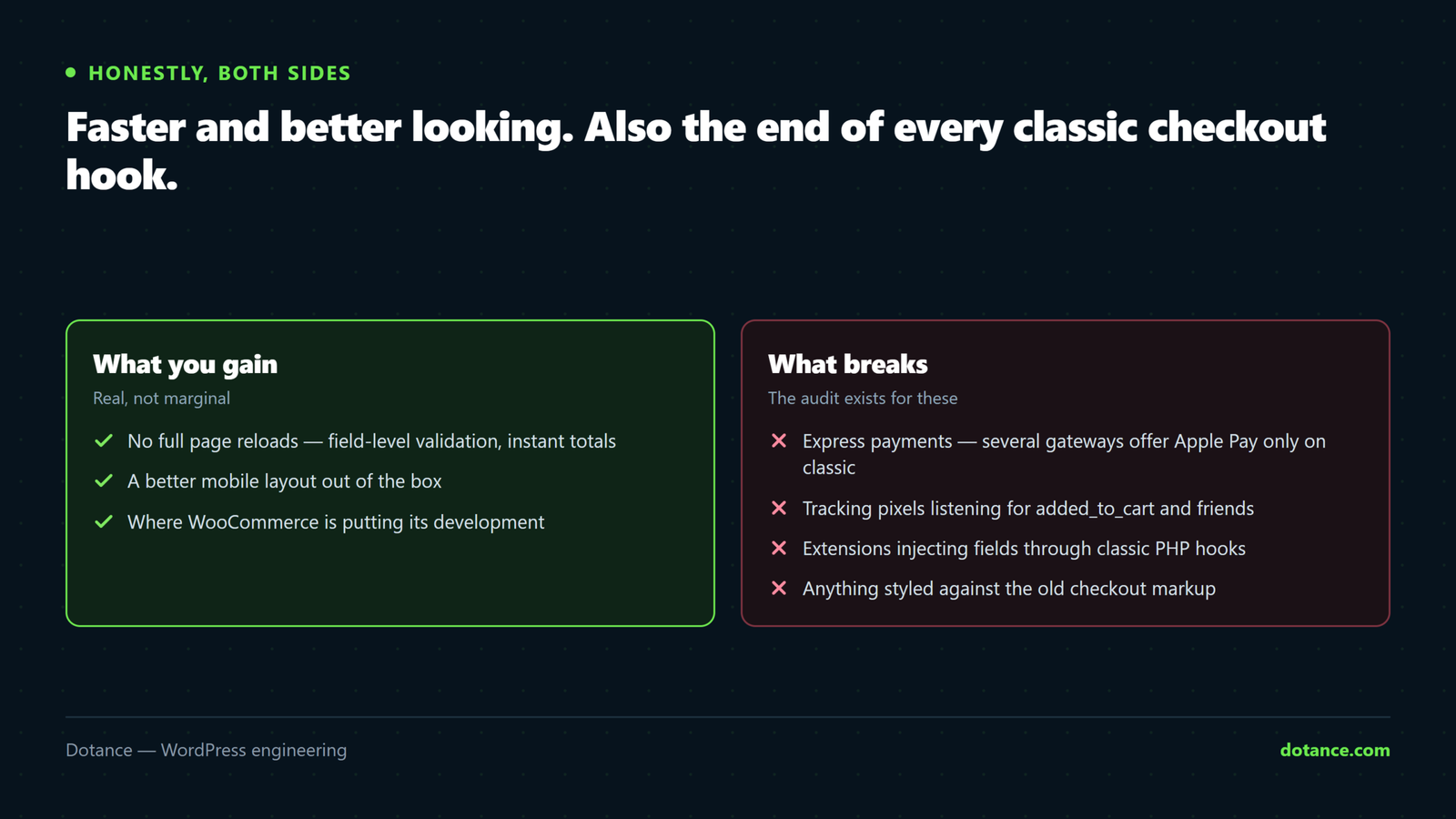
Express payment methods
This is the most common blocker. Several gateways that offer Apple Pay and Google Pay do so only through the classic checkout; their express buttons do not appear in the blocks. If a meaningful share of your revenue arrives through a wallet, WooCommerce checkout blocks can cost you money on day one.
Check your gateway’s own compatibility page, not a general article. The situation differs per provider and changes month to month.
Checkout add-ons and field plugins
Anything that added a field, a tick box, a gift message, a delivery date picker or a fee. Under the classic checkout these hooked into PHP. Under the blocks they need the extension API, and support is uneven — some have done it, some have not, some have done it partially.
Local pickup extensions
Several third-party pickup plugins are incompatible with both the cart and checkout blocks, because WooCommerce now ships its own local pickup and the two approaches disagree about how shipping is selected.
Tracking pixels
The quiet one, and the reason to read what actually moves checkout conversion before you change anything you are measuring. Pixel plugins that listen on the old jQuery events — added_to_cart, woocommerce_checkout_init — simply stop firing. Nothing errors. Your ad platform just goes quiet, and you find out at the end of the month.
Child theme overrides
If your theme overrides checkout/form-checkout.php or its partials, those templates are not used by WooCommerce checkout blocks at all. Whatever they did is gone, silently.
# Every WooCommerce template your theme overrides
find wp-content/themes/*/woocommerce -name '*.php' | sed 's|.*/woocommerce/||'
The one-hour audit
Do this before any decision about WooCommerce checkout blocks. It is an hour, and it replaces a month of finding out.
Step 1 — List what touches checkout
wp plugin list --status=active --fields=name,version --format=tableMark every plugin that adds a field, changes a fee, handles payment, tracks an event or alters shipping. That is your list. Everything else is irrelevant to this decision.
Step 2 — Check each one against the blocks
| Plugin type | What to confirm | If unclear |
|---|---|---|
| Payment gateway | Blocks support and express wallets | Ask the vendor directly |
| Checkout fields / add-ons | Uses the extension API | Assume no |
| Shipping / pickup | Listed as blocks-compatible | Assume no |
| Tracking pixels | Listens to the Store API events | Assume no, and plan to re-verify |
| Subscriptions | Renewal and initial purchase both | Test, do not read |
| Tax plugins | Totals match the classic checkout | Compare a real basket |
Step 3 — Count what the answer is worth
Two numbers decide the urgency. What share of orders use a wallet, and what share of revenue depends on a field a plugin adds.
# Orders by payment method, last 90 days (HPOS)
wp db query "SELECT payment_method_title, COUNT(*) AS orders
  FROM wp_wc_orders
  WHERE date_created_gmt > DATE_SUB(NOW(), INTERVAL 90 DAY)
  GROUP BY payment_method_title ORDER BY orders DESC;"
If wallets are 2% of orders you have a different decision from a store where they are 40%.
Step 4 — Test on a copy
Clone the store, switch the page to WooCommerce checkout blocks, and place four orders: a plain card order, a wallet order, an order using whatever custom field matters, and — if you sell them — a subscription. Then confirm each one appears correctly in the orders screen and in your tracking. Our staging guide covers doing that safely with a live store.
Deciding: switch, wait, or pay someone
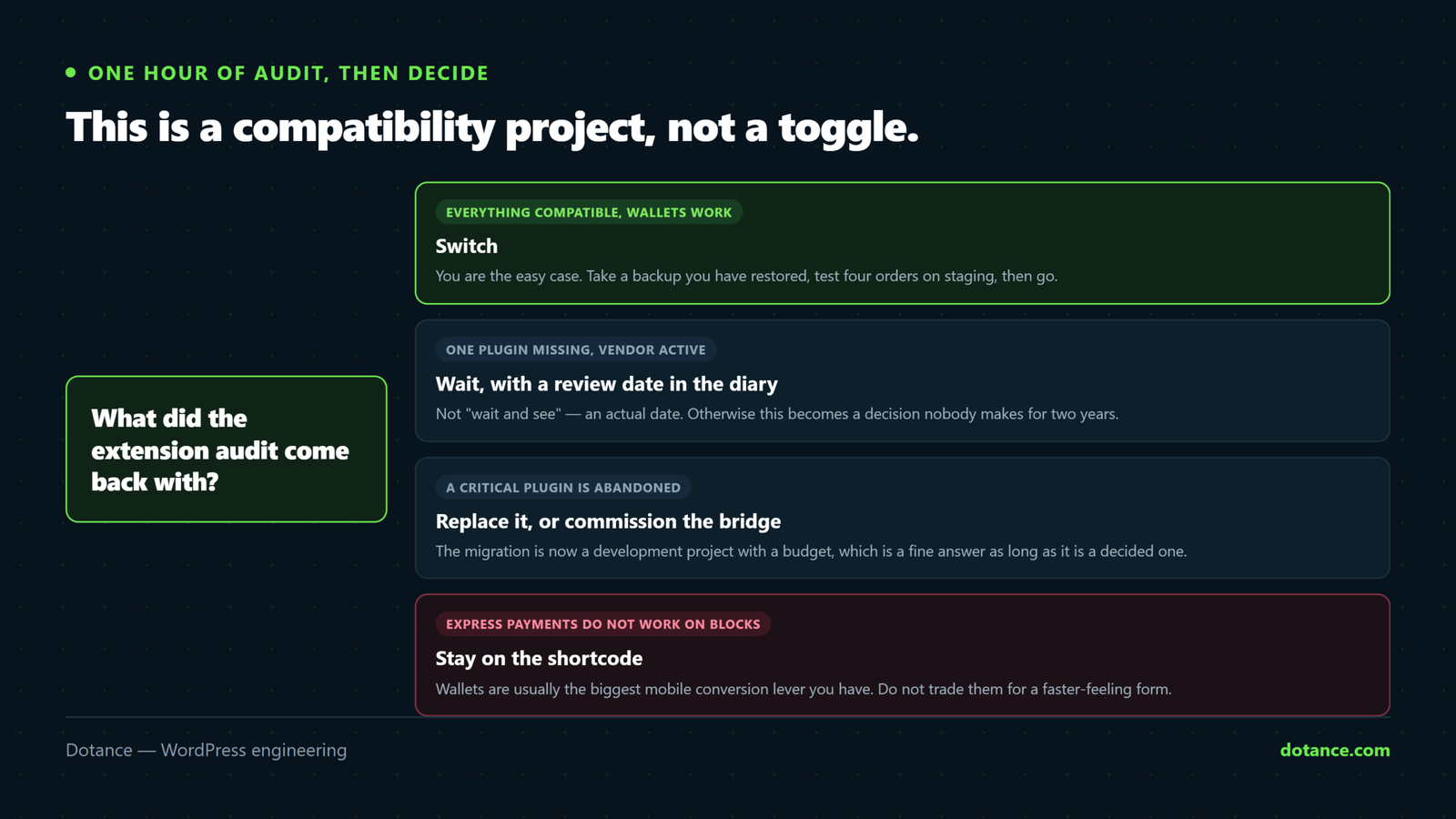
| Audit result | Decision |
|---|---|
| Everything compatible, wallets work | Switch. You are the easy case |
| One plugin missing, vendor active | Wait for the vendor. Set a review date |
| One plugin missing, vendor gone | Replace the plugin, then switch |
| Wallets unsupported, wallets are big | Stay classic until the gateway ships it |
| Heavy custom template work | Budget a rebuild. This is a project |
| Nobody knows what the custom code does | Find out first. Migrating blind is how stores lose a week |
Whichever row you land on, write the decision down with a date on it. A store that reviews this quarterly ends up migrating on its own schedule; one that waits for a notice to become urgent migrates on somebody else s.
Staying on the shortcode checkout in 2026 is not negligence. It is supported, it works, and for a store whose extension stack is not ready it is plainly the better commercial decision. What would be negligent is not knowing which case you are in.
The honest framing: for a store with gateway and add-on debt, WooCommerce checkout blocks are a paid compatibility cleanup, not a free upgrade. Price it as one.
Migrating without losing orders
If the audit says go, the sequence matters more than the speed.
- Take a backup you have restored. Not one you merely have.
- Switch on staging and place the four test orders from step 4.
- Verify tracking fires — do not assume. Watch the network tab.
- Check tax and shipping totals against the classic checkout on the same basket.
- Switch live at your quietest hour, with the classic page kept, not deleted.
- Watch orders for 48 hours against the same period last week.
Keeping the old page is what makes this reversible. WooCommerce checkout blocks are a block on a page; the shortcode is a different page. Rolling back is changing which page WooCommerce points at, and that takes seconds — if you did not delete the other one.
# Which page WooCommerce uses for checkout
wp option get woocommerce_checkout_page_id

# Point it back at the shortcode page if you need to
wp option update woocommerce_checkout_page_id 42
Re-verify tracking specifically
Because this is the failure that hides. After switching to WooCommerce checkout blocks, add something to the cart and watch for your pixel’s request. If it does not fire, your plugin is listening to events that no longer happen, and the fix is a version that listens to the Store API instead.
Check the same for server-side tracking, conversion APIs and any analytics that reads the thank-you page. WooCommerce documents the Store API at woocommerce.com.
What extensions have to do now
It helps to know what you are asking a vendor for when you ask whether they support WooCommerce checkout blocks, because “we’re compatible” covers three quite different amounts of work.
Level one: it does not crash
The plugin no longer relies on a checkout hook and does not throw. That is compatibility in the weakest sense — the checkout loads, and the plugin’s feature is simply absent.
Level two: it registers through the Store API
The plugin declares itself to the block checkout and adds its field, fee or notice through the official integration interface. This is real support, and it is the answer you want.
Level three: it renders its own block
The plugin ships React components that live inside the checkout. Gateways doing express wallets are here, which is why wallet support lags furthest behind — it is the most work.
The question to actually ask a vendor: “Does your plugin register through the Store API integration interface, and are express wallets supported in the blocks?” Both halves matter, and “yes we support blocks” answers neither.
For custom code you own, the same applies. A snippet in functions.php that adds a checkout field through woocommerce_after_order_notes does nothing under WooCommerce checkout blocks. It has to be registered server-side and rendered client-side, which is genuinely more work than the one-liner it replaces. Our note on when custom code is worth it is the honest framing for that decision.
A store that should not have migrated
A shop selling personalised gifts asked us to switch them to WooCommerce checkout blocks because a plugin notice had been nagging for months. The audit took forty minutes and the answer was no.
Three things decided it. Their card gateway supported the blocks, but its Apple Pay button did not — and Apple Pay was 31% of their mobile orders. Their personalisation field, which captures the engraving text, came from an add-on plugin last updated in 2024. And their Meta pixel fired from a plugin listening on the old jQuery events.
Switching would have cost them roughly a third of mobile revenue, broken the one field the business exists to collect, and blinded their advertising — all at once, quietly, with no error message anywhere. The notice suggesting it did not mention any of that.
What we did instead: replaced the abandoned personalisation plugin with one that registers properly, set a calendar reminder to re-check the gateway’s wallet support quarterly, and left the checkout alone. WooCommerce checkout blocks are still the destination. They were not the next step.
The opposite case is just as common. A store selling one digital product, mainstream gateway, no add-ons, no custom fields — that store should switch this afternoon and enjoy the faster checkout. The audit is what tells the two apart, and it is the same forty minutes either way.
While you are in there: HPOS
Two migrations tend to arrive together, and confusing them costs time. WooCommerce checkout blocks change how the checkout is rendered. High-Performance Order Storage changes where orders are stored — in dedicated tables rather than as posts.
They are independent. You can run HPOS with a classic checkout, or WooCommerce checkout blocks on legacy storage. If both are on your list, do them one at a time with a week between, because the failure modes look similar from the outside and you want to know which change caused what.
# Which order storage is active
wp option get woocommerce_custom_orders_table_enabled

# Is the sync between old and new tables still running?
wp wc hpos status
Performance-wise HPOS is the bigger win on a store with tens of thousands of orders, and it has nothing to do with how fast the checkout feels. If speed is the goal, our guide to a slow WooCommerce store covers where the time actually goes.
Where this goes wrong
| Mistake | What it costs |
|---|---|
| Switching because an admin notice suggested it | A live checkout missing a field your business needs |
| Deleting the classic checkout page | Your rollback |
| Trusting a compatibility list over a test | Lists lag. Your basket does not |
| Not checking wallets specifically | The revenue you lose is the revenue you never see |
| Assuming tracking carried over | A month of unattributed spend |
| Migrating during a sale | Worst possible week to debug a checkout |
The pattern behind most of these is the same: WooCommerce checkout blocks fail quietly. A broken checkout that throws an error gets fixed in an hour. A checkout that silently drops a field, or stops reporting to your ad platform, runs for weeks.
Common questions about WooCommerce checkout blocks
Is the classic checkout being removed?
Not currently. WooCommerce has moved the default for new stores and pushes existing ones, but the shortcode is still supported. Plan the move; do not panic about it.
Will WooCommerce checkout blocks increase my conversion rate?
Possibly. The checkout responds faster and handles mobile better, both of which help. Anyone quoting a specific uplift for your store has not seen your store — measure yours before and after on the same traffic.
Can I use the cart block but keep the classic checkout?
Yes, and it is a sensible halfway step. The cart has fewer extension dependencies, so you get some of the benefit while the checkout question stays open.
My gateway says “supported” but Apple Pay is missing. Why?
Gateway support and express-wallet support are two different claims. Several providers support WooCommerce checkout blocks for card payments while their wallet buttons remain classic-only. Ask specifically about the wallet.
What happens to my checkout customisations?
Template overrides stop being used. Hook-based additions stop firing. Both need rebuilding against the extension API — which is real work, and the main reason this is a project rather than a setting.
Do WooCommerce checkout blocks work with my theme?
Almost certainly, and better than the classic template did. The blocks inherit your theme’s global styles rather than a decade of checkout-specific CSS, which is why stores whose theme fought the old template often see the biggest visual improvement. The exception is a theme that heavily overrode the checkout templates — those overrides are simply not used any more.
What about one-page or multi-step checkouts?
Plugins that rearranged the classic checkout into steps do not carry over. Some have shipped block versions; many have not. If a stepped checkout is central to how you sell, confirm it before anything else — it is usually the single hardest thing to reproduce.
Can I test WooCommerce checkout blocks without affecting shoppers?
Yes. Build the block checkout on a second page, leave the live one alone, and visit it directly. You get a real checkout you can order through while every customer continues to use the existing one. That is the safest way to run the four test orders.
How long does a typical migration take?
A simple store with a mainstream gateway and no add-ons: an afternoon, most of it testing. A store with a custom field, a wallet and two tracking integrations: a week, and worth doing properly. A store nobody has documented: start by documenting it.