Measure before you change anything
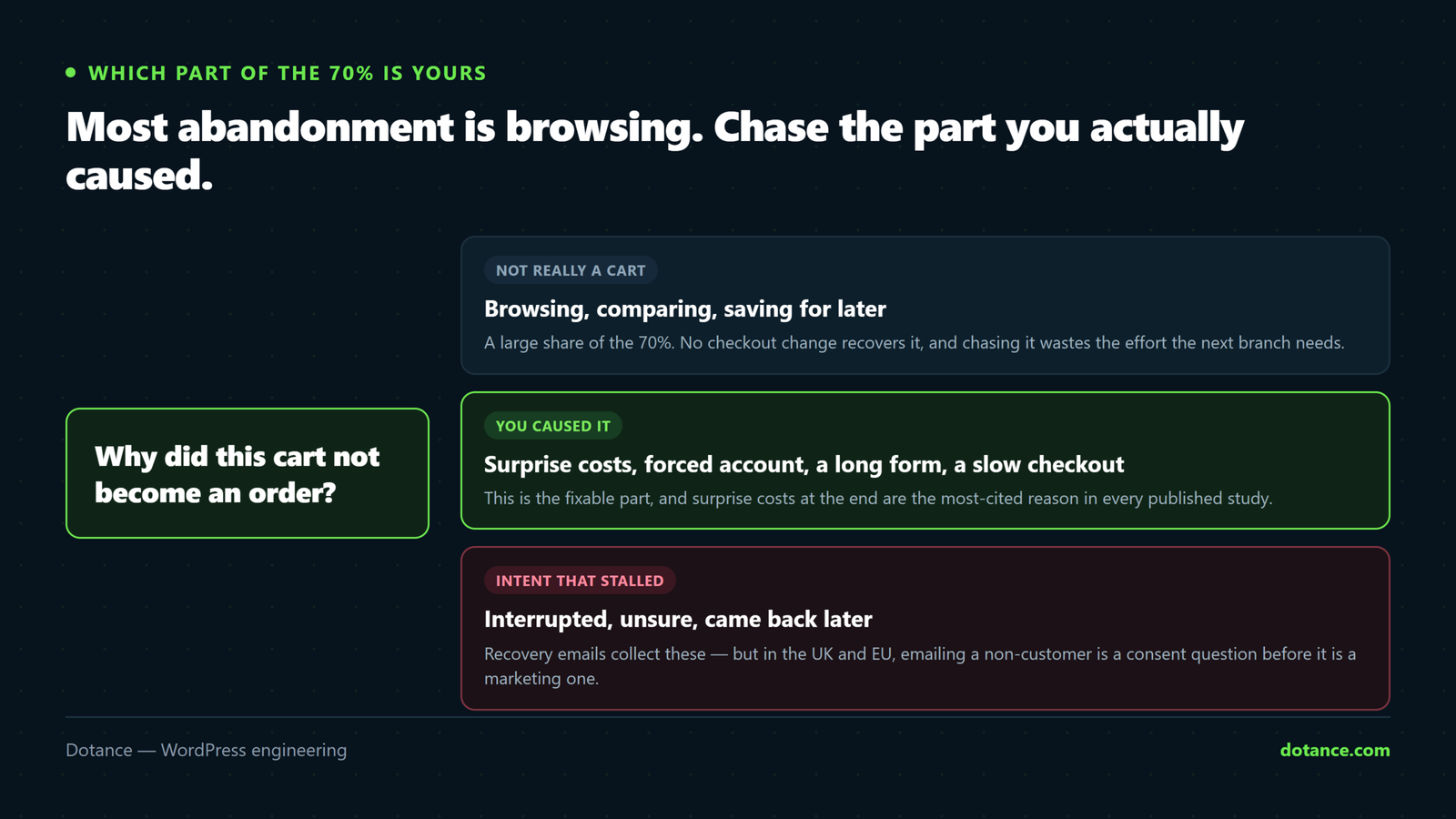
The widely cited figure is roughly seven in ten carts never becoming orders. Treat that as context, not a target — your own number and your own reasons are what matter, and they differ by trade.
What you actually need is where people leave. Set up a funnel in GA4 across add_to_cart → begin_checkout → add_payment_info → purchase. WooCommerce sends those events through Google’s own integration.
| Biggest drop | Means | Work on |
|---|---|---|
| Cart → checkout | They saw the total and left | Shipping and cost transparency |
| Checkout → payment | The form itself is the obstacle | Fields, guest checkout, speed |
| Payment → purchase | Trust, or a broken payment step | Methods offered, reassurance — and check for actual errors |
Without this you are guessing which of the sections below applies to you.
1. Surprise costs
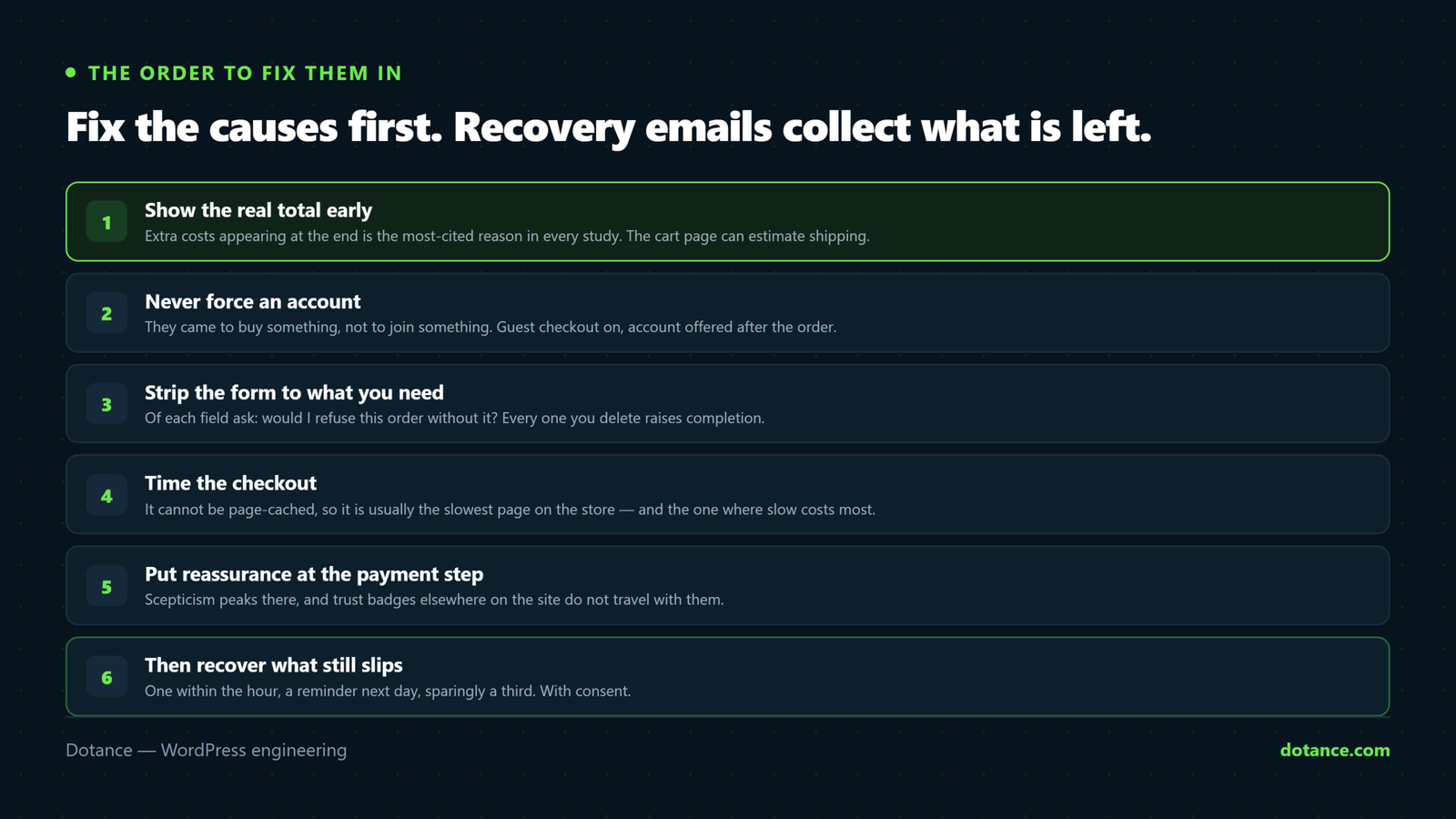
The most-cited reason in every published study: extra costs appearing at the end — shipping, tax, fees.
- Show shipping before the checkout. The cart page can estimate it; for flat rates, put it on the product page.
- Be explicit about tax. A B2C store showing prices ex-VAT until the last step is manufacturing its own abandonment.
- Consider folding shipping into the price. “Free shipping” converts better than the same money discounted — the same total, framed as no surprise.
- Set a free-shipping threshold and show progress: “£12 away from free delivery” raises order value and reduces abandonment at once.
WooCommerce → Settings → Shipping → Shipping options → Enable the shipping calculator on the cart page.
2. Never force an account
“Create an account to continue” is where first-time buyers leave. They came to buy something, not to join something.
WooCommerce → Settings → Accounts & Privacy:
- ✓ Allow customers to place orders without an account
- ✓ Allow customers to create an account during checkout (optional, not required)
- ✓ When creating an account, send a link to set the password
Offer the account after payment, as one optional checkbox on the thank-you page. Commitment first, convenience after — at that point they already trust you.
3. Strip the form to what you need
Every field is a small reason to stop. Open your checkout and ask of each one: would I refuse the order without this?
functions.php
add_filter( 'woocommerce_checkout_fields', function ( $fields ) {
	// Ask only for what you will actually use.
	unset( $fields['billing']['billing_company'] );
	unset( $fields['billing']['billing_address_2'] );
	unset( $fields['order']['order_comments'] );

	return $fields;
} );
Do not remove a field you need for tax, fraud checks or delivery. Address line 2 matters for flats and office buildings; company name matters for B2B invoicing. The point is to delete what you never read — not to make the form short at the cost of failed deliveries.
Two more that pay for themselves:
- Address autocomplete — postcode lookup turns six fields into one interaction.
- Collapse the coupon field. A prominent empty coupon box sends buyers off to hunt for a code, and many do not come back. Keep it, but as a small “Have a code?” link.
4. Checkout speed is conversion
The checkout cannot be page-cached, so it is usually the slowest page on the store — and the one where slowness costs the most.
curl -s -o /dev/null -w "checkout: %{time_total}s\n" https://store.com/checkout/Over two seconds deserves attention; over four is losing you orders. The fixes are in our store speed guide — object caching first.
Also use a distraction-free checkout template: no full navigation, no sidebar, no promo bar. Once someone is paying, every link is an exit.
5. Put reassurance where the doubt is
Scepticism peaks at the payment step, and reassurance elsewhere on the site does not travel with them.
- Offer the methods they use. A missing wallet — Apple Pay, PayPal — is a silent abandonment. Digital wallets also remove the entire card-entry step, which is friction and typos gone.
- State the returns policy on the payment step. One line: “30-day returns, no questions.”
- Show delivery timing, not just cost. “Order today, arrives Thursday” beats “£3.95”.
- Keep contact details visible. A phone number or chat link is a trust signal even when nobody uses it.
6. Then recover what still slips
With the causes fixed, recovery emails collect the remainder. A common pattern: one within an hour (“your cart is saved”), a reminder the next day, and — sparingly — a modest incentive in a final note.
Check the legal position before you send anything. In the UK and EU, emailing someone who never completed a purchase is direct marketing: you generally need consent, or a narrow “soft opt-in” that applies to existing customers about similar products. Capturing an email mid-checkout does not by itself grant permission to market to it. Get this right first — the fine dwarfs the recovered revenue.
And use incentives carefully. Discount every abandoned cart and you teach regular customers to abandon on purpose.
Common questions
What abandonment rate should I aim for?
Compare against your own history, not an industry average. Different products, prices and traffic sources produce very different baselines, and a “good” number for someone else means nothing for you.
Is one-page checkout better?
Sometimes. Fewer steps helps small carts; a clear multi-step with progress can beat one long form for complex orders. Test on your own store rather than adopting someone else’s conclusion.
Do trust badges work?
Recognisable payment logos and a real returns policy do. Invented “100% secure” badges do not, and a badge that looks fake actively hurts.
Should I buy an abandoned-cart plugin?
After the list above, not before. Recovery tools chase a symptom — every point of abandonment you remove at the cause is worth more, and does not need consent to work.