Most Wix vs WordPress articles are written by someone who sells one of them. This one is written by an agency that builds on WordPress, so read it with that in mind — and notice where it says Wix is the better answer, because those sections are the useful part.
Wix vs WordPress: what you are actually choosing between
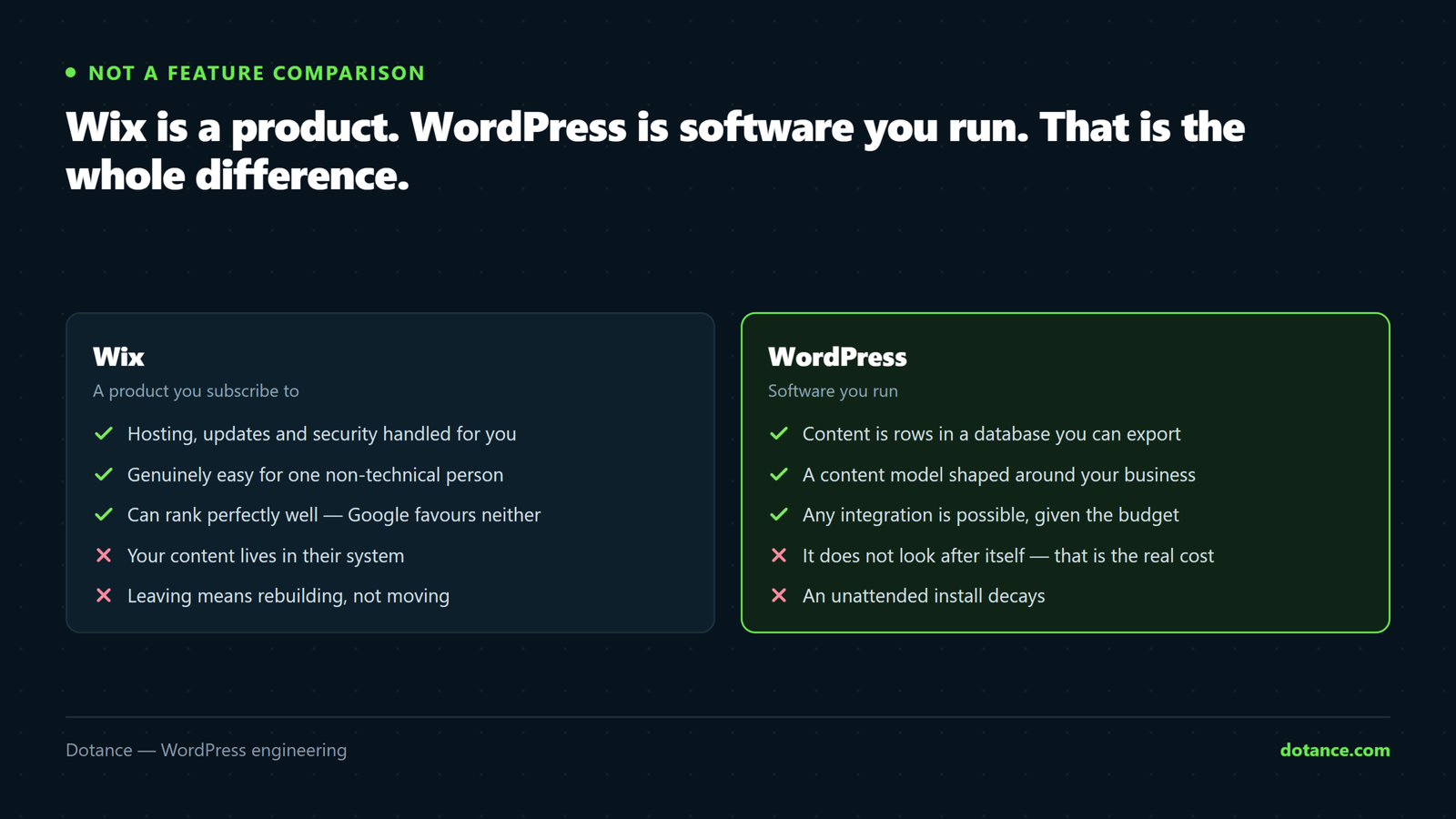
The Wix vs WordPress decision is not really a comparison of two website builders. Wix is a product; WordPress is software you run. They are different kinds of thing:
| Wix | WordPress | |
|---|---|---|
| What it is | A hosted service you rent | Software you install and own |
| Who runs the servers | Wix | You, or a host you choose |
| Who fixes it when it breaks | Wix | You, or whoever you pay |
| Where the code lives | Wix’s platform | A folder you can download |
| If they change the terms | You comply or leave | Nothing changes |
That last row is the whole argument compressed. Everything else in the Wix vs WordPress debate is detail on top of it.
Giving Wix a fair hearing
Several things people still say in the Wix vs WordPress argument stopped being true years ago, and repeating them makes the rest of the advice suspect:
- “Wix is bad for SEO.” It is not. Wix sites render server-side, support custom titles, descriptions, canonical tags, structured data, redirects and sitemaps. Plenty of Wix sites rank perfectly well. If your Wix site does not rank, the cause is almost certainly the content, not the platform.
- “Wix sites are slow.” Wix’s infrastructure is genuinely fast and their images and CDN are handled for you. A neglected WordPress site on cheap shared hosting is usually slower.
- “You cannot get a good design.” You can. What you cannot easily get is a design that is yours rather than a template arrangement.
Where Wix is honestly the better answer: a small brochure site, one person maintaining it, no unusual integrations, and nobody wanting to think about updates. For that business, choosing WordPress means taking on maintenance work in exchange for flexibility they will never use.
The four questions that settle Wix vs WordPress
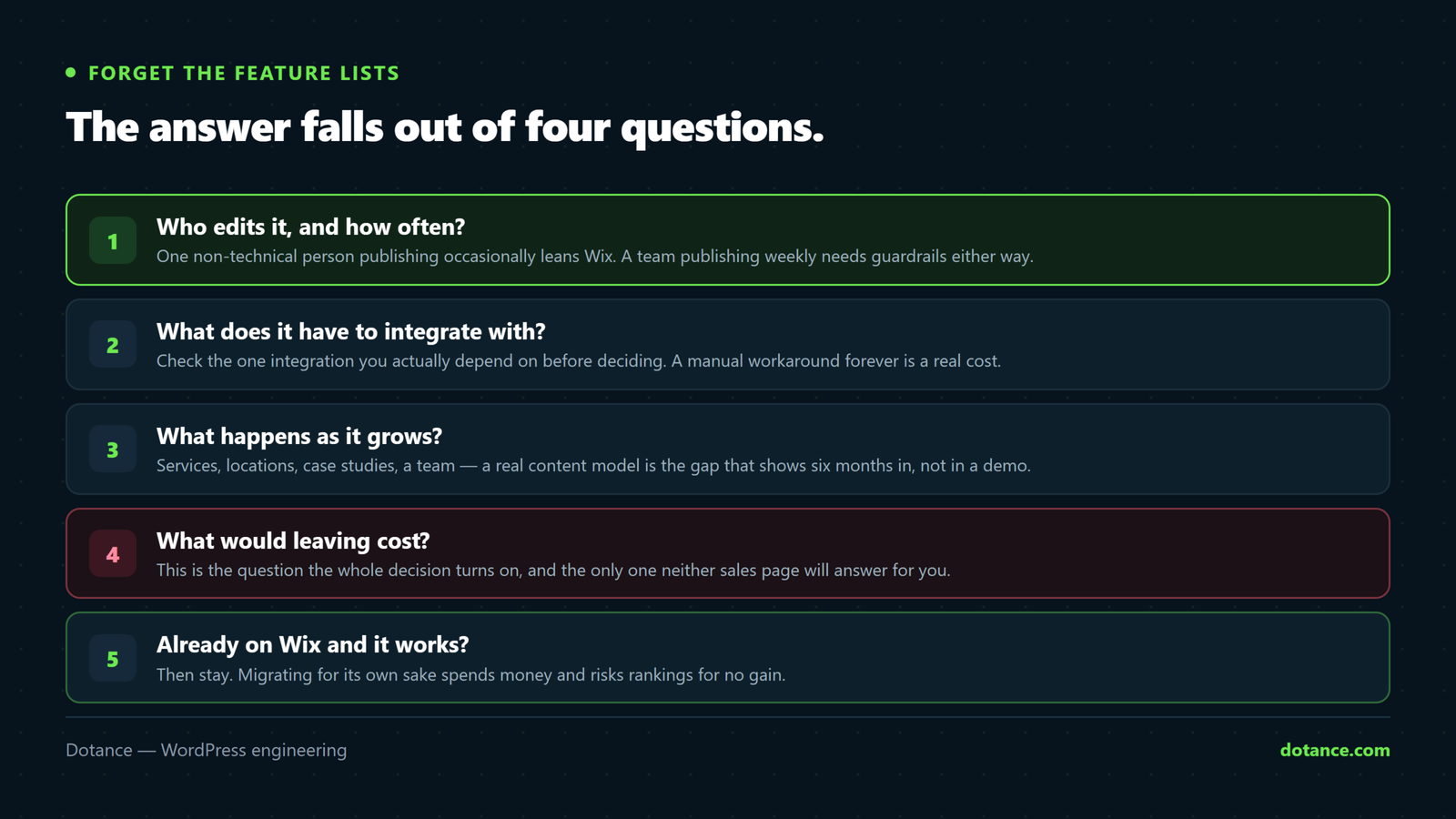
Forget feature lists. In our experience the Wix vs WordPress answer falls out of four questions.
1. Who edits the site, and how often?
Wix‘s editor is easier for one non-technical person publishing occasionally. WordPress is better when a team publishes regularly and the brand needs guard rails — locked layouts, reusable patterns, defined components, which is what a design system gives you.
One person, a few edits a year: Wix wins on effort. A marketing team publishing weekly: WordPress wins on control.
2. What does it need to talk to?
This is where the Wix vs WordPress gap is widest. Wix integrates well with what Wix supports. WordPress can be made to talk to essentially anything, because you can write the code.
If your requirement is a CRM Wix already supports, that is a non-issue. If it is your ERP, an internal system, or an API with no connector, WordPress is the answer and the alternative is a manual process forever.
3. What happens as it grows?
| At scale | Wix | WordPress |
|---|---|---|
| Hundreds of similar pages | Repetitive to build and maintain | One template, driven by content types |
| Multiple languages | Supported, within their model | Full control, more setup |
| Complex catalogue | Fine to a point | WooCommerce goes further |
| Custom content types | Limited | Native |
| Performance tuning | Handled for you, not adjustable | Yours to control, and to get wrong |
Note that “handled for you, not adjustable” is a benefit and a constraint at the same time. Which one it is depends entirely on whether you ever need to adjust it.
4. What does leaving cost?
The decisive question, and the one nobody asks at the start.
You cannot export a Wix site. There is no file you can take to another host. Content can be copied out — posts via RSS, pages by hand, products via CSV — but the design, layouts and structure are rebuilt from scratch. A WordPress site is a database and a folder; both move.
That is not a criticism of Wix so much as a description of what a hosted platform is. But it means the Wix vs WordPress decision is much easier to make at the start than to revisit in year three.
What each actually costs
On raw price, Wix vs WordPress looks one-sided: Wix is cheaper for a small site, and often genuinely is. The comparison changes shape as the site grows:
| Wix | WordPress | |
|---|---|---|
| Build | £0 DIY, or £500–£3,000 with help | £3,000–£15,000 for a custom build |
| Per year | £150–£500 in plan fees | £300–£3,000 hosting, licences, maintenance |
| Ecommerce | Plan fee, plus payment fees | No platform fee, payment fees only |
| Adding a feature | An app subscription, if one exists | A plugin, or built once |
| Leaving | A full rebuild | A migration |
The full breakdown of the right-hand column is in what a WordPress website actually costs. The honest summary: for a small brochure site Wix is cheaper over five years. For a site that earns money and keeps growing, WordPress usually is — and the crossover point arrives earlier than people expect.
SEO: the real difference
Since this is the most-argued part of Wix vs WordPress, here is the accurate version.
Both can rank. Google does not favour either platform. What differs is how much control you have when you need it:
| Task | Wix | WordPress |
|---|---|---|
| Titles, descriptions, canonicals | Yes | Yes |
| Sitemap and robots.txt | Yes, within limits | Full control |
| Structured data | Built-in types, plus custom | Anything you can write |
| Bulk redirects at scale | Manageable, less flexible | Server-level, patterned |
| URL structure | Largely fixed by the platform | Yours |
| Fixing a technical problem | Wait for Wix, or work around it | Fix it today |
For most small sites none of that matters. For a site where organic search is the main channel, the last row matters a great deal — being blocked on a platform’s roadmap is expensive when traffic is the business.
If you are already on Wix
Reopening the Wix vs WordPress question when the site works is rarely worth it. Working site, decent traffic, no pain? Stay. Migrating for its own sake spends money and risks rankings for a benefit you have not defined.
Real reasons to move:
- You have hit a wall on something the business genuinely needs — an integration, a content type, a custom flow.
- Plan and app fees now exceed what hosting and maintenance would cost.
- You need a design that is yours rather than a template.
- You are planning a rebrand anyway, so the rebuild cost is already on the table.
If you do move, the redirect map is the whole job. Wix URL patterns do not match WordPress ones, and every ranking URL needs a 301 to its new equivalent — the method is in redesigning without losing SEO. Migrations that lose traffic almost always lost it here, not in the move itself.
Practical order: build the WordPress site in parallel while Wix keeps trading, export what can be exported, map every URL, then cut over on a quiet day with a rollback ready. That is exactly how our migrations are run.
The content model: the difference nobody demos
This is where the Wix vs WordPress gap shows up quietly, six months in, rather than during a sales demo.
Ask what your site actually holds. Services, locations, case studies, team members, events, products. Each is a type of thing with its own fields, its own template, and its own relationships to the others.
| You need | Wix | WordPress |
|---|---|---|
| Blog posts and pages | Native, easy | Native, easy |
| A structured list — 40 locations, one template | Collections, workable | Custom post types, designed for it |
| Fields on each item (opening hours, price, spec) | Limited | Arbitrary, and queryable |
| Relationships between types | Basic | Full |
| Filtering and sorting by those fields | Limited | Built into the query |
If your site is pages of prose, this section does not apply to you and the Wix vs WordPress decision is easier than the internet suggests. If your site is fundamentally a structured catalogue of things, WordPress is doing a job Wix was not built for — and forcing it produces forty near-identical hand-built pages that all have to be edited one at a time.
Ownership, data and terms
Worth stating plainly because it rarely appears in comparisons, and it is the substance behind the exit question.
- Your content. On WordPress it is rows in a database you can dump to a file today. On Wix it lives in their platform and comes out through whatever export they provide.
- Your customer data. Orders, subscribers, form submissions. Check the export path before you accumulate three years of it, not after.
- The terms. A hosted platform can change pricing, retire a feature, or alter its policies. That is a normal commercial risk and not a scandal — but it is a risk you carry, and on self-hosted software you do not.
- The domain. Register it yourself, in your own account, on either platform. This costs nothing and removes the worst version of lock-in.
Whichever you choose, own the domain and the analytics. Those two are portable, cost nothing to hold in your own name, and are the difference between switching platforms being a project and being a crisis.
Wix vs WordPress by business type
The Wix vs WordPress answer for some common cases, stated as plainly as we can:
| Business | Usually | Because |
|---|---|---|
| Freelancer or one-person consultancy | Wix | Five pages, no integrations, no maintenance appetite |
| Local trade with a booking form | Either | Decide on whether the booking tool integrates |
| Service business where search is the channel | WordPress | Control when something technical needs fixing |
| Multi-location or franchise | WordPress | One template, many locations, one edit |
| Small shop, simple catalogue | Either | Wix is faster to launch; Woo goes further later |
| Shop with unusual pricing or fulfilment rules | WordPress | The rules are code, and code needs somewhere to live |
| Content business publishing weekly | WordPress | Editorial workflow, guard rails, structured archives |
These are defaults, not verdicts. A freelancer with an unusual integration belongs on WordPress; a multi-location business with five locations and no ambition to grow does not need it.
The commitment nobody mentions
The honest cost of choosing WordPress in the Wix vs WordPress trade is that the site does not look after itself. Core, plugins and PHP move; an unattended install decays and eventually gets found by something automated.
Wix handles all of that invisibly. That is a genuine, substantial benefit and pretending otherwise is how agencies sell WordPress to businesses that should not have it.
So budget for it honestly — either an hour a month of your own attention, or a plan. What one should contain is in what a maintenance plan should actually include. If neither is realistic for you, that is a real argument for the hosted platform, and we would rather you heard it here.
How this decision goes wrong
| Mistake | What happens |
|---|---|
| Choosing WordPress for flexibility you never use | You pay for maintenance to run a five-page site |
| Choosing Wix without checking one integration | A manual process, every week, forever |
| Migrating with no redirect map | Rankings gone; recovery takes months |
| Assuming WordPress maintains itself | An unpatched site and an incident |
| Deciding on a feature checklist | Both tick almost everything. The list is not the decision. |
| Migrating because an agency said so | Ask what specific problem it solves. If there is no answer, stay. |
A test that settles it in an afternoon
If the Wix vs WordPress argument has been going round your business for weeks, stop discussing it and run this instead. It costs one afternoon and it produces evidence rather than opinion.
- Write down the five things the site must do. Not features — outcomes. “Take bookings that land in our calendar.” “Let the office update prices without calling anyone.”
- Build one page on Wix’s free trial. Your hardest page, not your homepage. The one with the form, the filter, or the odd layout.
- Check each of the five against it. Anything you cannot do, or can only do manually, goes on a list.
- Price the list. A workaround that costs two hours a week is roughly £5,000 a year of someone’s time. Compare that with the WordPress build.
- Ask the exit question last. If you had to leave in three years, what would you be rebuilding?
In our experience the answer stops being contentious at step three. Either the list is empty, in which case Wix is the sensible choice and you have saved a lot of money, or it is not, in which case the Wix vs WordPress question has answered itself with your own requirements rather than someone’s sales page.
The option people forget
You do not have to run everything on one platform. A marketing site on WordPress with a hosted tool handling one specialised job — bookings, ticketing, a help centre — is a normal and sensible arrangement.
The reverse works too: keep Wix for the brochure site and put the one thing it cannot do somewhere else. The Wix vs WordPress framing invites an all-or-nothing answer, and all-or-nothing is frequently the more expensive one.
Two rules if you split things up. Keep the domain in your own account and point subdomains where you need them. And decide where customer data lives before you have three years of it in two places.
The short verdict
Stripped of everything else, the Wix vs WordPress answer is this. Choose Wix if the site is small and stable, one person maintains it, nothing unusual has to integrate, and you would rather never think about updates.
Choose WordPress if the site is a real channel for the business, several people touch it, it has to connect to other systems, or you need to know that nobody can change your terms.
And if you are genuinely on the line, ask the fourth question and let that settle it. Everything else in Wix vs WordPress is recoverable; the exit is the part that is not.
If the answer came out as WordPress: remember that Wix has no site export, so the move is a rebuild with some imported content. Our Wix to WordPress service inventories what is actually published rather than trusting a sitemap, and maps every URL before anything switches.
Common questions
Is WordPress better than Wix for SEO?
Not inherently. On Wix vs WordPress, both can rank well and Google favours neither. WordPress gives more control when you need to fix something technical, which matters most for sites where search is the main channel.
Can I move my Wix site to WordPress?
The content, yes. The design has to be rebuilt — Wix has no export that WordPress can import. Budget for a rebuild plus a careful redirect map, not a lift-and-shift.
Which is cheaper?
On five-year cost, Wix vs WordPress favours Wix for a small brochure site. WordPress, once the site is earning and growing — the fee-versus-flexibility crossover comes sooner than most people expect.
Is WordPress too complicated for a non-technical owner?
Editing is not, if the site was built with guard rails. Maintaining it is the real commitment — either you do it monthly or you pay someone. That is the honest trade in the whole Wix vs WordPress comparison.
What about Squarespace, Shopify or Webflow?
The same four questions that settle Wix vs WordPress apply to all of them. They are all hosted platforms with the same fundamental trade: less to manage, less control, and a rebuild if you leave.