Every site looks designed on launch day. The test is what it looks like two years and three hundred edits later. The difference between a site that ages well and one that quietly falls apart is not editor discipline — it is whether the design shipped as a system the editor works inside, or as a set of pages the editor works on.
First, measure the drift you already have
Before building anything, find out how far the current site has wandered. This counts how many published entries carry hand-written colours and inline styles:
wp eval '
$ids = get_posts( array( "post_type" => array( "post", "page" ), "numberposts" => -1, "fields" => "ids" ) );
$hex = array(); $inline = 0;
foreach ( $ids as $id ) {
    $c = get_post_field( "post_content", $id );
    if ( preg_match_all( "/#[0-9a-fA-F]{6}/", $c, $m ) ) {
        foreach ( $m[0] as $h ) { $k = strtolower( $h ); $hex[ $k ] = ( $hex[ $k ] ?? 0 ) + 1; }
    }
    if ( false !== strpos( $c, "style=" ) ) { $inline++; }
}
arsort( $hex );
echo count( $hex ) . " distinct hex colours across " . count( $ids ) . " entries\n";
echo "$inline entries carry inline styles\n";
foreach ( array_slice( $hex, 0, 10, true ) as $h => $n ) { echo "  $h  x$n\n"; }'
A brand with four colours that turns up as thirty-one is the argument for the system, in one number. Keep it — you will want to run it again in a year.
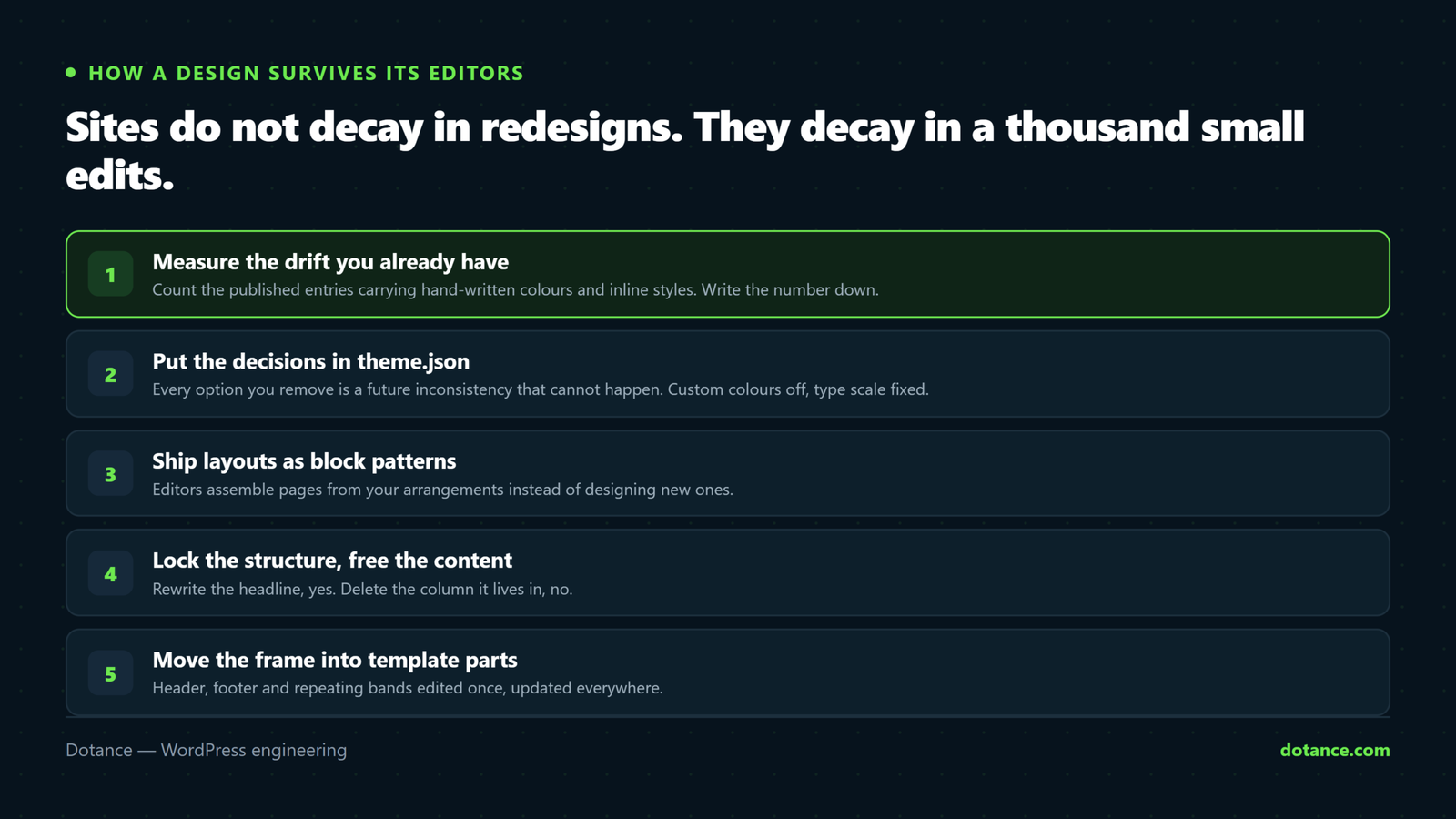
1. Put the design decisions in theme.json
theme.json defines what the editor offers and, more usefully, what it does not. Trim the picker to brand colours, turn off custom colours and gradients, define the type scale, and let spacing come from a fixed set:
theme.json
{
	"version": 3,
	"settings": {
		"appearanceTools": true,
		"color": {
			"custom": false,
			"customGradient": false,
			"defaultPalette": false,
			"palette": [
				{ "slug": "ink",    "color": "#07131d", "name": "Ink" },
				{ "slug": "paper",  "color": "#ffffff", "name": "Paper" },
				{ "slug": "accent", "color": "#6ee84f", "name": "Accent" },
				{ "slug": "muted",  "color": "#b9c5cd", "name": "Muted" }
			]
		},
		"typography": {
			"customFontSize": false,
			"fluid": true,
			"fontSizes": [
				{ "slug": "small",  "size": "0.9rem",  "name": "Small" },
				{ "slug": "medium", "size": "1.05rem", "name": "Body" },
				{ "slug": "large",  "size": "1.5rem",  "name": "Large" },
				{ "slug": "xl",     "size": "clamp(2rem, 4vw, 3.25rem)", "name": "Display" }
			]
		},
		"spacing": {
			"customSpacingSize": false,
			"spacingSizes": [
				{ "slug": "30", "size": "1rem", "name": "1" },
				{ "slug": "50", "size": "2rem", "name": "2" },
				{ "slug": "70", "size": "4rem", "name": "3" }
			]
		}
	}
}
"custom": false is the line that does the work. Guidelines get forgotten; a colour picker with four swatches cannot be forgotten. Removing options is the most reliable design decision you will make all project.
Two practical notes. defaultPalette: false also removes WordPress’s own colours, which otherwise reappear in the picker and get used. And if a genuine need for a fifth colour arrives later, add it to the palette — that is a two-minute change, and a deliberate one.
2. Ship layouts as block patterns
A block pattern is a pre-built arrangement — a hero, a pricing band, a testimonial row — that an editor inserts whole. Build one per layout the design actually uses, with real spacing baked in.
patterns/section-cta.php
<?php
/**
 * Title: CTA band
 * Slug: acme/section-cta
 * Categories: acme
 * Block Types: core/group
 */
?>
<!-- wp:group {"backgroundColor":"ink","textColor":"paper",
     "style":{"spacing":{"padding":{"top":"var:preset|spacing|70"}}},
     "lock":{"move":false,"remove":false}} -->
<div class="wp-block-group has-ink-background-color has-paper-color">
	<!-- wp:heading {"fontSize":"xl"} -->
	<h2 class="has-xl-font-size">Ready when you are.</h2>
	<!-- /wp:heading -->
</div>
<!-- /wp:group -->
Drop the file in patterns/ and WordPress registers it — no PHP hook needed. Editors go from “design a page from scratch”, where decay begins, to “assemble a page from approved parts”, where consistency lives.
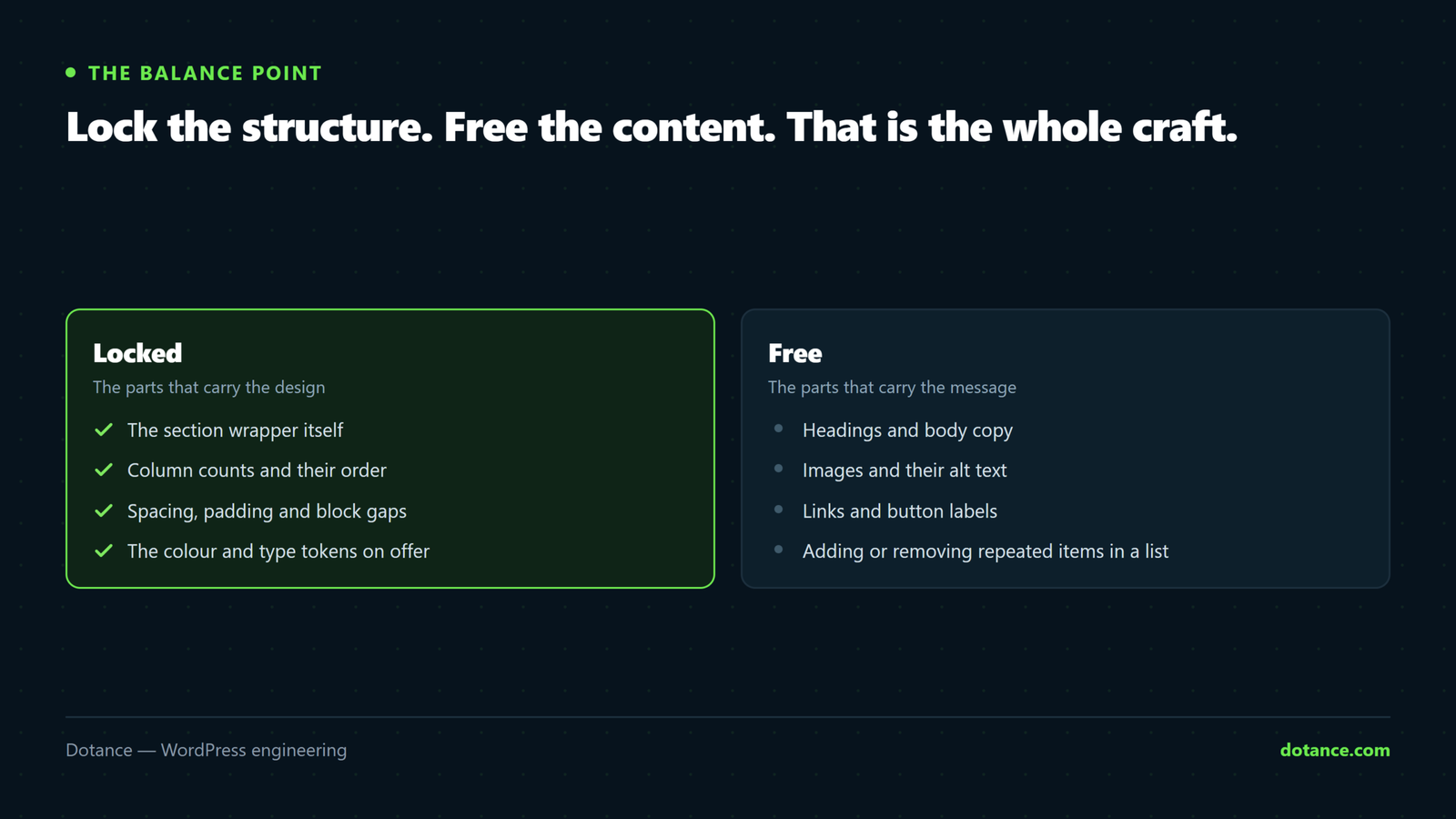
3. Lock structure, free content
That "lock" attribute is the balance point. An editor can rewrite the headline but cannot delete the column it lives in or nudge its spacing.
| Element | Lock | Why |
|---|---|---|
| Section wrapper | move + remove | The layout is the design |
| Column structure | move + remove | Half a grid is worse than no grid |
| Headings and paragraphs | Unlocked | This is the editor’s actual job |
| Images | Unlocked, fixed aspect ratio | Swappable without breaking the row |
| Buttons | Text and URL only | Style stays consistent site-wide |
Add "templateLock": "all" to a container when even inserting new blocks should be prevented, and use contentOnly when the section should be fully editable as text but structurally frozen. That last mode is what most marketing teams actually want.
4. Template parts for the site frame
Header, footer and repeating bands belong in template parts — edited once, updated everywhere. When the frame lives in one place, a navigation change is one edit rather than archaeology across forty pages.
The rule of thumb: if the same arrangement appears on more than three pages and must stay identical, it is a template part. If it appears often but varies, it is a pattern.
5. Retrofitting onto a site that already exists
You rarely get to start clean. A workable order:
- Run the drift audit above and write the number down.
- Define tokens in
theme.jsonmatching what the site should be, not what it is. - Turn off custom colours and font sizes. Existing pages keep their hard-coded values, so nothing breaks visibly.
- Build patterns for the five or six layouts that appear most often.
- Convert pages opportunistically, as they come up for editing — not in one sweep.
- Re-run the audit each quarter. The number should fall.
Do this on staging first. Removing a colour from the palette does not remove it from pages already using it, but it does change how those blocks serialise on the next save. Check your busiest templates before it reaches live.
Where design systems go wrong
| Mistake | What happens |
|---|---|
| Tokens defined, custom values left on | The palette becomes a suggestion and drift continues |
| A pattern for every page ever made | Nobody can find the right one, so they build from scratch |
| Everything locked | Editors ask you for text changes — then work around the system |
| Nothing locked | You have a component library, not a system |
| No documentation | The system survives exactly as long as the person who built it |
| Patterns hard-coding colours | The rebrand does not propagate, which was the entire point |
That last one is worth repeating: patterns must reference token slugs, never hex values. A pattern with #07131d written inside it is a page mockup wearing a pattern’s clothes.
The payoff compounds
New pages get faster to build. Redesigns get cheaper, because restyling tokens and patterns moves every page at once. Onboarding becomes trivial, because a new editor cannot really do the wrong thing. It is the least visible part of a build and the part clients thank us for a year later — which is also why it is the first thing cut from a budget, and the cut that costs the most.
Common questions
Does this work with a page builder?
The principle does; the mechanism differs. Builders have their own global styles and template systems — use those, and apply the same discipline about what editors can change. The trade-offs are in page builder or custom theme.
Do I need a block theme?
For the full system, yes — template parts and the site editor need one. A classic theme can still use theme.json settings for tokens and register patterns, which is most of the benefit for a fraction of the work.
How many patterns is right?
Enough to cover the layouts you actually use, and few enough that an editor can scan the list. For most business sites that is somewhere between eight and twenty. Past that, people stop looking and start improvising.
Who maintains it?
Somebody has to own it, or it stops being a system the first time a new layout is needed in a hurry. Name that person before launch. Ours is usually part of the maintenance arrangement.