Stores outgrow Shopify’s constraints — transaction fees, app subscriptions, customisation ceilings — and WooCommerce is the natural landing place. The migration itself is a solved problem, but only when it is run as a parallel build with a planned cutover, never an in-place swap.
1. Build in parallel, sell throughout
Stand the WooCommerce store up on its own hosting while Shopify keeps trading. Theme, plugins, payment and shipping configuration, all tested against real product data — with no pressure, because nothing is live yet.
The deadline stops being a cliff and becomes a switch you flip when you are ready. It also means a failed cutover has an obvious answer: point DNS back, and you are trading again in minutes.
2. Move the data in the right order
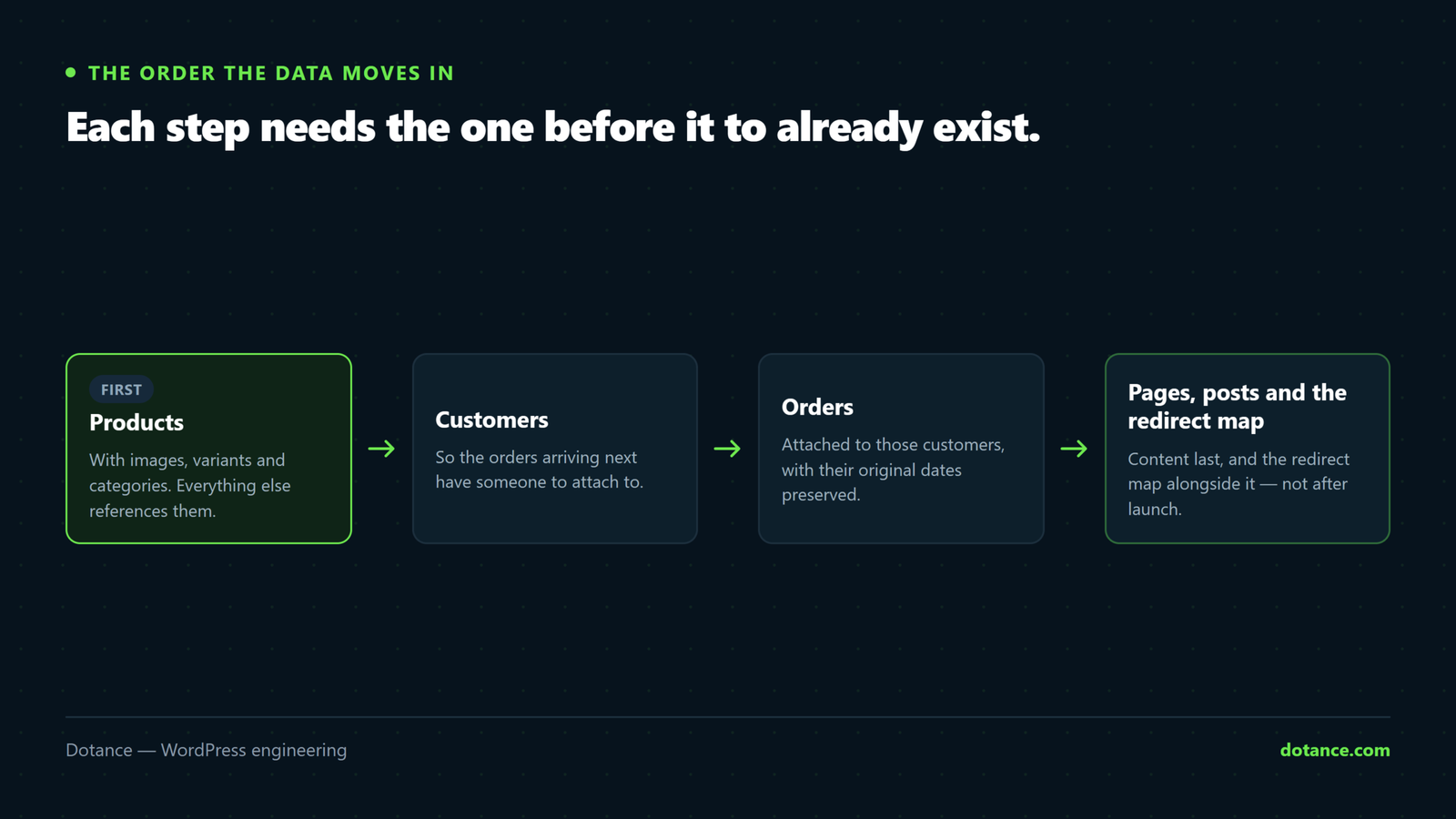
Order matters, because each step depends on the one before it:
- Products, with images, variants and categories.
- Customers — so orders have someone to attach to.
- Orders, at least the last couple of years for support and accounting.
- Content — pages, blog posts, navigation.
- Reviews, which usually live in a Shopify app rather than Shopify itself.
Shopify’s CSV export handles products and customers. Purpose-built migration tools map its structure onto WooCommerce’s and are worth the cost above a few hundred products or when order history matters.
After import, verify rather than assume:
wp post list --post_type=product --post_status=publish --format=count
wp wc product list --user=1 --per_page=1 --format=count

# Products that arrived with no price or no image — the usual import casualties
wp eval '
$q = new WP_Query( array( "post_type" => "product", "posts_per_page" => -1, "fields" => "ids" ) );
$noprice = $noimg = 0;
foreach ( $q->posts as $id ) {
    $p = wc_get_product( $id );
    if ( "" === $p->get_price() ) { $noprice++; }
    if ( ! has_post_thumbnail( $id ) ) { $noimg++; }
}
echo count( $q->posts ) . " products, $noprice without price, $noimg without image\n";'
Then spot-check your five most complicated products by hand. Variant structures are where automated mappings quietly go wrong, and a count will never tell you.
3. Know what does not come across
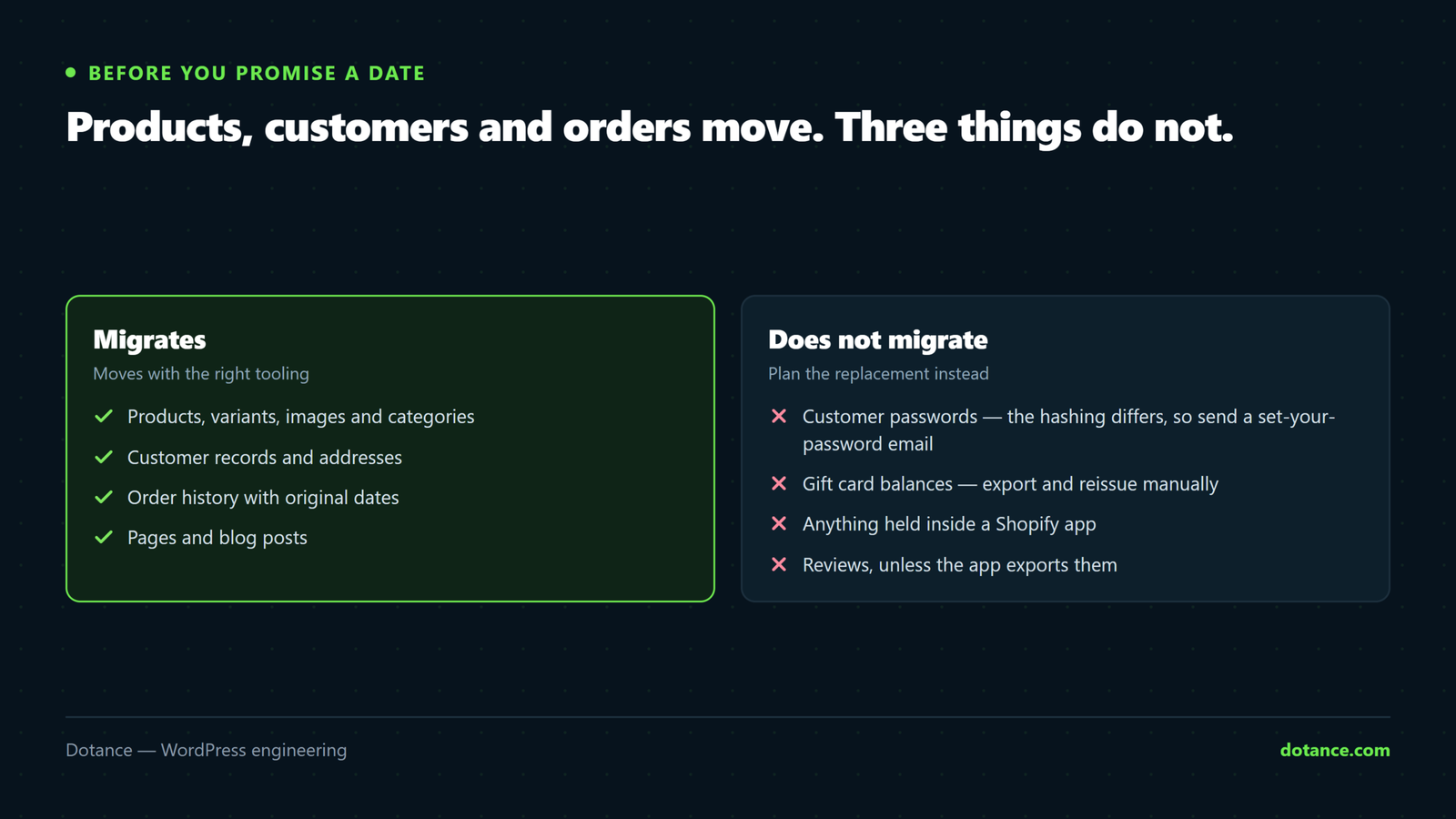
| Does not migrate | What to do instead |
|---|---|
| Customer passwords | Hashing differs. Send a friendly “set your new password” email at launch. |
| Gift card balances | Export them and reissue manually. Missing one is a very unhappy customer. |
| Discount codes | Recreate. Check any printed or emailed codes still in circulation. |
| App data (reviews, loyalty, wishlists) | Export from each app before you cancel it — access ends with the subscription. |
| Saved payment methods | Gateway tokens rarely transfer. See subscriptions if you bill recurring. |
| Shopify’s automatic tax rates | Configure your own — tax and shipping setup. |
Export your app data first, and cancel apps last. Several stores have lost years of product reviews because the review app was cancelled the day after launch and the data went with it.
4. Map every URL
Shopify’s paths differ structurally from WooCommerce’s, so nothing lines up by accident:
| Shopify | WooCommerce |
|---|---|
/products/slug | /product/slug |
/collections/slug | /product-category/slug |
/collections/x/products/y | /product/y |
/pages/slug | /slug |
/blogs/news/slug | /blog/slug |
Get the real list of indexed URLs — from Search Console’s page report, your analytics, and the old sitemap — rather than generating it from the product list. The URLs that earn traffic include ones nobody remembers creating.
The bulk of it is patterned, so most of the map writes itself:
# Bulk patterns, in nginx
rewrite ^/products/(.*)$        /product/$1 permanent;
rewrite ^/collections/(.*)$     /product-category/$1 permanent;
rewrite ^/pages/(.*)$           /$1 permanent;

# Then handle renamed slugs individually — these are the ones that matter
location = /products/old-name { return 301 /product/new-name/; }
This map is the difference between keeping your rankings and starting again; the full method is in the redirects guide.
5. Re-establish payments and email
Payment gateways are re-created fresh: new Stripe or PayPal connections on WooCommerce, tested with real transactions on staging, including a deliberate decline.
Two things Shopify handled that now belong to you:
- Transactional email. Shopify sent your order confirmations. WooCommerce hands deliverability to you — set up SMTP or an email API properly, or receipts land in spam from day one.
- Recurring billing, if you have it. Tokens need a gateway-supported migration path; confirm it exists before promising anyone a date.
6. Cut over on a checklist
Preparation, days ahead:
- Drop the DNS TTL to 300 seconds at least 48 hours before, so the switch — and any rollback — takes minutes.
- Agree the window: your quietest hours, and not a Friday.
- Write the rollback step down. One line: point DNS back.
On the day:
- Freeze changes on Shopify — no product edits, no new discounts.
- Run a final delta import of orders and customers created since the last import.
- Point DNS at the new store; issue the SSL certificate and confirm it.
- Place a real order with a real card, then refund it.
- Spot-check twenty redirects, including three deep collection URLs.
- Confirm the order confirmation email actually arrived, in an inbox, not spam.
- Submit the new sitemap in Search Console.
Then watch the first hours’ orders closely, and keep watching the numbers for a fortnight — orders per day, checkout errors, and 404s in the server log, which is where a missed redirect shows up first.
Where migrations go wrong
| Mistake | Cost |
|---|---|
| Redirects built from the product list only | Collection and blog URLs 404; rankings drop within weeks |
| Cancelling Shopify immediately | No reference data when an accounting question arrives |
| No test order with a real card | Live checkout fails and nobody finds out for hours |
| Email deliverability left as default | Every receipt goes to spam; support load doubles |
| Migrating at the start of peak season | Every small problem happens at maximum cost |
| Skipping the “new password” email | Returning customers think their accounts were lost |
Done properly, customers notice a faster store and nothing else — which is exactly what our migration engagements are scoped around.
Would rather not run the cutover yourself? We do Shopify to WooCommerce migrations as a parallel build: your Shopify store keeps trading throughout, every URL is mapped and tested before DNS moves, and the password-reset email is written before launch day rather than during it.
Common questions
How long does a migration take?
For a typical store, a few weeks of elapsed time — most of it testing and redirect mapping rather than moving data. The cutover itself is an hour.
Will we lose rankings?
A short dip while Google reprocesses is normal. A lasting drop is almost always redirects, and it is preventable. Recovery from a botched redirect map takes months, which is why that step gets the most attention.
Should we keep Shopify running?
On the cheapest plan, in read-only use, until your accounting year closes. It is inexpensive insurance against a question you cannot otherwise answer.
Can we migrate order history?
Yes, and it is worth it for support and reporting. Confirm how refunds and partial fulfilments are represented after import — those are the records that rarely survive a mapping cleanly.