1. The decision you cannot easily undo
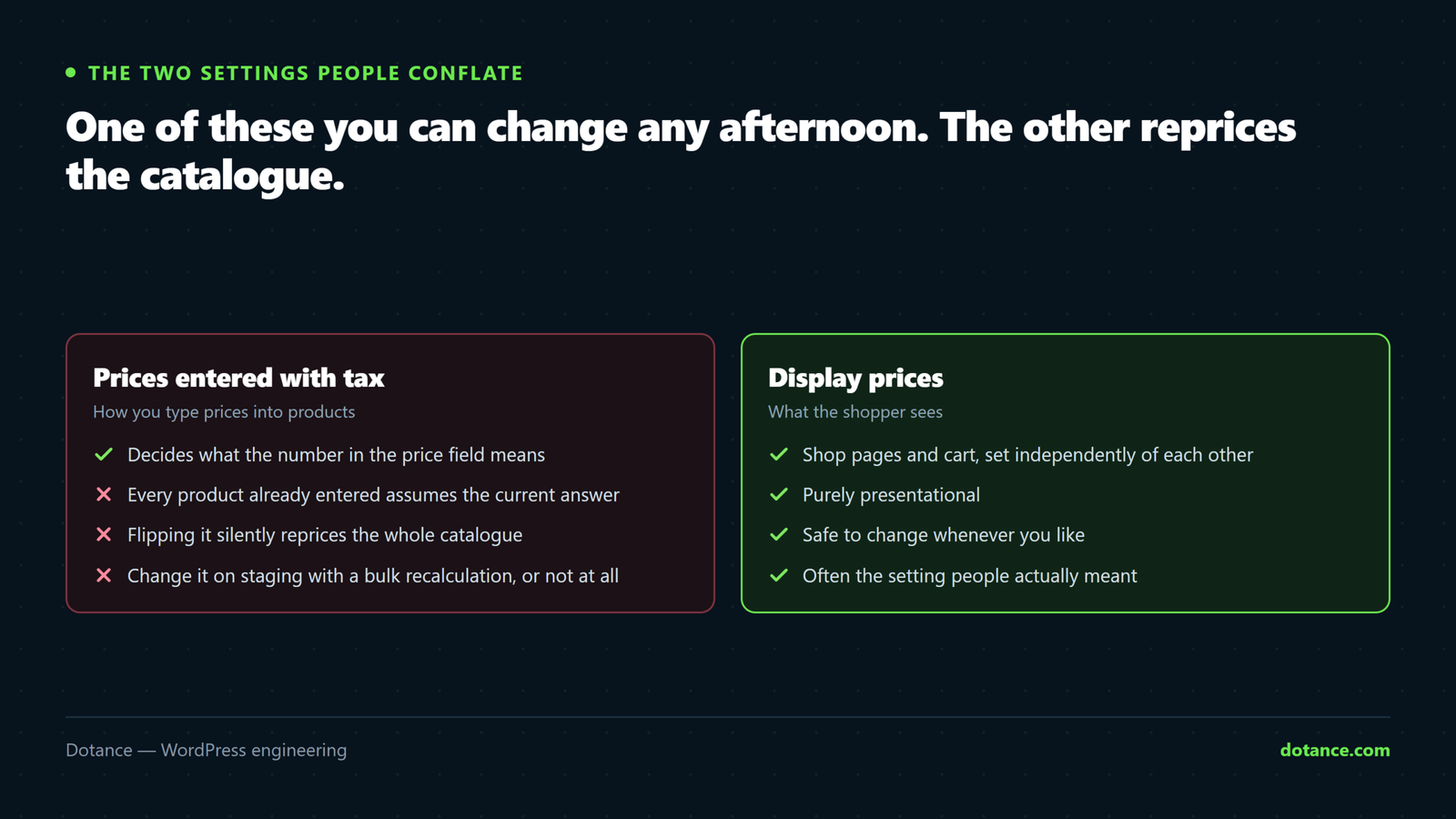
WooCommerce → Settings → Tax asks two separate questions, and people conflate them:
| Setting | Means |
|---|---|
| Prices entered with tax | How you type prices into products. Hard to change later. |
| Display prices in the shop | How they appear to shoppers. Safe to change any time. |
The first one is the consequential one. Get it aligned with your market before entering products: consumer prices in the UK and EU are shown tax-inclusive; B2B is typically exclusive. Flipping it afterwards means every price in the catalogue now means something different — a £100 product becomes £120, or £83.33, depending which way you went.
Selling B2B and B2C from one store? Decide which audience the catalogue price is for and handle the other with a role-based price display. Trying to serve both from one setting produces prices that are wrong for somebody on every page.
2. Rates and tax classes
Enable taxes, then add rates under Standard rates. Use Reduced and Zero classes for goods your jurisdiction treats differently — books, children’s clothing, food, depending where you are.
| Situation | Approach |
|---|---|
| One country, modest volume | The manual rate table. Diarise an annual check. |
| Cross-border at volume | An automated tax service — rates change and you will not notice |
| Digital goods into the EU | Get advice. Place-of-supply rules mean the customer’s country rate, not yours. |
Check what actually applies rather than what you configured:
wp db query "SELECT tax_rate_country, tax_rate_state, tax_rate, tax_rate_name, tax_rate_class
FROM wp_woocommerce_tax_rates ORDER BY tax_rate_order;"
3. Zones: order is everything
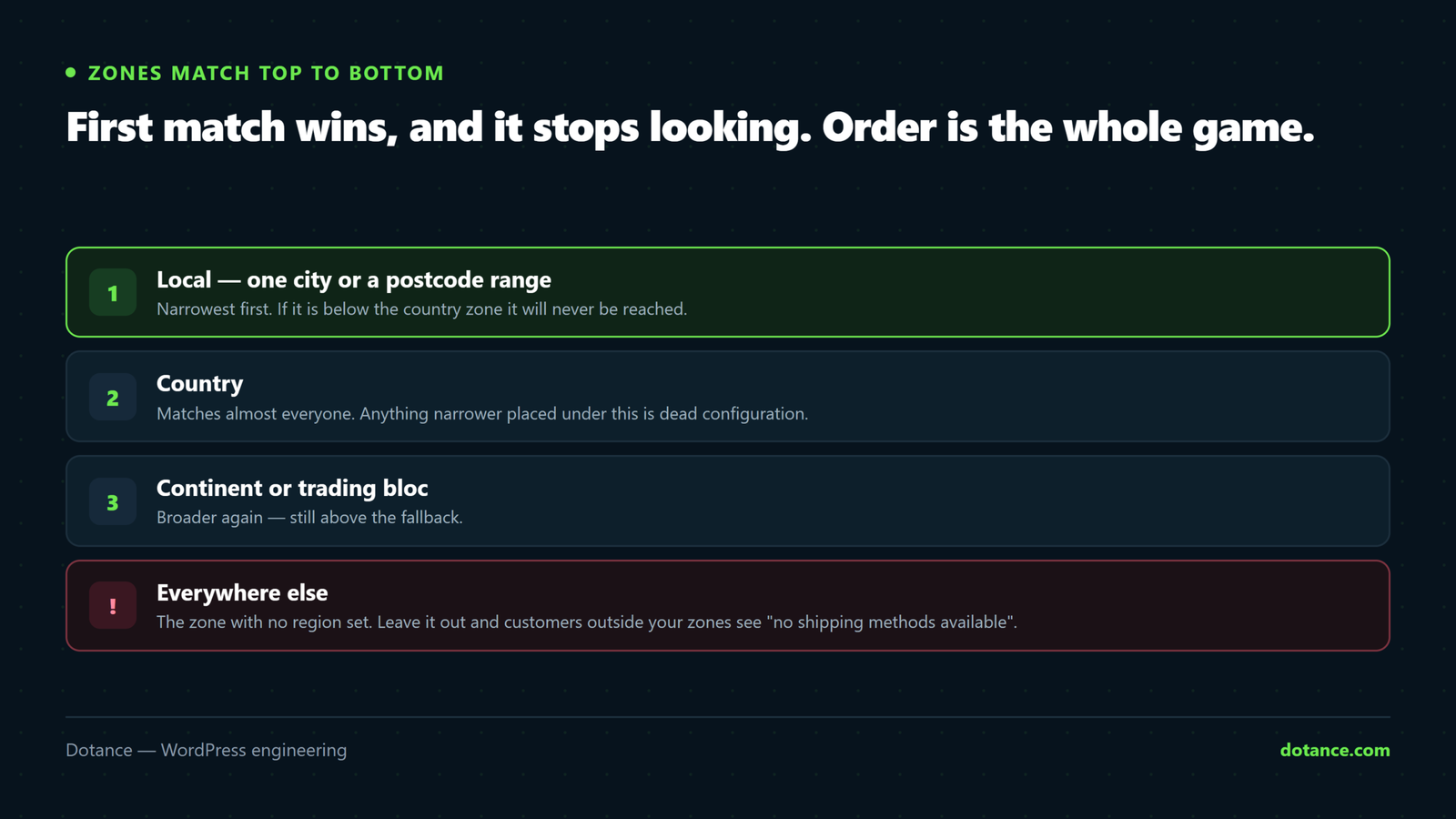
A shipping zone is a set of places with its own methods and prices. The rule that catches people:
WooCommerce uses the FIRST zone that matches the customer’s address, reading top to bottom — and stops there. A broader zone above a narrower one means the narrow one never runs.
So structure narrow to broad:
| Order | Zone | Covers |
|---|---|---|
| 1 | Local | Specific postcodes — collection or same-day |
| 2 | UK mainland | Most domestic orders |
| 3 | Highlands & Islands | Surcharge postcodes — must sit above UK if UK is country-wide |
| 4 | Europe | Selected countries |
| 5 | Rest of the world | The fallback. Never omit it. |
Without a fallback zone, everywhere you did not list becomes unshippable — and the customer sees “no shipping methods available”, which reads as a broken checkout rather than a policy. If you genuinely do not ship somewhere, say so deliberately instead of leaving a gap.
4. Shipping classes for awkward products
Flat rates fall apart when a store ships both stickers and furniture. Shipping classes solve it without an extension:
- Create classes under Shipping → Classes — say
bulkyandheavy. - Assign each product a class on its Shipping tab.
- In each zone’s Flat rate method, set a cost per class.
The cost field takes a small formula:
# Base £4.95, plus £2 per item
4.95 + ( 2 * [qty] )

# Per-class, in the flat rate settings
Cost:              4.95
"bulky" class:     19.95
No class cost:     4.95
Then choose how multiple classes in one order are charged — per class, or once for the most expensive. Getting this wrong is where margin quietly leaks: nobody should pay parcel rates on a pallet, in either direction.
5. Test like a customer, per zone
This is the step that catches everything, and it takes ten minutes.
For each zone, place a test order with a real address in it and check:
- Correct shipping options appear — and only the ones that should
- The price matches what you intended, including class surcharges
- Tax on the total is right for that region
- A country you did not list still gets the fallback
- An order with mixed shipping classes charges sensibly
Use genuine addresses — a Highlands postcode, a Northern Ireland one, somewhere outside your usual region. Made-up postcodes match nothing and prove nothing.
The misconfigurations we find most
| Symptom | Usually |
|---|---|
| “No shipping methods available” | No fallback zone, or the address matches no zone |
| A surcharge zone never applies | It sits below a broader zone that already matched |
| Prices off by the tax amount | “Prices entered with tax” does not match how they were typed |
| Free shipping never offers | Its minimum is checked before or after tax differently than expected |
| Everyone pays the bulky rate | Class cost set on the base rate rather than the class |
| Tax missing at checkout only | Customer address defaults not set, so no rate matches until they type |
Common questions
Can I change “prices entered with tax” later?
Technically yes, and it silently reprices your whole catalogue. If you must, do it on staging, bulk-recalculate every price, and check a sample by hand before it goes near live.
Do I need an automated tax service?
Selling in one region at modest volume, no. Selling across borders where rates change, it costs less than the first mistake.
Why is tax not showing until checkout?
WooCommerce cannot know the rate until it knows the address. Set default customer location in the general settings so estimates appear earlier.
Should shipping be taxed?
In many jurisdictions yes, at the rate of the goods. This is a question for your accountant, not a plugin setting — get it confirmed rather than guessed.