Recurring is not “shop, but repeated”
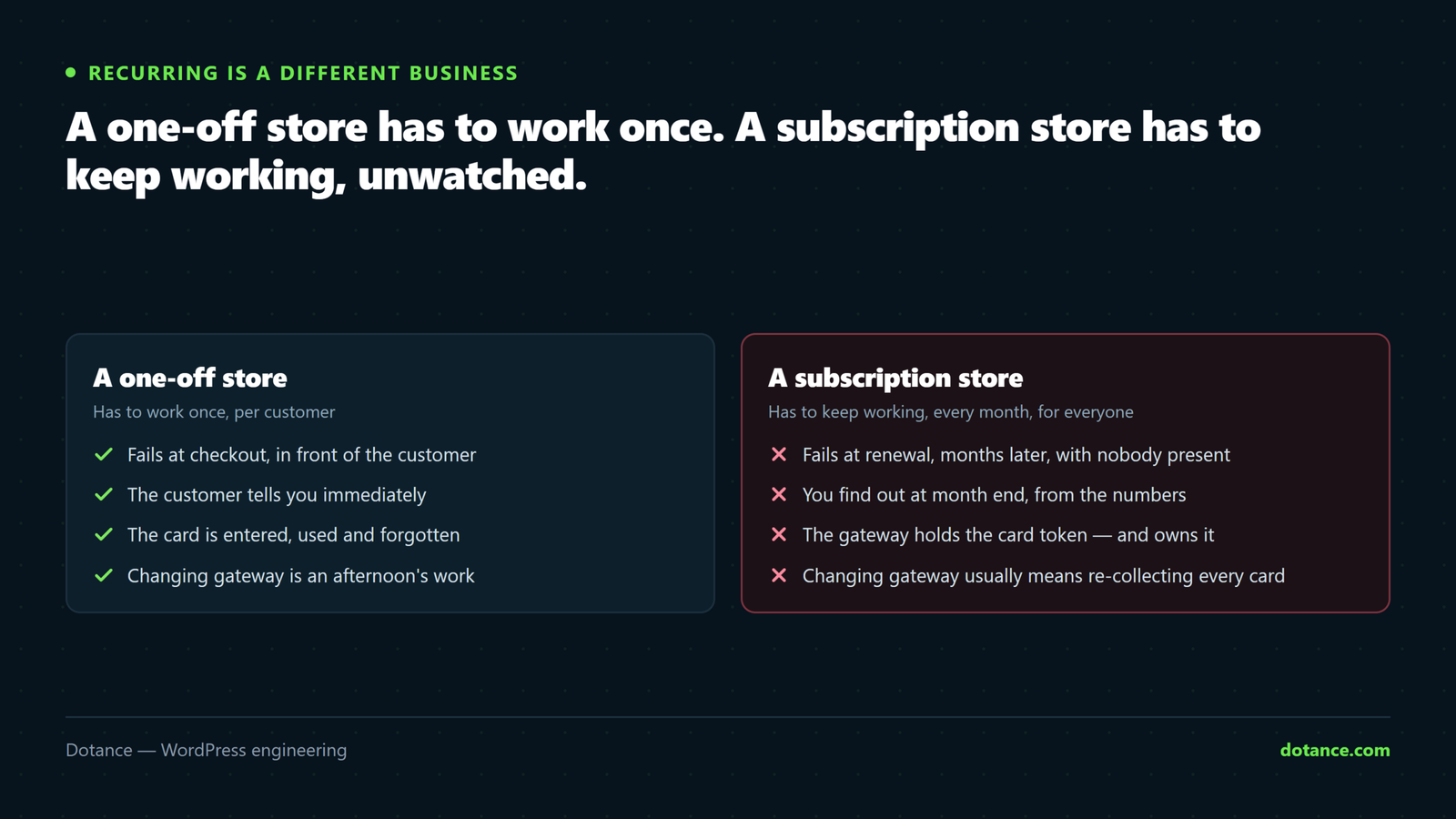
A one-off store has to work once per customer. A subscription store has to keep working every month, for every customer, without anyone watching — and the failures are quiet. A renewal that does not run does not throw an error at anybody; it just does not take the money.
So the work sits in three places most stores underestimate: the gateway, the scheduler, and the policies.
1. The gateway, and why it is hard to reverse
To charge a card next month you never see the card — the gateway stores it and gives you a token. Those tokens belong to the gateway.
Changing payment provider later usually means every customer re-enters their card. Expect to lose a meaningful share of them at that moment. This is the single most consequential early decision.
What to establish before you commit:
| Ask | Why it matters |
|---|---|
| Does it support your currencies and countries? | Some restrict recurring billing by region |
| Can tokens be migrated out? | Some providers will hand them to another PCI-compliant gateway. Ask before, not after. |
| Does it handle SCA / 3D Secure on renewals? | European renewals can require a challenge — off-session |
| Does it retry failed charges itself? | Gateway-level retries and store-level dunning both exist. Know which you have. |
| Can the customer update a card without you? | Otherwise every expiry becomes a support ticket |
2. Renewals are infrastructure, so monitor them
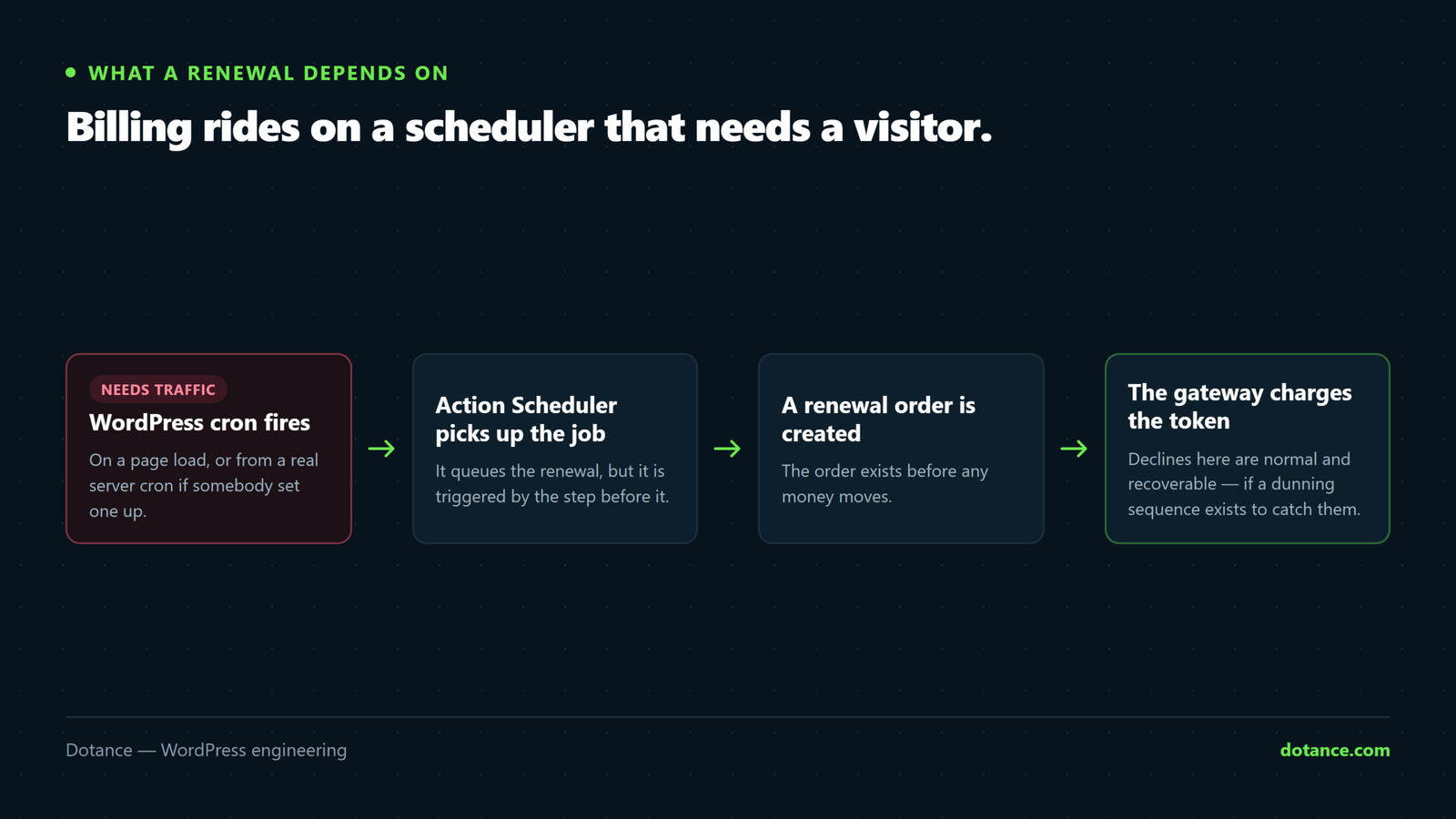
WooCommerce subscriptions run on Action Scheduler, which depends on WordPress cron. On a quiet site, or one where DISABLE_WP_CRON was set without a replacement, scheduled actions can stop running. Nothing breaks visibly. Renewals simply stop.
Take cron off page views and give it a real schedule:
# wp-config.php
define( 'DISABLE_WP_CRON', true );

# then a real cron entry, every 5 minutes
*/5 * * * * cd /home/user/public_html && wp cron event run --due-now >/dev/null 2>&1
Then check it is actually keeping up:
# Anything overdue is a warning sign
wp action-scheduler list --status=pending --per-page=5

# Failures are where lost revenue hides
wp action-scheduler list --status=failed --per-page=20
Put this on the maintenance checklist, not in your memory. A growing pending queue is the earliest signal that renewals are drifting — and it appears weeks before anyone notices the revenue. Our maintenance checks include exactly this.
3. Plan for failed payments — most of them recover
Cards expire, get replaced after fraud, and get declined for reasons that have nothing to do with the customer’s intent to keep subscribing. On any subscription store a steady percentage of renewals fail every month. That is normal.
What decides whether that revenue comes back is the retry-and-email sequence:
- Retry on a schedule — a few attempts spread over days, not four in an hour. Balances and limits reset.
- Email a human message, with a one-click link to update the card. Not a receipt-shaped notification.
- Warn before expiry. A card you know expires next month is a problem you can solve in advance.
- Decide what happens on final failure — suspend, cancel, or downgrade — and say so in the emails.
Read the actual emails your store sends. Most default templates read like a system error, which is exactly the wrong tone for “your card needs updating”.
4. Write the policies before you need them
These are unglamorous and they cause most of the support load. Decide once, in writing, and configure to match:
| Question | Decide |
|---|---|
| Can customers pause? | How long, how often, and does access continue? |
| Upgrades mid-cycle | Prorate, or start the new price next renewal? |
| Cancellation | Immediate, or at period end? Period end is usually fairer and reduces disputes. |
| Refunds | On the current period only? Anything automatic? |
| Price rises | Existing subscribers grandfathered or migrated — and with how much notice? |
| Failed final attempt | Suspend or cancel? Suspending keeps the relationship recoverable. |
Price rises deserve particular thought: raising an existing subscriber’s price without clear advance notice is the fastest way to turn a renewal into a chargeback.
5. Test a renewal before launch
Nearly everyone tests the first sign-up. Almost nobody tests renewal number two, which is where the actual business is.
On staging, take one test subscription and pull its next payment date into the past, then let the scheduler run:
wp eval '
$s = wcs_get_subscription( 123 );
$s->update_dates( array( "next_payment" => gmdate( "Y-m-d H:i:s", time() - 60 ) ) );
echo "next payment moved\n";'

wp cron event run --due-now
Then check the whole chain: a renewal order was created, the charge succeeded, the customer email arrived, the subscription’s next date advanced, and access continued. Repeat with a card number that forces a decline and watch the dunning sequence run.
Never test this on live. Moving a date on a real subscription charges a real customer. Staging only, with test gateway keys — see staging.
6. Recurring tax and admin
Tax on a subscription is charged at the rate applying at each renewal, in the customer’s location — which can change without you doing anything. If you sell across borders, set this up deliberately rather than assuming the first order’s rate persists; the detail is in tax and shipping setup.
Two further things worth settling early: whether renewal invoices need sequential numbering for your accountant, and how a subscription changing address mid-term affects its rate.
Where subscription stores lose money
| Mistake | Cost |
|---|---|
| Cron not monitored | Renewals stop silently; found at month end |
| No dunning sequence | Recoverable failures become cancellations |
| Cancellation hidden in the account area | Customers dispute with the bank instead — worse for you |
| Never tested a second renewal | The bug appears on month two, across every customer at once |
| Gateway chosen on fees alone | Token lock-in discovered when you want to leave |
| Staging pointed at live payment keys | Real charges from test runs |
Common questions
Which subscriptions plugin should I use?
Pick the one your chosen gateway supports properly for renewals, refunds and SCA — that constraint eliminates most of the list. Feature comparisons matter less than whether the pairing is genuinely maintained.
Can customers change their card themselves?
They should be able to, from My Account. If they cannot, every card expiry becomes a support ticket and some of those become cancellations.
Do I need PCI compliance?
If the card details never touch your server — hosted fields or a redirect — your obligations are far lighter. Never store card numbers yourself.
How do I move a store’s subscriptions to a new gateway?
Ask both providers about token migration before planning anything. If tokens cannot move, the only honest options are asking customers to re-enter their card or running both gateways in parallel while the old base runs down.