Most WordPress sites have too many administrators and no idea why. Somebody needed to change a menu, the quickest answer was to make them an admin, and three years later eleven people can install plugins on a site that takes payments. WordPress user roles are one of the cheapest security improvements available — no plugin, no cost, about twenty minutes — and they are consistently the least examined part of a site.
What the five WordPress user roles actually contain
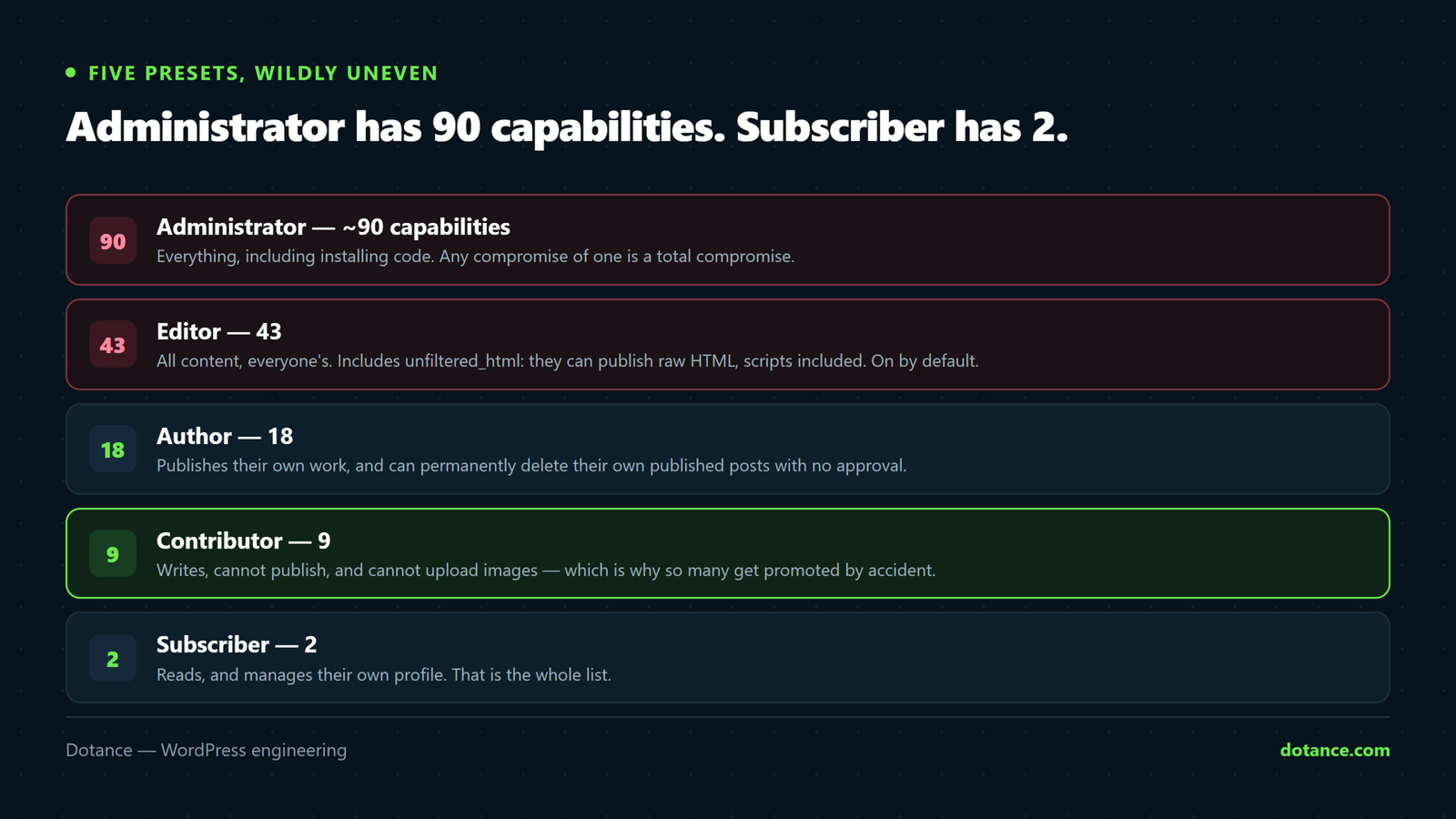
WordPress user roles are not vague tiers. Each role is a specific list of capabilities, and the counts are strikingly uneven — these are from a current WordPress 7.1 install:
| Role | Capabilities | In practice |
|---|---|---|
| Administrator | 90 | Total control, including code |
| Editor | 43 | All content, anyone’s, plus raw HTML |
| Author | 18 | Publishes and deletes their own |
| Contributor | 9 | Writes drafts, cannot publish or upload |
| Subscriber | 2 | Reads, and edits their profile |
The jump from contributor to author is where most accidental exposure happens, and the jump from editor to administrator is where the serious risk lives. Understanding WordPress user roles is mostly understanding those two steps.
Administrator is a developer role, not a seniority role. It can install plugins, edit theme files and add users. That is the ability to run arbitrary code on your server. The most senior person in the business usually needs editor, not administrator — seniority and capability are different axes.
Six mistakes worth fixing today
| # | Mistake | Consequence |
|---|---|---|
| 1 | Everyone is an administrator | Any compromise is a total compromise |
| 2 | Not knowing editors can post raw HTML | Script injection by a trusted account |
| 3 | Promoting contributors so they can upload | Publishing rights given away accidentally |
| 4 | Not knowing authors can delete published work | Content gone, no approval step |
| 5 | Never auditing who still has access | Former staff and agencies, still in |
| 6 | Ignoring roles that plugins add | Unknown capabilities on unknown roles |
1. Administrator as the default answer
Administrator is the path of least resistance in every WordPress user roles decision. Somebody cannot do a thing, so you give them the role that can do everything, and nobody revisits it.
# How many administrators does this site really have?
wp user list --role=administrator --fields=user_login,user_email,user_registered
Run that now. On most sites we audit the number is between four and twelve, and the client can account for about half. Each one is a password that opens a shell onto your server, which is why this sits near the top of hardening a WordPress site.
2. Editors can publish raw HTML
This is the fact that surprises people most, and it is verifiable in one command. The editor role holds unfiltered_html — the capability to save markup without it being sanitised, including script tags.
# Which roles can post unsanitised markup?
wp eval 'foreach ( array( "editor", "author", "contributor" ) as $r ) {
  echo $r . ": " . ( get_role( $r )->has_cap( "unfiltered_html" ) ? "YES" : "no" ) . "\n";
}'

# editor: YES   author: no   contributor: no
That is a deliberate design decision, not a bug — editors are trusted. But it means an editor account is not merely “can change the words”. A compromised editor login can inject a script into every page that embeds that content, and it will not look like a hack: it will look like an edit.
If your editors do not need raw HTML — and most writing teams do not — remove it:
add_action( 'init', function () {
	$role = get_role( 'editor' );
	if ( $role ) {
		$role->remove_cap( 'unfiltered_html' );
	}
} );
On multisite, this is already handled. A network restricts unfiltered_html to super admins, so editors on a network cannot do this. That is one of the genuine security advantages of a multisite network, and it is worth knowing which model you are on before assuming either behaviour.
3. The contributor upload problem
Contributors have nine capabilities among the core WordPress user roles and upload_files is not one of them. So a contributor writes an article and cannot add the image that goes with it.
The usual fix is to promote them to author. That solves uploads and also hands them publish_posts — so somebody you wanted to review before publication can now publish directly, and your editorial process has quietly been removed.
| Approach | Result |
|---|---|
| Promote to author | Uploads work; review step lost |
Add upload_files to contributor | Uploads work; review step kept |
| Editor uploads on their behalf | Works; annoying for everyone |
| A role-editor plugin | Works; another plugin to maintain |
The second row is almost always the right answer, and it is four lines:
add_action( 'init', function () {
	$role = get_role( 'contributor' );
	if ( $role ) {
		$role->add_cap( 'upload_files' );
	}
} );
This is the strongest argument for learning how WordPress user roles are actually built. Capabilities are individually adjustable, so you rarely need to move somebody up a whole tier to solve one specific limitation.
4. Authors can delete published posts
Of the core WordPress user roles, author is the first that holds delete_published_posts. They can permanently remove their own published articles — no approval, no warning, and once the trash is emptied it is gone.
On a site where authors are employees this is usually acceptable. On a site with freelance or guest writers it is a genuine risk, particularly at the end of a relationship that did not go well.
add_action( 'init', function () {
	$role = get_role( 'author' );
	if ( $role ) {
		$role->remove_cap( 'delete_published_posts' );
	}
} );
5. Nobody audits
This is the biggest WordPress user roles failure and the least technical. Accounts accumulate: a developer from 2021, a designer who did one project, an SEO consultant, a plugin vendor’s support login that was “temporary”.
- List every administrator and editor and name each one out loud.
- Anyone you cannot account for — demote first, delete after a fortnight.
- Check registration dates for accounts nobody remembers creating.
- Reassign content when deleting a user, rather than losing it.
- Diary it quarterly. Ten minutes.
Step three is where compromises surface. An administrator account created at 03:00 on a date nobody recognises is not an oversight — it is one of the clearest indicators in the signs a WordPress site is hacked.
6. The roles your plugins added
Your plugins extend the WordPress user roles list without announcing it. WooCommerce adds customer and shop manager. Membership and LMS plugins add their own. Each brings capabilities that are invisible unless you look.
# Every role on the site, with its capability count
wp eval 'foreach ( wp_roles()->roles as $k => $r ) {
  echo str_pad( $k, 20 ) . count( array_filter( $r["capabilities"] ) ) . "\n";
}'
Shop manager is the one to look at closely on a store. It is a powerful role — necessarily, since it handles orders and customer data — and it is frequently handed out to part-time staff on the assumption that it is a limited one.
Choosing between WordPress user roles
| This person | Give them | Not |
|---|---|---|
| Writes articles, someone reviews them | Contributor, plus upload_files | Author |
| Writes and publishes their own work | Author | Editor |
| Manages all content and other writers | Editor | Administrator |
| The business owner | Editor, usually | Administrator by default |
| Your developer or agency | Administrator | Shared with anyone else |
| A one-off contractor | Editor, removed afterwards | Administrator, forgotten |
| Processes orders | Shop manager | Administrator |
Row four is the one clients push back on, and it is worth having the conversation. Being an editor does not mean being less trusted — it means their account cannot install code. If they genuinely need to install a plugin twice a year, promote them for the afternoon and demote them after.
The twenty-minute WordPress user roles audit
# 1. Who has elevated access?
wp user list --role=administrator --fields=ID,user_login,user_email,user_registered
wp user list --role=editor --fields=ID,user_login,user_registered

# 2. Anything unexpected among the roles themselves?
wp eval 'print_r( array_keys( wp_roles()->roles ) );'

# 3. Demote rather than delete, while you check
wp user set-role 14 subscriber

# 4. Delete, reassigning their content to someone real
wp user delete 14 --reassign=1
The --reassign flag matters. Deleting a user without it can take their posts with them, which turns a tidy-up into an incident. Demote first, wait, then delete — and confirm you have a restorable backup before any of it.
The gap between editor and administrator
Forty-three capabilities against ninety separates the two most consequential WordPress user roles, and that gap is where nearly every WordPress user roles decision is really made, so it is worth seeing what actually sits in it.
| Capability | Editor | Administrator | What it means |
|---|---|---|---|
edit_posts | Yes | Yes | Write content |
edit_others_posts | Yes | Yes | Edit anyone’s content |
delete_published_posts | Yes | Yes | Remove live content |
unfiltered_html | Yes | Yes | Save raw markup and scripts |
manage_options | No | Yes | Every settings screen |
install_plugins | No | Yes | Run new code on your server |
edit_theme_options | No | Yes | Menus, widgets, customiser |
list_users | No | Yes | See and manage accounts |
Look at where the WordPress user roles line falls. An editor can already do everything content-related, to anybody’s content, including publishing raw markup. What administrator adds is not more content power — it is the ability to change the site’s configuration and run new code.
That is the whole argument for editor as your default. Someone who needs to manage the blog does not need install_plugins, and giving it to them converts a content account into a server account. Conversely, if what somebody actually needs is to change a menu, the missing capability is edit_theme_options — one line, rather than a promotion.
What this looks like on a real site
A WordPress user roles audit is easy to agree with in the abstract and easy to ignore, so here is the shape of a typical audit.
| Account | Current role | Should be | Reason |
|---|---|---|---|
| Owner | Administrator | Administrator | Somebody must be, and it is their site |
| Marketing manager | Administrator | Editor | Never installs anything |
| Two copywriters | Author | Contributor + uploads | Their work is reviewed |
| Previous agency | Administrator | Removed | Engagement ended in 2024 |
| “seo_temp” | Administrator | Removed | Nobody knows who created it |
| Plugin support login | Administrator | Removed | Added for one ticket, never revoked |
| Bookkeeper | Administrator | Shop manager | Only touches orders |
Seven administrators became two after one WordPress user roles review, and nobody lost the ability to do their job. That is the typical outcome of taking WordPress user roles seriously for half an hour — not a tightening that inconveniences people, but the removal of access that was never being used.
Rows four to six are the ones to act on first, because they are pure risk with zero offsetting benefit. An account nobody can name is not a permissions question; it is an open door, and the only argument for keeping it is that nobody has looked.
Where this goes wrong
| The mistake | What happens | Do this instead |
|---|---|---|
| Administrator for everyone | Every account is a full compromise | Editor by default |
| Promoting to fix one limitation | Capabilities granted by accident | Add the single capability |
| Deleting users without reassigning | Content disappears | --reassign, always |
| Shared logins | No audit trail, no accountability | One account per person |
Leaving unfiltered_html on editors | Script injection looks like an edit | Remove it if unused |
| Ignoring plugin-added roles | Unknown power on unknown accounts | List every role, not just core ones |
| A role-editor plugin left active forever | Another plugin, doing a job code does better | Set capabilities in a small mu-plugin |
The shared-logins row undermines every other WordPress user roles control. A single “editor” account used by four people means no WordPress user roles configuration can tell you who changed what — and when something goes wrong, you cannot narrow it down. One account per person is the foundation the rest of this rests on, and it belongs in every handover document.
What WordPress user roles do not protect you from
| Risk | Roles help? | What actually does |
|---|---|---|
| A weak administrator password | No | Two-factor authentication |
| A vulnerable plugin | No | Updates, and fewer plugins |
| An editor account phished | Partly | Two-factor, plus removing unfiltered_html |
| A malicious insider | Yes — this is the point | Least privilege, and an audit trail |
| Somebody deleting content by accident | Yes | Correct roles, and backups |
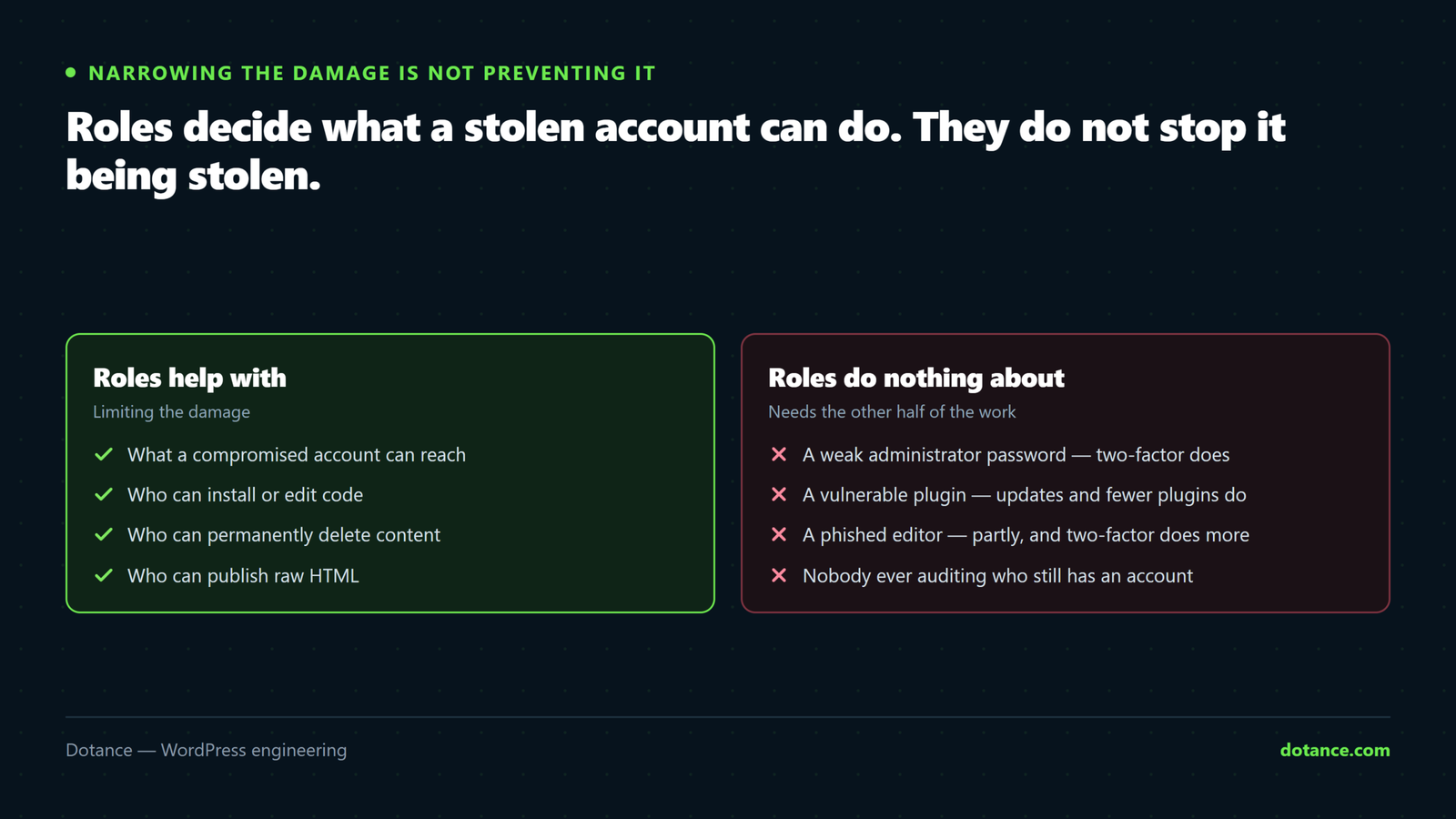
WordPress user roles are one control among several. They limit what a given account can do when it is being used by somebody who should not have it — which is exactly the scenario most compromises involve. They do nothing about the password on that account, and that is why two-factor belongs alongside this work rather than instead of it.
WordPress documents every role and the full capability list at Roles and Capabilities, which is the reference to check before granting anything you are unsure about.
Where to go after roles
Getting WordPress user roles right narrows what a stolen account can do. It does nothing to stop the account being stolen, so the two pieces of work belong together.
- Two-factor on every administrator and editor. The two roles that can change code or publish markup.
- One account per person. Shared logins destroy the audit trail roles are meant to create.
- A password manager, so nobody reuses the password from their email.
- Remove access the day somebody leaves, not at the next quarterly review.
- Check what new plugins add to the roles list after installing them.
Step four is the one that gets skipped because it always happens on a busy day. Put it in whatever process already exists for offboarding — the same list that collects a laptop and disables an email account should disable a WordPress login, and the reason it usually does not is that nobody wrote it down.
Frequently asked questions
Should the business owner be an administrator?
At least one person in the business should hold it, so they are never locked out of their own site. Everyone else, including senior staff, is usually better as an editor. That is about blast radius, not trust.
Can I create custom WordPress user roles?
Yes, with add_role() in a small mu-plugin. That is often cleaner than a role-editor plugin, because the definition lives in version control where the next developer can read it.
How often should I review WordPress user roles?
Quarterly for a site with staff turnover, annually for a small stable team, and always when somebody leaves or a contract ends. The review takes ten minutes once the first proper audit is done.
What is the difference between a role and a capability?
A capability is a single permission, such as publish_posts. WordPress user roles are named bundles of capabilities: administrator is ninety of them in one bundle, editor is forty-three.
Does the subscriber role have any risk?
Very little on its own — two capabilities. The risk with subscribers is volume: open registration accumulates thousands of accounts, and a vulnerability that escalates privilege has a large pool to work from. If you do not need registration, turn it off.
Why can my contributor not add images?
Because upload_files is not among their nine capabilities. Add that one capability rather than promoting them — promotion also grants publishing rights.
How do I see what a specific user can do?
Check a capability directly: wp eval 'var_dump( user_can( 14, "publish_posts" ) );'. Useful when somebody reports they cannot do something and you want the answer rather than a theory.
Is a role-editor plugin worth installing?
For a one-off WordPress user roles change, no — a few lines in an mu-plugin do it permanently and are visible to whoever inherits the site. For a complex membership site with many custom roles, a plugin with a proper interface can earn its place. Keep it deliberate either way, as with everything in auditing plugin bloat.