How owners actually find out
In roughly the order it happens:
| Sign | What it usually means |
|---|---|
| Google shows a red warning, or Search Console flags a security issue | Content injection Google has already indexed. Traffic has usually collapsed by now. |
| Your host suspends the account | The server is sending spam. Common, and it means the compromise is active. |
| Pages you never wrote appear in search results | SEO spam injection — pharmaceutical, gambling, counterfeit goods. |
| Mobile visitors get redirected, desktop is fine | A cloaked redirect. Built specifically so the owner never sees it. |
| Admin accounts you do not recognise | Persistence. They intend to come back. |
| The site suddenly got slow | Someone else’s crypto miner or spam script is using your server. |
| Customers report spam email “from” you | Your mail is being relayed, and your domain reputation is burning. |
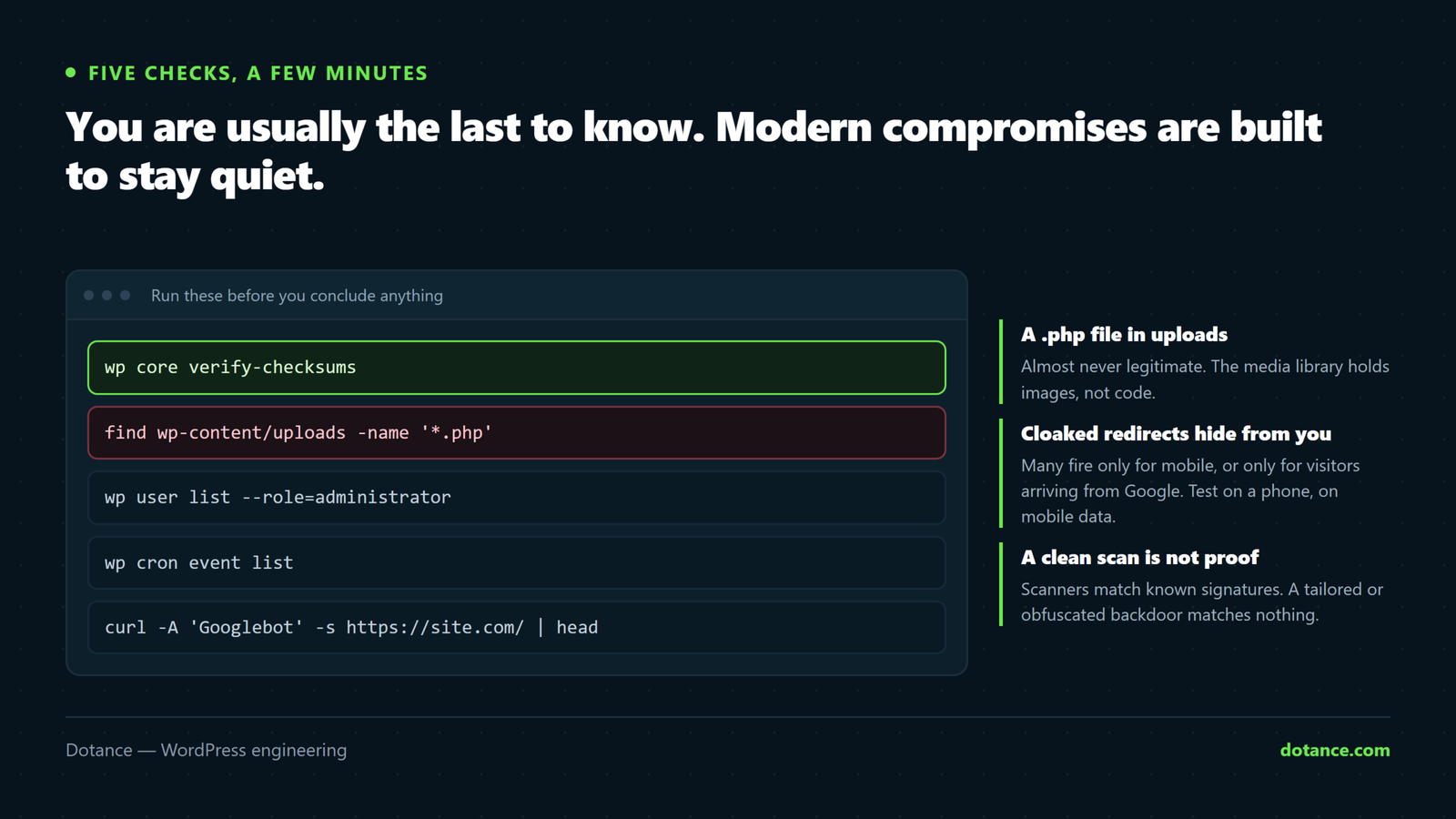
Five checks that catch most compromises
1. Verify core against the official release
The fastest single check there is. WordPress core files should match the release byte for byte:
wp core verify-checksumsClean output means core is untouched. Anything listed as modified, or a file that “should not exist”, is your first thread to pull. Do the same for plugins from the directory:
wp plugin verify-checksums --allA clean checksum is not a clean site. It only covers core and wp.org plugins — not your theme, not premium plugins, not the database, and not anything sitting in uploads. It rules out one large category quickly, which is why it goes first.
2. Look for PHP where PHP does not belong
Your media library holds images and documents. Executable code there is almost always a web shell:
find wp-content/uploads -name "*.php" -o -name "*.phtml" -o -name "*.php5"Anything returned deserves scrutiny. A handful of caching plugins legitimately write PHP into uploads, so identify a file before deleting it — but treat each one as hostile until you have.
3. Find recently modified files
A hack has a timestamp, and it is rarely during your working hours:
# Every PHP file changed in the last 7 days, newest first
find . -name "*.php" -mtime -7 -printf "%T+ %p\n" | sort -r | head -40
Compare against what you actually did. Files changed at 3am that nobody touched are the ones to read.
4. Check for users you did not create
wp user list --role=administrator --fields=ID,user_login,user_email,user_registeredLook for accounts registered on a date you cannot explain, or with email addresses on domains you do not recognise. Note them — do not delete them yet.
5. Check scheduled tasks
A cron event that re-downloads the payload is how a “cleaned” site reinfects itself an hour later:
wp cron event listAnything with a hook name that is random characters, or that does not belong to a plugin you recognise, is worth investigating.
Test the way a visitor sees it
Cloaked redirects check the user agent and only fire for mobile, or only for visitors arriving from Google. Your desktop browser will never see it.
# Fetch the page as a mobile browser
curl -s -A "Mozilla/5.0 (iPhone; CPU iPhone OS 17_0 like Mac OS X)" \
  https://yoursite.com/ | head -40

# And as Googlebot, which is what search results reflect
curl -s -A "Mozilla/5.0 (compatible; Googlebot/2.1; +http://www.google.com/bot.html)" \
  https://yoursite.com/ | grep -iE "viagra|casino|replica"
Also run site:yourdomain.com in Google and page through the results. Injected spam pages show up there long before they show up to you.
Before you touch anything
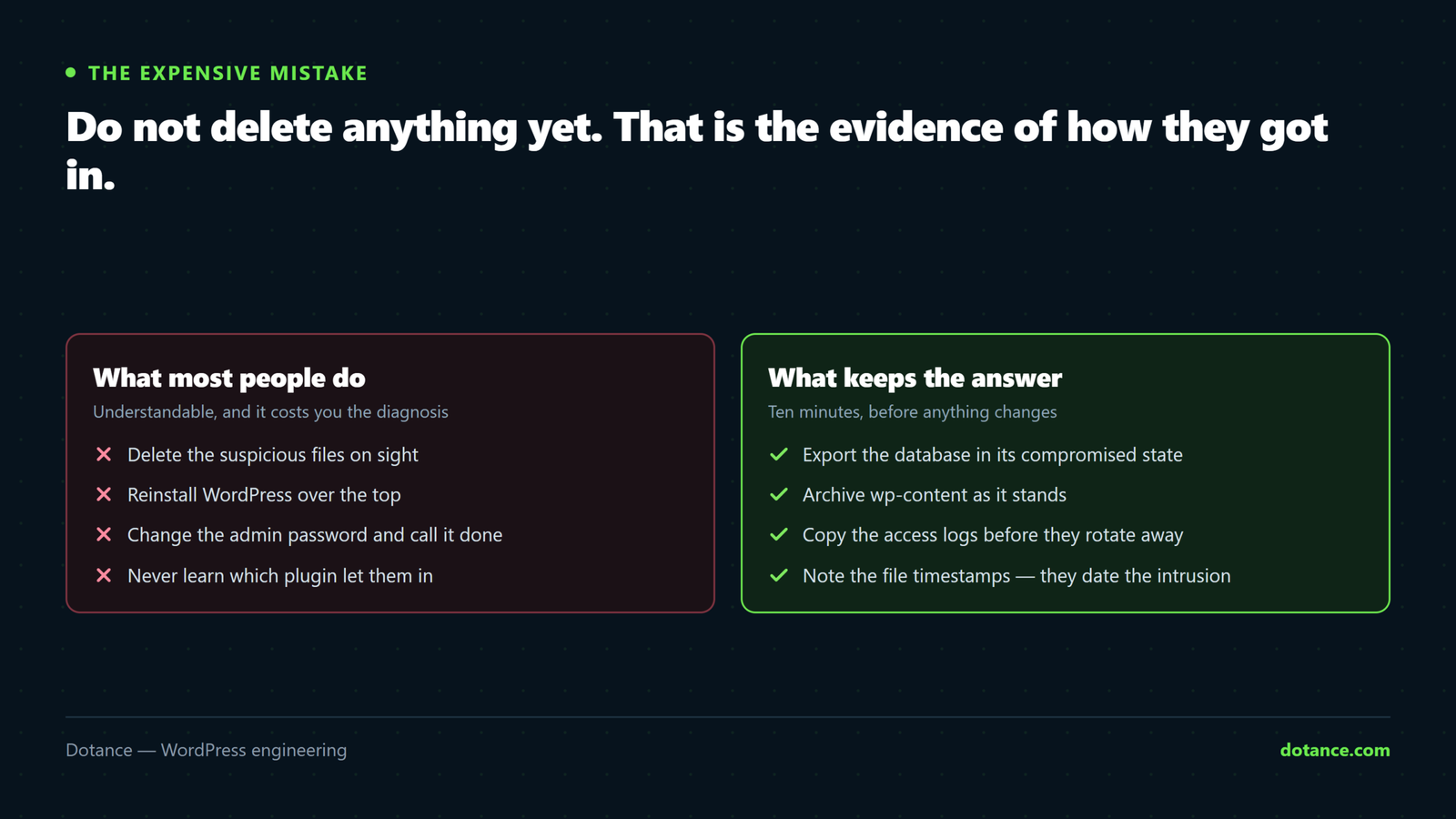
Do not start deleting files. It is the most common and most expensive mistake. The evidence of how they got in lives in those files, their timestamps and the server logs — delete it and you will clean the site without closing the door. That is precisely why so many sites are reinfected within weeks.
In this order:
- Take a full backup of the compromised state — files and database. It feels wrong to preserve malware; you need it for forensics and as a safety net.
- Pull the server logs before they rotate. Access logs usually name the request that got in.
- Change every admin password, plus database and hosting credentials.
- Note the unknown accounts — do not remove them yet.
- Take the site offline if it is actively serving malware to visitors.
Then work through a proper cleanup process.
How they almost certainly got in
It is rarely an attack on you specifically. It is a script scanning millions of sites for a known hole:
- An outdated plugin or theme with a published vulnerability and a patch nobody applied. This is the large majority.
- A weak or reused admin password found by credential stuffing.
- A nulled premium plugin — the backdoor is the price of the free copy.
- A compromised neighbour on shared hosting.
- An abandoned plugin that will never be patched.
Check the plugin versions you were running against the WPScan vulnerability database — it will often tell you exactly which hole was used, and that closes the question of what to fix.
Why sites get hacked twice
Two reasons, both avoidable: the entry point was never found, or a backdoor was missed. Attackers routinely plant several — one in uploads, one in a database option, one in a legitimate-looking theme file nobody reads — precisely so a surface cleanup leaves them a way back.
Any cleanup that does not identify the entry point is temporary by design.
Common questions
My security plugin says the site is clean.
Scanners match known signatures. A tailored or obfuscated backdoor will not match one. A clean scan is reassuring, not conclusive — the checks above look at facts rather than signatures.
Can I just restore a backup?
Only if you know the backup predates the compromise, and only if you close the entry point too. Restoring to a version with the same unpatched plugin means being reinfected by the same script.
Google has flagged my site. How long to clear it?
After a genuine cleanup, request a review in Search Console. Reviews typically take a few days. Requesting one while still infected resets the clock and makes it slower.
Should I tell my customers?
If personal data may have been exposed, you likely have a legal duty to — under UK/EU GDPR that can mean notifying within 72 hours. Take advice early rather than deciding quietly.