Every few months a new file appears that you are told your site must have. This one is llms.txt: a curated, machine-readable map of your site aimed at AI assistants rather than search crawlers. The question is not whether it is clever — it is. The question is whether llms.txt for WordPress does anything measurable for you. Here are five things that are actually true, so you can decide without buying anyone’s package.
What llms.txt for WordPress actually is
An llms.txt for WordPress is a markdown file served at the root of your domain. Not a configuration, not a directive, not a permission — a curated list.
/llms.txt
# Dotance

> WordPress agency. Guides on maintenance, WooCommerce and search visibility.

## Guides

- [WordPress 7.1 update](https://example.com/blog/wordpress-71-update/): what breaks and how to check first.
- [WooCommerce checkout blocks](https://example.com/blog/woocommerce-checkout-blocks/): whether to migrate, and the audit to run first.

## Services

- [Care and maintenance](https://example.com/services/maintenance-support/): what an ongoing plan covers.
The idea behind llms.txt for WordPress is reasonable. An assistant landing on a WordPress site meets navigation menus, cookie banners, related-post widgets and a footer, and has to infer what matters. A file like this says it outright.
Note the difference from the two files it gets compared to, because the comparison is where most of the confusion comes from:
| File | Status | Who honours it |
|---|---|---|
robots.txt | Long-established convention | Effectively every crawler |
sitemap.xml | Supported standard | All major search engines |
llms.txt | A proposal | No public commitment from any major assistant |
That third row is the fact the enthusiastic articles leave out. llms.txt for WordPress is not ignored because it is badly designed; it is unconfirmed because nobody who runs an assistant has said publicly that they read it.
Fact 1: nobody has committed to reading it
Adoption claims about llms.txt for WordPress are usually inference dressed up as evidence. Someone adds the file, citations rise, and the file gets the credit — when the same month also contained three new guides and a site-speed fix.
If you want to know whether your own llms.txt for WordPress is being fetched, you do not need anyone’s opinion. Look at your access log:
# Has anything ever requested it?
grep 'llms.txt' access.log | awk '{print $1, $12}' | sort | uniq -c | sort -rn
That is the only honest evidence available to you. If nothing appears after a month, the file is not being read on your site — which is worth knowing before you spend an afternoon perfecting it.
Be sceptical of before-and-after claims. Nobody publishing a case study about llms.txt has a control group. If a study does not show requests in a server log, it is showing correlation and calling it cause.
Fact 2: it costs half an hour, and that changes the maths
Here is the thing that makes the sceptical position on llms.txt for WordPress still end in “go ahead”. The expected value may be uncertain, but the cost is genuinely small, and the downside is close to zero.
| Cost | Reality |
|---|---|
| Time to write | 20–40 minutes for a normal site |
| Page speed | None — it is never requested by a browser |
| Security risk | None, if you only list public URLs |
| SEO risk | None. It is not a ranking signal in either direction |
| Ongoing maintenance | Ten minutes a quarter, if you are disciplined |
A cheap bet on an uncertain payoff is a reasonable bet. What is not reasonable is paying an agency a monthly fee for it, or letting llms.txt for WordPress displace work that has known returns. Write it once, on a quiet afternoon, and move on.
Fact 3: llms.txt for WordPress fixes nothing that is already broken
A curated list of your best pages does nothing if an assistant cannot reach those pages, or cannot make sense of them when it does.
- Check you are not blocking the search crawlers. Many security presets disallow
OAI-SearchBotandPerplexityBotby default. - Check your pages answer something specific. Assistants quote pages with concrete detail, not pages that hedge.
- Check the content is in the HTML rather than assembled by JavaScript after load.
- Check the pages are indexed at all — if Google cannot find them, nor can anything else.
Every one of those matters more than the file. If you only have an afternoon, spend it on the crawler check and on making one page genuinely better, and add llms.txt for WordPress afterwards with whatever time is left. The full version of that argument is in getting cited by AI search, and the strategic framing is in GEO versus SEO.
Fact 4: a stale file is worse than no file
This is the risk nobody mentions when recommending llms.txt for WordPress, and it is the only real downside. A curated list decays. Pages get renamed, guides get replaced, services change, and eighteen months later your llms.txt for WordPress confidently points at four URLs that 404.
If anything does read the file, you have handed it a misleading map — which is a worse outcome than having handed it nothing at all. So treat it the way you would treat any published document:
| Habit | When |
|---|---|
| Curl every URL in the file | Quarterly |
| Remove entries for retired pages | Whenever you retire one |
| Add genuinely new cornerstone content | When you publish it |
| Re-read the descriptions | Annually — they date faster than the URLs |
| Delete the file entirely | If you stop maintaining it |
That last row is a legitimate choice. If you know you will not keep it current, not having one is the honest position.
Fact 5: the file should be curated, not generated
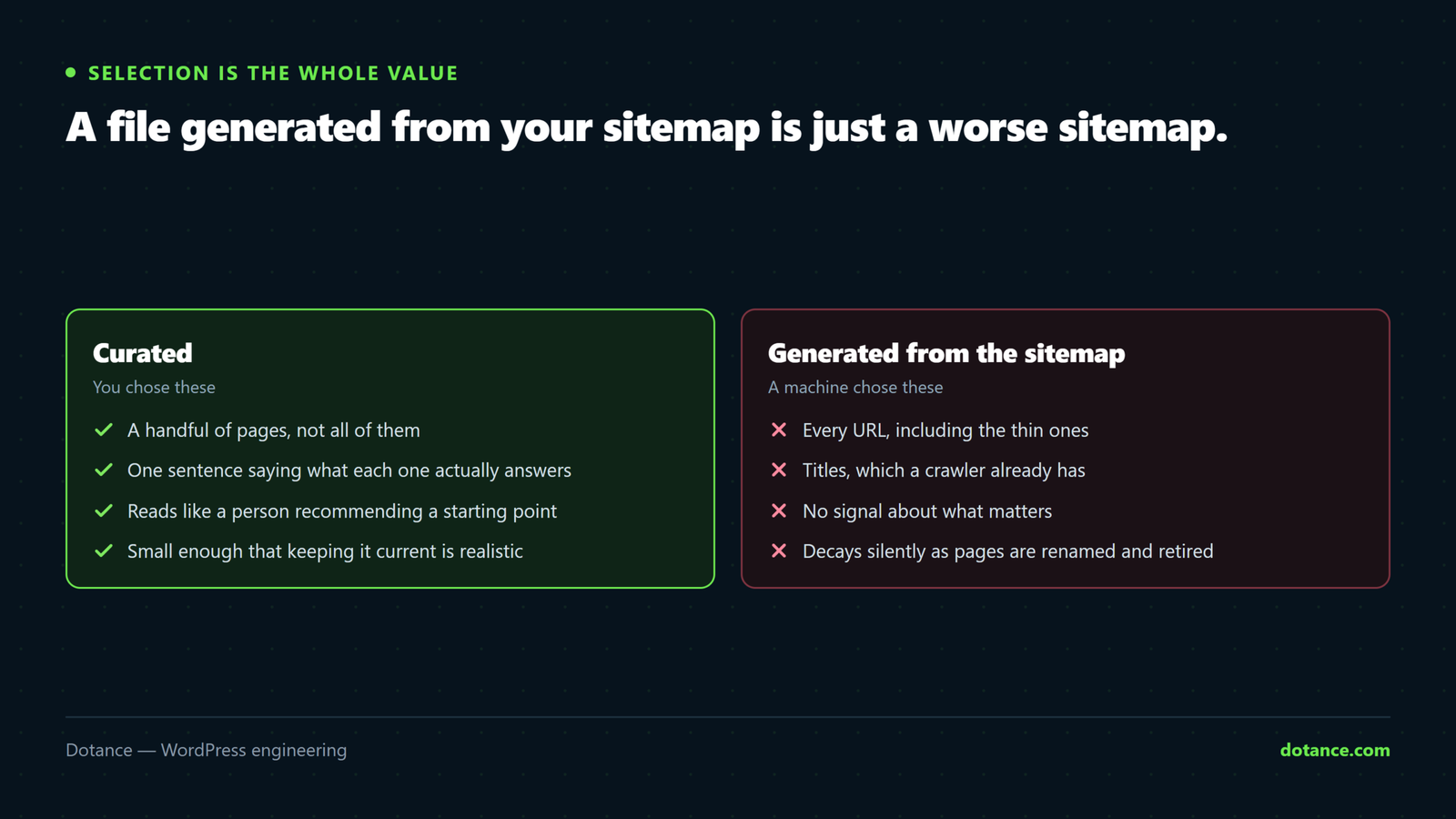
Plugins exist that will generate llms.txt for WordPress from your sitemap. They defeat the purpose entirely.
The whole value of the format is selection — saying “these eleven pages are the ones that matter, and here is why”. A dump of four hundred URLs is a sitemap with extra steps, and you already have a sitemap that is better structured for machines than markdown is.
The test: if you could not explain to a colleague why each entry is on the list, the list is too long. Ten to twenty entries is right for most sites. Fifty is a signal that nobody chose.
Adding llms.txt for WordPress
Two ways to serve llms.txt for WordPress. Both work; pick based on who will maintain it.
The simple way: a static file
Write the file, upload it to your WordPress root next to robots.txt, done.
# Confirm it serves, and as plain text
curl -sI https://example.com/llms.txt | grep -iE '^HTTP|content-type'
You want a 200 and a text content type. Two things commonly go wrong: a security plugin blocks unknown root files, or a caching layer serves a stale copy after you edit it.
The maintainable way: a small mu-plugin
If the file lives on disk, the next person to redeploy the site will lose it. A must-use plugin keeps it in version control with everything else:
wp-content/mu-plugins/llms-txt.php
<?php
add_action( 'init', function () {
	add_rewrite_rule( '^llms\.txt$', 'index.php?dtc_llms=1', 'top' );
	add_rewrite_tag( '%dtc_llms%', '1' );
} );

add_action( 'template_redirect', function () {
	if ( ! get_query_var( 'dtc_llms' ) ) {
		return;
	}

	// Curated by hand. A generated list defeats the point.
	$file = __DIR__ . '/llms.txt';
	if ( ! file_exists( $file ) ) {
		return;
	}

	header( 'Content-Type: text/plain; charset=utf-8' );
	header( 'X-Robots-Tag: noindex' );
	readfile( $file );
	exit;
} );
Flush permalinks once after adding it (Settings → Permalinks → Save) or the rule will not take effect. Keep the markdown in the same folder so the content is still edited as a plain file rather than through a settings screen nobody will open.
How to tell whether it did anything
You cannot attribute a sale to llms.txt for WordPress, and you should not try. What you can do is watch three numbers over a quarter and see whether the picture moves together.
| Signal | Where | What it tells you |
|---|---|---|
Requests for /llms.txt | Access log | Whether anything reads it at all |
| Assistant bot hits on listed pages | Access log | Whether the listed pages get more attention |
| Assistant referral sessions | GA4, custom channel | Whether any of it reaches a human |
The first row is the honest one and it requires nothing but a log. The setup for the third is described in tracking AI search traffic in GA4 — worth doing regardless of whether you add llms.txt for WordPress, because it is the only way to see the channel at all.
Set a reminder for three months out. If the file has never been requested, you have learned something concrete for the price of a short afternoon, and you can leave it in place at no cost or delete it with no regret.
Writing one that is actually worth reading
If you are going to do it, the descriptions carry all the value. A list of titles tells a reader nothing they could not get from your menu; a list of one-sentence summaries tells them what each page settles.
| Weak entry | Better entry |
|---|---|
| Our blog | Guides on WordPress maintenance, WooCommerce and search visibility |
| Pricing | What a care plan costs monthly and what is included at each tier |
| WordPress 7.1 guide | What the 7.1 iframe change breaks, and the checks to run before updating |
| Services | Design, maintenance and WooCommerce work, with typical project sizes |
Write the right-hand column. It takes longer and it is the only part of llms.txt for WordPress that could plausibly earn you anything, because a summary is the thing an assistant can use to decide whether your page answers the question in front of it.
Structure matters less than people assume. Headings that group the list — guides, services, about — are enough. There is no schema to satisfy and no validator to pass, which is either liberating or unsettling depending on your temperament.
Where this sits among everything else
It is easy to lose perspective on a new file. Set llms.txt for WordPress against the other things you could do with the same afternoon:
| Work | Effort | Evidence it works |
|---|---|---|
| Unblock AI search crawlers in robots.txt | Ten minutes | Strong — you cannot be cited if you are blocked |
| Add concrete numbers to an existing guide | An hour | Strong — specificity is what gets quoted |
| Fix a slow landing page | Half a day | Strong, and it helps every channel |
| Set up assistant referral tracking | Half an hour | Strong — it is how you measure anything |
| Write an llms.txt | Half an hour | None yet, and cheap enough to try anyway |
Four rows with evidence, one without. That ordering is the recommendation. llms.txt for WordPress belongs at the bottom of that list, and belonging at the bottom of a good list is not the same as belonging in the bin — it simply means it goes last.
The pattern is familiar to anyone who has watched this industry for a while. A plausible convention appears, a wave of articles declares it essential, agencies package it, and eighteen months later it has either quietly become infrastructure or quietly disappeared. Adding a cheap file while that resolves is sensible. Reorganising your quarter around it is not.
Where this goes wrong
| The mistake | What happens | Do this instead |
|---|---|---|
| Paying a monthly fee for it | Recurring cost, unproven return | Write it once yourself |
| Generating it from the sitemap | A worse sitemap | Curate ten to twenty entries |
| Listing private or staging URLs | Publishing things you meant to keep quiet | Public pages only |
| Writing it and never revisiting | A confident map of dead links | Quarterly curl of every URL |
| Doing it instead of the crawler check | Curating pages nothing may reach | Check robots.txt first |
| Expecting a ranking change | Disappointment, and wasted attention | Judge it on log requests only |
| Blocking it in robots.txt by accident | The one file you wanted read, disallowed | Test after any robots change |
The first row is the one worth being firm about. There is nothing wrong with adding this file, and there is something quite wrong with an agency charging a retainer to maintain a twenty-line text document whose readership nobody can demonstrate.
The verdict on llms.txt for WordPress

Add it if you have half an hour spare and you will maintain it. Skip it if that half hour would otherwise go to making one page genuinely more useful, because that has a known return and this does not.
| You are | Recommendation |
|---|---|
| A content-heavy site with cornerstone guides | Add it — you have something worth curating |
| A small brochure site with six pages | Skip it. Your navigation already says everything |
| A shop | Low priority. Product data belongs in structured markup |
| An agency or consultancy | Add it, mostly because you should know how it works |
| Short on time | Do the crawler and indexing checks instead |
Before any of it, make sure the basics hold — if your pages are not indexed, nothing downstream matters, and a site not showing on Google is a much bigger problem than a missing text file. The same goes for the rest of the fundamentals in our technical SEO checklist.
The proposal itself, with the format specification and the reasoning behind it, is published at llmstxt.org — short, readable, and refreshingly clear that it is a proposal rather than a standard.
What would change this advice
It is worth naming what evidence would move llms.txt for WordPress up the list, so that you can watch for it rather than re-reading opinion pieces.
| If this happens | Then |
|---|---|
| An assistant vendor documents that it fetches the file | It becomes a standard item, like a sitemap |
| Requests for it appear in your own access log | Maintain it properly and expand it |
| A crawler user agent named for it appears | Same — that is a public commitment in practice |
| Two years pass with no requests at all | Delete it and stop thinking about it |
The second row is the one you control, and it costs nothing to watch. A single grep once a quarter answers the question for your own site more reliably than any article about llms.txt for WordPress, including this one.
Frequently asked questions
Is llms.txt for WordPress a ranking factor?
No, in either direction. It is not read by search engines as a ranking input, and having one or not having one does not affect your positions.
Does llms.txt for WordPress control what AI can use, like robots.txt?
No, and this is the most common misunderstanding. It is a suggestion of what is useful, not a permission file. If you want to control access, that is robots.txt and your firewall — two entirely different mechanisms.
Should I use a plugin for it?
Not for a file this small. A plugin adds an update to track and a settings screen to learn, in exchange for writing twenty lines of markdown. The mu-plugin above is enough if you want it in version control.
What about llms-full.txt?
Some sites publish a longer companion file with entire page contents inlined. For documentation it makes sense. For a business site it mostly means publishing a second copy of your content that you then have to keep in sync, which is exactly the maintenance trap described above.
Do I need one for every site I run?
No. It earns its place on sites with a genuine library of useful pages. On a six-page brochure site there is nothing to curate, and an llms.txt for WordPress there is simply your menu written twice.
Will adding it slow my site down?
No. It is never requested during a page load, so it has no effect on any performance metric a visitor experiences.
How many entries should it have?
Ten to twenty for most sites. The constraint is that you should be able to justify each one. If you are adding entries to look substantial, you have stopped curating.
Will you write one for me?
We will, as part of a visibility review, and we will also tell you honestly that it is the least important thing in that review. The parts that matter are whether assistants can reach your pages and whether those pages say anything specific enough to quote.