Are you being hit right now?
Almost certainly — bots find wp-login.php within hours of a domain going live. Look at your own logs rather than wondering:
# Login attempts today, busiest IPs first
grep "wp-login.php" ~/logs/*access* | grep " 200 \| 302 " \
  | awk '{print $1}' | sort | uniq -c | sort -rn | head -10

# XML-RPC traffic — one line can hold hundreds of guesses
grep -c "xmlrpc.php" ~/logs/*access*
Hundreds of hits a day from IPs across the world is normal background radiation. It only matters if a guess can succeed.
1. Rate limiting
Out of the box WordPress allows unlimited guesses. A limiter that locks an IP after a handful of failures turns a million-attempt attack into a five-attempt one.
Your options, in order of preference:
- Your host’s protection — blocks before PHP loads, so it costs you nothing. Check the panel first; many hosts have this on already.
- A firewall (WAF) — Cloudflare or similar, also before your server.
- A plugin — works, but WordPress has already booted to run it. Fine for most sites.
Lockouts must be visible. A limiter that silently locks accounts is also a denial-of-service tool — an attacker can lock out your real admin by guessing their username on purpose. Alerting on repeated lockouts is what turns the control into information.
2. Two-factor — the one that actually ends it
With 2FA, a correctly guessed password is still not enough. This converts brute force from a threat into noise.
- Enforce it for administrators and editors at minimum.
- An authenticator app beats email codes — email is itself a password-guessing target.
- Hardware keys are stronger again, and worth it for a store or client site.
Application passwords bypass 2FA by design. They exist so apps and integrations can authenticate without it — which means one leaked application password walks straight past your second factor, and keeps working after a password change. Audit them in each user’s profile and revoke anything you cannot account for.
# Who has admin, and when did they appear?
wp user list --role=administrator --fields=ID,user_login,user_email,user_registered
3. Close the XML-RPC multiplier
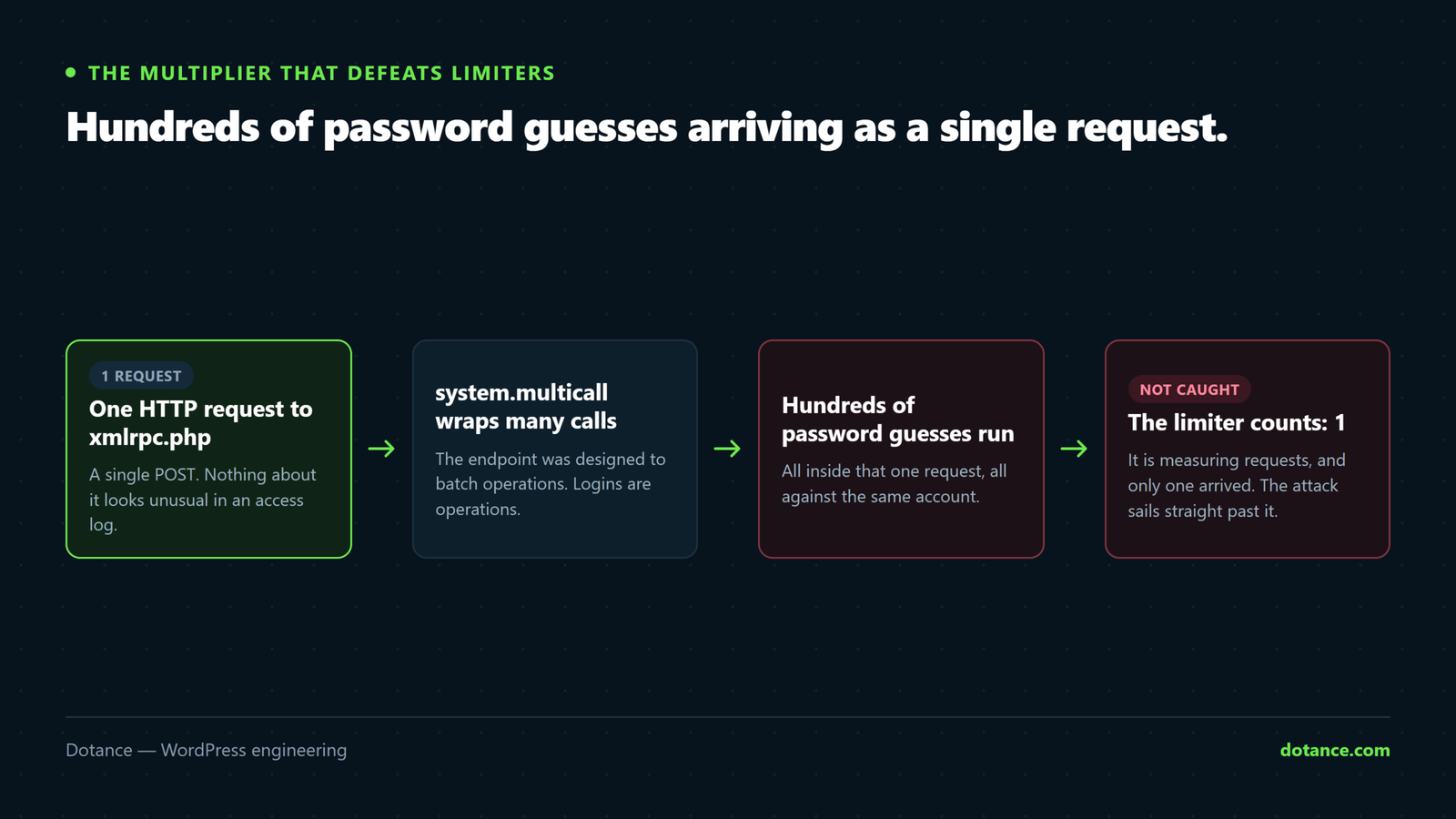
This is the one that defeats naive rate limiting. The old xmlrpc.php endpoint supports multicall — many login attempts inside a single HTTP request. A limiter counting requests sees one; the bot made four hundred guesses.
Check whether anything needs it first — Jetpack and the mobile app are the usual dependents:
curl -s -o /dev/null -w "%{http_code}\n" https://yoursite.com/xmlrpc.phpThen block it:
nginx
location = /xmlrpc.php {
	deny all;
	access_log off;
}
.htaccess — Apache
<Files xmlrpc.php>
	Require all denied
</Files>
Or in PHP, if you have no server access:
functions.php
add_filter( 'xmlrpc_enabled', '__return_false' );The PHP filter is the weakest of the three. WordPress still boots to answer the request, so the attack still costs you server time — it just cannot succeed. Blocking at the server means the request never reaches PHP at all.
4. Stop publishing your usernames
Brute force needs a username and a password. WordPress will often hand over the first half.
# Author enumeration — does this redirect to a real username?
curl -sI "https://yoursite.com/?author=1" | grep -i location

# The REST API lists users publicly by default
curl -s "https://yoursite.com/wp-json/wp/v2/users" | head -c 300
If either returns a real login name, that is half the problem solved for the attacker. Most security plugins can block both, and:
- Never have a user called
admin— it is the first guess, every time. - Make the display name different from the login. WordPress shows the display name publicly; if they match, every byline is a username.
What does not work
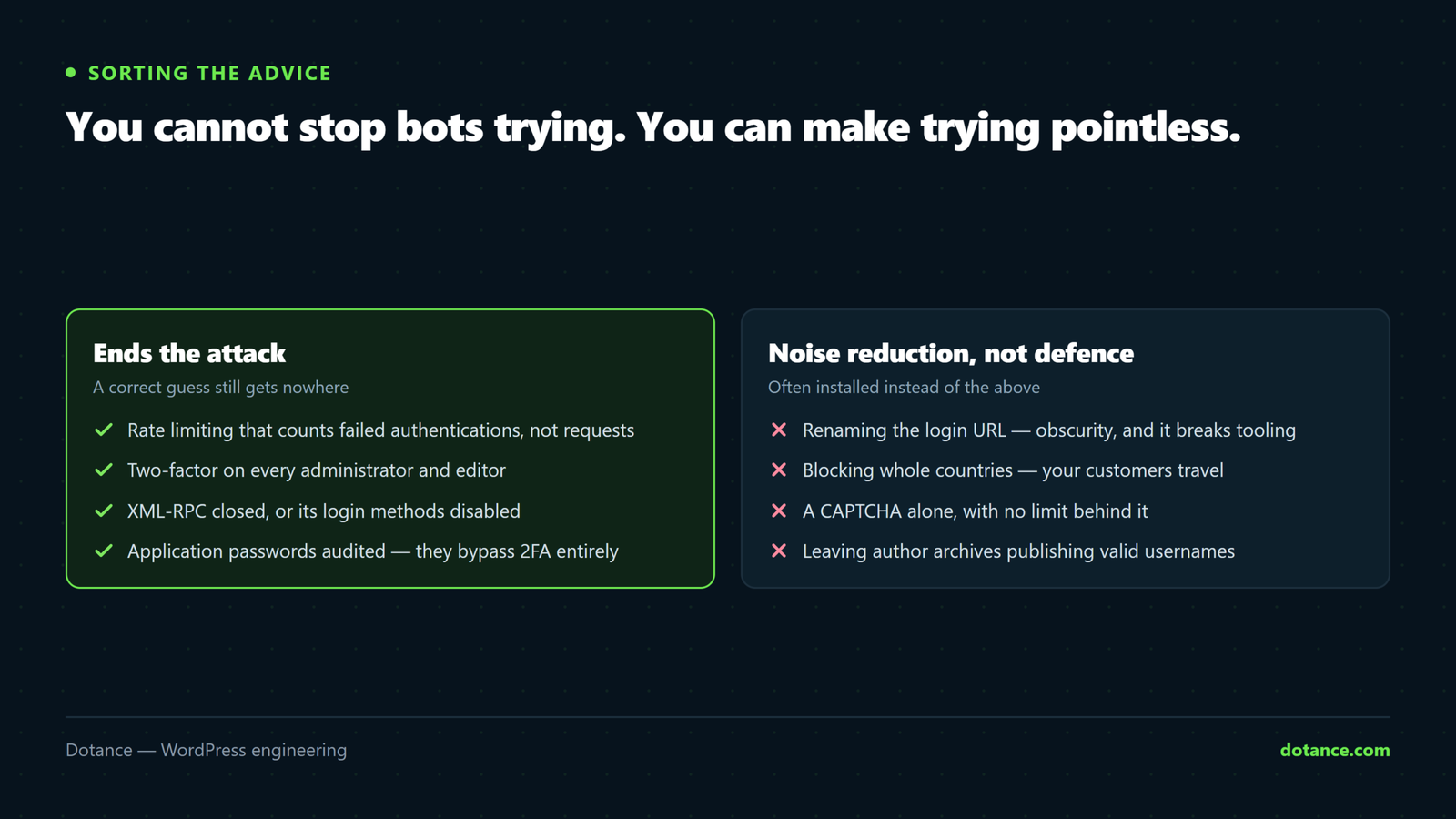
| Common advice | Reality |
|---|---|
| Rename the login URL | Cuts log noise, genuinely. But it is obscurity — trivially found, and it breaks tooling. Not a substitute for 2FA. |
| Block whole countries | Bots use residential proxies in your country. Blocks customers more reliably than attackers. |
| CAPTCHA on login | Helps against cheap bots, defeated by the ones that matter, and taxes every real login. |
| Hide the WordPress version | Unrelated to brute force entirely. |
None of these are harmful — a quieter log is easier to read. They are just not the wall people believe them to be.
If a login did succeed
Stop reading this and start checking for a compromise. A successful brute force means an attacker had admin: rotate every password, rotate the salts so existing sessions die, and check for accounts and scheduled tasks you did not create.
wp config shuffle-saltsCommon questions
My log shows thousands of attempts. Am I under attack?
You are being scanned, like every WordPress site. With rate limiting and 2FA in place it is weather, not an emergency.
Should I block the IPs?
Not by hand — they rotate constantly and you will be at it forever. Let the limiter or firewall do it automatically.
Is a security plugin enough?
For this specific threat, a good one covers rate limiting and 2FA, which is most of the answer. It will not patch an outdated plugin, which is how sites are more commonly compromised — see hardening.
What about the REST API — should I disable it?
No. The block editor and much else depend on it. Restrict the users endpoint if you want to stop enumeration; disabling the API wholesale breaks your own site.