The exact message
Warning: Cannot modify header information - headers already sent by
(output started at /home/user/public_html/wp-content/themes/mytheme/functions.php:1)
in /home/user/public_html/wp-includes/pluggable.php on line 1435
It looks like two errors. It is one, and it names two different files — which is exactly why people fix the wrong one.
| Part of the message | What it is |
|---|---|
output started at …functions.php:1 | The cause. This file sent something to the browser too early. Fix this one. |
in …/pluggable.php on line 1435 | The victim. WordPress core tried to set a header and could not. Nothing is wrong with this file — never edit it. |
Go to the first path, at the line number it gives. It is usually line 1 (something before the opening tag) or the very last line (something after the closing tag).
Why a blank line breaks anything at all
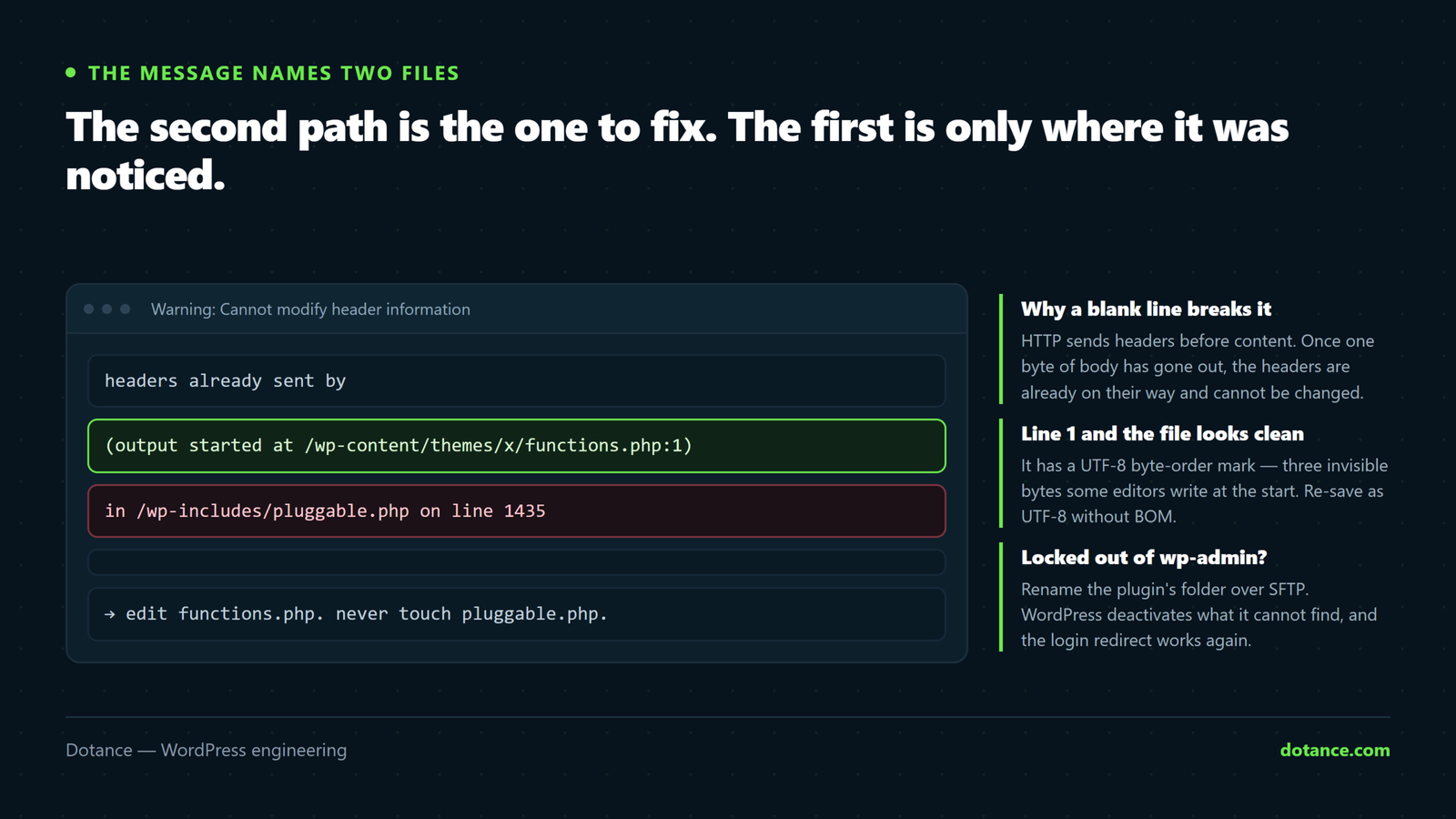
HTTP sends headers before content — cookies, redirects, content type. Once a single byte of body has gone out, the headers are already on their way and cannot be changed. A stray space outside <?php … ?> is body content, so PHP sends it, and the next redirect or cookie fails.
That is why one invisible character breaks a login redirect. It is not a WordPress bug; it is how HTTP works.
Fix 1: whitespace outside the PHP tags
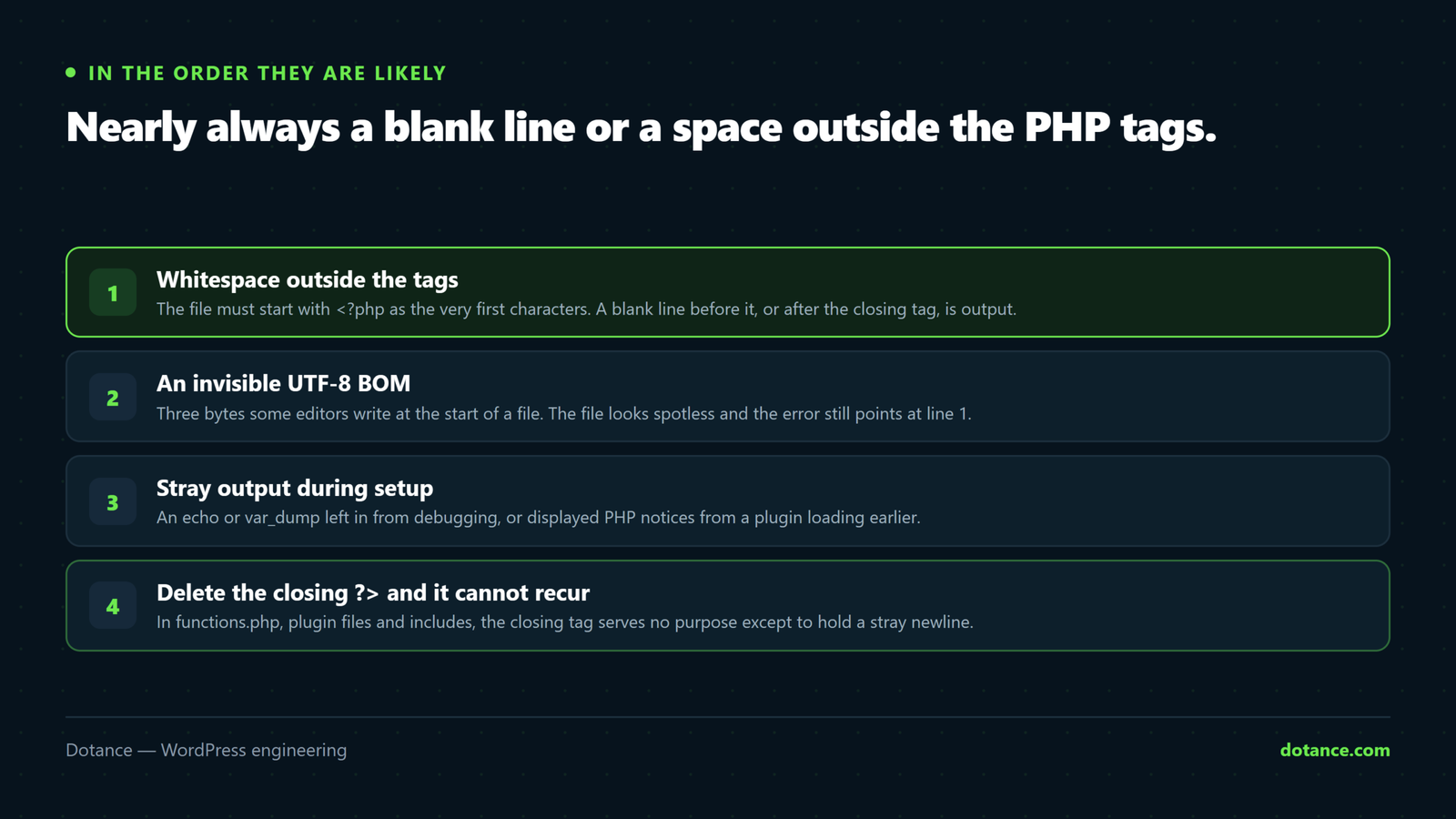
Open the file the error named. It must start with <?php as the very first characters — no blank line, no space, nothing:
functions.php — wrong
(a blank line lives here)
<?php
function my_theme_setup() {
functions.php — right
<?php
function my_theme_setup() {
Same at the end. If the file finishes with ?> followed by a blank line, that blank line is output.
Fix 2: the invisible one — a UTF-8 BOM
If the file looks spotless and the error still points at line 1, it almost certainly has a byte-order mark: three bytes (EF BB BF) some editors write at the start of a file. You cannot see them. PHP sends them as output.
Check over SSH:
head -c 3 functions.php | xxdIf it returns efbb bf, that is your BOM. Strip it:
sed -i '1s/^\xEF\xBB\xBF//' functions.phpNo SSH? Open the file in VS Code, click the encoding in the bottom-right status bar, choose Save with Encoding → UTF-8 (not “UTF-8 with BOM”). Notepad++ has the same under Encoding.
Never edit PHP in Word, WordPad, or the Notes app. They add BOMs and smart quotes. That is how this error usually arrives in the first place — someone opened a file in the wrong program to make a “quick change”.
Fix 3: when it is not whitespace
Less common, but the error is the same:
- A stray
echo,printorvar_dumpleft in from debugging. Anything printed during page setup counts. - Displayed PHP notices. If
display_errorsis on, a warning printed early is itself the output that “started” things. Turn errors into the log instead of the screen — see below. - HTML outside the tags in an include file — even a single
</div>left over from a bad paste.
Log errors instead of printing them:
wp-config.php
define( 'WP_DEBUG', true );
define( 'WP_DEBUG_LOG', true );
define( 'WP_DEBUG_DISPLAY', false );
@ini_set( 'display_errors', 0 );
Locked out of wp-admin?
If the error blocks the login redirect you cannot reach the dashboard to deactivate anything. Do it over SFTP or your host’s file manager:
- Go to
/wp-content/plugins/. - Rename the suspect folder —
my-plugintomy-plugin-off. WordPress cannot find it, so it deactivates it. - Log in, fix the file properly, rename the folder back.
- If you do not know which one, rename the whole
pluginsfolder toplugins-off. Everything deactivates; put it back and reactivate one at a time.
For a theme, the same trick works — rename the theme folder and WordPress falls back to a default one.
Make it impossible to happen again
In files that are pure PHP — functions.php, plugin files, includes — delete the closing ?> entirely:
functions.php — the last lines
function my_last_function() {
	return true;
}
// No closing tag. Nothing can follow it.
The PHP manual recommends this for exactly this reason. With no closing tag there is nothing after your code that could leak whitespace. It looks unfinished the first time; it is correct.
Common questions
The error points at pluggable.php. Should I edit that?
No. Never edit core files. pluggable.php is where WordPress tried to set the header — the fault is in the file named after “output started at”.
It only happens on login or checkout.
Those are the places WordPress sets cookies and redirects, so they are the first to fail. The broken file is loading on every page; you just do not notice until something needs a header.
Can I just suppress the warning?
Turning off display_errors hides the message, but the header still is not sent — the redirect or cookie silently keeps failing. You have hidden the symptom and kept the bug.
I fixed the file and it still appears.
Either a caching layer is serving the old page — purge it — or a second file has the same problem. The error names one file at a time, so fix, reload, and read the new path.