1. Test the demo before you buy
The demo is the theme at its absolute best — hand-tuned, ideal images, minimal plugins, run by the people selling it. Your site will never be faster than the demo.
Run the demo URL through PageSpeed Insights, then check the mechanics yourself:
# How much HTML does one page ship?
curl -s https://demo.theme-site.com/ -o /dev/null -w "html: %{size_download} bytes\n"

# How many stylesheets and scripts does it load?
curl -s https://demo.theme-site.com/ \
  | grep -oE '<(link[^>]*\.css|script[^>]*\.js)' | wc -l

# How fast does the server answer at all?
curl -s -o /dev/null -w "TTFB: %{time_starttransfer}s\n" https://demo.theme-site.com/
Thirty-plus separate CSS and JS files on a simple demo page tells you what you are buying. This one check filters out most bad choices in five minutes.
Ignore the TTFB on the demo — that is their hosting, not the theme. The numbers that travel with the theme are the file count and the page weight. Judge those, and judge them on the demo’s simplest page as well as the flashiest one.
2. Understand what “everything included” costs
Themes sold on 200 demos, bundled sliders, a bundled page builder and “every feature you’ll ever need” pay for that flexibility on every single page load — CSS and JavaScript for features you will never enable.
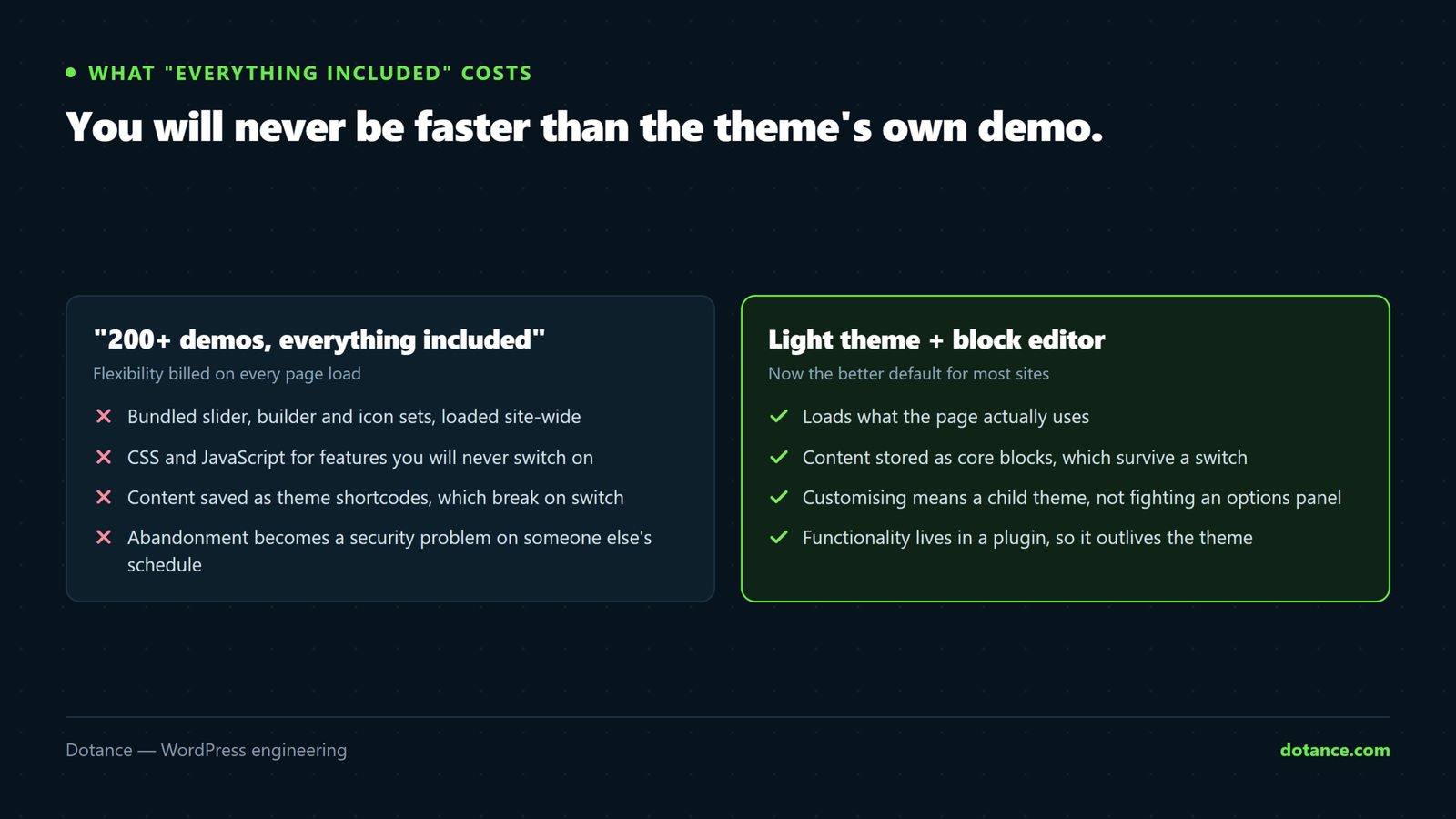
There is a second cost that is worse: bundled plugins update on the theme’s schedule, not their own. A security fix in a bundled slider reaches you when the theme author gets round to shipping it. That has been the source of real, widely exploited vulnerabilities.
The best modern themes are almost boring — light, fast, and content to let plugins and the block editor do the feature work. Boring is what fast looks like in a theme listing.
3. Check the exit before you enter
Ask: if we switch themes in three years, what survives?
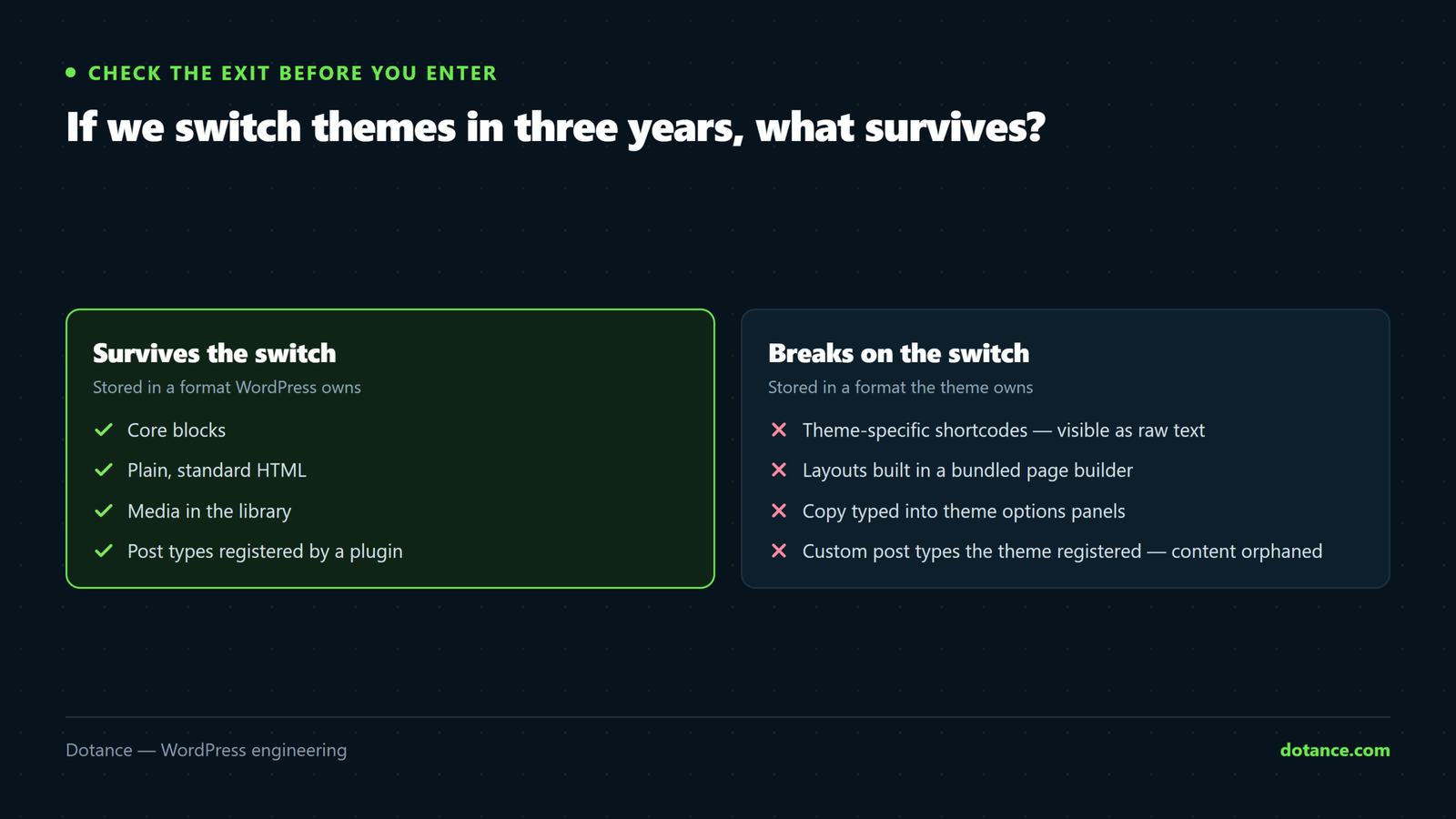
| Content stored as | On theme switch |
|---|---|
| Core blocks | Survives cleanly |
| Standard HTML | Survives |
| Theme-specific shortcodes | Becomes visible junk text |
| A bundled page builder’s format | A rebuild |
| Theme options / customizer only | Lost — settings do not transfer |
Test it rather than trust it: install the theme on staging, build a page the way you actually would, then switch to a default theme and look at what remains. Twenty minutes now, against a rebuild later.
4. Judge the maintenance, not the feature list
A beautiful theme abandoned by its developer becomes a security and compatibility problem on a schedule you do not control.
What to look at:
- Changelog frequency. Regular releases, and compatibility notes for new WordPress and PHP versions.
- Last update date. Over a year is a warning; over two is a decision to avoid.
- Support responses. Recent threads with actual answers, not just tickets.
- How long it has existed. A theme that has survived several WordPress majors has been maintained through change.
On a marketplace, sort reviews by most recent rather than reading the highlighted ones. Long-term problems surface there and nowhere else.
5. Plan for customisation before you need it
You will eventually change something. Decide now how.
- Use a child theme for any file-level change, or the next theme update erases your work.
- Keep functionality out of the theme. Business logic in
functions.phpdies at the redesign — see plugin or theme code. - Check the theme offers hooks, not just template overrides. Hooks survive updates; copied templates go stale silently.
6. When a custom build wins
Stock themes fit standard sites, and most sites are standard. A lean custom theme — built on the block editor with locked patterns — costs more upfront and less every month after, and it is the right call when:
- The design is genuinely brand-specific rather than a template with your logo
- The content model is unusual — properties, courses, locations, case studies
- Performance targets are strict because speed affects revenue
- A team publishes regularly and needs guard rails rather than freedom
That trade is our design service in one sentence. Below that bar, a good stock theme is the honest recommendation.
The five-minute checklist
- Demo through PageSpeed Insights — and count its CSS and JS files.
- Last updated within a few months?
- Tested up to the current WordPress version?
- Recent support threads with real replies?
- Content stored as blocks rather than the theme’s own shortcodes?
- Child theme supported, and hooks documented?
Any “no” is not automatically disqualifying — but it should be a decision you make knowingly, not one you discover in year two.
If the shortlist is down to two and you would rather not gamble: our premium theme setup service runs this checklist against the candidates, sets the winner up with a child theme and global styles from the start, and leaves the functionality in a plugin so the next theme change is a restyle rather than a rebuild.
Common questions
Is a free theme worse than a paid one?
No. Several of the best-maintained themes are free, and plenty of expensive ones are abandoned. Judge on maintenance and weight, not on price.
Can I change theme later without losing content?
Posts and pages survive. Layouts built with theme-specific tools and settings held in theme options do not. That is exactly what the exit test above measures.
How many themes should I have installed?
Your active one and one default as a fallback. Every other installed theme is unpatched code on your server — see hardening.
The theme demo looks nothing like mine after install.
Normal. Demos ship with sample content and configuration, usually importable. Import it on a fresh install, not over a live site — the import can overwrite your existing settings.