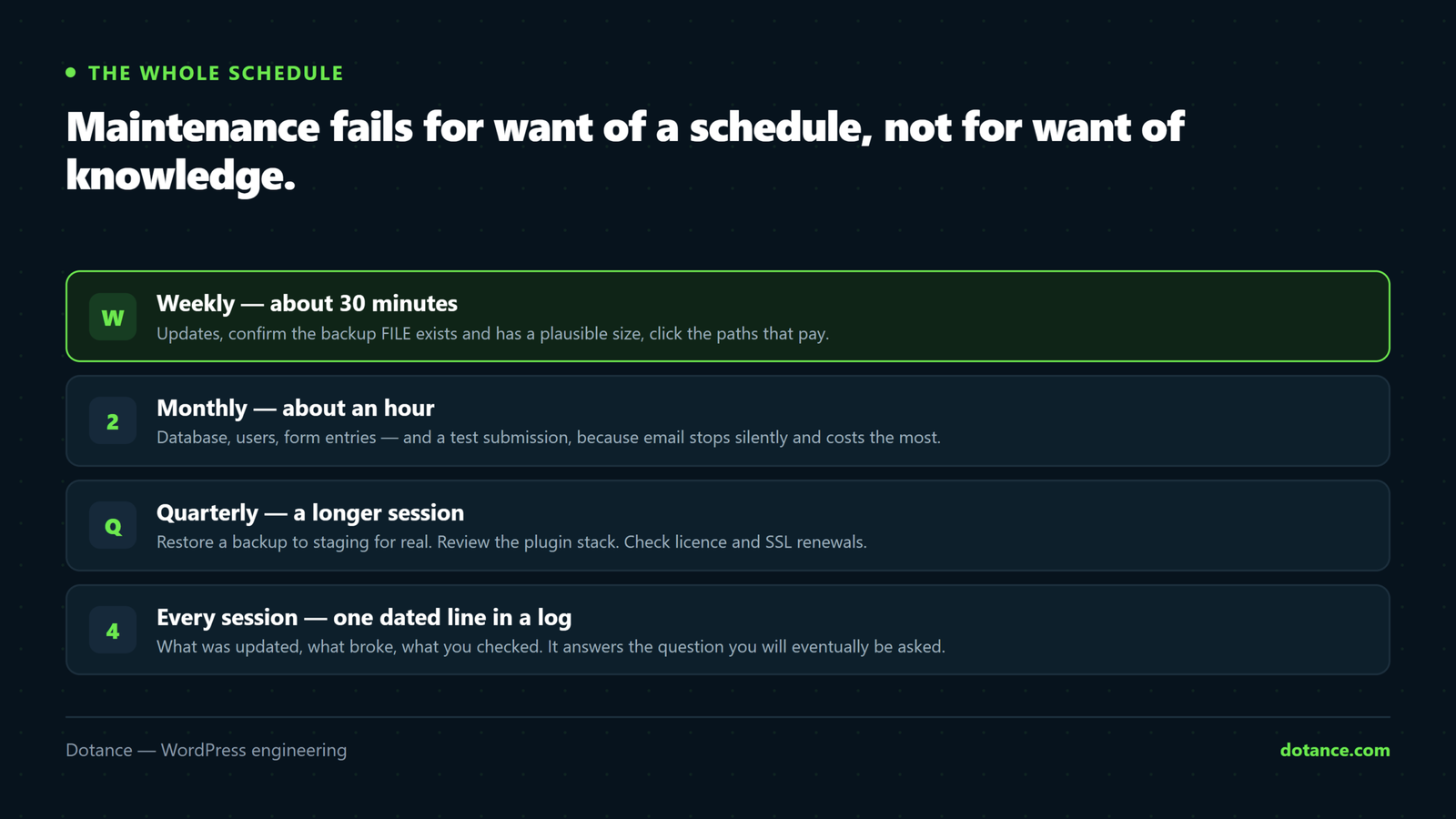
Weekly — about 30 minutes
Updates
wp plugin list --update=available --fields=name,version,update_version
wp core check-update
Security releases go on immediately. Majors wait for a staging test — the split is in updating safely.
Confirm the backup exists — the file, not the email
ls -lh /path/to/backups/ | tail -5You are checking three things: it ran, it is off-site, and it is roughly the size it was last week. A backup that suddenly halved has started failing quietly.
Integrity check
wp core verify-checksums
wp plugin verify-checksums --all
Thirty seconds, and it catches file tampering before anything else does.
Click the paths that pay
Homepage, one landing page, the contact form, checkout if you sell. Actually submit the form — do not just look at it.
Monthly — about an hour
Is email still sending?
This is the failure that costs the most and announces itself the least. A site can stop sending enquiry notifications for weeks and look perfectly healthy.
# Send a test and watch it leave
wp eval "var_dump( wp_mail( 'you@example.com', 'Monthly check', 'Test' ) );"

# Many hosts log every mail() call — the truth lives here
tail -20 ~/.logs/mail.log
wp_mail() returning true does not mean it arrived. It means the server accepted it for delivery. Submit a real form and confirm the message lands in the inbox — and check the spam folder, because a form quietly filtered to spam is indistinguishable from one that never sent.
Database
wp transient delete --expired
wp post list --post_type=revision --format=count

# Autoloaded options — under ~800KB is healthy
wp eval "global \$wpdb; echo round( \$wpdb->get_var(
  \"SELECT SUM(LENGTH(option_value)) FROM \$wpdb->options WHERE autoload='yes'\"
) / 1024 ) . 'KB';"
Users
wp user list --role=administrator --fields=ID,user_login,user_email,user_registeredQuestion every administrator. Remove people who left — reassign their content rather than keeping a dormant login.
Performance and 404s
Search Console → Core Web Vitals for regressions, and → Pages → Not found for broken URLs worth redirecting. Investigate a regression while you still remember what changed.
Quarterly — a longer session
The restore drill
The step everyone skips and the only one that proves the rest. Restore the latest backup to staging, boot it, log in, confirm recent content is there — and time it. The full method is in backups done right.
Stack review
# PHP version — is it still supported?
wp eval "echo PHP_VERSION;"

# Deactivated plugins are still on disk, and still exploitable
wp plugin list --status=inactive --field=name
For each plugin, check Last updated on its wordpress.org page. Two years without an update is a liability regardless of what it does.
Renewals
Domain, SSL, premium plugin licences, the hosting plan itself. An expired licence usually means no more security updates — which is a security problem, not an accounting one.
curl -sI https://yoursite.com | grep -i "^HTTP"
echo | openssl s_client -connect yoursite.com:443 2>/dev/null \
  | openssl x509 -noout -dates
Content pass
Outdated prices, dead offers, last year’s team, a copyright notice stuck on an old year. This is the decay visitors actually notice, and no monitoring tool will ever report it.
The failures worth designing for
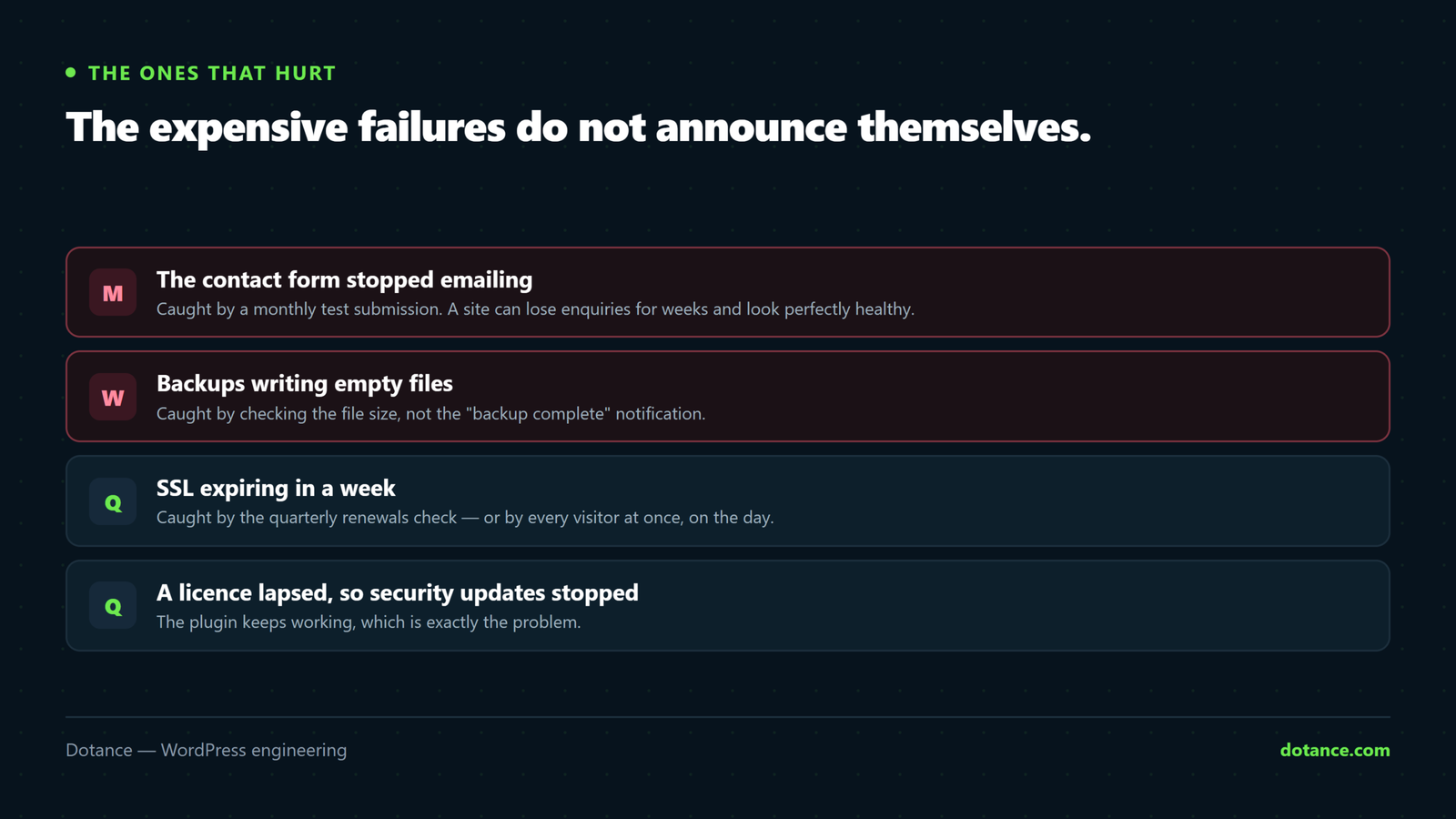
| Silent failure | Caught by |
|---|---|
| Contact form stopped emailing | Monthly test submission |
| Backups writing empty files | Checking size, not the notification |
| SSL expiring in a week | Quarterly certificate check |
| A plugin abandoned by its author | Quarterly stack review |
| Search Console flagged something | Actually opening it |
| Checkout broken by an update | Weekly test order |
Every one of these can run for months while the site looks perfectly well.
Keep a log
A dated line per session: what was updated, what broke, what you checked. It takes a minute and it answers the question you will eventually be asked — what changed just before this started? Without it you are guessing at your own history.
The honest question
None of this is difficult. All of it is relentless, and that is why it stops happening — usually in month three, quietly, without a decision being made.
If that is the realistic outcome in-house, it is a staffing question rather than a personal failing, and it is exactly what a maintenance plan absorbs. What matters is that the rhythm runs — not who runs it.
Common questions
Can I automate all of this?
Much of it — updates, backups, monitoring, integrity checks. What cannot be automated is judgement: whether a regression matters, whether a plugin should be replaced, whether the content still tells the truth.
What if I only do one thing?
Updates, with a backup you have restored. That combination prevents most compromises and makes almost everything else recoverable.
Is a monthly report worth it?
To a client, yes — it makes invisible work visible. For yourself, the log above is enough.
How long does this really take?
Roughly thirty minutes weekly and an hour monthly on a normal site, once it is routine. The quarterly session is longer because the restore drill is the point of it.