The order matters
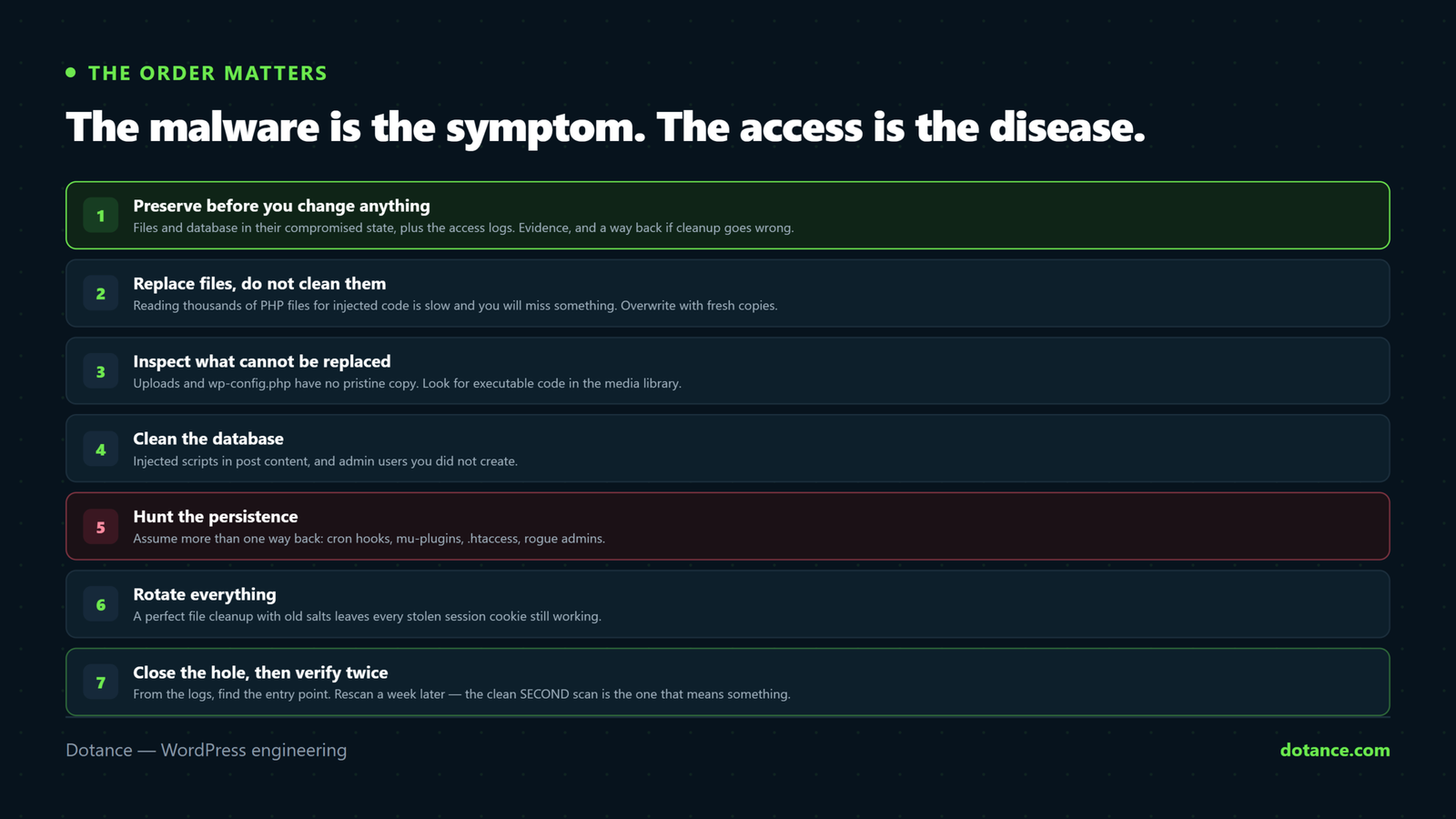
Work these in sequence. Skipping ahead is how sites get reinfected within the week — because the malware is the symptom and the access is the disease.
1. Preserve before you change anything
# Files and database, in their compromised state
wp db export ~/infected-$(date +%F).sql
tar -czf ~/infected-files-$(date +%F).tar.gz wp-content/
Then grab the access logs before they rotate — they usually contain the request that got in:
cp ~/logs/*access* ~/forensics/ 2>/dev/null || \
  cp /var/log/apache2/access.log* ~/forensics/
Take the site offline if it is actively serving malicious content:
wp maintenance-mode activate2. Replace files, do not clean them
Reading thousands of PHP files for injected code is slow and you will miss something. Overwrite instead.
Core:
wp core download --force --skip-content--skip-content leaves wp-content alone so your uploads and configuration survive.
Plugins — reinstall every one at its current version:
wp plugin list --field=name | xargs -I{} wp plugin install {} --forceThat only works for plugins from the WordPress directory. Premium and custom plugins must be re-uploaded from the vendor’s own copy — never from the compromised site. Any plugin you cannot obtain a clean copy of should be deleted, not trusted.
Theme: reinstall from the vendor. If it is a custom theme with no clean source, it has to be read by hand — start with files whose timestamps do not match the rest.
3. Inspect what cannot be replaced
Uploads and wp-config.php have no pristine copy, so they get read.
# Executable code in the media library
find wp-content/uploads -type f \( -name "*.php" -o -name "*.phtml" \)

# Common shell markers in what should be static files
grep -rlE "eval\(|base64_decode\(|gzinflate\(|str_rot13\(" wp-content/uploads/
Read wp-config.php line by line against a fresh wp-config-sample.php. Injected include or auto_prepend_file lines live there. Do the same for .htaccess — redirects hide at the bottom, often after many blank lines so a casual look misses them.
Check wp-content/mu-plugins/. Must-use plugins load automatically, never appear as activated in the plugins screen, and cannot be deactivated from the dashboard — which makes the folder a favourite hiding place. On most sites it should be empty or nearly so.
4. Clean the database
Malware is not only in files.
# Injected scripts in post content
wp db query "SELECT ID, post_title FROM wp_posts
  WHERE post_content LIKE '%<script%' AND post_status='publish';"

# Suspicious autoloaded options
wp db query "SELECT option_name FROM wp_options
  WHERE option_value LIKE '%eval(%' OR option_value LIKE '%base64_decode(%';"
And the users — in the database, not just the admin screen, because a hidden user may not render there:
wp user list --role=administrator --fields=ID,user_login,user_email,user_registered5. Hunt the persistence
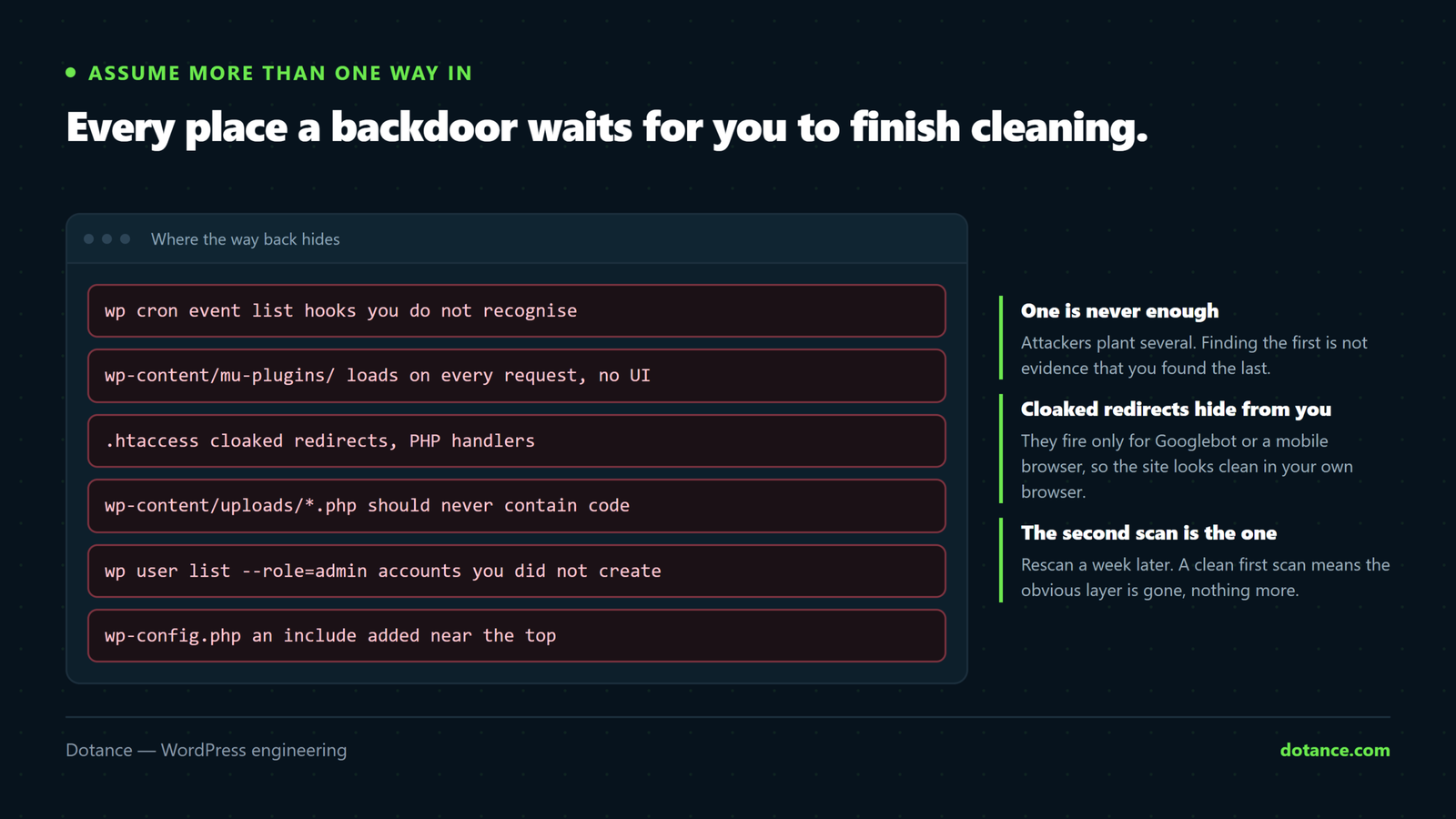
Assume there is more than one way back in. Check every one:
| Hiding place | How to check |
|---|---|
| Scheduled tasks | wp cron event list — look for hooks you do not recognise |
| Must-use plugins | ls -la wp-content/mu-plugins/ |
| Drop-ins | wp plugin list --status=dropin |
| Extra admin users | The user list above |
| Application passwords | Each user’s profile — revoke any you did not create |
| SSH keys | cat ~/.ssh/authorized_keys |
| Cron at server level | crontab -l |
6. Rotate everything
A perfect file cleanup with old credentials is an open door. Assume everything the site held was taken.
# New salts — invalidates every existing login session
wp config shuffle-salts

# New password for every admin
wp user list --role=administrator --field=ID | \
  xargs -I{} wp user update {} --user_pass="$(openssl rand -base64 24)"
Rotating the salts is the step people skip, and it is the one that locks the attacker out. Stolen session cookies stay valid until the salts change — so without it they can walk back in through a logged-in session while you congratulate yourself on a clean scan.
Also change: the database password (and wp-config.php to match), SFTP and hosting passwords, and any API keys the site stores.
7. Close the hole
Cleaning without this is temporary. From the logs and file timestamps, work out the entry point — then:
- Update or delete the plugin or theme that was exploited.
- Delete anything nulled. The backdoor was the price of the free copy.
- Remove plugins you are not using. Every one is attack surface.
- Apply the basics from our hardening checklist — particularly disabling PHP execution in uploads.
8. Verify, then verify again
wp core verify-checksums
wp plugin verify-checksums --all
Then fetch the site as Googlebot and as a mobile browser, since cloaked redirects only fire for those:
curl -s -A "Mozilla/5.0 (compatible; Googlebot/2.1)" https://yoursite.com/ \
  | grep -iE "viagra|casino|replica"
If Google flagged the site, request a review in Search Console → Security Issues once it is genuinely clean — requesting while still infected resets the clock.
Scan again in a week. A backdoor you missed will have restored itself by then, and better you find it than a customer.
Common questions
Can I just restore a backup instead?
If you are certain it predates the compromise, yes — and it is often faster. But you must still close the entry point, or the same script reinfects the restored site. Check when the first suspicious file appeared before choosing a backup.
How do I know when it started?
The oldest malicious file’s timestamp, and the access logs around it. That date decides which backup is safe.
My host says they cleaned it.
Host cleanups usually remove the malware they detected and stop there. Ask specifically what the entry point was and whether credentials were rotated. If they cannot answer the first, assume it is still open.
Is a security plugin enough afterwards?
It helps with detection and blocking. It does not patch an outdated plugin, and it is not a backup. Treat it as one layer, not the plan.