
One link, no login
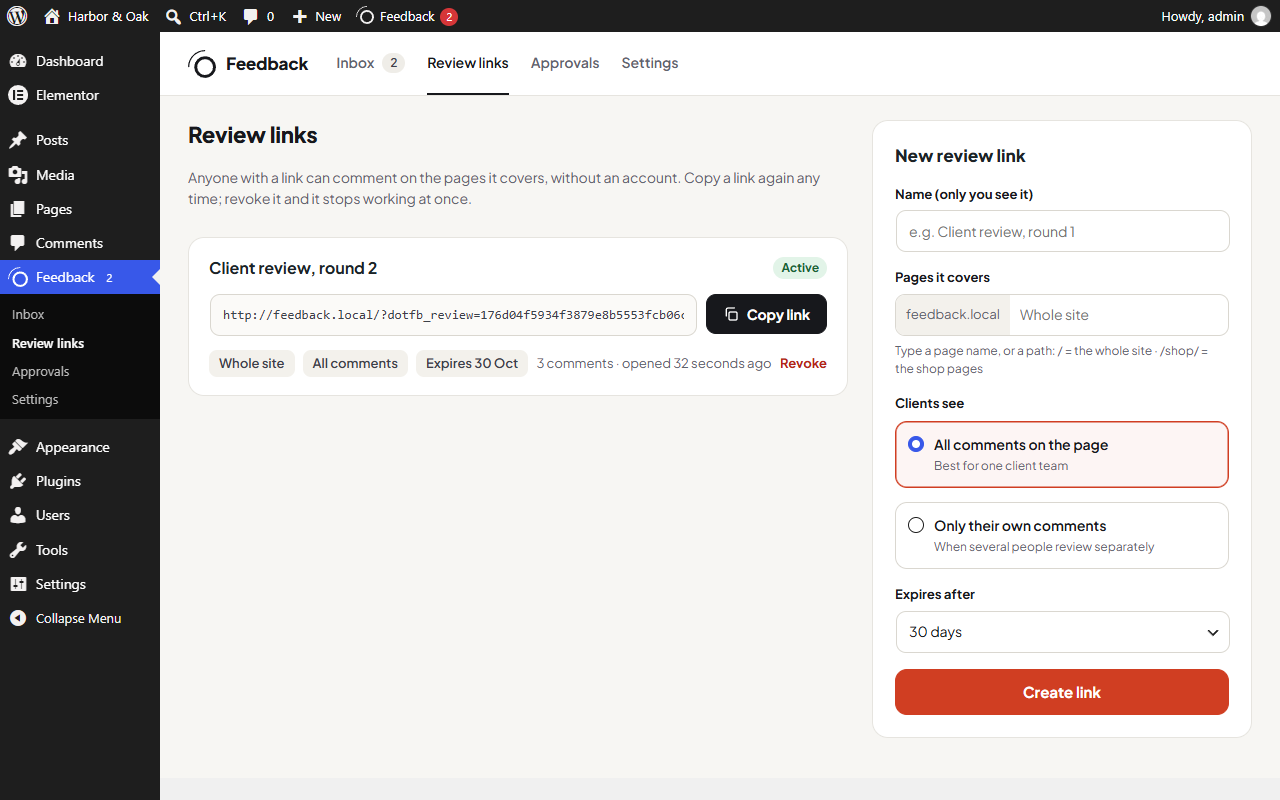
A review link for the whole site, a section or one page. Clients type their name once; there are no accounts, passwords or browser extensions.
★ Free plugin
Client feedback usually arrives as a long email with "the thing at the top of the second page" in it. Dotance Website Feedback gives your client one review link. They open the live site, click the part they mean and type. A screenshot, the page, the browser and the screen size come with every comment, and you reply, assign and resolve from an inbox in WordPress. No client login, no browser extension, no monthly SaaS bill: everything stays on your own site.
Overview
A website review is where projects slow down. Screenshots get pasted into documents, "the button" means three different buttons, and half the notes are about a page that has changed since. You spend the afternoon working out what the client meant instead of fixing it.
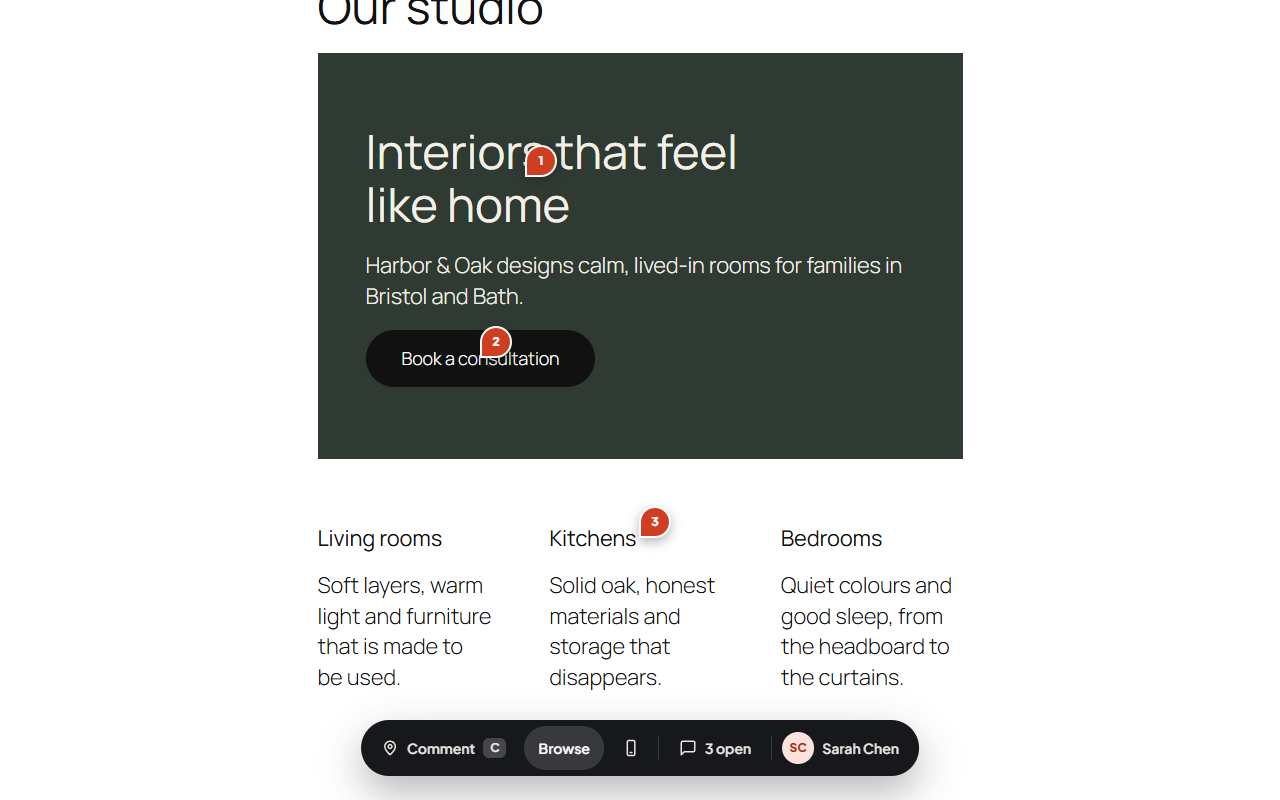
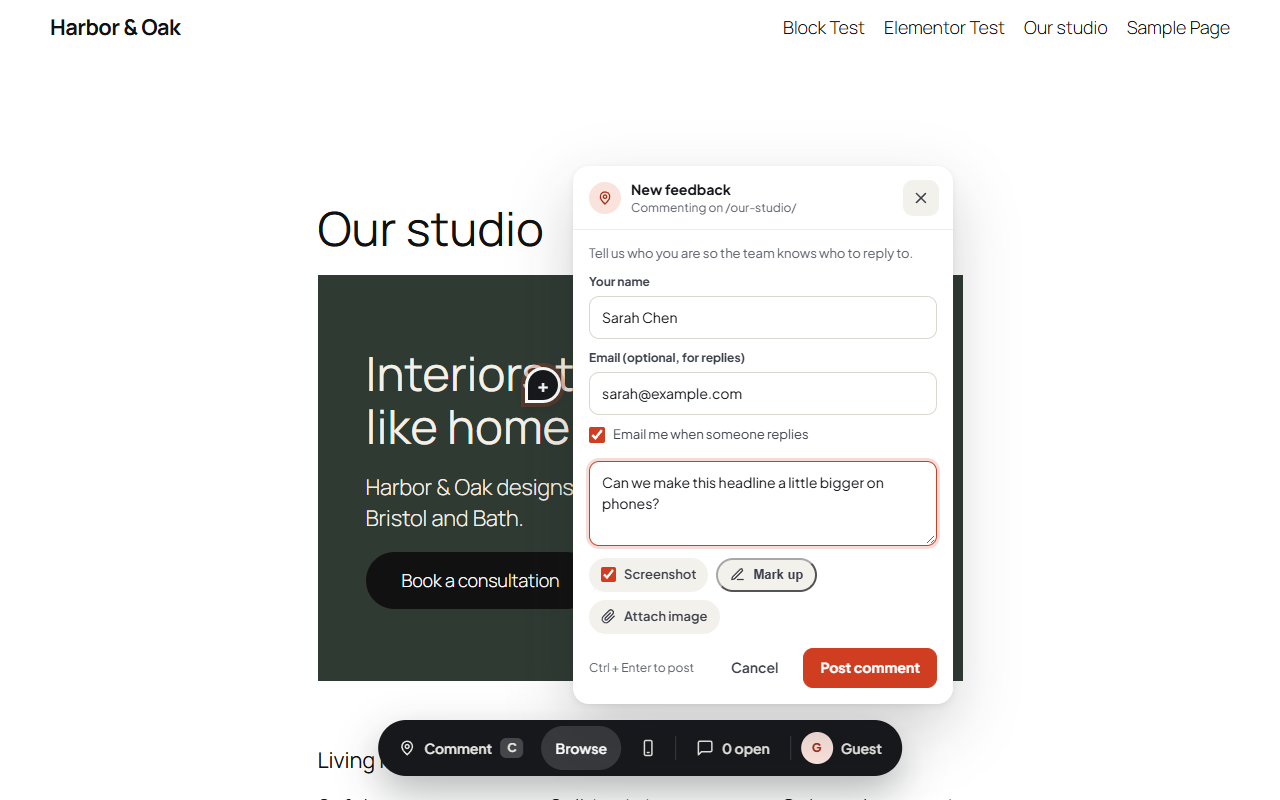
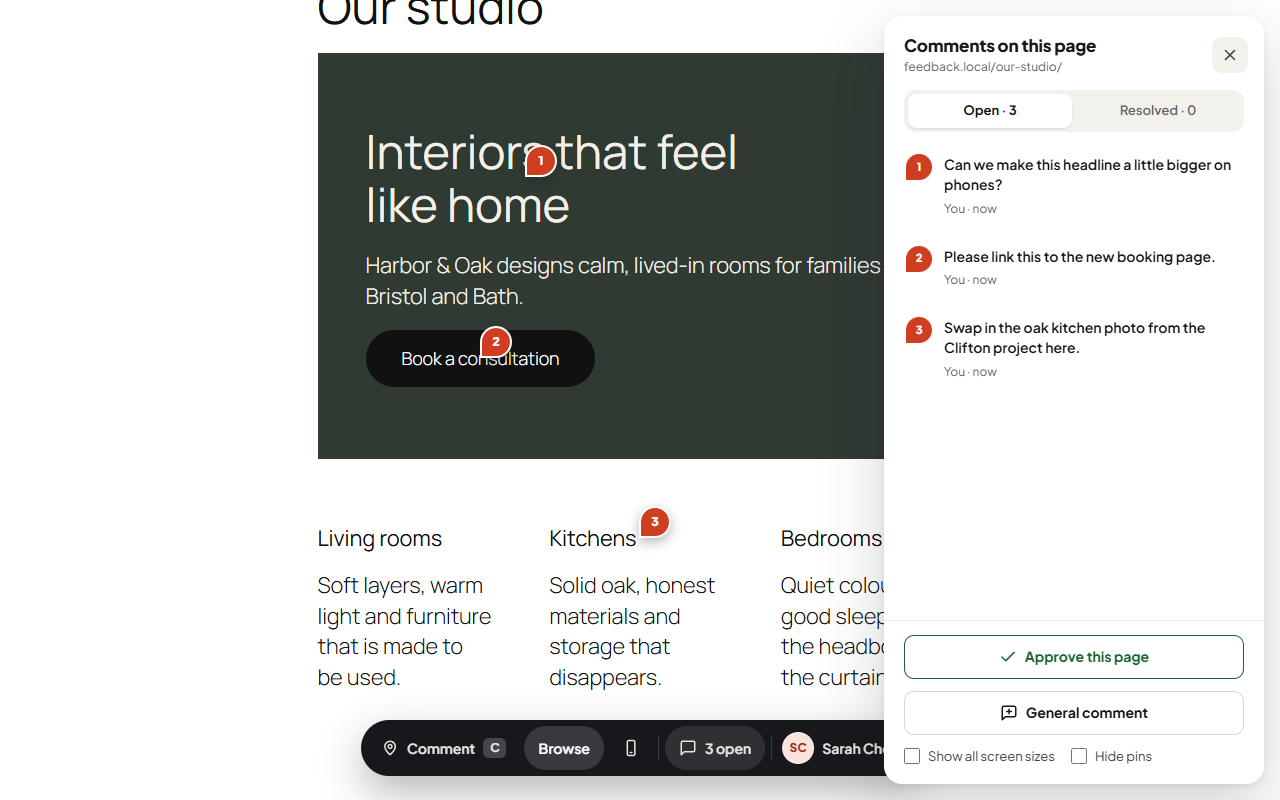
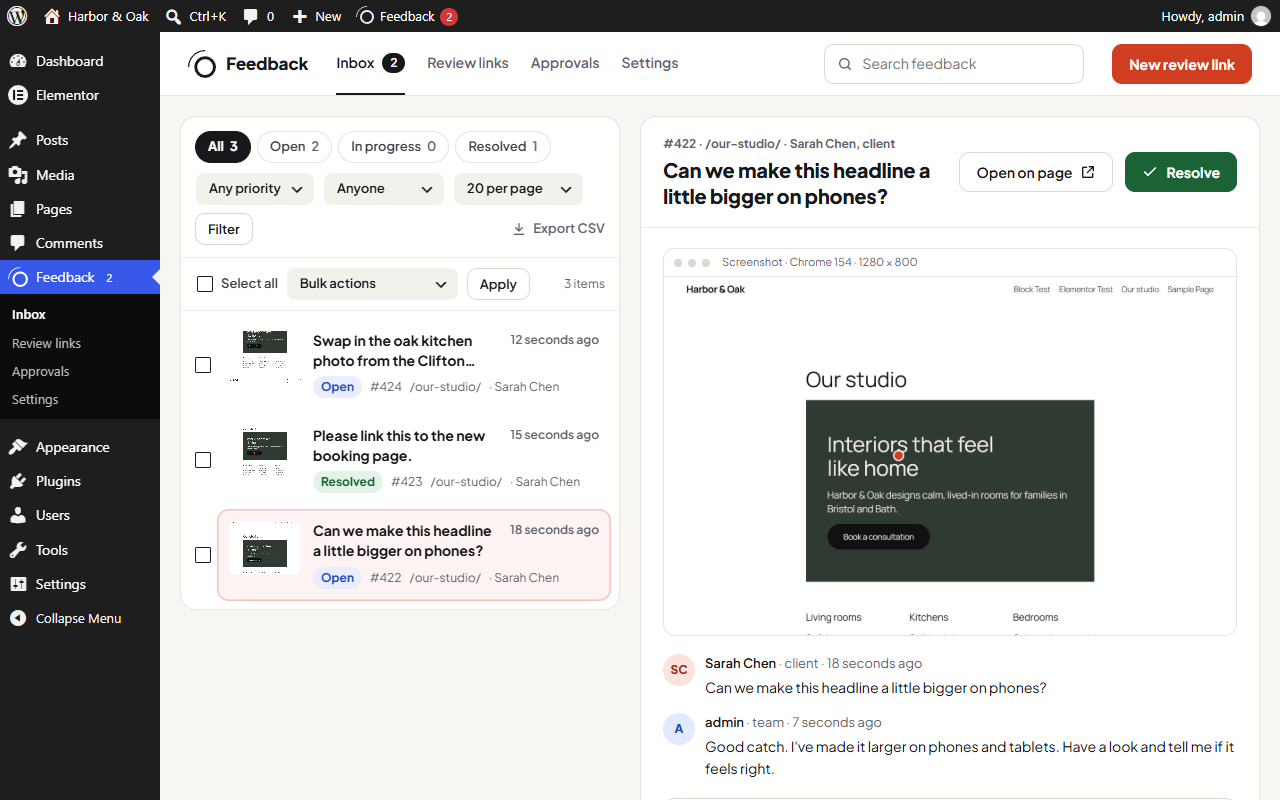
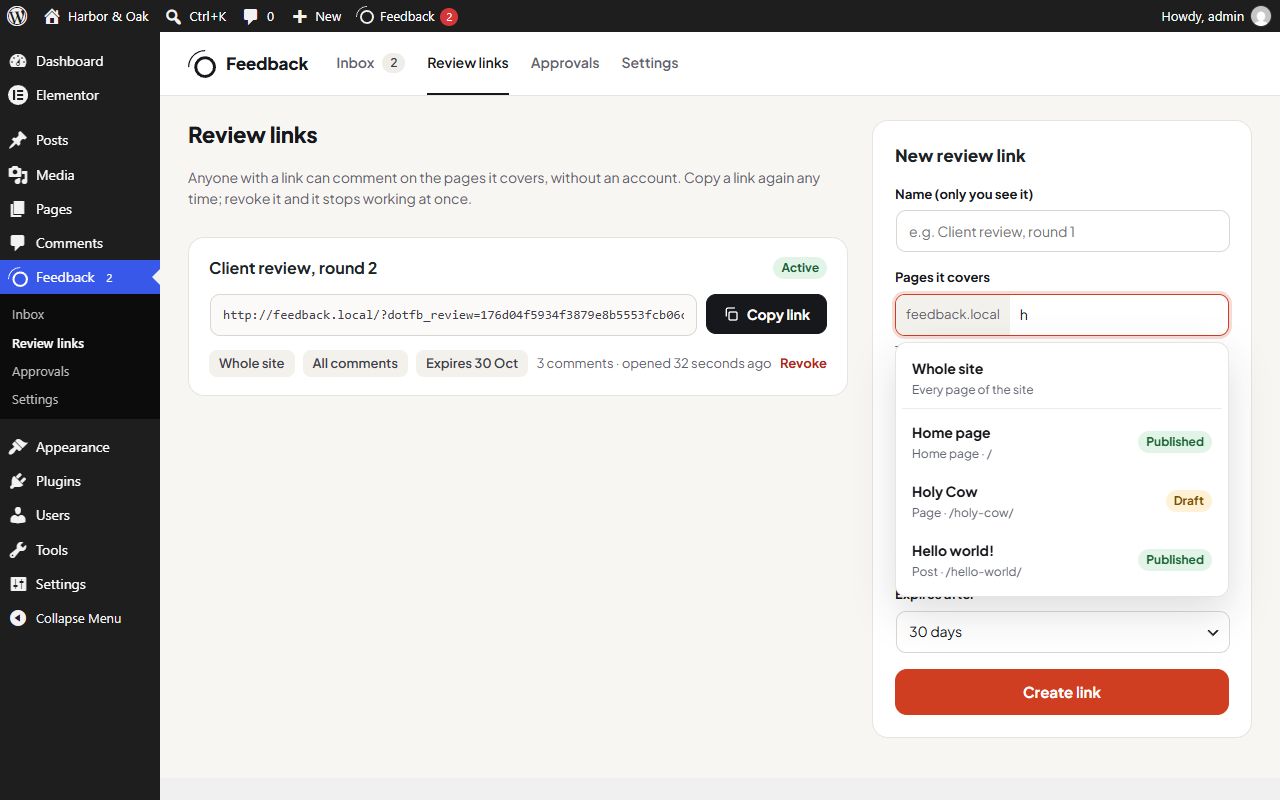
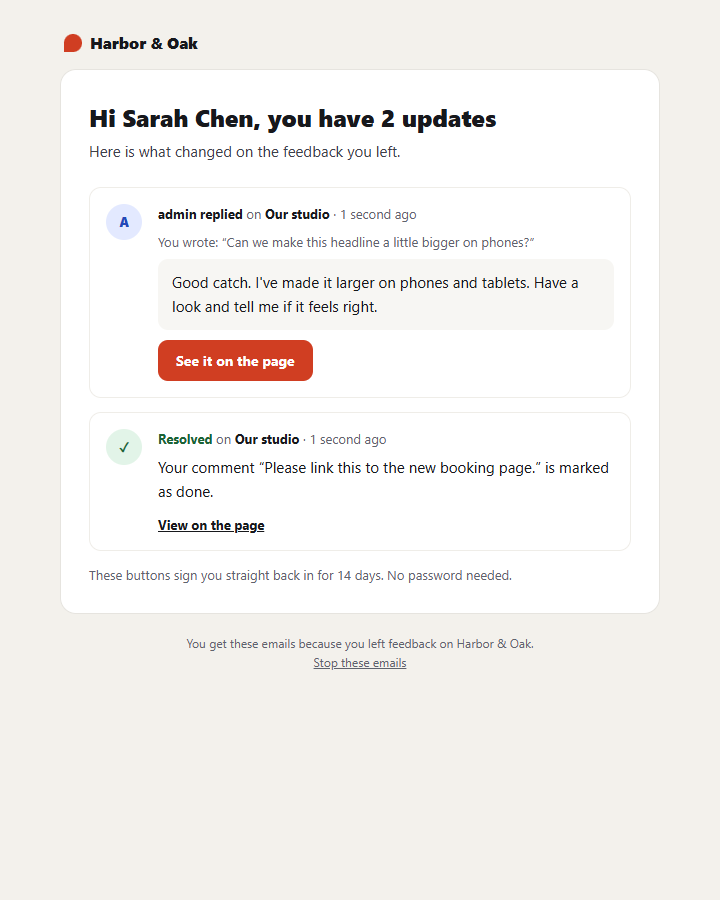
Dotance Website Feedback puts the conversation on the website itself. Create a review link for the whole site, one section or a single page (drafts included) and send it. Your client presses Comment, clicks the heading, button or photo they mean and writes a note. The plugin pins it to that element, attaches a screenshot they can mark up, and records the page, browser and screen size. You answer from the inbox, keep internal notes for your team, and mark things resolved; the client gets a clean email and one click takes them back to the comment. When a page is right, they approve it.
Features
A review link for the whole site, a section or one page. Clients type their name once; there are no accounts, passwords or browser extensions.
Clients click anything and comment. The pin stays on that element, and a screenshot they can mark up with a box, an arrow or a pen comes with it.
Reply, leave internal notes, @mention a teammate, set status, priority and assignee, work in bulk and export to CSV.
Clients can review a draft before it is published, see the page at phone and tablet size, and approve a page when it is ready.
Batched emails from your site name: you hear about new comments, clients hear about your replies. One click signs them back in.
Nothing is added to your pages for other visitors. Comments, screenshots and email addresses stay in your own database.
Screenshots
Pricing
$0
The whole plugin on as many sites as you like: review links, pinned comments, screenshots, the inbox, approvals and emails.
Quoted
Want us to collect your client's feedback and work through it? That is work we do.
Dotance Website Feedback will be submitted to the WordPress.org plugin directory once our current submissions clear review. Until then the download here is the same build, straight from us. Everything described on this page is in the free plugin.
Changelog
Review links for the whole site, a section or one page, with a page picker; pinned comments with screenshots and markup; phone and tablet preview; draft review for link holders; works behind common maintenance modes; inbox with replies, internal notes, @mentions, status, priority, assignee, bulk actions and CSV export; page approvals; batched HTML emails; privacy export and erase.
Questions
Questions about a custom plugin built for your site are on the plugin development page.
Create a review link under Feedback → Review links and send it. Your client opens it, presses Comment, clicks the part of the page they mean and types. They need no account or browser extension; the comment arrives in your inbox with a screenshot.
No. Visitors without a review link get exactly the same page as before. The toolbar only loads for your team and for people holding a link.
Yes. Pick the draft in the page picker when you create the link. Only people holding that link can open the draft; everyone else still gets "not found".
On your own site: comments in your database, screenshots in a private folder in uploads, shown only to people allowed to see that comment. Nothing is sent to Dotance or anyone else.
You choose per link: everyone with the link sees all comments on a page, or each person sees only their own.
Yes. Comments pin to Elementor and block-editor pages alike, and the plugin clears LiteSpeed, WP Rocket, W3 Total Cache and WP Super Cache when a link goes live so the toolbar appears for your client.
WordPress 6.2 or newer and PHP 7.4 or newer; tested up to WordPress 7.1 and PHP 8.3. No external services and no API keys.
We would like to use analytics cookies to understand how the site is used. They are not needed for the site to work, and nothing is loaded unless you agree. Privacy policy