Protect · Specialised

Plugin installation & setup done properly, not just activated.

Most WordPress problems trace back to plugin decisions: the wrong plugin for the job, two plugins fighting, defaults never configured, or forty of them doing the work of twelve. We choose plugins deliberately, configure them fully, test them against your stack on staging — and document what we did so the site stays understandable.

  • Needs-based selection — the right plugin, not the first result
  • Conflict-tested on staging before anything touches production
  • Configured, secured and documented — not just activated

The problem

What usually brings people here.

Plugin roulette

Chosen by star rating and hope. The wrong picks cost speed, security and hours — and the cost shows up months later.

The forty-plugin stack

Years of additions, nothing removed. Half are abandoned, several overlap, and every page load pays for all of them.

Activated, never configured

Most plugins do little useful on defaults. SEO, caching, security, backup plugins especially — misconfigured is often worse than absent.

Conflicts found in production

Two plugins that hate each other, discovered by customers instead of on staging.

What we do

The work, specifically.

Discuss your project ↗︎

Needs-based selection

We start from the job, not the plugin: what you need, what the stack already covers, and which candidate is maintained, performant and secure.

Full configuration

Every setting that matters, set on purpose — and the plugin integrated with your theme and workflow rather than dropped on top.

Conflict testing on staging

New plugins meet your existing stack on a staging copy first: front end, admin, forms and checkout verified before production.

Stack audits & pruning

The forty-plugin cleanup: what each one costs, what overlaps, what is abandoned — then a safe, staged removal of the passengers.

Licence management

Premium licences tracked, renewed and held in your name — so updates never silently stop because a key lapsed.

Documentation

A short record of what is installed, why, and how it is configured — the difference between a stack and a mystery.

How it works

From first look to handover.

Our full process ↗︎
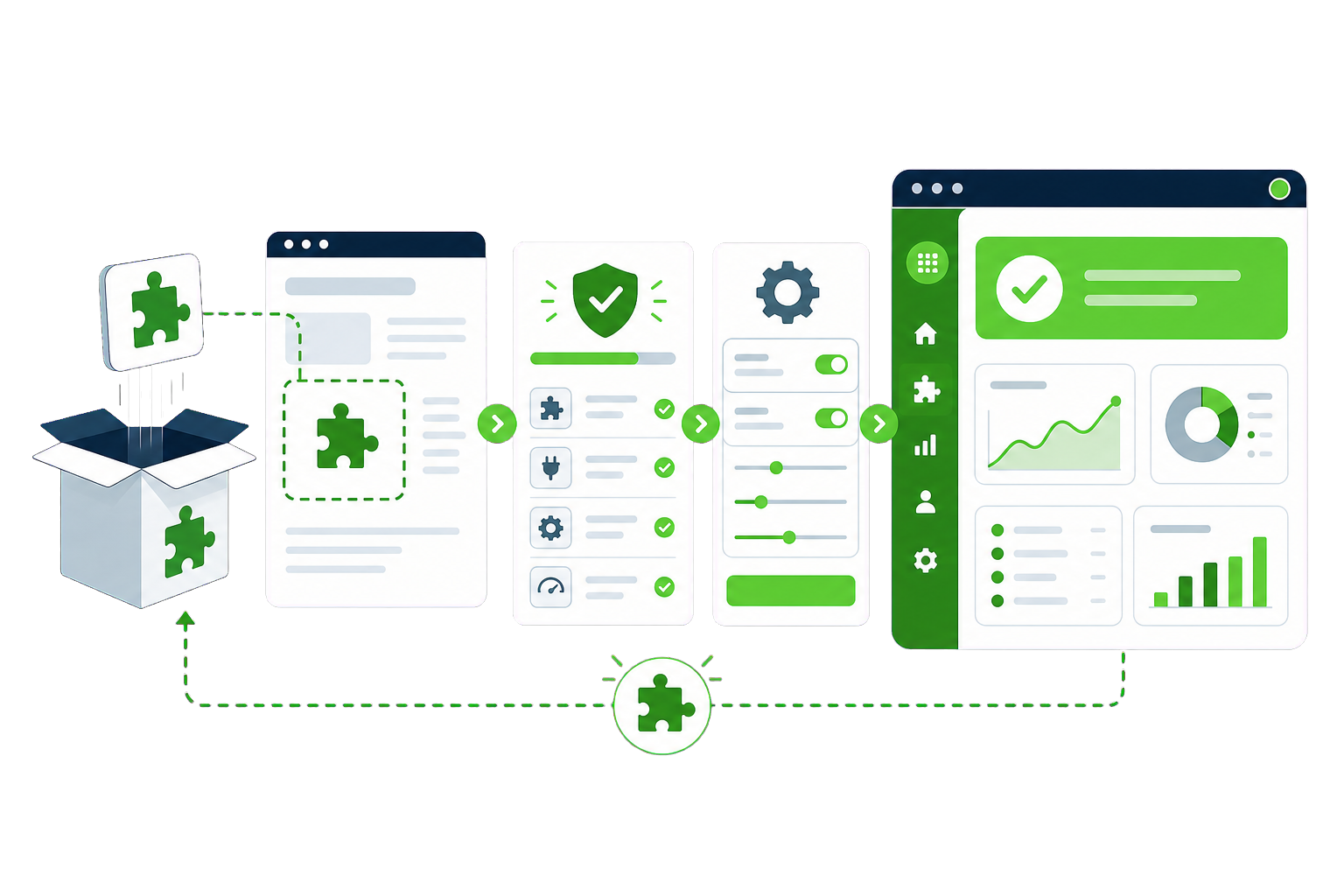
  1. Understand the need and audit the current stack
  2. Select and justify the plugin (or find it already exists in your stack)
  3. Install, configure and conflict-test on staging
  4. Deploy, verify in production, and document

Questions

Plugin Installation & Setup questions, answered plainly.

If your situation isn't covered here, send us the details and we'll reply with a straight answer.

Why pay someone to install a plugin?

You are not paying for the five-minute install — you are paying for the selection, configuration, conflict-testing and documentation around it. Those are what decide whether the plugin quietly does its job for years or becomes next quarter’s mystery outage.

Can you audit the plugins we already have?

Yes, and it is often the most valuable first step. We measure what each plugin costs in queries and assets, flag abandoned and overlapping ones, and remove the passengers in safe stages. Most established sites lose a third of their stack and feel faster the same day.

Do you handle premium plugin licences?

Yes — purchased in your name, keys stored securely, renewals tracked. Lapsed licences are one of the quiet ways sites drift into insecurity: the plugin keeps working but stops updating, and nobody notices until it matters.

What happens if a new plugin conflicts with our site?

That is exactly why everything meets a staging copy of your stack first. If a conflict appears, we isolate it there, resolve or swap the plugin, and production never sees the fight. The rare conflict that only shows under live conditions gets rolled back in minutes because we deploy with rollback ready.